
Official statement
Other statements from this video 11 ▾
- □ Pourquoi la limite des 1 000 lignes dans Search Console pose-t-elle un vrai problème d'analyse ?
- □ Pourquoi la limite de 50 000 lignes dans Search Console peut-elle fausser vos analyses SEO ?
- □ Comment exploiter toutes vos données Search Console sans limite de lignes grâce à BigQuery ?
- □ L'export BigQuery de Search Console donne-t-il vraiment accès à TOUTES les données ?
- □ L'export en masse de la Search Console est-il réservé aux très gros sites ?
- □ Quels droits d'accès faut-il pour exporter vos données Search Console vers BigQuery ?
- □ Combien de temps faut-il attendre avant que l'export Search Console vers BigQuery démarre réellement ?
- □ Pourquoi l'emplacement BigQuery de Search Console est-il définitivement figé ?
- □ Pourquoi Google notifie-t-il tous les propriétaires lors de la configuration d'un export Search Console ?
- □ Comment arrêter ou relancer l'export en masse des données Search Console ?
- □ Comment Google gère-t-il réellement les erreurs d'export dans Search Console ?
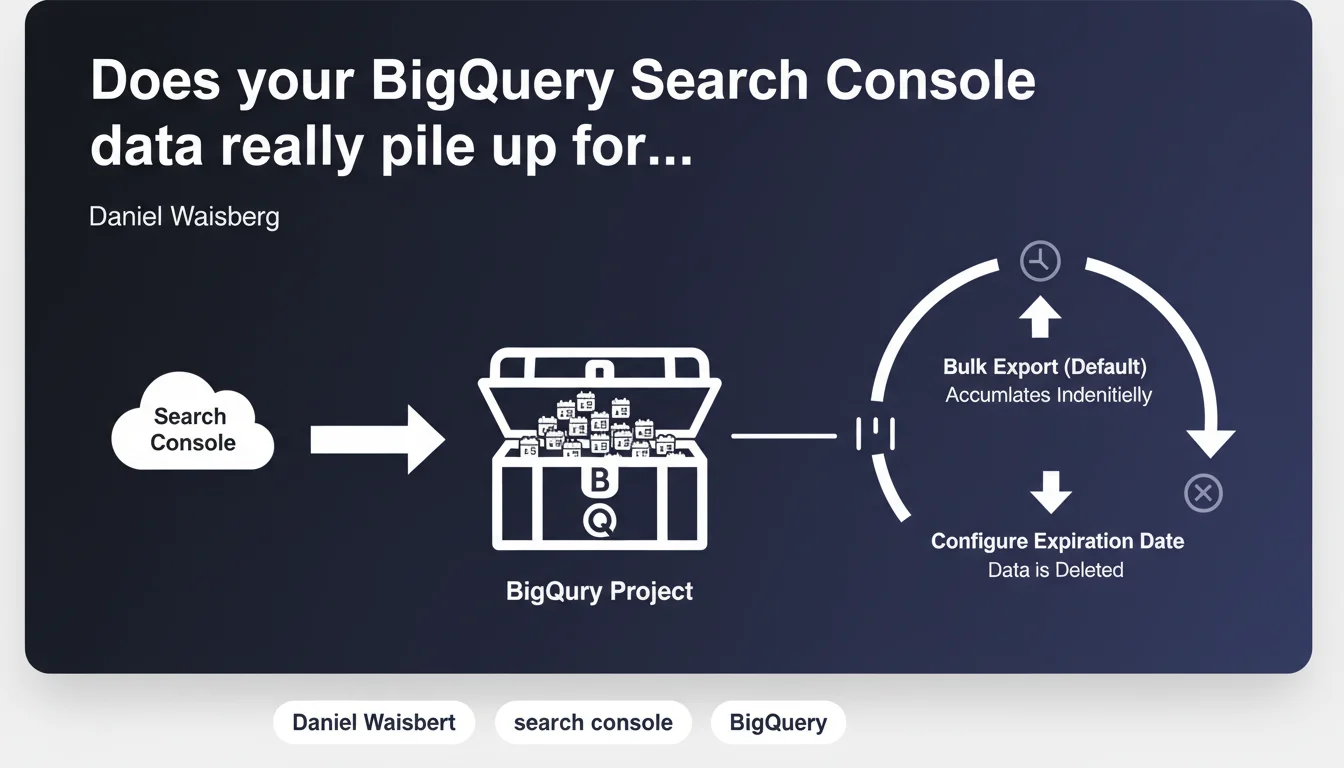
Bulk exporting Search Console data to BigQuery doesn't automatically delete anything. Without manually configuring expiration in BigQuery, your data stacks up indefinitely, which can quickly become expensive and unmanageable. You're responsible for managing retention.
What you need to understand
Why doesn't Google handle expiration automatically?
The bulk export of Search Console to BigQuery is designed as a one-way data flow: Google pushes the data, that's it. Managing the data lifecycle — how long to keep this data, when to archive it or delete it — remains entirely your responsibility.
This aligns with BigQuery's logic: it's your data warehouse, not a service managed by Google Search Console. You decide what you do with it, but also what it costs you.
What actually happens if you don't do anything?
Data accumulates month after month. Each day brings its load of new rows: queries, impressions, clicks, average positions. On a site with significant volume, this can represent millions of rows monthly.
Without an expiration policy, you end up with a dataset that grows indefinitely. And growing storage means growing costs — BigQuery charges based on storage volume and the volume scanned during queries.
What are your options for controlling retention?
BigQuery offers several mechanisms: table-level expiration, dataset-level expiration, or conditional deletion scripts via SQL. You can also use partitioned tables with automatic expiration of older partitions.
- Set a default expiration date on the dataset (e.g., 13 months)
- Define specific expiration per table if you want more granular control
- Use time-based partitions with automatic expiration of partitions exceeding a threshold
- Implement an automated script that deletes data beyond a certain age
SEO Expert opinion
Is this logic really justified on Google's side?
Let's be honest: from Google's perspective, it makes sense. BigQuery isn't a Search Console product, it's a general-purpose data warehousing service. Google can't guess how long you want to keep your data — some analysts want 3 years of history, others purge after 6 months.
Moreover, imposing a rigid default expiration would be frustrating: imagine losing 2 years of history because an automatic rule deleted your tables without warning. So yes, you need to manage it. But — and here's where it gets sticky — Google makes no effort to warn naive users. No alerts in the interface, no reminders during initial setup. Result: many discover the problem after receiving a hefty invoice. [To verify] that a notification is added in Search Console during first-time setup.
In what cases does this accumulation become problematic?
On a small site with 10k monthly impressions, the financial impact remains marginal even after 2 years without cleanup. But on a site with several million daily impressions — e-commerce, media, marketplace — data explodes quickly.
The real risk, beyond storage costs, is the query cost. If your dashboards systematically scan 3 years of data when you're only analyzing the last 6 months, you're burning budget unnecessarily. That's where a smart partitioning strategy becomes essential.
What's the right retention duration for a typical SEO site?
It depends. For standard SEO analysis, 13 months is often sufficient: it covers a full year plus 1 month of rolling comparison. If you're working on multi-year seasonality analysis or longitudinal studies, 24-36 months can be justified.
Beyond that, usefulness drops rapidly. Search Console data older than 3 years is rarely actionable — the competitive landscape, the algorithm, your site have changed too much. Better to export annual aggregates to another tool if you want to keep lightweight historical traces.
Practical impact and recommendations
How do you configure expiration on BigQuery in practice?
Multiple levels of action possible. The simplest: set a default expiration at the dataset level. It applies to all tables it contains, present and future.
You can do this via the BigQuery interface ("Details" tab of the dataset, "Default table expiration" section) or via the bq CLI: bq update --default_table_expiration 31536000 my_dataset (duration in seconds, here 365 days).
For a more granular approach, use date-partitioned tables with automatic partition expiration. Example: one partition per day, expiration after 395 days. This lets you maintain precise history while automatically purging the old.
What mistakes should you absolutely avoid?
- Don't set expiration at all — the default trap, the one 80% of users fall into
- Configure expiration too short and lose strategic data mid-analysis
- Forget to test the configuration on a dev dataset before applying it to production
- Fail to document the retention policy with your team — 6 months later, no one knows why data is disappearing
- Systematically scan all data without filtering by partition — query costs explode
What should you monitor once the config is in place?
Regularly verify that expiration works as expected. Quick check in BigQuery: are old tables disappearing properly? If you see tables from 2 years ago when your policy specifies 13 months, something's wrong.
Also monitor your BigQuery costs via Google Cloud Console. If storage keeps climbing despite configured expiration, you may have a configuration issue or tables outside the main dataset that escape the rule.
Managing BigQuery exports requires rigorous initial configuration and regular monitoring. Between choosing the right retention model, strategic partitioning, and optimizing queries to limit costs, complexity can quickly escalate. If you lack the time or technical expertise in-house, consider engaging a SEO agency specialized in advanced Search Console data exploitation to avoid costly mistakes and ensure a sustainable architecture.
❓ Frequently Asked Questions
Quelle est la durée de rétention recommandée pour un site e-commerce moyen ?
Est-ce que l'expiration configurée supprime aussi les données déjà présentes ou seulement les nouvelles ?
Peut-on récupérer des données supprimées par expiration automatique ?
L'expiration fonctionne-t-elle différemment selon qu'on utilise des tables partitionnées ou non ?
Combien coûte réellement le stockage de données Search Console dans BigQuery ?
🎥 From the same video 11
Other SEO insights extracted from this same Google Search Central video · published on 18/05/2023
🎥 Watch the full video on YouTube →
💬 Comments (0)
Be the first to comment.