
Official statement
Other statements from this video 11 ▾
- □ Is the 1,000-row limit in Search Console really hindering your SEO analysis?
- □ Is the 50,000-row limit in Search Console really crippling your SEO analysis?
- □ How can you unlock all your Search Console data without row limits using BigQuery?
- □ Does Google's BigQuery export from Search Console really give you access to ALL the data?
- □ Is bulk Search Console export really only for massive websites?
- □ What access rights do you need to export your Search Console data to BigQuery?
- □ How long does it actually take for Google Search Console to start exporting data to BigQuery?
- □ Why does Google notify all owners whenever a bulk export is set up in Search Console?
- □ Does your BigQuery Search Console data really pile up forever without limits?
- □ What actually stops your Search Console bulk export—and why Google won't do it for you?
- □ Does Google really notify you when Search Console exports fail, and how long does it keep retrying?
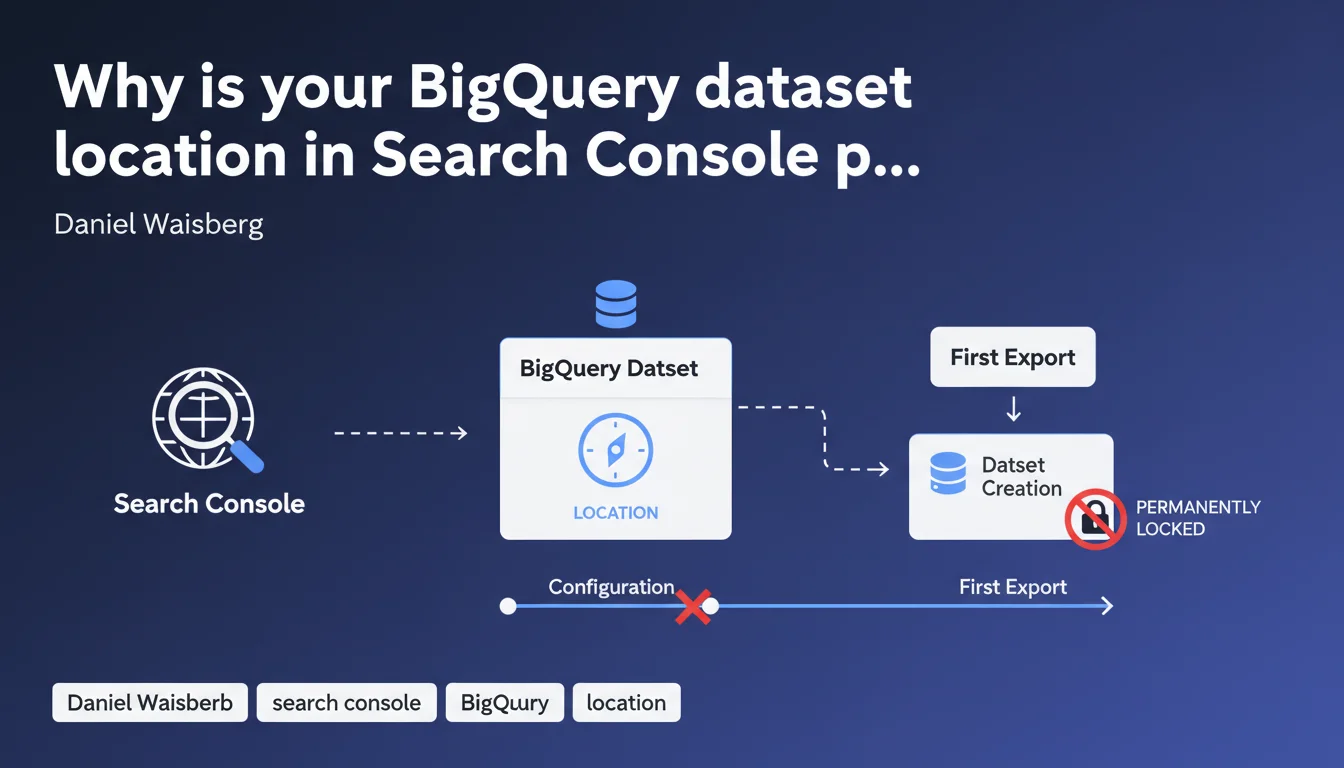
When setting up bulk export from Search Console to BigQuery, the dataset location you choose becomes permanent from the first export onward. No changes are possible after that point. This technical constraint requires strategic planning around data location before implementation begins.
What you need to understand
What is the context behind this technical limitation?
Google Search Console recently introduced bulk export to BigQuery, enabling much more granular analysis of performance data than the standard interface allows. However, this feature comes with a constraint: during initial setup, you must choose a geographic location for your BigQuery dataset.
Once your first export is complete, this location becomes irreversible. Google does not permit any migration or region change. If you later realize that your chosen location is suboptimal—due to latency, GDPR compliance, or cost concerns—you'll need to delete the dataset and reconfigure everything from scratch.
Why does this restriction exist?
BigQuery operates on a distributed architecture where data is physically stored in regional datacenters. Once a dataset is created in a region (Europe, United States, Asia), the data is anchored there. Changing the location would require complex migration that Google prefers to avoid for performance and consistency reasons.
This constraint isn't unique to Search Console: it's an intrinsic feature of BigQuery itself. But in the context of daily automated export, it becomes critical because it determines your entire SEO data storage and analysis strategy.
What are the concrete implications for an SEO professional?
If you manage multi-country websites or your company has strict data residency requirements (particularly for GDPR), location selection is far from trivial. A dataset hosted in the United States could create compliance issues for a European company.
Additionally, BigQuery queries may be billed differently across regions, and access latency varies depending on the distance between your infrastructure and the hosting datacenter.
- The BigQuery dataset location is permanent from the first Search Console export
- No migration is possible without complete deletion and recreation
- Choose based on your legal constraints (GDPR), performance needs (latency), and costs
- Plan for growth: a poor initial choice can become a strategic bottleneck
SEO Expert opinion
Is this limitation really technically justified?
Let's be honest: BigQuery technically supports cross-region transfers via export/import mechanisms. However, Google chose not to expose this functionality within Search Console. Why? Likely to avoid operational complexity, associated costs, and the risk of inconsistency in daily automated exports.
In practice, this means Google prioritizes operational simplicity over flexibility. It's a defensible approach for a service in its deployment phase, but it requires users to exercise absolute rigor during initial configuration.
What are the risks of misconfiguration?
If you configure the export without thinking through location selection, you could end up with a dataset hosted in an inappropriate region. For a French SME analyzing its data in Europe, a dataset hosted in us-central1 (United States) will generate latency and potentially create GDPR friction.
Worse: if you discover the mistake after months of daily exports, you'll face a choice between keeping a suboptimal setup or losing all accumulated history. It's a difficult decision many SEO teams would prefer to avoid.
Could Google loosen this rule in the future?
Technically, yes. Google could offer assisted migration or a cross-region replication mechanism for Search Console datasets. However, nothing suggests this evolution is planned in the near term.
Until then, treat this limitation as permanent and act accordingly. If you're unsure, create a test dataset in a separate BigQuery project to evaluate performance before configuring the final export. [To verify]: no official roadmap mentions improvements on this point.
Practical impact and recommendations
What should you do before configuring the export?
First, identify your business constraints. If your company is subject to GDPR and your data must remain in Europe, opt for EU (multi-region) or a specific European datacenter (europe-west1, europe-west2, etc.).
Next, evaluate latency: if your analytics teams are based in France and you query BigQuery daily, prioritize a nearby European region. The difference in response time may seem minimal, but it accumulates across frequent queries.
Finally, check the storage and query costs associated with each region. Some BigQuery regions have slightly different pricing, and for intensive use, this can impact your budget.
How can you avoid an irreversible mistake?
Best advice: take your time. First create a test BigQuery project, configure a test export with another Search Console property (or a dev site), and validate that your chosen location meets all your criteria.
Document your choice internally. Have it validated by your data, legal, and IT teams to ensure the selected location complies with company policies. Once the dataset is created, there's no going back without starting over from scratch.
- Identify your legal constraints (GDPR, data residency) before any configuration
- Choose a BigQuery region consistent with your infrastructure and teams
- Test on a separate project before configuring the final export
- Document the choice and have it validated by stakeholders (data, legal, IT)
- Never configure the export under pressure — a mistake costs months of history
Should you get professional help with this configuration?
If you manage multiple sites, multiple countries, or complex data infrastructure, configuring BigQuery export can quickly become complicated. Between region selection, GDPR compliance questions, and cost optimization, it's easy to make mistakes.
❓ Frequently Asked Questions
Peut-on changer l'emplacement d'un dataset BigQuery après le premier export ?
Quel emplacement BigQuery choisir pour un site européen soumis au RGPD ?
Les coûts BigQuery varient-ils selon l'emplacement choisi ?
Puis-je tester l'export BigQuery avant de le configurer définitivement ?
Que se passe-t-il si je me rends compte que mon emplacement n'est pas optimal ?
🎥 From the same video 11
Other SEO insights extracted from this same Google Search Central video · published on 18/05/2023
🎥 Watch the full video on YouTube →
💬 Comments (0)
Be the first to comment.