
Official statement
Other statements from this video 11 ▾
- □ Is the 50,000-row limit in Search Console really crippling your SEO analysis?
- □ How can you unlock all your Search Console data without row limits using BigQuery?
- □ Does Google's BigQuery export from Search Console really give you access to ALL the data?
- □ Is bulk Search Console export really only for massive websites?
- □ What access rights do you need to export your Search Console data to BigQuery?
- □ How long does it actually take for Google Search Console to start exporting data to BigQuery?
- □ Why is your BigQuery dataset location in Search Console permanently locked after the first export?
- □ Why does Google notify all owners whenever a bulk export is set up in Search Console?
- □ Does your BigQuery Search Console data really pile up forever without limits?
- □ What actually stops your Search Console bulk export—and why Google won't do it for you?
- □ Does Google really notify you when Search Console exports fail, and how long does it keep retrying?
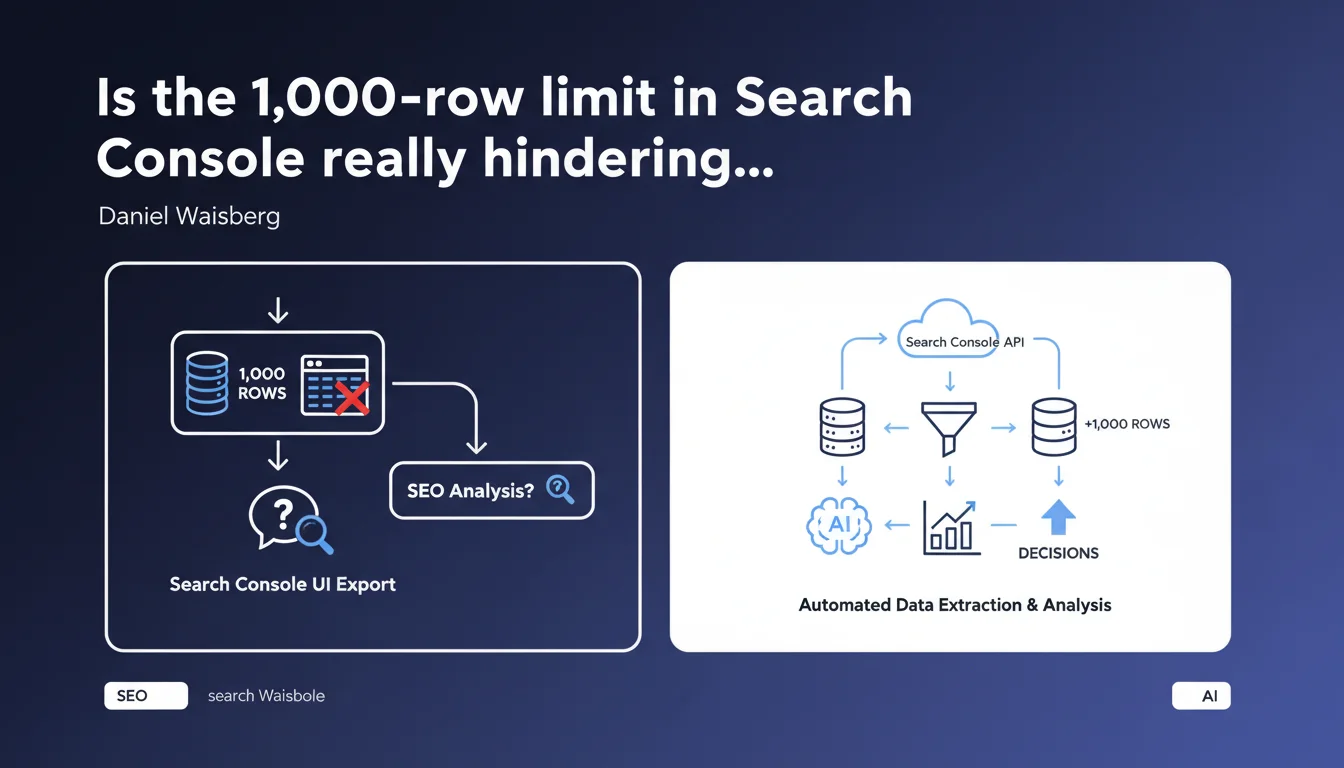
The Search Console interface only allows you to export a maximum of 1,000 rows of data through the standard export button. To analyze larger datasets, you must use the Search Console API — a constraint that complicates analysis for many large websites.
What you need to understand
What is the exact scope of this limitation?
Daniel Waisberg reminds us of a fact that is often underestimated: exporting via the interface provides only 1,000 rows maximum. Concretely, if you export the performance report with 50,000 different keywords over a given period, you will only get a truncated sample.
This limit applies to most Search Console reports: performance, index coverage, page experience. The only notable exception: some detail reports (such as coverage issues) can display more rows directly in the interface, but exports remain capped.
Why does Google maintain this constraint?
Google has never publicly justified this cap. We can speculate about technical reasons — limiting server load, discouraging massive automated exports via the interface — but [To be verified]: no official documentation explains it.
In practice, this limit pushes advanced users toward the Search Console API, which allows extracting up to 50,000 rows per request (with a limit of 500 requests per day for unverified sites, and higher quotas for verified properties).
What data risk losing with this limited export?
The main danger: long-tail queries. If your site generates 10,000 different keywords per month, the interface export will only show the first 1,000 (usually sorted by clicks in descending order).
Result: you lose visibility over hundreds or thousands of low-volume queries that often have high purchase intent or are highly specific. For an e-commerce site with a large catalog or a media outlet generating lots of content, this is a major blind spot.
- The standard export provides only 1,000 rows maximum, regardless of the period or site
- This limit affects all reports in the Search Console user interface
- To analyze beyond this, the Search Console API is mandatory (up to 50,000 rows per request)
- Long-tail and low-volume queries are systematically excluded from interface exports
- No public technical justification from Google for this cap
SEO Expert opinion
Does this limit reflect an intent to push users toward the API?
It's hard not to see it as an incentive. The Search Console API has existed for years, but Google has never raised the interface export cap — even though sites have grown larger and data volumes have increased.
Let's be honest: this limit discourages in-depth analysis for anyone without the technical skills or budget to develop API extraction scripts. It creates a barrier to entry for small organizations or junior SEOs who want to analyze their data thoroughly.
Are there any possible workarounds?
In practice, three options emerge. The first: filter in the interface before export (for example, export the first 1,000 desktop queries, then the first 1,000 mobile queries, then by page, etc.). Tedious and incomplete, but it works for occasional analysis.
The second: use third-party tools (SEMrush, Ahrefs, Screaming Frog) that connect to the Search Console API and aggregate data. Convenient, but costly — and you delegate access to your data to a third party.
The third: develop your own script in Python or use Google Sheets connectors (via Apps Script or add-ons). This is the best approach for anyone with basic coding skills, but it requires time and technical expertise.
Does this constraint impact the quality of SEO audits?
Yes, clearly. An audit based solely on the interface export of 1,000 rows mechanically misses entire segments of performance. Secondary keyword clusters, pages ranking on 5-10 low-volume queries, regional or seasonal variations — all of this disappears.
And that's where the problem lies: a proper audit should analyze all keywords driving traffic, not just the top 1,000. Without the API, you're working with a partial view — which can lead to biased or incomplete recommendations.
Practical impact and recommendations
What should you actually do to work around this limit?
If you manage a site with fewer than 1,000 active keywords per month, this limit probably doesn't concern you. But as soon as you exceed this threshold — e-commerce, media, multilingual site — the API becomes essential.
First step: create a Google Cloud project, enable the Search Console API, generate OAuth 2.0 credentials. Then use a scripting language (Python with the google-auth and google-api-python-client libraries) or a Google Sheets connector (add-ons like "Search Analytics for Sheets").
For the less technical, several paid tools offer ready-made connectors: Data Studio (Looker Studio), Supermetrics, or SEO Monitor. They handle API authentication and aggregate data into customizable dashboards.
What mistakes should you avoid when using the API?
Common mistake: failing to filter by relevant dimension. The API lets you cross query, page, device, country — but each dimension consumes rows. If you request query × page × device, you'll quickly exhaust the 50,000 rows without seeing all queries.
Another pitfall: ignoring quotas. Google applies strict limits. If you launch 600 requests at once on an unverified site, you get blocked. Space out your calls or verify the property in Search Console to increase quotas.
Finally, don't overlook temporal granularity. The API lets you query day by day, but aggregating 365 days × all queries can quickly exceed limits. Prefer 7 or 28-day windows for regular analysis.
How do you verify that the extraction is complete?
Simple: compare the total clicks and impressions in the Search Console interface with the sum of clicks and impressions in your API export. The totals should match — within a few units (Google sometimes applies rounding or masks certain anonymized queries).
If you notice a significant discrepancy (>5%), you haven't extracted all rows or your API filters are too restrictive. Adjust your requests accordingly.
- Switch to the Search Console API for any site exceeding 1,000 active keywords/month
- Use third-party connectors (Looker Studio, Supermetrics) or develop a Python script if you have coding skills
- Filter intelligently by relevant dimension (query, page, device) to avoid exhausting the 50,000 rows
- Space out API calls and respect Google quotas to avoid blockages
- Verify consistency of totals (clicks, impressions) between the interface and API export
- Prioritize short time windows (7-28 days) for regular and complete analysis
❓ Frequently Asked Questions
Peut-on exporter plus de 1 000 lignes directement depuis l'interface Search Console ?
L'API Search Console est-elle gratuite ?
Quels outils permettent d'utiliser l'API sans coder ?
Pourquoi Google masque-t-il certaines requêtes même avec l'API ?
Combien de temps faut-il pour mettre en place une extraction API fonctionnelle ?
🎥 From the same video 11
Other SEO insights extracted from this same Google Search Central video · published on 18/05/2023
🎥 Watch the full video on YouTube →
💬 Comments (0)
Be the first to comment.