
Official statement
Other statements from this video 9 ▾
- □ Should a technical SEO audit really go beyond crawlability and indexation?
- □ Is your technical SEO audit actually missing what really matters?
- □ Is your SEO audit doomed to fail before you even start?
- □ What are the technical priorities Google really wants you to audit first?
- □ Are you really leveraging Google Search Console's crawl data to boost your indexation strategy?
- □ Is your SEO audit actually helping you—or wasting resources on irrelevant checks?
- □ Should you really implement every recommendation your SEO audit tools suggest?
- □ How can you prioritize your SEO fixes without wasting endless time and resources?
- □ Why does your technical SEO audit fail without involving the dev team?
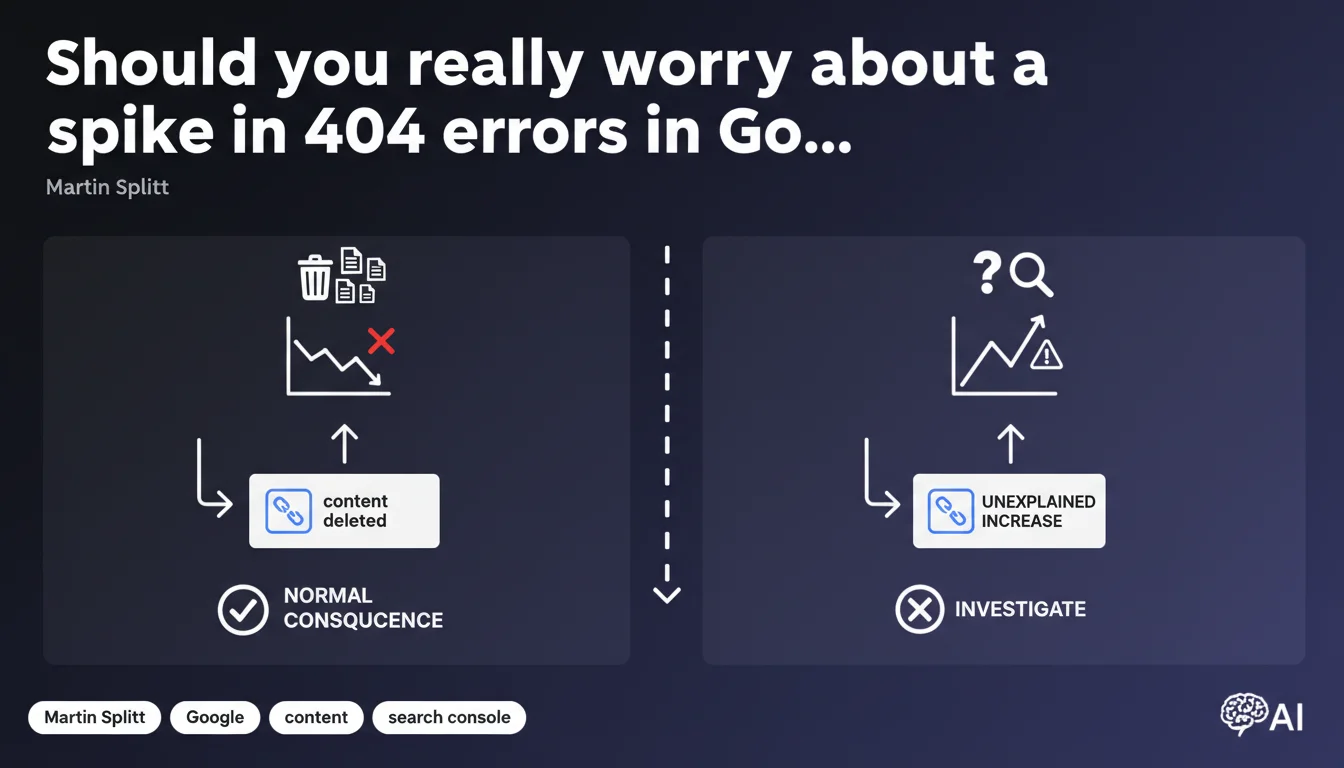
Google confirms that a high number of 404 errors is not problematic in itself — it's even normal after content deletion. The issue isn't the volume of errors, but their unexpected nature. An unexplained increase in 404s is the only warning signal that justifies a thorough investigation.
What you need to understand
Why does Google downplay the severity of 404 errors?
Tools like Google Search Console report hundreds, sometimes thousands of 404 errors. Many SEO professionals see this as a negative signal. Yet Martin Splitt insists: a high volume isn't abnormal.
If you've recently deleted outdated pages, migrated a site, or cleaned up duplicate content, these 404s are a direct consequence. Googlebot still crawls URLs it has indexed or found in external links — and discovers they no longer exist. It's mechanical, not pathological.
What's the difference between "normal" 404s and problematic 404s?
The nuance lies in the word "unexplained." 404 errors that accumulate without apparent reason — when you haven't deleted anything, migrated anything, or changed anything — are a symptom. They can reveal a technical bug, misconfigured redirects, or a problem with dynamic URL generation.
Conversely, if you've removed 200 out-of-stock product pages, seeing 200 new 404 errors in Google Search Console is expected. Google logs them, crawls these URLs less frequently, and eventually forgets them.
What should you take away from this statement for your SEO monitoring?
- A high volume of 404s is not a penalty factor in itself — Google says so explicitly.
- Trends matter more than absolute numbers: a sudden spike without an identified cause should alert you.
- 404 errors linked to intentional action (deletion, redesign) are normal and resolve themselves over time.
- Investing time to fix every 404 detected is often wasteful — better to focus on strategic 404s (high-traffic pages, quality backlinks).
SEO Expert opinion
Does this statement contradict field practices?
No, it confirms them. For years, we've observed that sites with thousands of 404 errors suffer no penalty as long as the rest of the architecture holds up. Real problems arise when 404s affect strategic pages — those generating organic traffic or concentrating backlinks.
What's problematic is that many SEO tools display 404s as a "critical issue." Result: panicked clients and teams wasting time treating non-issues. Splitt's statement helps recalibrate priorities.
In what cases doesn't this logic apply?
Be careful — not everything is rosy. If your 404s concern indexed and visited pages, you're losing traffic. If they involve URLs listed in your XML sitemap, you're sending a contradictory signal to Google. If they result from a bug generating random URLs, you're wasting crawl budget.
The real question is never "how many 404s?", but "which pages and why?". A single 404 on a conversion-generating page deserves a thousand times more attention than 500 errors on old pagination URLs never visited.
Should you still monitor 404 errors in your SEO audits?
Yes, but with a different lens. Instead of treating all 404s as emergencies, segment them: those affecting high-traffic historical pages, those with backlinks, those appearing in the sitemap. The rest can wait — or be ignored.
The goal is shifting from a "zero defects" logic (illusory and costly) to informed decision-making. 404 errors are one indicator among many, not an obsession.
Practical impact and recommendations
What should you concretely do about 404 errors?
Stop treating 404s like a checklist to clear. Start by identifying causes: intentional deletion, mismanaged migration, technical bug, phantom URLs crawled by mistake. If the cause is known and deliberate (content cleanup, campaign end), don't intervene.
If the increase is unexplained, audit your server logs to see where requests come from: orphaned pages, broken internal links, redirect chains leading nowhere. Fix what deserves fixing — the rest will fade naturally.
What mistakes should you avoid in 404 management?
Don't systematically redirect all 404s to your homepage. It's counterproductive and muddies signals. Google detects these soft 404s and treats them as disguised errors.
Don't clutter your .htaccess file or server with thousands of 301 redirects for URLs that never had traffic or backlinks. It's a waste of resources. Prioritize redirects on strategically valuable pages.
- Segment your 404 errors by historical traffic volume and number of backlinks
- Audit logs to identify recurring 404s and their origin (Google crawl, internal links, external backlinks)
- Redirect only URLs with traffic history or quality backlinks to the most relevant page
- Verify your XML sitemap contains no 404 URLs
- Monitor unexplained 404 spikes via Google Search Console — it's the only real warning signal
- Accept that a residual volume of 404s is normal and requires no intervention
How do you ensure your 404 management strategy is optimal?
The most effective approach is cross-referencing multiple data sources: Google Search Console, server logs, analytics, backlink profile. This requires technical skills and strategic thinking to avoid wasting time on non-issues.
If this analysis seems time-consuming or complex, know that many companies choose to work with a specialized SEO agency for accurate diagnosis and tailored recommendations. Custom support allows you to address real problems without dispersing effort.
🎥 From the same video 9
Other SEO insights extracted from this same Google Search Central video · published on 06/11/2025
🎥 Watch the full video on YouTube →
💬 Comments (0)
Be the first to comment.