
Official statement
Other statements from this video 9 ▾
- □ Should a technical SEO audit really go beyond crawlability and indexation?
- □ Is your technical SEO audit actually missing what really matters?
- □ Is your SEO audit doomed to fail before you even start?
- □ What are the technical priorities Google really wants you to audit first?
- □ Are you really leveraging Google Search Console's crawl data to boost your indexation strategy?
- □ Should you really worry about a spike in 404 errors in Google Search Console?
- □ Is your SEO audit actually helping you—or wasting resources on irrelevant checks?
- □ How can you prioritize your SEO fixes without wasting endless time and resources?
- □ Why does your technical SEO audit fail without involving the dev team?
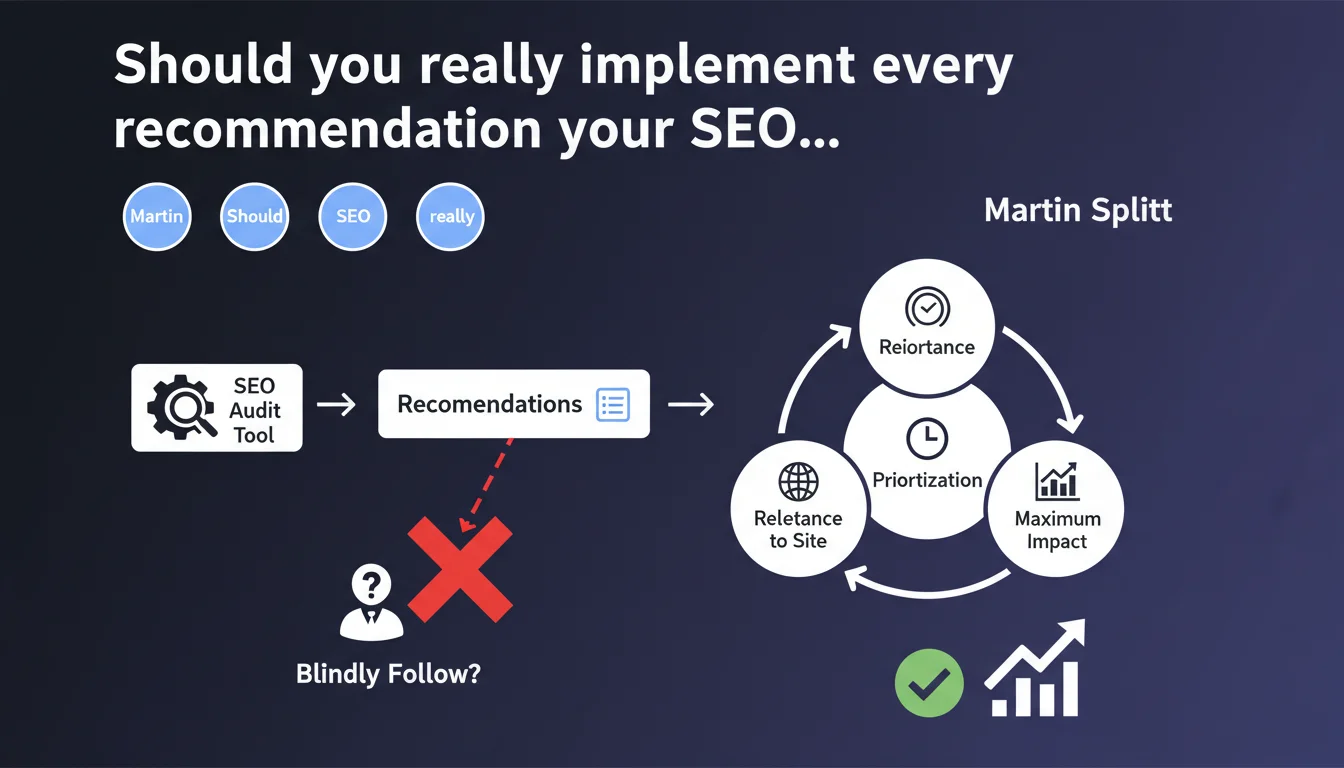
Google reminds us that SEO audit tools are not gospel. Their recommendations must be filtered according to your site's context and prioritized based on actual expected impact. Blindly applying every alert flagged by a crawler is wasting time on projects with zero return on investment.
What you need to understand
Why is Google warning against audit tools?
SEO audit tools — Screaming Frog, Semrush, Ahrefs, Sitebulb — scan everything and flag hundreds of alerts. The problem is that they apply generic rules without understanding your site's business context, architecture, or priorities.
A crawler will flag orphaned URLs, missing H1 tags, images without alt text, 302 redirects instead of 301s. All of that is technically correct — but does it deserve to be your top priority? Not always.
What does Martin Splitt mean by "relevant to your site"?
An e-commerce site with 50,000 products faces different challenges than a 200-article WordPress blog. An alert about slow loading times on zombie pages that generate zero traffic doesn't warrant the same investment as fixing issues on strategic category pages.
Tools don't know what matters to you. They flag technical anomalies, period. It's up to you to filter what actually impacts crawl budget, indexation, user experience, or conversion rate.
How do you prioritize these recommendations for maximum impact?
Prioritization comes down to three criteria: potential SEO impact, number of pages affected, and implementation difficulty. A problem affecting 10 orphaned pages with no traffic doesn't justify three weeks of development. But misconfigured canonical tags on 5,000 product pages? That can tank your visibility.
Let's be honest — many junior SEOs exhaust themselves fixing minor alerts just because the tool shows a health score of 67%. That score means nothing if you don't understand what's behind it.
- Audit tools apply generic rules that ignore your site's context
- Not all alerts have the same impact on your visibility or conversions
- Prioritization means balancing SEO impact, page volume, and technical feasibility
- An overall SEO health score is a hollow metric if it's not contextualized
SEO Expert opinion
Is Google's warning consistent with what we see in practice?
Absolutely. We regularly see clients arrive with 200-page audit reports and an endless to-do list. Result: dev teams are overwhelmed, projects drag on, and six months later traffic hasn't really moved.
Audit tools don't lie — they flag technical facts. But they don't understand priority hierarchy. A site can rank perfectly well with missing alt tags on decorative images or 302 redirects on intentional temporary redirects.
What nuances should we add to this advice?
Be careful not to swing to the opposite extreme. Just because tools aren't infallible doesn't mean some SEOs should ignore their recommendations entirely. That's a mistake.
Crawlers detect structural problems you'd never spot manually: redirect loops, canonical chains, inconsistent hreflang tags. These anomalies can tank your indexation without you realizing it.
The real skill is knowing how to read an audit report with a critical eye. Not rejecting the tool, but filtering what matters.
When can you ignore certain alerts?
When the anomaly has no measurable impact. A classic example: decorative images without alt attributes. If these images carry no semantic value and aren't crawled by Google Images, fixing them won't improve your visibility.
Another case: URLs with UTM parameters that the tool flags as duplicate content. If your canonicals are properly configured and Google Search Console reports nothing, don't panic.
And here's where it gets tricky — many junior SEOs can't tell the difference between a technical alert and an actual indexation problem. Result: they waste hours on cosmetic details.
Practical impact and recommendations
How do you sort through audit recommendations?
First step: cross-reference the tool's findings with Google Search Console data. If your crawler flags 500 404 errors but GSC reports only 12, focus on those 12 — those are the ones Google actually encountered.
Next, segment by page type. Anomalies on strategic pages (categories, high-traffic landing pages) get priority 1. Those on obsolete or traffic-free pages get batched or ignored.
Finally, estimate the effort to fix. An alert affecting 10,000 pages but fixable via a single Twig template in one hour is a quick win. A problem requiring your entire architecture redesign is a multi-sprint project.
What mistakes should you avoid when acting on an audit?
Don't get hypnotized by the overall health score. A site scoring 55/100 on Semrush can vastly outperform one scoring 92/100 if the right priorities were tackled. The score is a trend indicator, not a goal.
Another trap: wanting to fix everything at once. You don't have the time or resources. Prioritize quick-win projects, then structural work, and let the rest go.
And crucially — never fix an anomaly without understanding its root cause. If your crawler flags 2,000 canonicals in a loop, don't just remove them. Understand why they're there, or you'll create other problems.
- Cross-reference tool alerts with Google Search Console data
- Prioritize fixes based on SEO impact, page volume, and technical effort
- Segment anomalies by page type (strategic vs. secondary)
- Estimate the effort to fix before launching a project
- Never fix an alert without understanding its root cause
- Ignore anomalies with no measurable impact on traffic or indexation
Should you get professional help to make sense of an audit?
Properly exploiting a technical audit requires deep expertise in crawling, architecture, and prioritization. Many companies end up with unusable reports because they lack the time and skills to translate them into concrete actions.
If you don't have internal resources to sort, prioritize, and drive fixes, it may be worth partnering with a specialized SEO agency. Good guidance saves you months by avoiding false leads and building a truly actionable roadmap.
🎥 From the same video 9
Other SEO insights extracted from this same Google Search Central video · published on 06/11/2025
🎥 Watch the full video on YouTube →
💬 Comments (0)
Be the first to comment.