
Official statement
Other statements from this video 9 ▾
- □ Is your technical SEO audit actually missing what really matters?
- □ Is your SEO audit doomed to fail before you even start?
- □ What are the technical priorities Google really wants you to audit first?
- □ Are you really leveraging Google Search Console's crawl data to boost your indexation strategy?
- □ Should you really worry about a spike in 404 errors in Google Search Console?
- □ Is your SEO audit actually helping you—or wasting resources on irrelevant checks?
- □ Should you really implement every recommendation your SEO audit tools suggest?
- □ How can you prioritize your SEO fixes without wasting endless time and resources?
- □ Why does your technical SEO audit fail without involving the dev team?
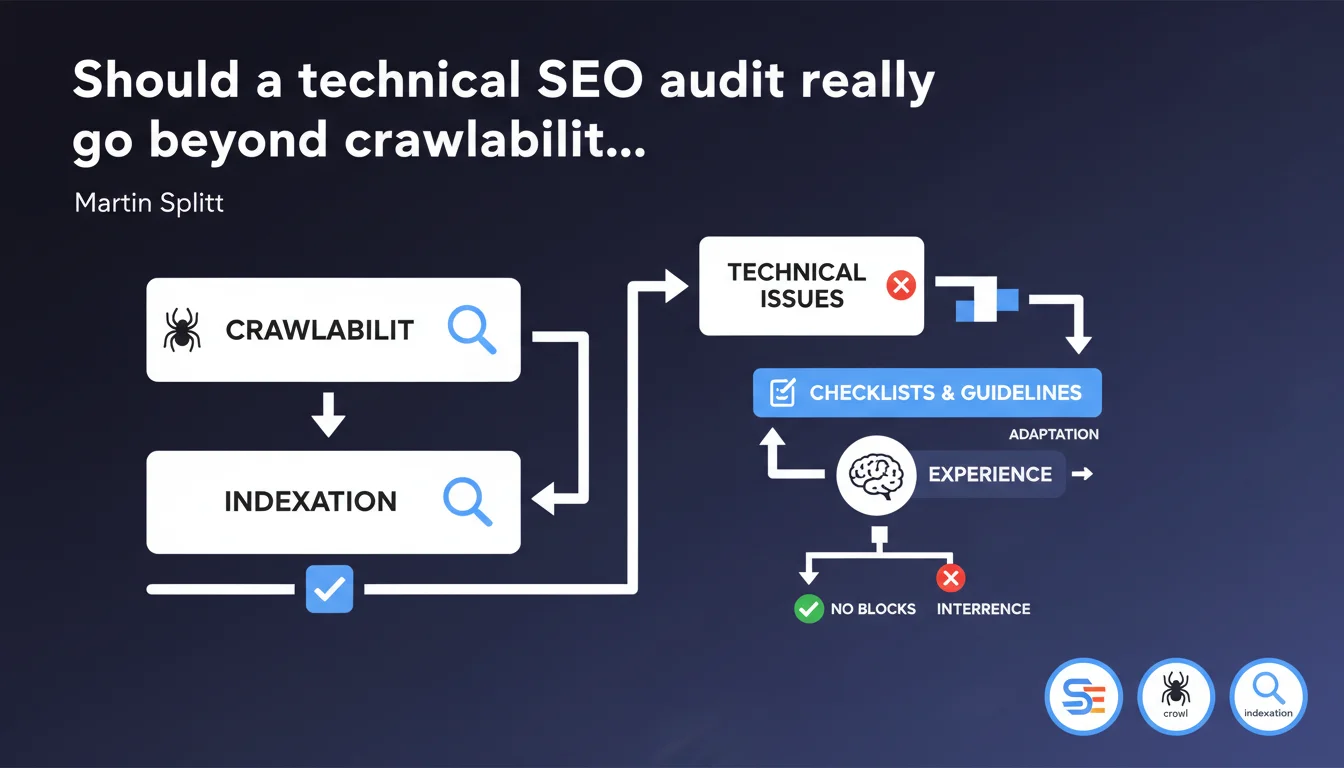
Google emphasizes that a technical audit primarily serves to verify that nothing blocks crawling or indexation. Checklists are useful, but they don't replace experience and judgment needed to adapt the analysis to each site's specific context.
What you need to understand
Why does Google insist on crawlability and indexation as the priority?
Because without crawling, there's no indexation. And without indexation, there's no ranking. Google is refocusing technical audits on their primary function: ensuring that bots can access pages, understand them, and register them in the index.
Too many audits get lost in secondary metrics — third-party resource load time, optional microdata, CSS optimizations. Useful? Maybe. Priority? No. If Googlebot can't crawl your strategic URLs or if your pages are accidentally left in noindex, everything else is completely pointless.
What does "requires experience to adapt" really mean?
SEO checklists provide a framework, not absolute truth. An e-commerce site with 50,000 products doesn't face the same challenges as a niche blog or a SaaS platform with a private section.
Experience allows you to prioritize: ignore minor duplicate content on secondary pages, but ruthlessly track crawl budget leaks on product filters. A standard checklist won't make this distinction — it flags everything at the same level.
What technical issues actually block SEO?
- Misconfigured robots.txt files that block access to entire site sections
- Meta robots noindex tags accidentally left behind after development phases
- Horrific server response times that exhaust crawl budget before Googlebot reaches important pages
- Redirect chains or loops that waste time and dilute link equity
- Orphaned strategic pages unreachable through internal linking
- Improperly implemented canonical tags that consolidate the wrong signal to the wrong URL
SEO Expert opinion
Is this restrictive view of technical audits really relevant?
Yes and no. Google is right to emphasize the fundamentals — too many consultants confuse technical audits with overall performance optimization. But limiting audits to crawl/indexation ignores that other technical factors directly impact rankings.
A perfectly crawlable site with catastrophic Core Web Vitals will lose positions. A flawed internal link architecture will dilute PageRank even if all pages are indexable. JavaScript rendering issues go beyond simple indexation — poorly extracted content, missing UX signals.
Should we abandon exhaustive checklists?
No, but use them intelligently. A comprehensive checklist serves as a safety net — it prevents overlooking critical points. The trap is treating all items with equal priority.
An experienced consultant scans the checklist in 10 minutes, identifies 3-4 points worth deep investigation, and leaves the rest in passive monitoring. A junior will spend two weeks validating 87 criteria, 80 of which have zero real impact on the audited site.
When does this minimalist approach become dangerous?
When it becomes an excuse to rush audits. "Google says just check crawlability" becomes a pretext for ignoring structural problems that tank SEO performance over time.
On large sites, information architecture, facet management, click depth, internal PageRank distribution — all exceed simple "can Googlebot crawl it". But it's still technical and still critical.
Practical impact and recommendations
How do you prioritize technical audit points?
Start with pure blockers: anything preventing access or indexation of strategic pages. Next, issues wasting crawl budget or diluting link equity. Finally, incremental optimizations that improve but don't revolutionize.
Concretely? First verify your target URLs are crawlable and indexable. Then analyze how Googlebot spends its visit time — is it exhausted on valueless pages? Only then examine speed optimizations, markup, rich snippets.
What mistakes should you avoid in technical audits?
Not contextualizing recommendations. A consultant listing 150 actions without hierarchy or explanation is useless. The client won't know where to start, and will likely tackle easy but useless items first.
Another trap: focusing on tool scores (Lighthouse, PageSpeed Insights) instead of real business KPIs. A 95 score generating zero extra traffic is just metric masturbation.
What should you check first on your site?
- Analyze server logs to identify over-crawled or under-crawled sections by Googlebot
- Check Google Search Console for pages discovered but not indexed and understand why
- Verify your canonical tags point to correct URLs and don't create loops or chains
- Test JavaScript rendering with the URL inspection tool to confirm critical content is accessible
- Measure click depth from homepage to strategic pages — beyond 3-4 clicks, you have an architecture problem
- Identify redirect chains and fix them to avoid losing link equity and crawl budget
- Audit your robots.txt and meta robots tags to detect unintentional blocks
🎥 From the same video 9
Other SEO insights extracted from this same Google Search Central video · published on 06/11/2025
🎥 Watch the full video on YouTube →
💬 Comments (0)
Be the first to comment.