
Official statement
Other statements from this video 15 ▾
- □ Pourquoi Google limite-t-il les sitemaps à 50 000 URLs, index compris ?
- □ Les attributs ARIA améliorent-ils vraiment le SEO de votre site ?
- □ Faut-il vraiment rediriger les URL canonicalisées pour améliorer son référencement ?
- □ Google ignore-t-il vraiment les fragments d'URL (#) pour le référencement ?
- □ Pourquoi l'optimisation technique seule ne fait-elle plus ranker un site ?
- □ Comment vérifier si votre site est sous pénalité manuelle dans Search Console ?
- □ Pourquoi le balisage Product ne sert à rien pour l'immobilier ?
- □ Hreflang fonctionne-t-il vraiment pour du contenu non traduit mais ciblant des pays différents ?
- □ Le contraste des couleurs impacte-t-il vraiment le référencement naturel ?
- □ La balise HTML <article> améliore-t-elle vraiment le référencement ?
- □ Faut-il vraiment imposer l'anglais dans les données structurées pour les jours de la semaine ?
- □ Comment vérifier qu'un crawler est réellement Googlebot et bloquer les imposteurs ?
- □ Faut-il vraiment utiliser prefetch et prerender pour améliorer son SEO ?
- □ Faut-il vraiment oublier le cache Google pour diagnostiquer l'indexation ?
- □ Pourquoi Google indexe-t-il du contenu qui n'existe pas sur votre site ?
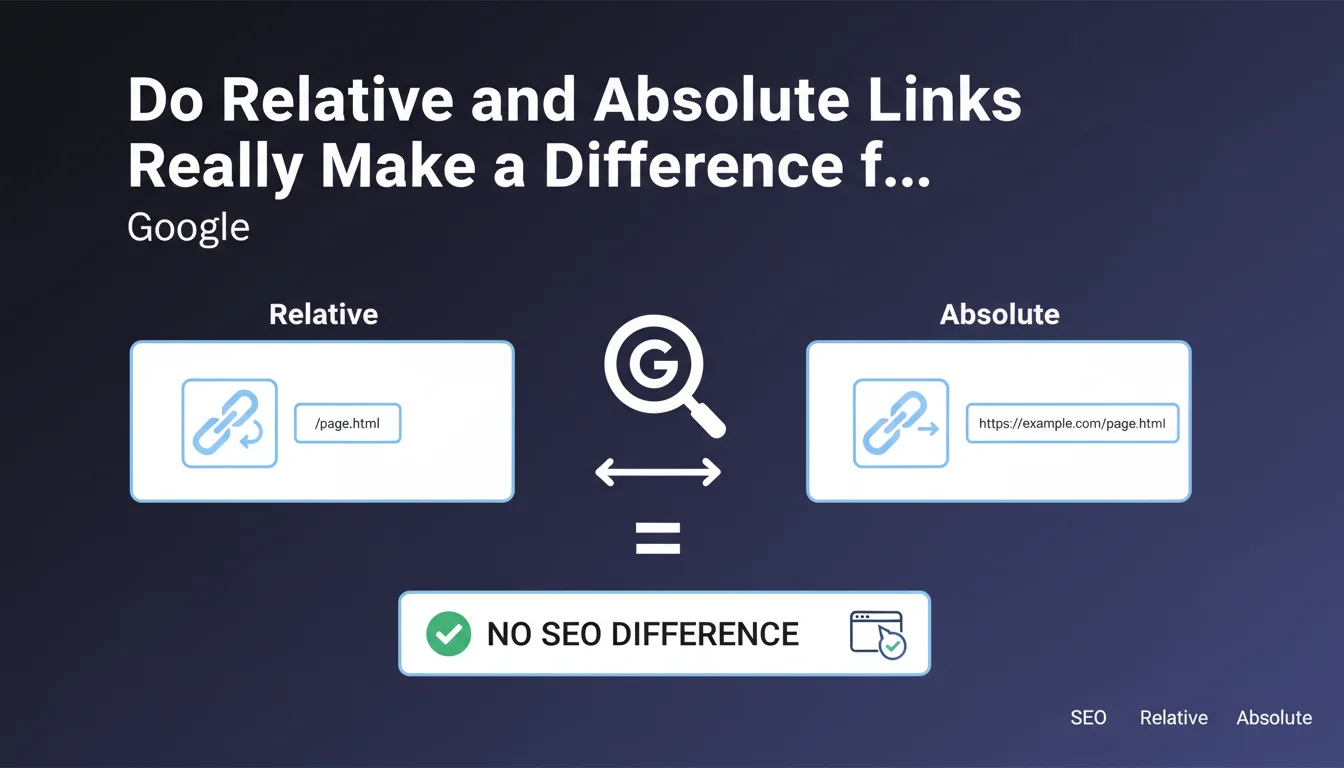
Google states that search engines treat links the same way a browser does, which means there is no SEO difference between using relative and absolute links. Choosing between these two formats is therefore purely a matter of technical and organizational considerations, not natural search ranking performance.
What you need to understand
What is the technical difference between these two types of links?
An absolute link contains the complete URL including the protocol and domain name (https://example.com/page), while a relative link only specifies the path from the site root (/page) or from the current page (../page).
Modern browsers automatically resolve relative links by building the complete URL from the base URL of the page. This is exactly the process that Googlebot and other crawlers replicate when analyzing pages.
Why does this question keep coming up?
For years, some SEO practitioners recommended absolute links to avoid canonicalization issues or content duplication — especially in cases where a site is accessible via multiple domains or subdomains.
Others preferred relative links for their simplicity during migrations or testing in development environments. This statement from Google aims to clarify that these architectural choices do not influence crawling or indexation.
What does "the way a browser would" mean?
Google specifies that its robots follow the same URL resolution logic as a standard browser. Concretely, if a Chrome browser can correctly interpret a relative link, Googlebot can too.
This statement confirms that Google's teams have aligned the behavior of their crawlers with modern web standards, making the relative/absolute distinction neutral from an algorithmic perspective.
- Relative and absolute links are treated identically by search engines
- The choice between the two formats is a matter of technical strategy, not SEO
- Googlebot resolves URLs like a standard browser
- No crawling or indexation advantage for either format
SEO Expert opinion
Is this statement consistent with real-world observations?
Overall, yes. From thousands of audits, I have never observed a direct correlation between using relative or absolute links and a site's organic performance. Sites using exclusively relative links rank just as well as those favoring absolute links.
However — and this is where it gets tricky — this claim assumes a technically healthy environment. If your site suffers from configuration issues (missing canonical tags, poorly managed redirects, multi-domain accessibility), relative links can indeed amplify these malfunctions.
What nuances should be added?
Google is discussing how its robots treat links here, not all the technical implications. Absolute links have a clear advantage in case of scraping or content syndication: if your content is copied elsewhere, absolute links always point back to your original site.
Relative links, on the other hand, simplify migrations and pre-production testing, since they automatically adapt to the active domain. This flexibility comes at a cost: it exposes you more to configuration errors and undetected canonicalization problems.
[To verify] Google does not specify how its robots handle relative links in exotic contexts (heavy JavaScript, headless sites, AMP content). The statement remains valid for standard cases, but warrants increased vigilance on complex architectures.
In what cases is this principle insufficient?
If your site is accessible via multiple domain variants (www/non-www, http/https, multiple subdomains) without proper redirects or canonicals in place, relative links create ambiguous navigation paths. Google will then have to guess which version to prioritize, which can dilute PageRank.
Practical impact and recommendations
What should you concretely do with this information?
Stop worrying about relative vs absolute if your site is technically consistent. Focus instead on internal linking quality: anchor relevance, click depth, PageRank distribution.
If you are already using relative links and everything is working (no duplication, canonicals in place, clean redirects), do not change anything. If you are in a redesign or migration phase, choose based on your organizational constraints, not a hypothetical SEO gain.
What errors should you avoid despite this statement?
Do not confuse "no SEO impact" with "no technical impact." A poorly configured site with relative links can create redirect loops, hidden 404 errors, or canonicalization issues that are hard to diagnose.
Also avoid mixing the two formats haphazardly on the same site. Consistency makes maintenance easier and reduces the risk of errors during technical updates. A CMS configured to generate exclusively one type of link limits surprises.
How do you audit your current link structure?
Crawl your site with Screaming Frog or Oncrawl while enabling redirect chain tracking and canonical verification. Verify that each internal page is accessible via a single canonical path, regardless of the link format used.
Test your site's accessibility via all its domain variants (with/without www, http/https). If multiple versions respond with a 200 status, you have a configuration problem that goes far beyond the relative/absolute question.
- Audit your redirect and canonical configuration before worrying about link format
- Maintain consistency: choose a format and stick with it
- On complex sites (multilingual, multi-domain), favor absolute links for added security
- Verify that your CMS generates links consistent with your technical strategy
- Do not migrate from one format to the other without valid reason, the effort is not worth it
❓ Frequently Asked Questions
Les liens absolus aident-ils à lutter contre le scraping ?
Faut-il migrer mes liens relatifs vers des absolus suite à cette déclaration ?
Les liens relatifs consomment-ils moins de crawl budget ?
Quel format privilégier pour un site en HTTPS avec redirection HTTP ?
Les CMS modernes génèrent-ils plutôt des liens relatifs ou absolus ?
🎥 From the same video 15
Other SEO insights extracted from this same Google Search Central video · published on 09/08/2023
🎥 Watch the full video on YouTube →
💬 Comments (0)
Be the first to comment.