
Official statement
Other statements from this video 9 ▾
- □ Pourquoi Google refuse-t-il les balises canonical placées dans le <body> ?
- □ Les balises hreflang dans le <body> sont-elles vraiment ignorées par Google ?
- □ Le code HTML valide W3C améliore-t-il vraiment le référencement ?
- □ Pourquoi modifier les canonicals en JavaScript crée-t-il des signaux contradictoires pour Google ?
- □ Faut-il optimiser les hints de préchargement pour Googlebot ?
- □ Le markup sémantique HTML5 est-il vraiment inutile pour le SEO ?
- □ La performance web améliore-t-elle vraiment votre référencement naturel ?
- □ Google parse-t-il vraiment le HTML comme un navigateur ?
- □ Pourquoi Googlebot ignore-t-il vos hints de préchargement des ressources ?
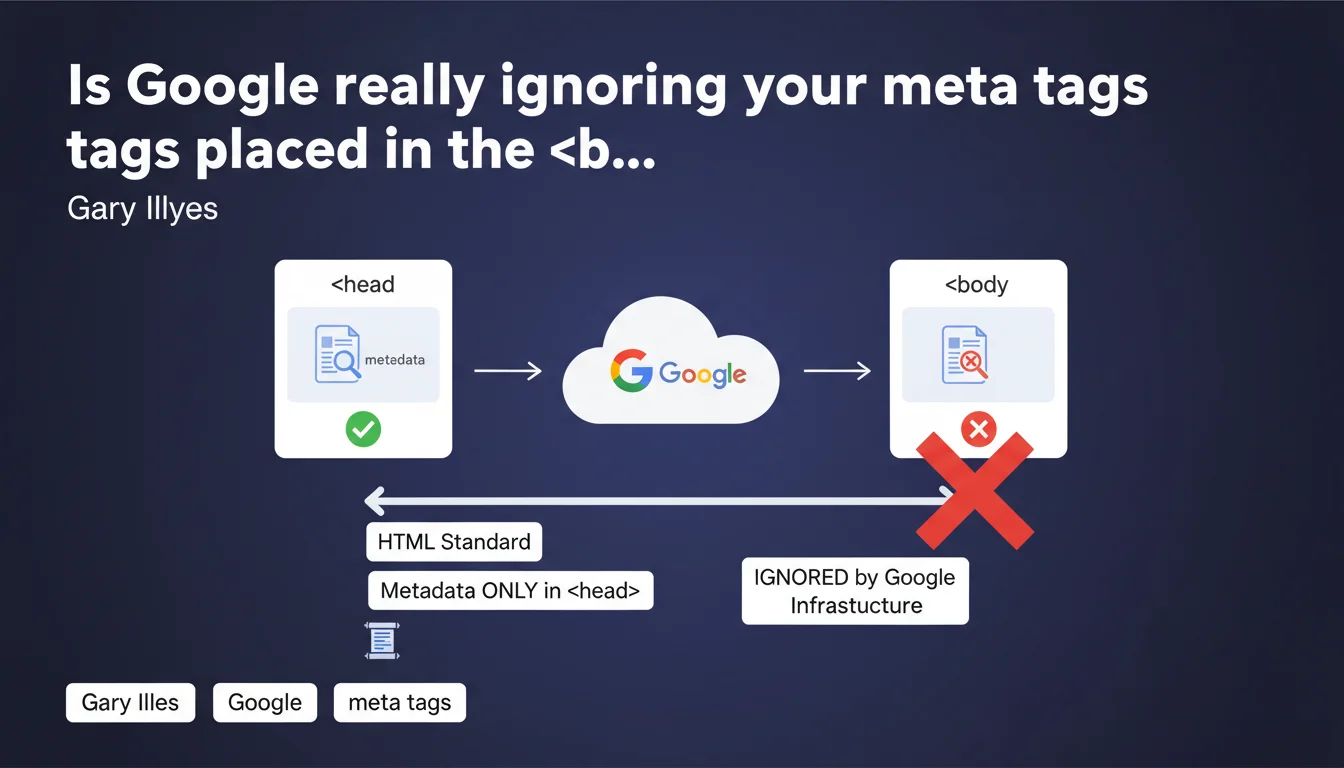
Google completely ignores meta and link tags carrying metadata if they are located in the <body> instead of the <head>. Only compliant placement according to HTML standard — within the <head> section — guarantees their consideration by Google's crawling and indexing infrastructure. This strict rule applies to all metadata tags intended for search engines: canonical, hreflang, robots, Open Graph, and more.
What you need to understand
Why does this specification about meta tag placement matter?
Gary Illyes reminds us of a basic rule of the HTML standard: metadata belongs in the <head>. Yet many sites — often through misconfigured CMS systems, late JavaScript injections, or third-party scripts — mistakenly place meta or link tags in the <body>.
Google's infrastructure tolerates no exceptions. A <link rel="canonical"> or <meta name="robots"> tag present in the page body will be completely ignored, even if it is technically valid in terms of syntax.
Which tags are affected by this rule?
All tags carrying metadata for search engines: canonical, hreflang, robots, description, Open Graph, Twitter Cards, and schema.org via JSON-LD (although the latter is tolerated in the body under certain conditions).
The statement does not detail the nuances — one can legitimately wonder if JSON-LD is an exception, since Google treats it differently. [To verify] the exact tolerance for structured scripts.
How does this error occur in practice?
Several classic scenarios: a CMS that injects tags after the <head> closes, poorly coded WordPress plugins, JavaScript scripts that manipulate the DOM and add tags after initial loading.
In all these cases, the final rendered HTML contains the tags in the wrong location, and Googlebot — which relies on rendered source code — ignores them without warning in Search Console.
- Meta and link tags must imperatively appear in the
<head> - Placement in the
<body>= ignored by Google, regardless of their function - Frequent error with CMS, plugins, and JavaScript injections
- No exceptions tolerated on Google's infrastructure side
- The HTML standard is the sole reference
SEO Expert opinion
Is this statement consistent with observed field practices?
Absolutely. Technical audits regularly reveal canonical or hreflang tags present in the <body> due to templating errors or JavaScript injections. In these cases, Google treats the page as if these tags don't exist — with the expected consequences: duplicate content, language version conflicts, chaotic indexation.
Gary Illyes's statement merely officially confirms what empirical testing has shown all along. Nothing new under the sun, but a helpful reminder.
What nuances should be applied to this strict rule?
The case of JSON-LD deserves attention. Technically, Google tolerates and processes JSON-LD placed in the <body> — it's even documented in the Schema.org documentation. Illyes's statement targets <meta> and <link> tags, not structured scripts.
But let's be honest: the phrasing "metadata for search engines" remains vague. If you place JSON-LD in the body, you're taking an interpretation risk. [To verify] with specific tests to validate Google's exact tolerance on this point.
Should I worry if my CMS generates invalid HTML?
Yes, especially if you notice indexation inconsistencies. A CMS that prematurely closes the <head> or injects tags afterward creates non-compliant HTML — and Google applies the rule mercilessly.
The absence of alerts in Search Console complicates diagnosis: no error message, just silence. You think you've declared a canonical, but Google doesn't see it. Result: duplicate pages indexed, SEO signal dilution.
Practical impact and recommendations
How can you verify that your tags are correctly placed?
Use a technical crawler (Screaming Frog, OnCrawl, Botify) configured to analyze the final HTML render — this is what Googlebot sees after JavaScript execution. Compare the position of critical tags: canonical, hreflang, robots, description.
Also inspect the rendered source code in Chrome DevTools (Elements tab) to spot tags injected late. If they appear after </head>, that's problematic.
What errors should you absolutely avoid?
Never trust a plugin or theme without verifying the HTML it produces. Some visual builders (Elementor, Divi, etc.) generate approximate code, with meta tags added dynamically in the body.
Also avoid JavaScript scripts that manipulate the DOM to inject tags after initial loading. Even if the final render looks visually correct, Google may have crawled the page before the injection was complete.
What concretely should you do to fix this error?
Audit your HTML template (header.php, base.html, main layout files) to verify that all meta and link tags are generated before the </head> closing tag. Clean up unnecessary JavaScript injections.
If you use a CMS, check the hooks and filters that could inject tags in the wrong location. WordPress in particular has wp_head and wp_footer hooks — ensure that critical SEO tags use only wp_head.
- Crawl the site with a technical tool to identify misplaced tags
- Inspect the rendered source code in Chrome DevTools (Elements tab)
- Verify CMS templates and tag injection hooks
- Eliminate JavaScript scripts that add tags after loading
- Test critical pages with the Search Console URL inspection tool
- Document corrections in an internal guide to prevent regressions
❓ Frequently Asked Questions
Le JSON-LD est-il concerné par cette règle de placement dans le <head> ?
Comment savoir si mes balises canonical sont ignorées par Google ?
Un plugin WordPress peut-il causer ce problème ?
Google affiche-t-il une alerte dans la Search Console pour ce type d'erreur ?
Peut-on corriger ce problème sans toucher au code du CMS ?
🎥 From the same video 9
Other SEO insights extracted from this same Google Search Central video · published on 26/02/2026
🎥 Watch the full video on YouTube →
💬 Comments (0)
Be the first to comment.