
Official statement
Other statements from this video 9 ▾
- □ Is Google really ignoring your meta tags placed in the <body>?
- □ Are hreflang tags really ignored by Google when placed in the <body>?
- □ Does valid W3C HTML code really improve your search rankings?
- □ Why does modifying canonicals with JavaScript create contradictory signals that confuse Google?
- □ Should you really optimize preloading hints for Googlebot?
- □ Is HTML5 semantic markup really useless for SEO?
- □ Does web performance really improve your organic search rankings?
- □ Does Google really parse HTML the same way browsers do?
- □ Why does Googlebot ignore your resource preloading hints?
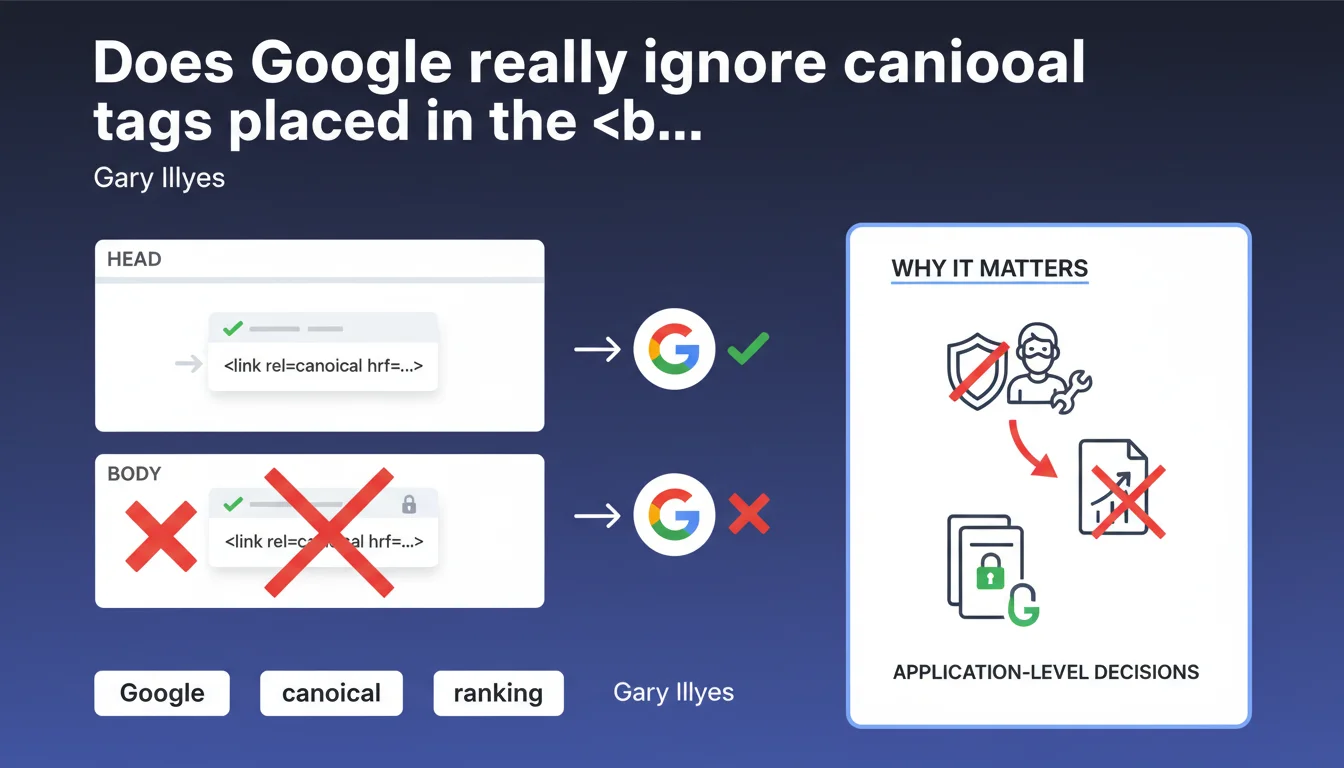
Google deliberately ignores any link rel=canonical tag located in the <body> of a page, even though HTML5 technically allows it. This restriction is designed to prevent malicious users from injecting canonicals through comments or user-generated content, thereby hijacking a page's SEO. The tag must absolutely be placed in the <head>.
What you need to understand
Does Google strictly apply HTML standards to the canonical tag?
No, and it's intentional. HTML5 technically allows <link> tags in the <body>, but Google has made a deliberate application-level choice to ignore them. Gary Illyes explains it plainly: accepting a canonical in the page body would open an obvious security vulnerability.
Imagine a forum, an e-commerce site with customer reviews, or any system that accepts user-generated content. If Google took into account a canonical tag placed anywhere on the page, a malicious comment alone could redirect all SEO authority to a third-party site. Restricting it to the <head> significantly limits this risk, since that section is rarely exposed to external contributions.
Does this rule apply only to canonical or to other tags as well?
The logic likely applies to other critical SEO directives, even though Gary Illyes explicitly mentions only the canonical. hreflang tags, alternate versions for AMP, or certain structured metadata likely follow the same principle: only those in the <head> are trusted.
Google doesn't exhaustively document these restrictions — you often have to infer the rules from occasional statements like this one. It's frustrating for those seeking complete documentation, but that's how it works.
Why is this clarification being made now?
Because the misunderstanding has persisted for years. Many developers discover HTML5, notice that <link> tags can legally be placed in the <body>, and assume Google will accept them. Some poorly configured CMS platforms even generate canonicals in the middle of the page.
This statement puts it to rest: it's not a bug, it's a conscious decision justified by security. If your canonical ends up in the <body> — accidentally or through ignorance — Google simply ignores it outright.
- Only the
<head>is recognized forlink rel=canonicaltags - Google's application-level decision, not an HTML technical limitation
- Objective: prevent malicious injection via user-generated content
- Likely applies to other critical tags (hreflang, alternate)
- Poorly configured CMS platforms: verify where your tags are generated
SEO Expert opinion
Is this restriction consistent with what we observe in the field?
Absolutely. Any SEO who has audited a misconfigured site has already encountered canonicals lost in the <body>, systematically ignored by Google. Crawling tools like Screaming Frog or OnCrawl even flag them as anomalies — not by accident.
What's new is the official justification. Before this statement, many assumed Google ignored them out of parsing convenience, or out of strict respect for the historical standard (HTML 4.01 mandated the <head>). The real reason — security against malicious injection — changes the perspective.
Can this vulnerability really be exploited if Google accepted canonicals in the body?
Yes, without any difficulty. Let's take a concrete example: you manage a site that accepts comments or text contributions. A malicious user posts a comment containing <link rel="canonical" href="https://malicious-site.com">. If your CMS doesn't properly escape HTML tags (still common), this code ends up in the DOM.
If Google honored this directive, every page with this comment would pass its authority to the third-party site. Multiply that by thousands of pages, forums, poorly secured blogs: it's a massive SEO hijacking vector. Restricting it to the <head> is therefore not paranoid, it's necessary.
Do all search engines apply this rule?
Probably, but [Needs verification] for Bing, Yandex, and others — no public documentation explicitly confirms this. Bing generally follows Google's conventions on this type of directive, but exceptions do occur.
If you operate in markets where Bing or other engines have significant weight, test empirically. Place a canonical in the <body> on a staging page, index it, and check if the engine honors it. Don't make assumptions.
<head>. Regular technical audits are essential — this error goes unnoticed until a strategic page fails to be indexed properly.Practical impact and recommendations
What should you verify immediately on your site?
First step: crawl your site with a tool like Screaming Frog, Sitebulb, or OnCrawl, and filter for pages where a canonical appears in the <body>. Most of these tools flag this anomaly as a warning or error. If you find any, it's critical: these directives are ignored, your pages risk canonicalization issues.
Next, inspect the source code of your main templates (product page, blog article, category page). Locate where the canonical is injected. If it appears after the </head> tag, you have a problem. Fix it immediately in the template or responsible plugin.
What errors should you avoid when implementing?
Never rely solely on HTML validation. A W3C validator will tell you that placing a <link> in the <body> is legal in HTML5 — but Google doesn't care. What matters is compatibility with search engines, not academic conformance to the standard.
Another pitfall: JavaScript frameworks that dynamically inject tags after page load. If your canonical is added via React, Vue, or Angular after initial rendering, it often ends up in the <body> of the final DOM. Google, which increasingly crawls JavaScript, could theoretically see it — but will ignore it anyway. Prioritize server-side rendering or static rendering for these critical tags.
How do you ensure the configuration stays correct long-term?
Set up automated monitoring. Tools like ContentKing, Oncrawl, or custom scripts via the Screaming Frog API can alert in real-time if a canonical ends up outside the <head>. Don't rely on spot-check manual verification: a theme change, a plugin update, a new developer on the team… and the error reappears.
Integrate this check into your deployment pipeline if possible. An automated test before each production release that verifies the position of critical SEO tags prevents 90% of regressions.
- Crawl the site with a professional tool and filter for canonicals in the
<body> - Manually inspect the source code of main templates (product, article, category)
- Verify that the canonical is injected before the closing
</head>tag - Test pages generated with JavaScript: ensure the canonical is server-side or pre-rendered
- Set up automated monitoring to detect regressions
- Train developers: a canonical in the
<body>is a critical error, not a detail - Audit regularly after every CMS, theme, or plugin change
<head>, period. Any placement in the <body> is ignored, for any reason. Correct this error if it exists on your site, then prevent its reappearance through monitoring. For complex sites or technical migrations where these subtleties can have serious consequences, support from a specialized SEO agency ensures a secure approach and helps avoid technical pitfalls that often go unnoticed until it's too late.❓ Frequently Asked Questions
Un canonical dans le <body> cause-t-il une pénalité Google ?
HTML5 autorise les balises link dans le body, pourquoi Google refuse ?
Les autres moteurs de recherche appliquent-ils la même règle ?
Mon CMS génère le canonical après le <head>, que faire ?
Le canonical HTTP header est-il une alternative fiable ?
🎥 From the same video 9
Other SEO insights extracted from this same Google Search Central video · published on 26/02/2026
🎥 Watch the full video on YouTube →
💬 Comments (0)
Be the first to comment.