
Official statement
Other statements from this video 8 ▾
- □ Google supporte-t-il vraiment JavaScript pour le SEO ou est-ce un leurre ?
- □ Faut-il vraiment abandonner JavaScript pour le SSR en SEO ?
- □ Pourquoi la configuration JavaScript de votre site est-elle un point de contrôle critique pour Google ?
- □ Faut-il vraiment choisir SSR ou CSR selon le type de site ?
- □ Faut-il vraiment maîtriser Chrome DevTools pour faire du SEO technique ?
- □ Faut-il vraiment maîtriser le fonctionnement des navigateurs pour faire du SEO technique ?
- □ Faut-il vraiment se fier uniquement à la documentation officielle de Google ?
- □ Pourquoi le trafic ne devrait-il jamais être votre seule métrique SEO ?
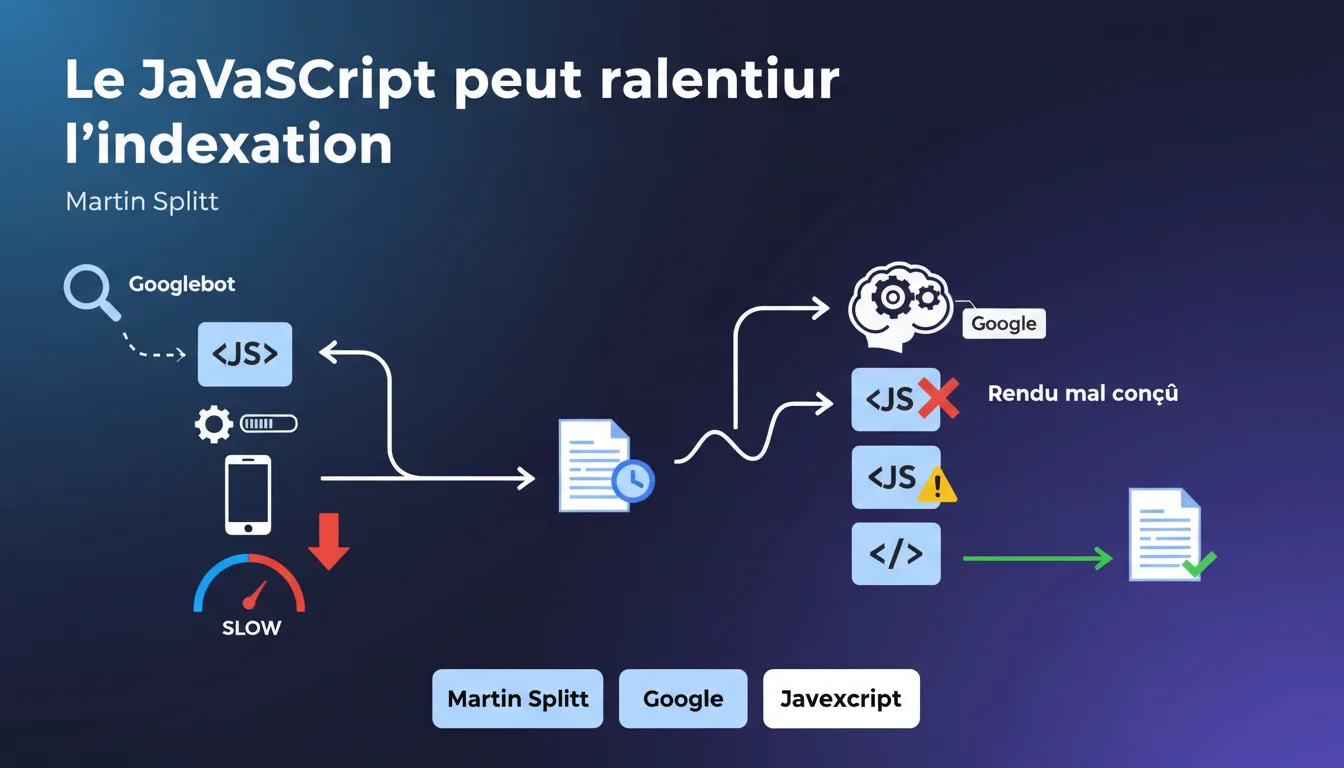
Google confirms that JavaScript-heavy sites require longer indexing times due to server-side rendering. Poorly optimized rendering can create a significant bottleneck in the crawling and indexing process. For JS-heavy sites, technical architecture becomes a critical factor for SEO performance.
What you need to understand
What specific problems does JavaScript pose for indexing? <\/h3>
Unlike static HTML sites that Googlebot can analyze directly, JavaScript sites require an additional step: rendering. Google must execute the JavaScript code to generate the final HTML and access the actual content of the page.<\/p>
This process requires considerable computing resources on Google's side. Each page must go through a separate rendering queue, adding an unavoidable delay between the initial crawl and the actual indexing of the content.<\/p>
What’s the difference between crawling and indexing in this context? <\/h3>
Crawling refers to the first visit by Googlebot that downloads the page's resources. Indexing comes after rendering, once Google has been able to extract and analyze the content generated by JavaScript.<\/p>
For a classic HTML site, these two steps are almost simultaneous. For a JavaScript site, there can be several hours or even several days between the time Googlebot visits the page and when the content is actually indexed.<\/p>
Are all JavaScript frameworks treated the same? <\/h3>
No. Frameworks that offer server-side rendering (SSR) or static site generation (SSG) allow Google to receive pre-rendered HTML, circumventing the issue. React with Next.js, Vue with Nuxt, or Angular Universal fall into this category.<\/p>
On the other hand, 100% client-side (CSR) applications — React without SSR, classic Vue, monolithic SPA applications — force Google to perform the full rendering. This is where the indexing delay becomes extreme.<\/p>
- JavaScript rendering adds an additional technical step between crawling and indexing<\/li>
- This step consumes Google resources and creates a potentially significant delay<\/li>
- Frameworks with SSR/SSG circumvent the problem by serving pre-rendered HTML<\/li>
- Pure CSR applications suffer from maximum indexing delay<\/li>
- The quality of the JavaScript code directly impacts the rendering speed and thus indexing<\/li><\/ul>
SEO Expert opinion
Is this statement consistent with field observations? <\/h3>
Yes, and it has been documented for years. Tests on real sites consistently show a longer indexing delay for content generated in JavaScript. We're talking about a few hours at best, sometimes several days for poorly optimized sites.<\/p>
The problem becomes critical on sites with a high volume of pages — e-commerce with thousands of product listings, classifieds, marketplaces. When each page requires individual rendering, the bottleneck turns into a structural handicap.<\/p>
What are the gray areas of this statement? <\/h3>
Martin Splitt remains vague about the actual extent of the slowdown. Talking about "longer times" without giving a magnitude is somewhat lacking. [To be verified]<\/strong>: Google never provides specific numbers on the delays of its rendering queue.<\/p> Another point: the notion of "poorly designed rendering" remains vague. Google does not specify whether the issue comes from client-side JavaScript execution time, the complexity of the generated DOM, or blocking resources. All of this plays a role, but to what extent? It's a mystery.<\/p> For sites with a low page volume and high authority, the impact remains marginal. If your site has 50 pages and Google visits it daily, even with pure JavaScript, you probably won't notice any indexing issues.<\/p> Conversely, on an e-commerce site with 100,000 products in pure CSR, the problem becomes structural. The long tail — which often accounts for 70% of SEO traffic — will systematically be hindered by the rendering delay.<\/p>When does this rule apply less? <\/h3>
Practical impact and recommendations
What concrete steps should be taken on an existing JavaScript site? <\/h3>
First instinct: audit the current architecture. Is your site using SSR, SSG, or pure CSR? If you don’t know, disable JavaScript in your browser and reload the page. If you see content, that's a good sign. If the page remains empty, you are in pure CSR.<\/p>
Then, use the Search Console and the "URL Inspection" tool. Compare the raw HTML with the final rendering. If significant differences appear — missing content, absent links — it means that Google needs to perform rendering to see your actual content.<\/p>
What technical errors exacerbate the problem? <\/h3>
Blocking JavaScript resources that prevent initial rendering. If your main script weighs 2 MB uncompressed and loads synchronously, Google will wait for everything to download before starting the rendering.<\/p>
Critical client-side API calls constitute another trap. If the main content depends on a fetch() request to an external API, Google will have to wait for that API’s response before indexing the content. Every millisecond counts.<\/p>
Finally, silent JavaScript errors — those that do not crash the page but prevent some content from displaying. Google will not send you an alert; the content will simply be absent from the index.<\/p>
How can you migrate to a more SEO-friendly architecture? <\/h3>
The optimal solution remains Server-Side Rendering (SSR) or static site generation (SSG). Next.js for React, Nuxt for Vue, Angular Universal for Angular — these frameworks allow serving pre-rendered HTML to Googlebot.<\/p>
If a complete migration is too heavy, consider dynamic rendering: serving static HTML to bots while keeping JavaScript for real users. Google officially accepts this as a transitional solution, although it's not ideal.<\/p>
- Audit the current architecture: SSR, SSG, or pure CSR<\/li>
- Check the rendering in Search Console (URL Inspection)<\/li>
- Identify blocking JavaScript resources and optimize them<\/li>
- Move critical API calls server-side whenever possible<\/li>
- Monitor JavaScript errors that impact content display<\/li>
- Evaluate the relevance of an SSR/SSG migration based on page volume<\/li>
- Implement specific monitoring of crawl → indexation delay<\/li><\/ul>Optimizing a JavaScript architecture for SEO requires deep technical expertise that goes well beyond just adding meta tags. Between auditing the existing setup, redesigning the rendering architecture, and setting up hybrid solutions, these projects require cross-disciplinary skills in front-end development and technical SEO. To avoid costly missteps and ensure a migration without traffic loss, teaming up with an SEO agency specializing in JavaScript issues can prove crucial — especially on high-stakes business sites.<\/div>
❓ Frequently Asked Questions
Le dynamic rendering est-il considéré comme du cloaking par Google ?
Un site en SSR bénéficie-t-il d'un avantage de ranking par rapport à du CSR pur ?
Comment savoir si mes pages JavaScript sont correctement indexées ?
Les Progressive Web Apps (PWA) souffrent-elles du même problème ?
Le délai de rendu impacte-t-il aussi la découverte de nouveaux contenus ?
🎥 From the same video 8
Other SEO insights extracted from this same Google Search Central video · published on 29/12/2021
🎥 Watch the full video on YouTube →Related statements
Get real-time analysis of the latest Google SEO declarations
Be the first to know every time a new official Google statement drops — with full expert analysis.
💬 Comments (0)
Be the first to comment.