
Official statement
Other statements from this video 6 ▾
- □ Pourquoi Google bloque-t-il le JavaScript en cache et comment ça impacte votre crawl ?
- □ Pourquoi le cache Google de votre site JavaScript affiche-t-il une page vide ?
- □ Google indexe-t-il vraiment ce que l'utilisateur voit ou ce qui est dans le cache ?
- □ Google Search Console affiche-t-il vraiment le rendu JavaScript qu'il indexe ?
- □ JavaScript et SEO : Google indexe-t-il vraiment votre contenu dynamique ?
- □ Un cache vide signifie-t-il un problème d'indexation sur un site JavaScript ?
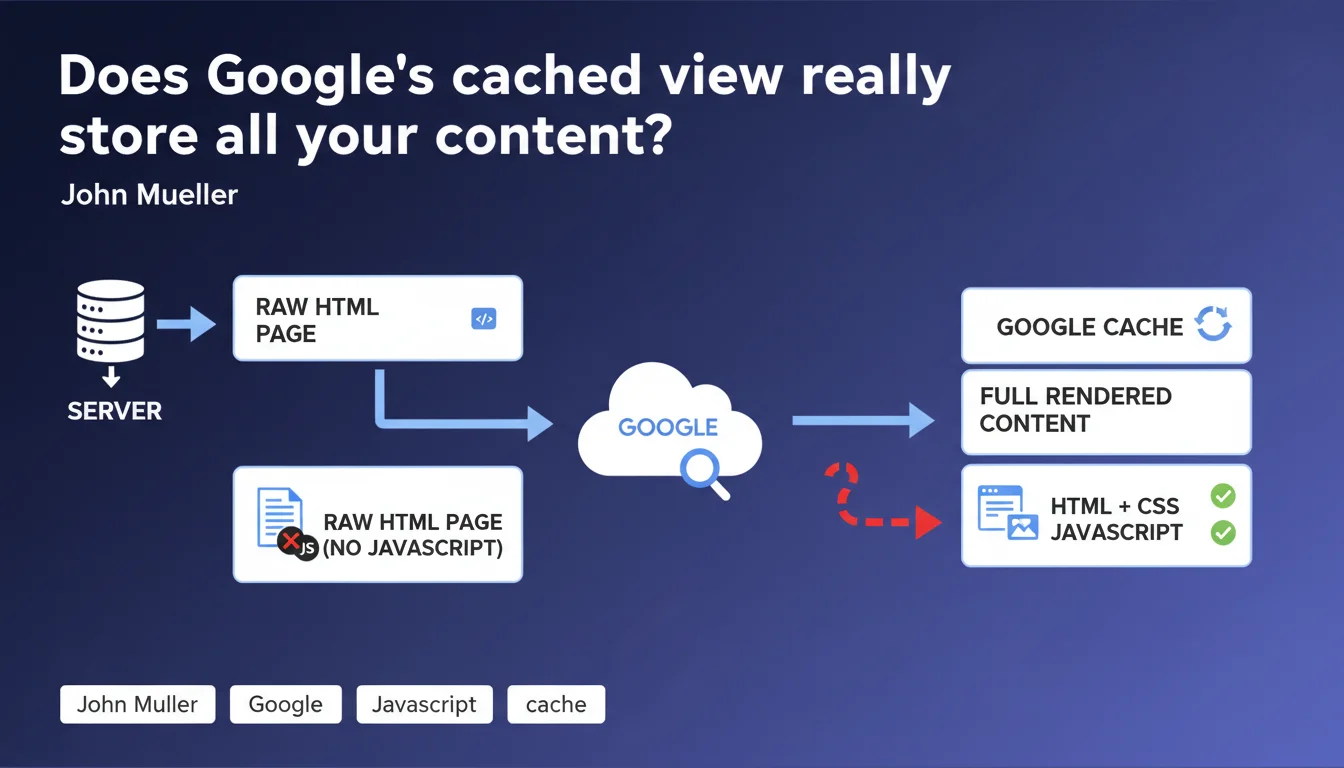
Google only retains raw HTML in its cached view, without JavaScript rendering. If your main content depends on JS to display, it won't appear on the cached page visible to users. Critical distinction: user cache ≠ search index.
What you need to understand
What's the difference between user cache and search index?
The Google cache accessible to internet users (via the "Cached" option in search results) displays only the raw HTML retrieved during the crawl. No JavaScript rendering, no applied CSS, just the initial source code.
The search index, on the other hand, incorporates content rendered after JavaScript execution — this is what Google uses for ranking. These two entities function independently.
Why does Google only store raw HTML in the cache?
It's a matter of server resources and complexity. Storing a rendered version of every crawled page would require phenomenal computing power.
The user cache mainly serves to view a page when the original site is temporarily inaccessible. For this use case, raw HTML is more than sufficient — even if it only displays a skeletal structure.
Does this mean my JS content isn't indexed?
No. This statement only concerns the cached view presented to users, not indexation. Google does execute JavaScript to index your content — it's been documented for years.
But if your main content only appears via JS, users consulting the cached version will only see an empty shell. It's an accessibility issue, not a direct ranking problem.
- The user cache displays only raw HTML retrieved by Googlebot
- The search index processes content after JavaScript rendering
- Content invisible in cache can be perfectly indexed and ranked
- The cached view serves users to access temporarily unavailable pages
SEO Expert opinion
Is this cache/index distinction really new?
Absolutely not. SEO practitioners have observed this since Google began crawling JavaScript — roughly since 2015.
What's interesting here is that Mueller explicitly formalizes what many had understood empirically. Less ambiguity is always welcome.
Why clarify this point now?
Let's be honest: this statement probably responds to recurring confusion in the Search Console Community or on forums. Many webmasters panic seeing their cache empty while their site ranks properly.
Mueller cuts it short: the user cache is not an indicator of what Google actually indexes. Full stop.
Are there nuances Google is leaving out?
Yes — and that's where it gets tricky. Google doesn't specify how much time passes between the initial HTML crawl and JavaScript rendering in the index. This delay can range from a few hours to several days depending on your crawl budget.
During this window, your JS content technically exists but may not yet be indexed. [To verify]: Google publishes no official metrics on this time lag, even though it directly impacts index freshness for dynamic sites.
Practical impact and recommendations
Should I abandon client-side JavaScript for SEO?
No. But you need to architect intelligently. If your critical content (titles, main paragraphs, structured data) depends entirely on JS, you're taking unnecessary risk.
SSR (Server-Side Rendering) or static generation ensures that initial HTML already contains the essentials. Google indexes faster, and as a bonus, your users see something in the cache.
How do I verify what Google actually sees?
Use the URL Inspection tool in Search Console. Compare raw HTML and rendered version — if massive gaps exist, it's a warning signal.
Also test with a browser in "JavaScript disabled" mode. If your page looks like a desert, users viewing the cache will have the same experience.
What concrete actions should I take?
- Audit your strategic pages: compare source HTML vs final render in Search Console
- Prioritize SSR or static generation for critical content (landing pages, product sheets, articles)
- Keep client-side JS for secondary interactions (carousels, dynamic filters, animations)
- Verify that your schema.org structured data is present in initial HTML, not injected only via JS
- Monitor the delay between publication and actual indexing for real-time content
- Document technical choices to justify performance vs SEO trade-offs
❓ Frequently Asked Questions
Si mon contenu n'apparaît pas dans le cache Google, est-il quand même indexé ?
Le cache Google influence-t-il le classement de mes pages ?
Dois-je éviter les frameworks JavaScript comme React ou Vue pour le SEO ?
Pourquoi Google ne stocke-t-il pas la version rendue dans le cache utilisateur ?
Comment savoir si Google a du mal à indexer mon contenu JavaScript ?
🎥 From the same video 6
Other SEO insights extracted from this same Google Search Central video · published on 06/04/2022
🎥 Watch the full video on YouTube →
💬 Comments (0)
Be the first to comment.