
Official statement
Other statements from this video 6 ▾
- □ La vue cache de Google stocke-t-elle vraiment tout votre contenu ?
- □ Pourquoi le cache Google de votre site JavaScript affiche-t-il une page vide ?
- □ Google indexe-t-il vraiment ce que l'utilisateur voit ou ce qui est dans le cache ?
- □ Google Search Console affiche-t-il vraiment le rendu JavaScript qu'il indexe ?
- □ JavaScript et SEO : Google indexe-t-il vraiment votre contenu dynamique ?
- □ Un cache vide signifie-t-il un problème d'indexation sur un site JavaScript ?
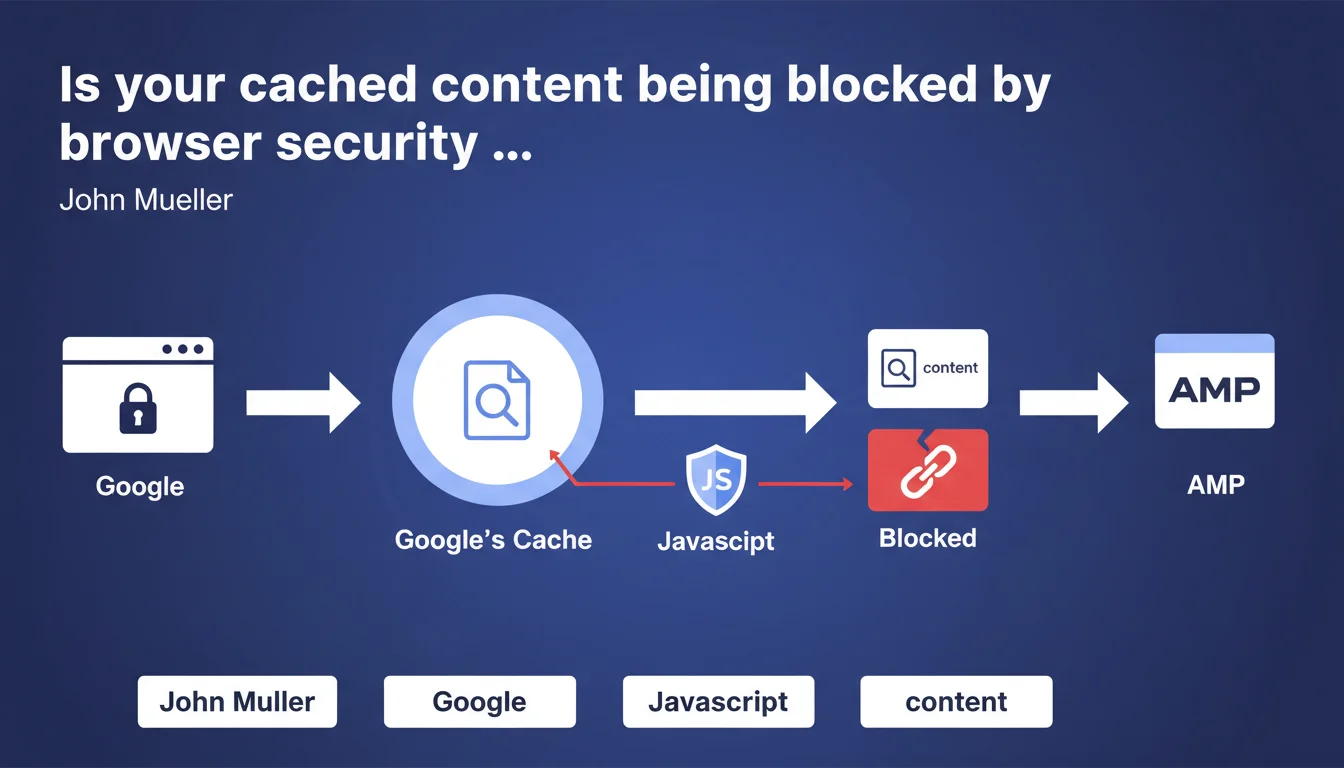
Modern browsers enforce security restrictions (CORS, CSP) that block cross-origin JavaScript requests, including those from Google's cache. Concretely, if your page requires JS files to display correctly and Google caches it, these resources may fail to load for end users. Direct impact: invisible content, broken functionality, degraded UX signals.
What you need to understand
What does Google really mean by "browser security restrictions"?
Mueller is referring to the CORS (Cross-Origin Resource Sharing) policies and Content Security Policies (CSP) that browsers implement to prevent XSS attacks and data theft. When a user views a page cached by Google (domain google.com/webcache), the browser treats requests to your origin server as coming from a different domain.
Result — if your JavaScript files, fonts, or other resources don't return the correct CORS headers, the browser blocks them outright. The cached page becomes partially or completely unusable.
Why does this matter for SEO if it's just the cache?
First misconception to clear up: it's not "just" the cache. Googlebot uses a Chrome rendering engine to crawl your pages, so it's subject to the same security restrictions. If your JavaScript doesn't load correctly due to misconfigured CORS policies, Googlebot won't see the content it generates.
And even if we're talking about the user cache, a broken page in Google results sends a disastrous UX signal: skyrocketing bounce rate, zero dwell time. Google may interpret this as a sign of poor quality.
What types of resources are actually affected?
All cross-origin assets: JavaScript files hosted on a CDN, web fonts (@font-face), SVG images, external CSS stylesheets, third-party APIs. If these resources don't return the appropriate Access-Control-Allow-Origin headers, they'll be blocked.
Modern frameworks (React, Vue, Angular) are particularly exposed since they rely heavily on JavaScript to generate the DOM. One CORS error = blank page.
- JavaScript hosted on CDN without correct CORS headers
- Web fonts served from a poorly configured subdomain
- REST APIs called client-side without cross-origin authorization
- SVG images or dynamic resources loaded via fetch/XHR
- ES6 modules (type="module") that strictly enforce same-origin policy
SEO Expert opinion
Is this statement consistent with real-world observations?
Yes — and it's a classic finding in technical audits. We regularly see sites where JS-rendered content doesn't appear in the Search Console URL inspection tool. The cause? Missing or misconfigured CORS headers on the CDN. [Established fact]: Chrome DevTools in "Disable cache" mode + "Empty cache and hard reload" reproduces Googlebot's behavior exactly.
However, Mueller deliberately stays vague on one point: he says requests "may" be blocked, not "are systematically blocked". Important nuance — it all depends on the page's CSP policy and headers returned by your origin server. [To verify]: in what proportion does Google encounter this issue? No public data available.
What classic mistake do SEOs make here?
Many still think "if it works in my browser, it works for Google". Wrong. Your browser has probably cached resources from a previous visit, or your session contains cookies/tokens that authorize requests. Googlebot arrives cold, without a session, without prior cache.
Another mistake — testing only the homepage. Deeper pages may load different resources, hosted elsewhere, with divergent CORS configurations. You need to test a representative sample of templates, not just the home.
In what cases does this rule not fully apply?
If all your assets are served from the same domain as your HTML (same-origin), no CORS problem by definition. This is the case for "old-school" sites that host everything locally, without an external CDN.
Similarly, if you use a CDN that automatically handles CORS headers (Cloudflare, Fastly configured correctly), you're probably covered. But be careful — "probably" isn't "definitely". I've seen default Cloudflare configs that don't allow Access-Control-Allow-Origin: * on JS files. You need to verify manually.
Practical impact and recommendations
How do I verify my site isn't affected by this issue?
First reflex: Chrome DevTools in Incognito mode, Network tab, filter on JS/CSS/Fonts. Reload the page and check that no resources return a CORS error (red status with "blocked by CORS policy" message). If you see errors, Googlebot will see them too.
Second step — use the URL inspection tool in Search Console, request a live test, then click "View crawled page". Compare the rendering with what you see in your browser. If content is missing, dig into the network logs in the "More info" tab.
What corrective actions should you implement immediately?
If you control your server or CDN, add the following headers to all JS, CSS, font, and SVG image files:
Access-Control-Allow-Origin: *(or your specific domain if you want to restrict)Access-Control-Allow-Methods: GET, OPTIONSAccess-Control-Allow-Headers: Content-Type- Verify that your server responds correctly to OPTIONS requests (CORS preflight)
- If you use a third-party CDN (jsDelivr, cdnjs), make sure it returns these headers — most do by default, but test it
- For self-hosted fonts, add
crossorigin="anonymous"to your<link rel="preload">tag
What strategy should you adopt to avoid this trap long-term?
Centralize as much as possible your critical resources on your own domain or a unified subdomain with wildcard CORS. If you must use cross-origin resources, document their origin and monitor their availability via automated monitoring (Pingdom, UptimeRobot).
Implement a quarterly technical audit that includes a scan of HTTP headers for all external resources. A configuration change on the CDN provider side can break your site overnight without you knowing.
❓ Frequently Asked Questions
Est-ce que ce problème affecte uniquement les sites en JavaScript pur (SPA) ?
Les fichiers JavaScript inline (directement dans le HTML) sont-ils concernés ?
Comment savoir si Googlebot a rencontré une erreur CORS sur mon site ?
Faut-il configurer CORS sur toutes les ressources ou seulement certaines ?
Un CDN comme Cloudflare gère-t-il automatiquement les headers CORS ?
🎥 From the same video 6
Other SEO insights extracted from this same Google Search Central video · published on 06/04/2022
🎥 Watch the full video on YouTube →
💬 Comments (0)
Be the first to comment.