
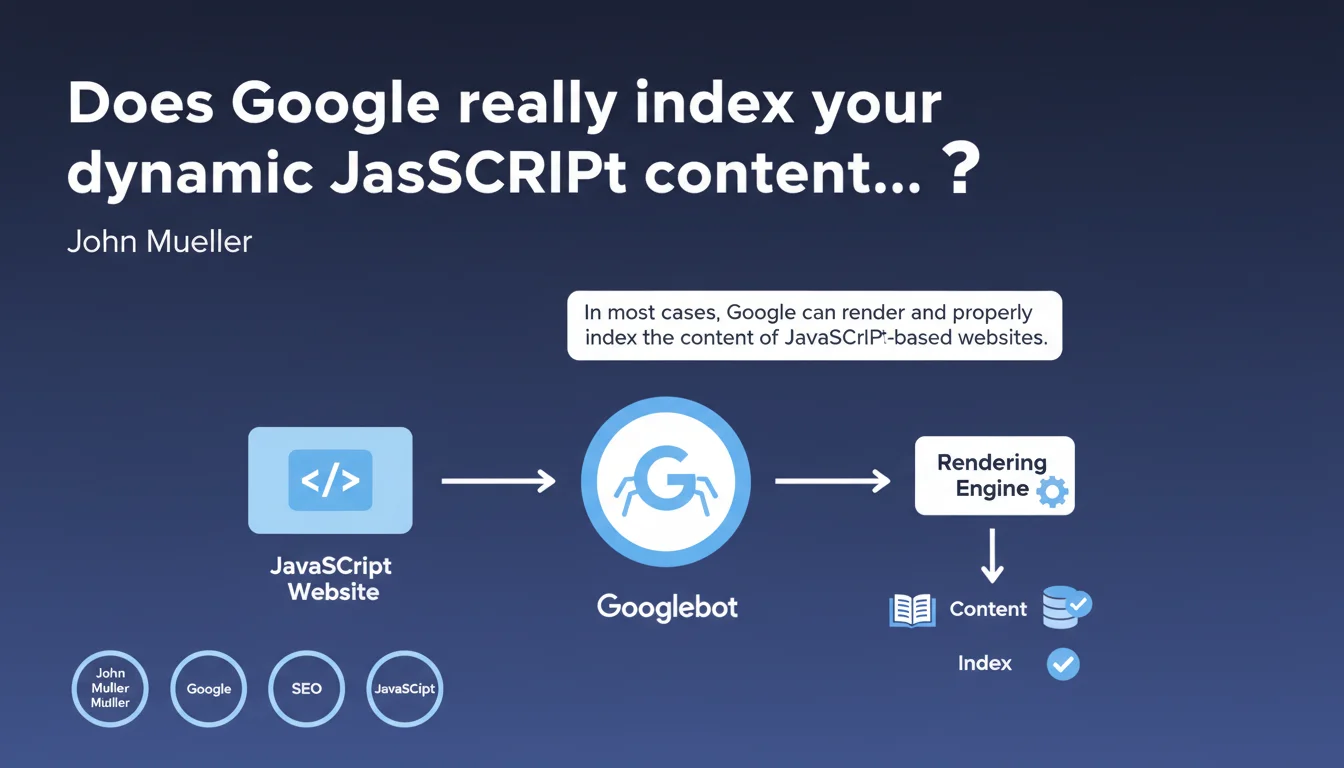
Official statement
Other statements from this video 6 ▾
- □ La vue cache de Google stocke-t-elle vraiment tout votre contenu ?
- □ Pourquoi Google bloque-t-il le JavaScript en cache et comment ça impacte votre crawl ?
- □ Pourquoi le cache Google de votre site JavaScript affiche-t-il une page vide ?
- □ Google indexe-t-il vraiment ce que l'utilisateur voit ou ce qui est dans le cache ?
- □ Google Search Console affiche-t-il vraiment le rendu JavaScript qu'il indexe ?
- □ Un cache vide signifie-t-il un problème d'indexation sur un site JavaScript ?
Google claims it can properly index most JavaScript-based websites. However, this technical capability guarantees neither crawl efficiency nor indexing parity with static HTML. Rendering delays and execution errors remain major friction points.
What you need to understand
What does "most cases" really mean in practical terms?
When Mueller says Google handles "most cases," he's implicitly acknowledging that exceptions exist. The search engine uses a Chromium-based rendering engine to execute JavaScript and generate the final DOM.
The catch: this process happens in a second indexing wave, after the initial crawl. Between the two, hours or even days can pass. For fresh content or sites with limited crawl budget, this delay becomes critical.
What's the difference between technical capability and real-world performance?
Google can technically execute your JavaScript. That doesn't mean it will do so efficiently, quickly, or completely. Modern frameworks (React, Vue, Angular) work, but each layer of abstraction adds processing time for Googlebot.
Silent JavaScript errors, blocking dependencies, timeouts — these are all scenarios where rendering fails without explicit error messages in Search Console. You think everything works fine, while the search engine never actually sees large portions of your content.
Does static HTML still provide a competitive advantage?
Yes, absolutely no question. Content immediately available in the HTML source is crawled and indexed in the first wave. No rendering queue, no risk of execution failure.
For news sites, e-commerce platforms with thousands of products, or UGC-based services, this timing difference directly translates to visibility — or its absence.
- Google can technically handle modern JavaScript
- Indexation of JS content happens in a second wave with variable delays
- Static HTML maintains an edge in terms of speed and reliability
- JavaScript execution errors often go unnoticed in monitoring tools
- Crawl budget consumption differs significantly for JavaScript sites
SEO Expert opinion
Does this claim match real-world observations?
Partially. On well-configured sites with SSR or static pre-generation, indexation does work effectively. But on pure client-side rendering, problems persist: content detected with delays, internal links not followed immediately, metadata sometimes ignored.
I've seen audits where 30% of URLs in an SPA simply didn't appear in the index for weeks. Search Console displayed "Discovered, currently not indexed" with no further explanation. [To verify]: Google publishes no metrics on the actual success rate of JavaScript rendering at web scale.
What critical nuances is Google omitting?
Mueller never mentions the resource cost of JavaScript rendering. Googlebot must allocate CPU time, manage memory, wait for network timeouts. With tight crawl budgets, these resources are limited — and if your JavaScript is heavy, portions of your pages may never get rendered.
Another revealing silence: nothing about differences between mobile and desktop. JavaScript rendering on mobile is even more resource-constrained. With mobile-first indexing, this should be central to any statement on the subject.
In what contexts does this principle not apply?
High-volume sites with frequent updates: Googlebot simply doesn't have time to render everything. Sites with authentication or complex user journeys: the engine can't simulate all interactions. Sites dependent on external APIs with latency: Googlebot's timeouts are short.
And let's be honest — if your JavaScript calls resources blocked in robots.txt, includes obsolete polyfills, or triggers client-side redirects, rendering will fail silently.
Practical impact and recommendations
What should you audit first on a JavaScript site?
Systematically test your pages with the URL inspection tool in Search Console. Compare the source HTML and the rendered DOM. If critical elements (h1, main content, internal links) only appear in the rendered DOM, you're in a risk zone.
Check rendering delays: a site that takes 8 seconds to display its final content will likely exceed Googlebot's timeouts. Use tools like Puppeteer in headless mode to simulate crawler behavior.
What architectures should you prioritize to minimize risk?
Server-Side Rendering (SSR) remains the most reliable solution: Next.js, Nuxt.js, SvelteKit. Content is generated server-side and sent directly in the HTML. Googlebot crawls, indexes immediately, without depending on a later rendering phase.
If SSR isn't feasible, Static Site Generation (SSG) with incremental regeneration offers a good compromise. For existing SPAs, implementing dynamic rendering (serving pre-rendered HTML to bots) works — but Google officially recommends avoiding it when possible.
How do you effectively monitor JavaScript indexation?
Set up alerts on Search Console coverage reports. A sudden spike in "Discovered, currently not indexed" status on JavaScript pages is a red flag. Use regular tests via the Mobile-Friendly Test API to verify automated rendering.
Implement structured monitoring: server logs to track Googlebot hits, rendering performance tracking, alerts on critical JavaScript errors. A script that crashes after initial load can block indexation without you knowing.
- Compare source HTML vs rendered DOM for each key template
- Measure rendering times with headless tools (Puppeteer, Playwright)
- Prioritize SSR or SSG over pure CSR for critical content
- Monitor Search Console coverage reports to detect indexation anomalies
- Test regularly with the URL inspection tool, not just at launch
- Document external dependencies and their rendering impact
- Avoid dynamic rendering except as a last resort
❓ Frequently Asked Questions
Le rendu JavaScript de Googlebot est-il identique sur mobile et desktop ?
Combien de temps Google met-il pour indexer du contenu généré en JavaScript ?
Les SPAs (Single Page Applications) sont-ils pénalisés par Google ?
Dois-je implémenter du dynamic rendering pour mon site JavaScript ?
Comment vérifier si Googlebot voit mon contenu JavaScript ?
🎥 From the same video 6
Other SEO insights extracted from this same Google Search Central video · published on 06/04/2022
🎥 Watch the full video on YouTube →
💬 Comments (0)
Be the first to comment.