
Official statement
Other statements from this video 6 ▾
- □ La vue cache de Google stocke-t-elle vraiment tout votre contenu ?
- □ Pourquoi Google bloque-t-il le JavaScript en cache et comment ça impacte votre crawl ?
- □ Pourquoi le cache Google de votre site JavaScript affiche-t-il une page vide ?
- □ Google indexe-t-il vraiment ce que l'utilisateur voit ou ce qui est dans le cache ?
- □ Google Search Console affiche-t-il vraiment le rendu JavaScript qu'il indexe ?
- □ JavaScript et SEO : Google indexe-t-il vraiment votre contenu dynamique ?
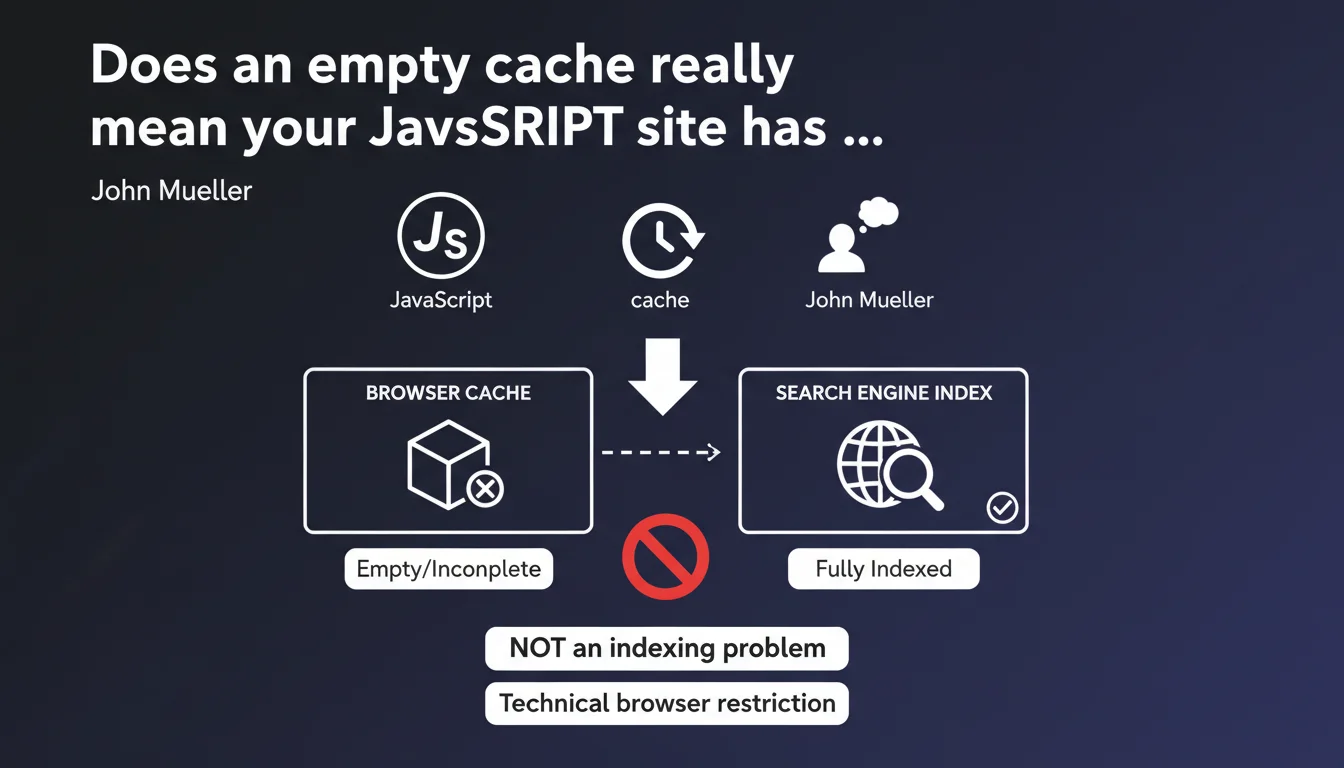
Google confirms that an empty or incomplete cache on a JavaScript site is not an indicator of indexing problems. This limitation simply comes from the technical restrictions of browsers that don't execute JavaScript in the cache view. It doesn't reflect how Googlebot actually processes your site.
What you need to understand
Why does the cache view appear empty on JavaScript sites?
When you click on "Cached" in Google search results for a modern JavaScript site (React, Vue, Angular…), you often end up with a nearly empty or very incomplete page. The reason is simple: browsers display raw HTML without executing JavaScript.
This cache view uses standard browser-side rendering, not Googlebot's rendering engine. It shows the initial source code sent by the server — before JavaScript builds the final DOM. On a traditional site with complete HTML from the start, everything displays. On a SPA (Single Page Application), only an empty shell remains.
Does this mean Google isn't indexing JavaScript content?
No. The cache view display absolutely does not reflect what Googlebot actually sees and indexes. Google uses its own rendering engine based on Chromium to execute JavaScript and extract the final content.
The cache displayed to users is a separate feature, subject to security constraints of modern browsers that disable JavaScript by default in this context. It's a technical limitation of the visualization tool, not of the indexing process.
- Empty cache view = browser limitation in displaying the cache
- Actual indexing = Googlebot executes JavaScript and sees the complete content
- These two processes are completely independent of each other
- Never rely on the cache view to diagnose JavaScript indexing problems
How can you verify that Google is actually indexing my JavaScript content?
Several tools give you a reliable view of what Googlebot actually sees. The URL inspection tool in Search Console remains the gold standard — it displays the DOM rendered after JavaScript execution, exactly how Googlebot processes it.
You can also run a site:yourdomain.com "text generated in JS" search to verify that Google has indexed content that only exists in JavaScript. If your pages appear with the correct snippets in search results, indexing is working — regardless of what the cache shows.
SEO Expert opinion
Does this statement end the JavaScript indexing debate?
Not really. Mueller's clarification about the cache is useful — it prevents misdiagnosis based on a faulty indicator. But it doesn't address the real difficulties with JavaScript indexing: rendering delays, crawl budget consumed by rendering, execution errors that block content.
Let's be honest: an empty cache has never been a real red flag for experienced SEO professionals. We already knew that Search Console and specific tests were necessary. The real problem lies elsewhere — in sites that generate content after user interactions, in silent JavaScript errors, in resources blocked by robots.txt.
Should we still worry about JavaScript indexing in general?
Yes, absolutely. Google indexes JavaScript, but not always immediately or completely. Rendering is a two-stage process that can take hours or even days after the initial crawl. On sites with high page volumes, this latency is problematic.
The fact that the cache is empty signals nothing — but it doesn't mean everything is fine by default. [To verify]: Google remains vague about the exact conditions that trigger fast rendering versus delayed rendering. In practice, we observe significant variations depending on site popularity, crawl frequency, and technical structure.
What are the limitations of this Google statement?
Mueller answers a specific question about the cache, but provides no actionable recommendations. He confirms a symptom without discussing the broader diagnosis. An empty cache means nothing — OK. But what indicators should you use then to detect a real JavaScript indexing problem?
The statement stays on the surface. It doesn't address cases where JavaScript actually fails (timeout, code errors, blocked resources), nor best practices for optimizing rendering on Google's side. It's a useful but partial clarification — as is often the case with Google's official communications about JavaScript.
Practical impact and recommendations
What should you concretely do to verify indexing of your JavaScript site?
Stop immediately using the cache view as an SEO health indicator on a JavaScript site. It's a false signal that measures nothing relevant. Base your decisions exclusively on tools that reproduce Googlebot's actual behavior.
The URL inspection tool in Search Console is your best ally. Test pages representative of each template, especially those with critical content generated in JavaScript. Compare raw HTML and final rendering — any discrepancy indicates a potential problem.
- Use the URL inspection tool in Search Console on your main pages
- Verify that JavaScript content appears in the "Rendered HTML" tab
- Test with
site:in Google to confirm JavaScript content indexing - Monitor JavaScript errors in the Search Console rendering console
- Check that critical JS/CSS resources are not blocked by robots.txt
- Measure the delay between initial crawl and complete indexing (via server logs + Search Console)
What errors should you avoid when diagnosing JavaScript indexing?
Don't panic because Google's cache is empty. It's not a bug, it's a limited feature. You're wasting time trying to "fix" something that works normally.
Another classic pitfall: testing indexing only with a simple site:yourdomain.com without searching for specific content. If Google indexes your page but doesn't extract the JavaScript content, it will still appear in search results — with an incomplete or generic snippet. Always test with specific pieces of text that only exist in the JS.
How to sustainably optimize indexing of a JavaScript site?
The real question isn't "Does Google index JavaScript?" but "How long does it take and in what conditions does it fail?". Systematically prioritize Server-Side Rendering or static generation for critical content — categories, product sheets, articles.
Keep client-side rendering for secondary elements (filters, animations, interactive elements non-critical to SEO). This hybrid architecture combines the advantages: SSR indexing speed + richness of client-side JavaScript experience.
An empty cache on a JavaScript site indicates nothing problematic. Focus your diagnostic efforts on Search Console tools and actual indexing tests. For complex sites with heavy JavaScript architecture, these optimizations can quickly become technical — particularly implementing SSR or pre-rendering. In this context, consulting a specialized SEO agency allows you to benefit from personalized support to identify specific friction points and deploy an architecture suited to your business needs.
❓ Frequently Asked Questions
Si le cache Google est vide, est-ce que mon site JavaScript est mal indexé ?
Comment savoir si Google indexe correctement mon contenu généré en JavaScript ?
Le cache Google fonctionne-t-il différemment sur les sites en HTML classique ?
Dois-je implémenter du Server-Side Rendering pour avoir un cache Google complet ?
Pourquoi Google ne corrige-t-il pas l'affichage du cache pour les sites JavaScript ?
🎥 From the same video 6
Other SEO insights extracted from this same Google Search Central video · published on 06/04/2022
🎥 Watch the full video on YouTube →
💬 Comments (0)
Be the first to comment.