
Official statement
Other statements from this video 6 ▾
- □ La vue cache de Google stocke-t-elle vraiment tout votre contenu ?
- □ Pourquoi Google bloque-t-il le JavaScript en cache et comment ça impacte votre crawl ?
- □ Google indexe-t-il vraiment ce que l'utilisateur voit ou ce qui est dans le cache ?
- □ Google Search Console affiche-t-il vraiment le rendu JavaScript qu'il indexe ?
- □ JavaScript et SEO : Google indexe-t-il vraiment votre contenu dynamique ?
- □ Un cache vide signifie-t-il un problème d'indexation sur un site JavaScript ?
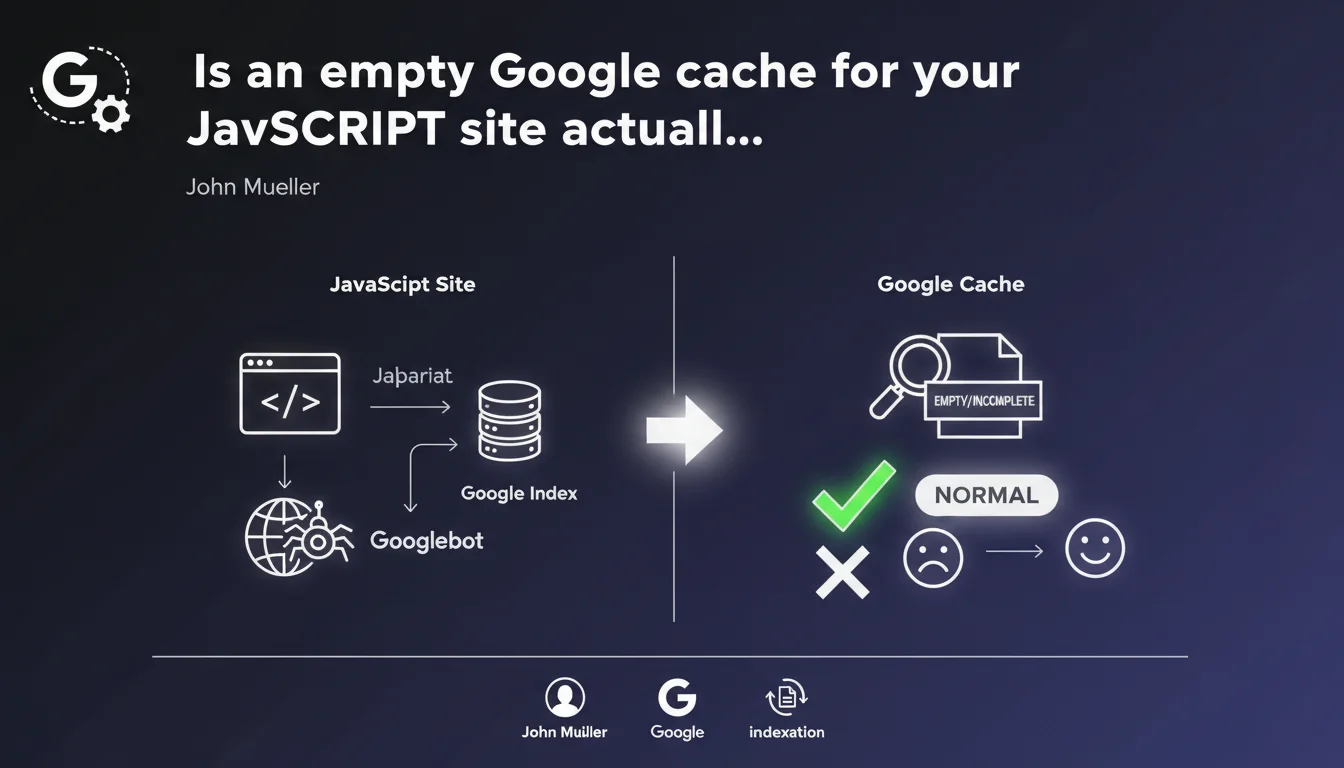
Google confirms that an empty or incomplete cache for JavaScript sites is normal behavior, not a bug. The cache displays raw HTML before JavaScript execution, which explains why many JS-heavy sites appear empty. This doesn't reflect what Googlebot sees after full rendering.
What you need to understand
Why does Google cache show nothing for JavaScript sites?
Google cache stores the raw HTML version retrieved during the initial crawl. For modern JavaScript sites (React, Vue, Angular), this raw version often contains only minimal structure — sometimes just an empty div#root.
The full content rendering happens in a second phase through Google's rendering engine (based on Chromium). What you see in the cache is the state before this JavaScript execution. Don't worry: Googlebot definitely sees the final rendered content.
Does an empty cache page mean Google isn't indexing my content?
No. An empty cache doesn't mean your content isn't indexed. Google clearly distinguishes between HTML retrieval and JavaScript rendering.
If your content appears in search results and your snippets are correct, it means Googlebot executed the JavaScript and indexed the result. The cache simply reflects an intermediate stage of the process.
How can you verify that Googlebot is rendering your JavaScript site correctly?
Use the URL Inspection tool in Google Search Console. The "Rendered page" section shows you exactly what Googlebot sees after JavaScript execution.
Compare the fetched HTML (raw version) and the rendered result. If content appears in the rendered version, everything is working normally, even if the cache is empty.
- An empty cache for a JavaScript site is expected behavior, not a warning sign
- The cache shows the raw HTML version, before JavaScript execution
- Googlebot performs full rendering in a separate phase — use Search Console to verify this rendering
- If your pages appear in SERPs with the correct content, indexation is working properly
- Don't rely on cache to diagnose JavaScript indexation issues
SEO Expert opinion
Is this statement consistent with what we observe in practice?
Yes, completely. SEO practitioners have observed this phenomenon for years: Gatsby sites, Next.js, React SPA applications… they all display nearly empty cache. This clarification from Mueller ends a recurring confusion among clients and junior team members who panic when they see this blank cache.
The real issue is that Google never properly documented this nuance officially before. Result: years of hasty interpretations and false alarms. This statement should have arrived much sooner.
Is cache still a relevant diagnostic tool?
For static sites or server-side rendered ones, yes. For modern JavaScript, cache is useless as an indexation quality indicator. It's even misleading.
Real diagnosis comes through the URL Inspection tool in Search Console. But let's be honest — this tool has its limitations too. It sometimes renders differently from production Googlebot, particularly on sites with aggressive lazy-loading or complex client-side conditions. [To verify]: the consistency between the tool and actual production rendering remains a blind spot.
When should you actually worry about an empty cache?
If your site should have pre-rendered content (SSR, SSG, hydration) but the cache is empty, that's a signal. It could indicate a configuration problem: your framework isn't generating server-side HTML as expected.
Another problematic case: your content appears neither in cache nor in SERPs. Then empty cache becomes one symptom among others of a rendering or crawl budget problem.
Practical impact and recommendations
What should you do concretely with this information?
First, stop panicking if your Google cache is empty while you're doing client-side JavaScript. It's expected. Focus on what matters: the final rendering seen by Googlebot.
Next, educate your clients and teams. This confusion between empty cache = indexation problem generates lots of false alarms and wasted time. Share this Mueller statement as a reference.
How do you verify that your JavaScript site is properly indexed?
Systematically use the URL Inspection tool in Search Console to audit your key pages. Look at the "Rendered page" section and the generated screenshot. If the content is there, you're good.
Also compare with a JavaScript-enabled crawl via Screaming Frog or OnCrawl. Verify that critical elements (titles, text, internal links) are present in the rendered DOM.
Test rendering speed. If your JavaScript takes too long to execute, Googlebot may abandon before full rendering completes. Aim for Time to Interactive under 3-4 seconds.
What strategy should you adopt to optimize JavaScript indexation?
Ideally, migrate to hybrid rendering: SSR or static generation for critical content, JavaScript hydration for interactivity. Next.js, Nuxt, SvelteKit… all modern frameworks support this natively.
If you stay with pure CSR, ensure essential content loads quickly and critical resources aren't blocked. Avoid heavy external dependencies that slow down execution.
- Verify each key page via the URL Inspection tool in Search Console
- Analyze the "Rendered page" section and Googlebot screenshot
- Compare raw HTML and rendered result — critical content must appear after rendering
- Test JavaScript execution time — aim for less than 3-4 seconds for complete rendering
- Favor SSR/SSG for SEO-critical content rather than pure CSR
- Document to your clients why empty cache is normal for their technical stack
- Don't rely on Google cache as a diagnostic tool for modern JavaScript sites
❓ Frequently Asked Questions
Le cache vide de mon site React signifie-t-il que Google n'indexe pas mon contenu ?
Pourquoi mon concurrent en WordPress a un cache plein et pas mon site Next.js ?
Dois-je absolument passer au SSR pour que mon cache Google ne soit pas vide ?
L'outil d'inspection d'URL montre-t-il exactement ce que Googlebot voit en production ?
Combien de temps Googlebot attend-il pour exécuter le JavaScript d'une page ?
🎥 From the same video 6
Other SEO insights extracted from this same Google Search Central video · published on 06/04/2022
🎥 Watch the full video on YouTube →
💬 Comments (0)
Be the first to comment.