
Official statement
Other statements from this video 10 ▾
- □ Pourquoi robots.txt suffit-il (presque toujours) à bloquer l'indexation d'un site de staging ?
- □ La balise no-index bloque-t-elle vraiment toute indexation sans exception ?
- □ Les pages orphelines sont-elles vraiment invisibles pour Google ?
- □ Google peut-il vraiment découvrir tous vos sous-domaines ?
- □ Faut-il vraiment soumettre manuellement ses pages importantes au lancement d'un site ?
- □ Faut-il vraiment craindre de publier 7000 articles d'un coup ?
- □ La qualité du contenu bloque-t-elle réellement l'indexation de masse ?
- □ Un nom de domaine propre améliore-t-il vraiment la mémorisation de votre marque ?
- □ Les listes blanches IP suffisent-elles vraiment à protéger vos sites de staging du crawl Google ?
- □ Faut-il vraiment faire du SEO pour un site à fonctionnalité ?
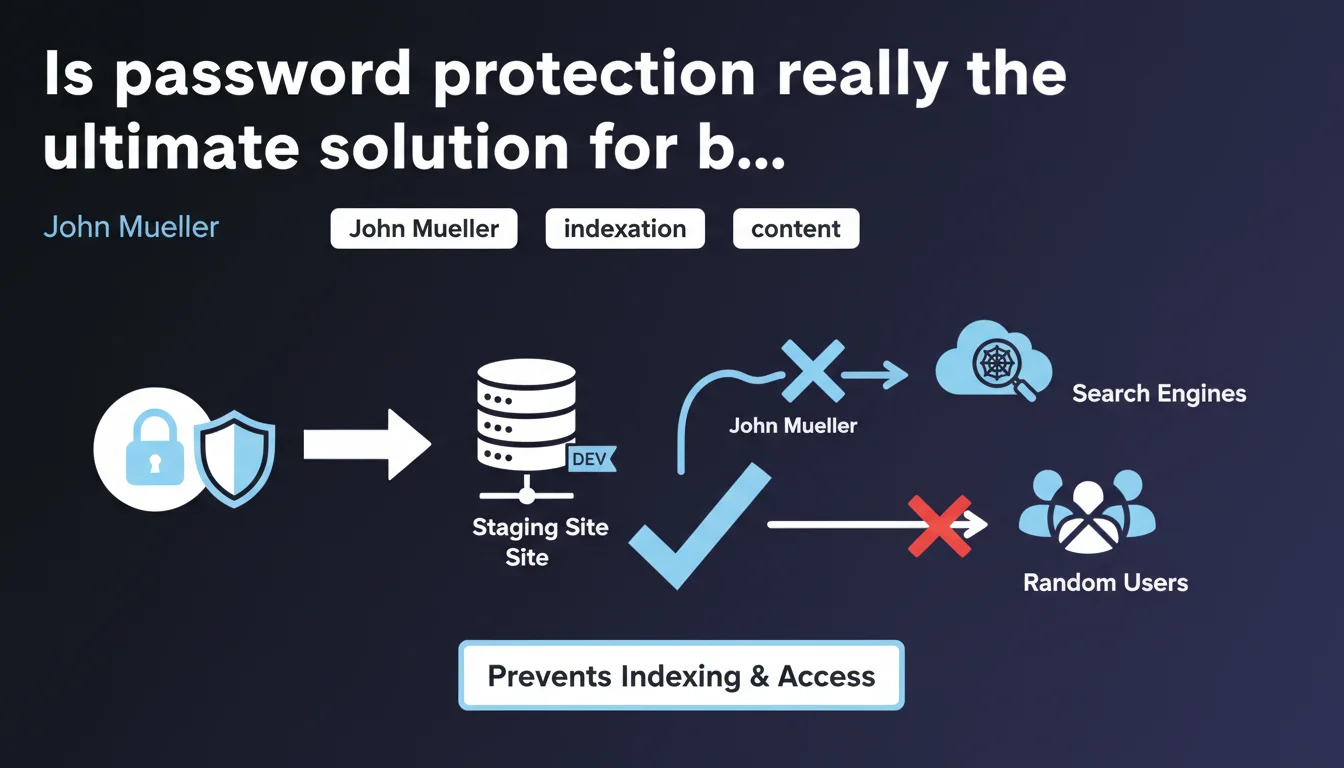
Google confirms that password protection (HTTP Basic Auth) effectively prevents search engines from indexing staging sites. This method blocks both bots and unauthorized users. It's a simple and reliable solution for protecting development environments.
What you need to understand
John Mueller provides a welcome clarification on a topic that comes up regularly: how to effectively protect a staging site from indexation. HTTP password protection remains a proven and straightforward method.
Why does this method work against bots?
When a server returns HTTP 401 authentication, Googlebot cannot get past this barrier. It has no credentials to enter and simply abandons the page crawl.
Unlike robots.txt or noindex which require access to content first to be read, HTTP authentication blocks upstream. The bot doesn't even access the HTML code.
What's the difference with other blocking methods?
Robots.txt remains a directive, not a lock. A competitor or malicious bot can ignore it. Noindex requires the page to be crawled to be interpreted.
HTTP authentication offers a dual advantage: it prevents indexation AND blocks access to content. For a staging site containing sensitive data or unfinished functionality, this is crucial.
Does this protection apply to all types of content?
Yes, HTTP authentication protects the entire site: HTML pages, images, JS/CSS files, PDFs. Everything behind this barrier remains inaccessible to bots.
However, be careful: if you protect only certain sections of the site with an applicative login system (via form), pages remain technically crawlable. This isn't the same as server-level authentication.
- HTTP authentication (401) blocks crawl before even accessing content
- Robots.txt and noindex require content access to be interpreted
- This method protects all file types and resources
- Don't confuse with applicative login that doesn't prevent crawling
- Ideal solution for development and staging environments
SEO Expert opinion
Is this recommendation aligned with practices observed in the field?
Absolutely. HTTP authentication has worked for decades and remains one of the most reliable protections against accidental indexation. I've seen too many staging sites indexed due to a simple forgotten noindex tag.
The real problem? Many developers confuse server authentication and applicative protection. A WordPress login form on staging doesn't protect from Googlebot — you need real HTTP authentication configured at the server level (Apache, Nginx).
What pitfalls should you avoid with this method?
First pitfall: forgetting to remove the protection before going live. I've seen sites launched with HTTP authentication still active on certain sections. Result: brutal deindexation of entire site sections.
Second pitfall: believing that IP-based protection is enough. Limiting access to certain IP addresses protects humans, but if a bot passes through these IPs (case of poorly configured automated tests), it can still crawl.
Third pitfall: using the same URL between staging and production. Even with protection, if Google already crawled this URL in production, confusion can occur. Always use a distinct subdomain (staging.yoursite.com).
In which cases is this solution not optimal?
For HTML validation or performance testing via external tools (PageSpeed Insights, Screaming Frog Cloud, etc.), HTTP authentication blocks these services. You'll need to temporarily remove it or whitelist specific IPs.
If you need to share staging with external clients or partners, credential management quickly becomes cumbersome. In this case, a mixed solution (HTTP authentication + IP whitelist for certain users) is preferable.
Practical impact and recommendations
How do you properly set up HTTP authentication?
On Apache, create a .htpasswd file with your credentials (use htpasswd command line). Then add AuthType, AuthName, AuthUserFile and Require valid-user directives in your .htaccess or server configuration.
On Nginx, generate the .htpasswd file the same way, then add auth_basic and auth_basic_user_file in your server or location block. Restart Nginx to apply changes.
For shared hosting or managed platforms (WP Engine, Kinsta, etc.), use the admin interfaces which often offer a direct "Password Protection" option.
What checks should you perform after implementation?
Test access from a private browser window: you should see the HTTP authentication window (browser pop-up, not a login page). If you see an HTML page, it's not the right protection.
Verify with curl or a tool like Postman that the server returns a 401 HTTP code without credentials. Also test that resources (images, CSS, JS) are properly protected.
Check in Google Search Console that the staging URL doesn't appear in indexed pages. If it does, there's a leak somewhere (external link, old sitemap, etc.).
What should you do before going to production?
- Disable HTTP authentication on the production server
- Verify no residual .htaccess file is blocking access
- Test indexability with Search Console URL inspection tool
- Check that robots.txt properly authorizes crawl of important sections
- Verify absence of forgotten noindex tags in code
- Submit XML sitemap to Google to accelerate discovery
❓ Frequently Asked Questions
L'authentification HTTP est-elle meilleure que le noindex pour un site de staging ?
Un login WordPress protège-t-il mon staging de l'indexation ?
Puis-je tester mon site avec PageSpeed Insights si j'ai une authentification HTTP ?
Que se passe-t-il si j'oublie de retirer l'authentification HTTP en production ?
L'authentification HTTP basique est-elle sécurisée ?
🎥 From the same video 10
Other SEO insights extracted from this same Google Search Central video · published on 05/04/2023
🎥 Watch the full video on YouTube →
💬 Comments (0)
Be the first to comment.