
Official statement
Other statements from this video 10 ▾
- □ Is faceted navigation really eating up half of your crawl budget?
- □ Should you really block faceted navigation in robots.txt?
- □ Are action parameters in your URLs sabotaging your crawl budget?
- □ Are short URL parameters really draining your crawl budget?
- □ Should you really get rid of session IDs in your URLs?
- □ Are your WordPress calendar parameters secretly destroying your crawl budget?
- □ Is double URL encoding silently killing your crawl budget?
- □ Why does Googlebot need to crawl massive amounts of a new site before deciding if it's worth its attention?
- □ Do you really have to wait 24 hours for robots.txt changes to take effect with Google?
- □ Should you replace GET parameters with PUT requests to protect your crawl budget?
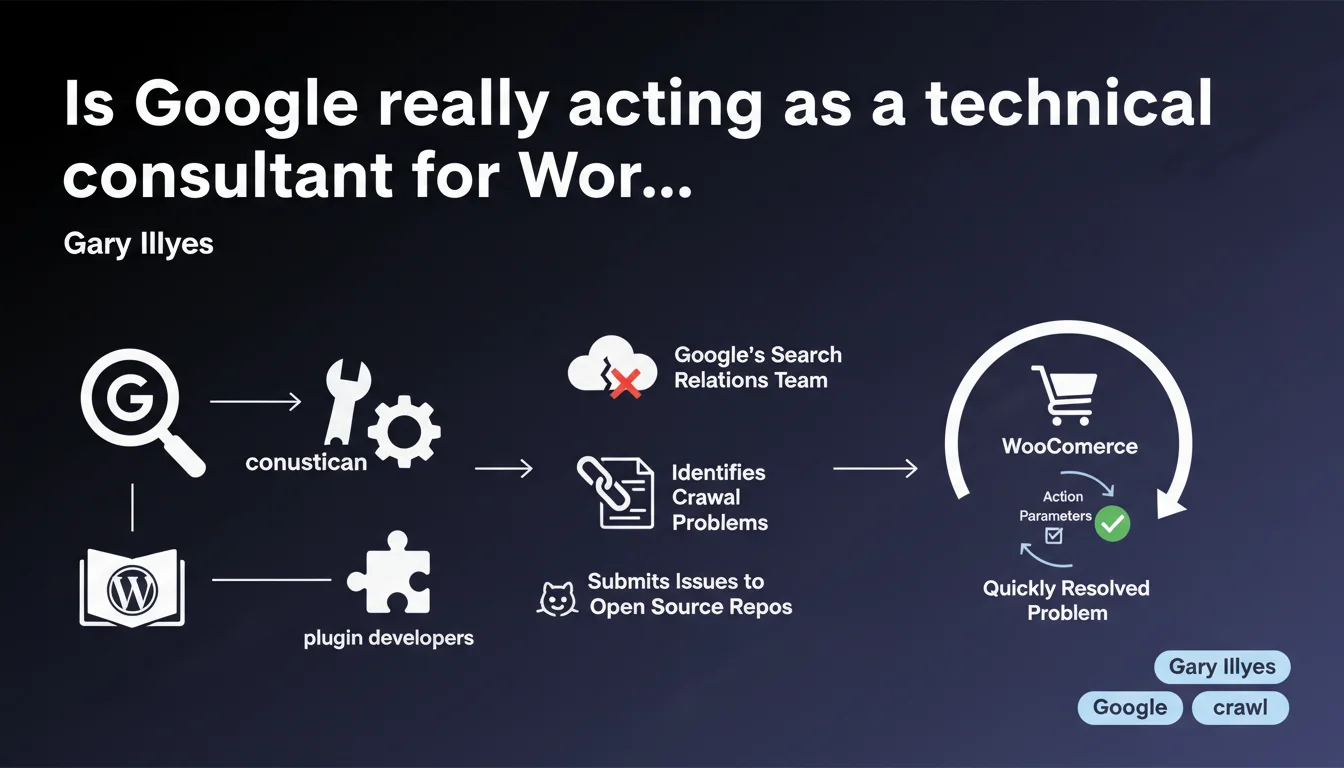
Google's Search Relations team identifies WordPress plugins that generate crawl problems and submits fixes directly to their GitHub repositories. WooCommerce recently resolved a bug reported regarding action parameters that were polluting crawl. This proactive approach reveals the scale of the technical problem posed by the WordPress ecosystem to the search engine.
What you need to understand
Has Google become a technical consultant for WordPress?
Gary Illyes reveals an underknown practice: the Search Relations team doesn't merely document best practices. It actively identifies WordPress plugins that cause crawl problems and opens issues directly on their open source repositories.
It's an implicit admission — WordPress represents such a massive portion of the web that Google invests human resources in fixing third-party bugs. We're not talking about general recommendations here, but targeted interventions on specific code.
What was the specific technical issue with WooCommerce?
The mentioned case involved action parameters generated by WooCommerce. Without precise details from Illyes, we can deduce it likely involved dynamic URL parameters creating infinite page variants that are identical.
WooCommerce resolved quickly after the report. This responsiveness suggests that the direct Google → developers channel works better than typical escalations through forums or user support.
How many plugins are affected by these interventions?
No figures disclosed. Illyes speaks in the plural ("plugins"), suggesting WooCommerce is just one example among others. [Needs verification] — Google has never published an exhaustive list of problematic plugins identified.
WordPress extensions that manipulate URLs, manage product filters, or generate dynamic content are obvious candidates. Think of everything touching e-commerce, booking systems, directories.
- Google intervenes directly in WordPress plugin code via their open source repositories
- The team targets extensions generating crawl problems at scale
- WooCommerce fixed a bug related to action parameters following Google's report
- This practice reveals the massive impact of WordPress on global crawl load
- No public list of monitored or fixed plugins exists to date
SEO Expert opinion
Is this approach consistent with what we observe in the field?
Absolutely. Technical audits of WordPress sites regularly reveal crawl nightmares: duplicated URLs multiplied infinitely, persistent session parameters, non-canonicalized product facets. That Google dedicates human resources to this? It makes sense — crawling these billions of useless variants costs money in infrastructure.
What's surprising is the communication. Usually, Google just says "clean up your URL parameters." Here, Illyes lifts the veil on a concrete operational process — the team identifies problems, opens GitHub issues, tracks fixes. It's active technical support, not passive documentation.
What risks exist if your WordPress plugin has never been audited by Google?
Silence isn't reassuring. If Google focuses on popular plugins (WooCommerce, WPML, bbPress probably), niche extensions fly under the radar. Your custom plugin or the one from your freelance developer? Nobody checks.
Result: you could be generating thousands of zombie pages saturating your crawl budget without Google alerting you directly. Search Console will show discovered/not indexed URLs, but without precise diagnosis. It's up to you to dig deeper — or wait for your organic traffic to collapse.
Does Google also intervene on CMS platforms other than WordPress?
Nothing in Illyes's statement. But WordPress represents 40%+ of the web — it's the only ecosystem where direct intervention has statistical ROI for Google. Shopify, Wix, Squarespace? Closed platforms, Google has no repository to open issues on.
[Needs verification] — we can assume Google maintains direct channels with Automattic (WordPress.com), WP Engine, and the maintainers of the top 100 plugins. But no official confirmation of the program's scope.
Practical impact and recommendations
What should you check first if you use WordPress?
Start with Search Console. Pages section → examine discovered but not indexed URLs. If you see thousands of variants with suspicious GET parameters (?action=, ?filter=, ?orderby=), that's the classic symptom.
Next, identify which plugin generates these parameters. Disable them one by one in a test environment and observe crawl logs. Usual culprits: product filter extensions, sorting systems, internal search plugins, event extensions.
How do you prevent your plugins from polluting crawl?
Three technical levers you absolutely must master:
- Use canonical tags on all variants generated by filters/sorts to point to the parent page
- Configure URL parameters in Search Console (or robots.txt with Disallow) to block irrelevant parameters
- Implement crawl budget management: set filter pages to noindex if they don't provide unique SEO value
- Regularly audit your XML sitemap — remove all URLs with dynamic parameters
- Verify your internal links don't propagate these parameters (use
rel="nofollow"attribute on filters if needed) - Test the impact on a staging subdomain before deploying any new e-commerce or navigation plugin
Should you wait for Google to contact you?
Obviously not. If you're large enough for Google to open an issue on your custom plugin, the problem has already destroyed your crawl budget for months. Smaller sites will never receive this attention — it's up to you to audit.
Install Screaming Frog or an equivalent crawler, simulate Googlebot, and map your URLs. If you discover thousands of pages you never consciously created, you have a plugin problem.
❓ Frequently Asked Questions
Google contacte-t-il les développeurs de tous les plugins WordPress problématiques ?
Comment savoir si mon plugin WordPress pose un problème de crawl ?
WooCommerce est-il désormais exempt de problèmes de crawl après ce correctif ?
Faut-il éviter certains plugins WordPress pour préserver son SEO ?
Cette initiative Google améliore-t-elle vraiment l'écosystème WordPress ?
🎥 From the same video 10
Other SEO insights extracted from this same Google Search Central video · published on 03/02/2026
🎥 Watch the full video on YouTube →
💬 Comments (0)
Be the first to comment.