
Official statement
Other statements from this video 11 ▾
- □ Can structured data really boost your qualified SEO traffic?
- □ What's the point of perfect structured data if Google can't actually crawl your pages?
- □ Why does Google rely on Schema.org as its primary language for understanding your content?
- □ Should you really multiply structured data on your pages to please Google?
- □ Why does Google recommend JSON-LD over Microdata or RDFa for structured data implementation?
- □ Should you really rely on CMS plugins to handle your structured data automatically?
- □ Is the Rich Results Test really enough to validate your structured data?
- □ Can structured data errors actually hurt your search rankings?
- □ Can off-topic structured data really penalize your website?
- □ Why are unique identifiers crucial for disambiguation in Google's algorithm?
- □ Can conflicting structured data really kill your rich snippets?
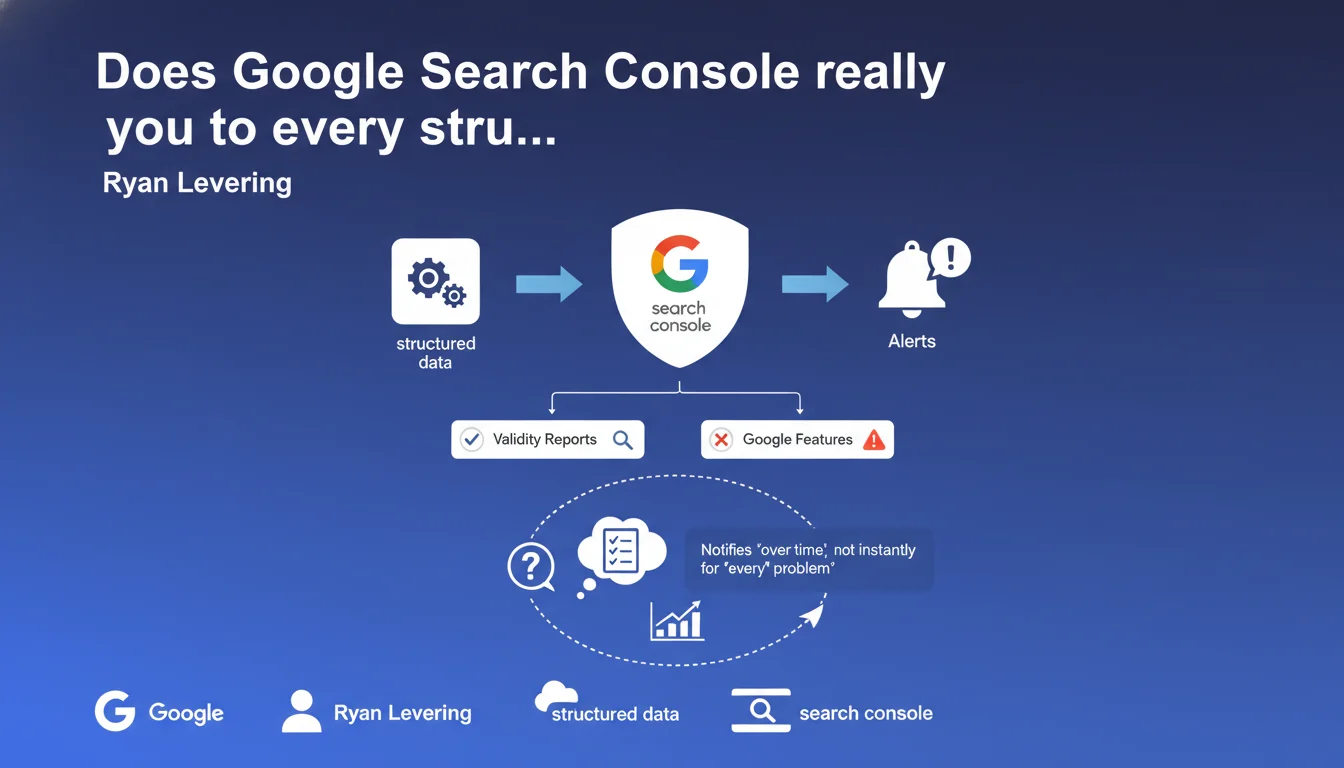
Google Search Console sends automatic reports on the validity of structured data implemented on your site and notifies you if any issues are detected. These alerts only concern the types of markup that Google uses for its rich features. In practical terms: no validation = no rich snippets.
What you need to understand
Which types of structured data are covered by these reports?
Search Console only monitors schema.org formats used by Google to generate rich results: FAQs, products, recipes, events, articles, reviews, and so on. If you mark up anything else — say OpenGraph markup or schema.org types that Google doesn't use — you won't receive any report.
The system works in reactive mode: Google crawls your page, attempts to extract the markup, detects errors or validations, then compiles this data in the interface. It's not instantaneous — there can be a lag of several days between implementation and the report appearing.
What exactly does "validity" mean in this context?
Technical validity verifies that the JSON-LD or microformat complies with syntax and contains the mandatory properties defined by Google. A blocking error (missing property, incorrect format) prevents rich display.
Warnings flag absent recommended properties or suspicious values. Your markup remains functional, but Google may not exploit it fully — or worse, may consider it unreliable and ignore the rich snippet.
Why doesn't Google detect all my errors immediately?
Because detection relies on actual crawling of your pages. If Googlebot doesn't visit, or if your markup is injected client-side after initial rendering, the delay increases. Deep pages or infrequently crawled pages may take weeks to appear in reports.
Furthermore, certain errors — particularly those related to dynamic content or display conditions — sometimes escape the automated scanner. Don't rely solely on Search Console for validation: use the rich results testing tool as a complement.
- Reports only cover schema.org types that Google uses, not all possible formats
- Error reporting can take several days after implementation or modification
- Warnings don't block the rich snippet, but may reduce its display rate
- Poorly crawled pages = delayed or non-existent detection
- The real-time testing tool remains essential for validating before deployment
SEO Expert opinion
Does this statement really reflect real-world practice?
Yes and no. Search Console does effectively detect gross structural errors — malformed JSON, missing mandatory properties. On that front, the system is reliable. However, reports for subtle errors — semantic inconsistencies, improbable values, manipulative content — remain highly inconsistent.
I've seen sites with FAQ markup stuffed with keyword spam receive no alerts for months, while others get flagged for minor details. [To verify]: the detection algorithm seems to vary by vertical and site trust level.
What are the blind spots in these automated reports?
First, Search Console doesn't validate consistency between markup and visible content. You can mark up a price as "€10" while the page displays "€120" — as long as the syntax is correct, no alert. Google may however silently ignore the snippet without warning you.
Second, structured data injected after JavaScript is sometimes crawled, sometimes not. The report doesn't distinguish between "not found due to rendering error" and "not found because absent." You must cross-reference with the URL inspection tool to know what Googlebot actually sees.
In which cases is this automated monitoring insufficient?
If you operate an e-commerce site with fluctuating inventory, your product markup can become invalid between crawls without you knowing. Reports aren't real-time — a product marked out of stock with a "available" price can remain flagged as valid for days.
For content generated by dynamic templates, a typo in the code can break markup across thousands of pages. Search Console will report a sample, but you won't know exactly which URLs are affected without exporting and cross-referencing data. This is where custom monitoring via API becomes essential.
Practical impact and recommendations
What do you need to set up concretely to leverage these reports?
Start by enabling email notifications in Search Console to receive alerts as soon as a critical error is detected. Configure them for the structured data types that are priorities on your site — no need to be overwhelmed with alerts for secondary markup.
Next, establish a weekly manual check of the "Rich Results" and "Structured Data" reports. Monitor the trend of valid pages versus errors. A sharp drop often signals a faulty deployment or template change.
Which critical errors should you prioritize?
Blocking errors (shown in red in Search Console) must be fixed immediately — they prevent any rich display. Focus first on pages with high traffic and high CTR potential through snippets.
Warnings (yellow/orange) warrant assessment: if a recommended property genuinely boosts display — for example, images for recipes or strike-through prices for products — handle it quickly. Otherwise, add to backlog.
- Enable email notifications for critical structured data errors in Search Console
- Review Search Console reports weekly to detect regressions after deployment
- Test each new template or modification with the rich results testing tool before going live
- Maintain a dashboard listing the active markup types by site section and their validation status
- Cross-reference Search Console alerts with server logs to identify pages that aren't crawled but may be invalid
- Document recurring error patterns (e.g., date fields with incorrect formatting) to prevent repetition
- Plan for rapid rollback if a deployment breaks markup at scale
How do you validate that corrections have been applied?
After fixing, use the "Validate fix" option in Search Console. Google will re-crawl the affected URLs as a priority and update the status within a few days. Don't expect immediate effects — allow 3 to 7 days depending on normal crawl frequency.
In parallel, manually inspect a few representative URLs with the inspection tool to verify that the corrected markup appears in the HTML as seen by Google. If the report shows "valid" but inspection still shows the old version, it's a cache or deployment issue.
❓ Frequently Asked Questions
Search Console détecte-t-elle les erreurs de données structurées sur toutes mes pages ?
Les avertissements (warnings) empêchent-ils l'affichage des rich snippets ?
Combien de temps faut-il pour qu'une correction apparaisse dans Search Console ?
Dois-je corriger tous les avertissements remontés par Search Console ?
Search Console valide-t-elle la cohérence entre balisage et contenu visible ?
🎥 From the same video 11
Other SEO insights extracted from this same Google Search Central video · published on 23/08/2022
🎥 Watch the full video on YouTube →
💬 Comments (0)
Be the first to comment.