
Official statement
Other statements from this video 12 ▾
- □ Is mobile really driving more than half of all Google search traffic to websites?
- □ Is Google really crawling your entire site exclusively with a mobile user agent?
- □ Can Google Search Console really diagnose your mobile indexing problems?
- □ Is it really necessary to use a sitemap and Google Merchant Center to get properly indexed by Google?
- □ Is mobile speed really the bottleneck that's killing your search rankings?
- □ Why Does PageSpeed Insights Combine Lab Data with Real-World Field Metrics?
- □ Does the Mobile Friendly Test really catch the mobile SEO problems that matter for your rankings?
- □ Does a simplified mobile design really work just as well on larger screens?
- □ Are mobile and desktop content gaps killing your e-commerce SEO performance?
- □ Is responsive web design really still the best strategy for cross-device SEO?
- □ Is hiding critical content on mobile really worth the ranking penalty you'll pay?
- □ Is infinite scrolling really killing the crawlability of your product pages?
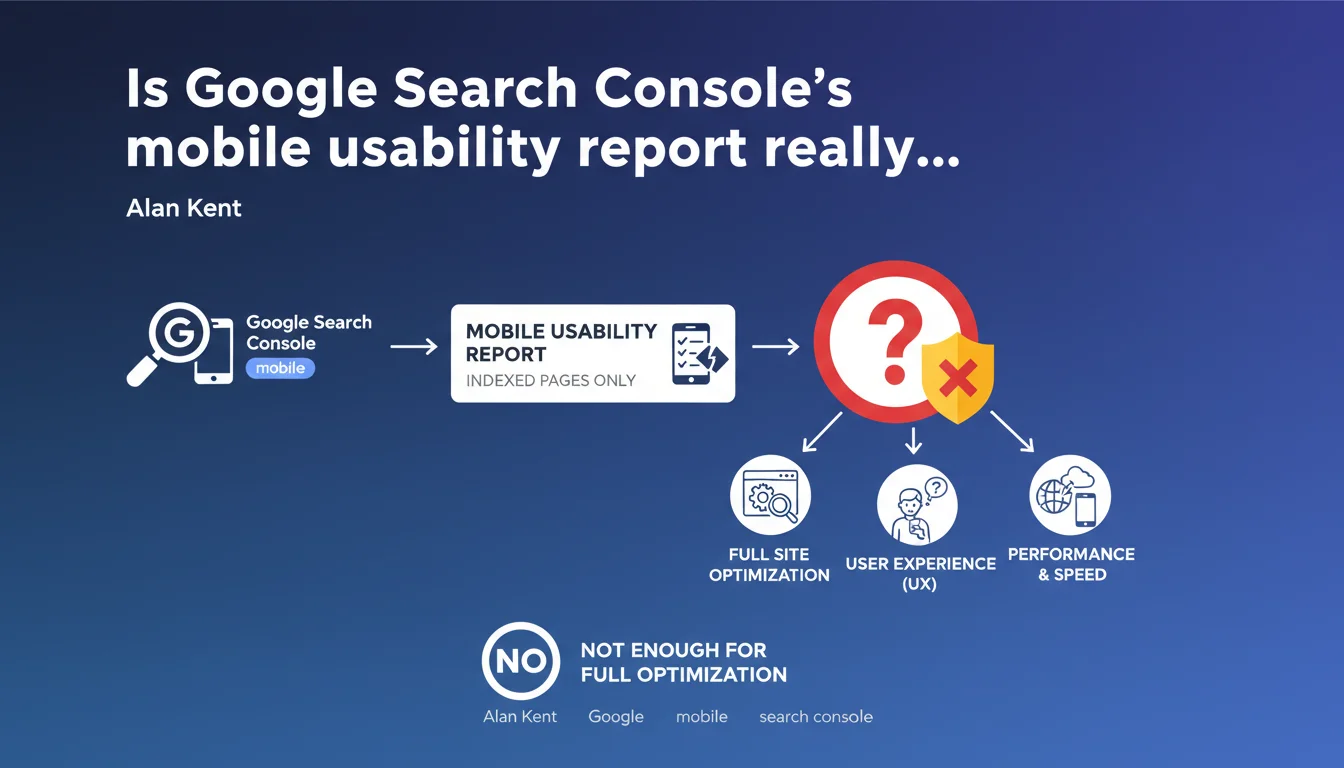
Google Search Console integrates a mobile usability report accessible via the side menu (search for 'mobile usability'). This report identifies technical issues on the indexed pages of your site. But beware — it only detects what Google has crawled, and certain UX issues completely escape its radar.
What you need to understand
What does this mobile usability report actually contain?
The report lists indexed pages that have display or interaction problems on mobile. Google flags classic errors here: text too small, clickable elements too close together, poorly configured viewport, content overflowing the screen.
In practice? You get access to a list of problematic URLs, grouped by error type. Each entry indicates the nature of the issue and an example URL. Simple, direct — but limited to the technical criteria that Googlebot can detect.
Why is Google emphasizing this report now?
Mobile-first indexing has been standard for years. This reminder likely targets sites that still ignore this side of Search Console, or those discovering errors after a redesign.
The underlying message: Google will only alert you about pages it has indexed. If part of your mobile content isn't crawled or is blocked, you won't see anything reported in this report — even though the problem genuinely exists.
What are the limitations of this automated diagnosis?
The report detects technical errors, not real usability problems. A button that's technically clickable but poorly positioned in the user flow? Invisible to Google. Confusing navigation on a small screen? Out of scope.
Additionally, how often the report updates depends on your site's crawl frequency. If you fix an error, you'll need to wait for Google to re-crawl the page for the alert to disappear — sometimes several days or weeks on less priority sites.
- The report only covers indexed pages — not your entire mobile site
- It identifies technical errors, not UX or user journey flaws
- Data updates follow crawl frequency, not your correction schedule
- Criteria are standardized — they don't necessarily reflect your visitors' actual experience
SEO Expert opinion
Does this report really suffice for a complete mobile audit?
No. It provides a factual baseline on gross errors, but passing this report with flying colors doesn't guarantee an optimal mobile experience. I've seen technically compliant sites lose 40% of their mobile traffic after a redesign — simply because navigation had become cumbersome.
The report doesn't measure actual loading speed, doesn't assess visual hierarchy relevance, doesn't test conversion scenarios. It tells you "it displays" — not "it works well".
Should you cross-reference this report with other tools?
Absolutely. Compare it with PageSpeed Insights for Core Web Vitals, with your analytics for mobile bounce rates by page type, with real user testing. The GSC report is the bare minimum technically — the floor, not the ceiling.
Also watch out for false positives. Some alerts appear on secondary or obsolete pages that you can simply deindex rather than fix. Prioritize by actual traffic and business objectives, not by order of appearance in the console.
Is Google hiding certain data in this report?
[To verify] — The statement doesn't clarify whether all detected errors are systematically reported. On some large sites, you sometimes observe gaps between reported errors and those detected via exhaustive third-party crawls.
Similarly, there's nothing clearly indicating whether Google weights these errors in its mobile-first algorithm, or if it's just a diagnostic tool with no direct ranking impact. Field experience suggests that a site with many uncorrected errors sees its mobile performance decline — but correlation isn't causation.
Practical impact and recommendations
What should you concretely do with this report?
Start by identifying errors on your priority pages — those generating traffic or conversions. Sort by error type, export the list, cross-reference with your analytics data. Don't waste three days fixing 200 errors on pages getting zero visits per month.
Once priorities are set, fix in batches by technical nature: viewport, font size, touch spacing. Test in real conditions on multiple devices — not just in Chrome's emulator. Then validate via the "Inspect URL" tool to force a new crawl and speed up the report update.
Which errors deserve immediate attention?
Anything involving viewport or clickable elements too close together on your conversion pages. These two errors directly sabotage user experience and can tank your click-through or purchase rates.
Small text is more nuanced — sometimes it's a real readability issue, sometimes it's just legal fine print in the footer that nobody reads. Contextualize before blindly correcting.
How do you verify that corrections actually work?
Don't rely solely on the alert disappearing from GSC. Monitor the evolution of your actual mobile metrics: session duration, bounce rate, pages per visit, conversions. If you fix 50 errors with no measurable impact on these KPIs, either the pages weren't strategic or the real problem is elsewhere.
Also test manually on multiple devices — Android and iOS, different screen sizes. Google crawls with a specific user-agent that doesn't necessarily reflect all real browser behaviors.
- Export the error list and cross-reference with mobile traffic data
- Prioritize corrections on high-business-value pages
- Fix in batches by technical error type
- Validate each correction via "Inspect URL" in GSC
- Test in real conditions on multiple devices (not just the emulator)
- Monitor impact on mobile KPIs (bounce, conversion, session duration)
- Run a full site crawl with a third-party tool to identify Google's blind spots
❓ Frequently Asked Questions
Le rapport affiche des erreurs sur des pages que j'ai corrigées — pourquoi ?
Toutes les erreurs ont-elles le même poids dans le ranking mobile ?
Mon site est responsive mais le rapport remonte quand même des erreurs — normal ?
Faut-il corriger toutes les erreurs signalées ?
Le rapport détecte-t-il les problèmes de vitesse mobile ?
🎥 From the same video 12
Other SEO insights extracted from this same Google Search Central video · published on 02/06/2022
🎥 Watch the full video on YouTube →
💬 Comments (0)
Be the first to comment.