
Official statement
Other statements from this video 12 ▾
- □ Pourquoi le mobile représente-t-il désormais plus de la moitié du trafic de recherche ?
- □ Pourquoi Google indexe-t-il uniquement avec un user agent mobile ?
- □ Comment Google Search Console peut-elle vraiment diagnostiquer vos problèmes d'indexation mobile ?
- □ Faut-il vraiment utiliser un sitemap et Google Merchant Center pour être correctement indexé ?
- □ Pourquoi la vitesse mobile reste-t-elle le talon d'Achille de la plupart des sites web ?
- □ Pourquoi PageSpeed Insights combine-t-il données de laboratoire et données terrain ?
- □ Le rapport d'utilisabilité mobile de la Search Console est-il vraiment suffisant pour optimiser son site ?
- □ Un design mobile simplifié suffit-il vraiment pour tous les écrans ?
- □ Pourquoi les différences mobile/desktop ruinent-elles votre stratégie e-commerce ?
- □ Le responsive web design est-il toujours la meilleure stratégie pour le SEO cross-device ?
- □ Faut-il vraiment afficher tout son contenu en version mobile pour bien se positionner ?
- □ Le défilement infini tue-t-il vraiment l'exploration de vos pages produits ?
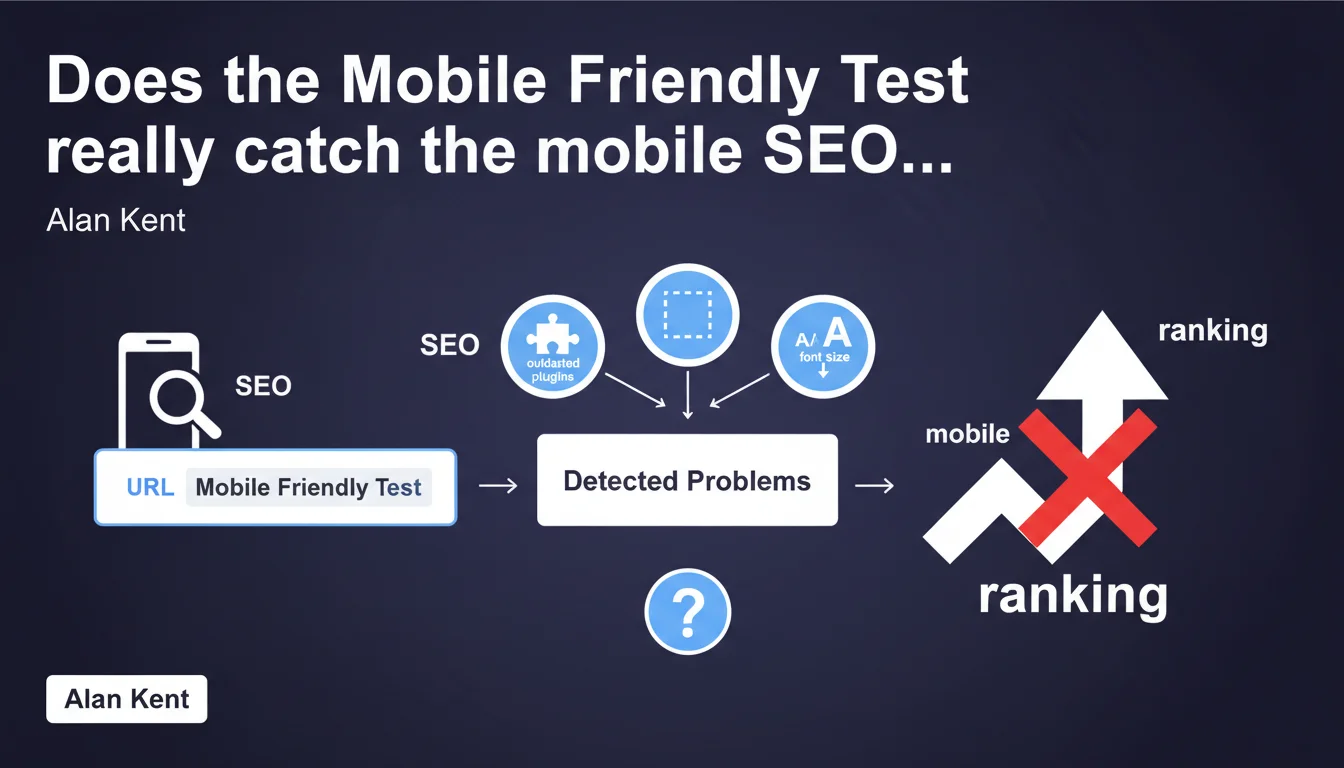
Google confirms that the Mobile Friendly Test identifies common technical issues: outdated plugins, missing viewport, tiny fonts. The tool remains a basic diagnostic to check a page's mobile compatibility, but its scope is limited to fundamental technical criteria.
What you need to understand
What types of problems does the Mobile Friendly Test actually detect?
The tool analyzes three main categories of issues: obsolete technologies (Flash, Silverlight), missing or misconfigured viewport settings, and display defects like microscopic fonts. These criteria date back to when mobile-first was still a novelty.
The detection remains binary. Either your page passes or it fails. No gradation, no performance score — just a yes/no diagnosis on basic technical points.
Is this test enough to validate your mobile compatibility?
No. The Mobile Friendly Test verifies minimum prerequisites, not actual user experience. It measures neither loading speed, nor Core Web Vitals, nor touch-friendly button ergonomics.
In other words: passing this test means your page isn't technically broken on mobile. Nothing more. You can have a site that's "mobile-friendly" according to Google and still deliver a mediocre experience.
Why does Google keep this tool despite its limitations?
Because a significant portion of the web still uses outdated configurations. Sites without viewport tags, with residual Flash, or unreadable text on small screens still exist — especially on aging CMS platforms or templates that have never been updated.
The tool plays an educational role for non-technical site owners. It's a first audit step, not a final verdict.
- The test covers only basic technical criteria: viewport, plugins, font size
- It doesn't measure speed or Core Web Vitals — two factors now crucial for mobile ranking
- Passing this test doesn't equal delivering an optimized mobile experience
- The tool remains useful for detecting gross errors on old or poorly maintained sites
- It's a binary diagnosis (pass/fail), with no gradation or personalized recommendations
SEO Expert opinion
Is this statement consistent with current SEO practices?
Yes, but it suffers from an obvious time lag. In 2025, the issues detected by the Mobile Friendly Test should have been resolved years ago. Missing viewport, Flash — these are relics from a pre-mobile-first era.
In the field, the real mobile challenges lie elsewhere: critical resource loading times, layout shifts, delayed interactivity. Issues this tool completely ignores. [To verify]: Google doesn't clarify whether the test will evolve to integrate current criteria or remain stuck on standards from a decade ago.
What nuances should an SEO practitioner keep in mind?
The test doesn't evaluate problem priority. An 11px font and missing viewport carry equal weight in the verdict, even though their real impact differs. Plus, the tool only captures one moment in time — it can't detect intermittent JavaScript errors or dynamically loaded content.
Another point: Google says nothing about the recommended mobile crawl frequency to validate these fixes. Correcting a problem detected by the test doesn't guarantee immediate reindexing with the change taken into account.
In what cases does this test become insufficient or even misleading?
For any site developed after 2018, this test provides little value. You'll probably pass with flying colors, but that doesn't mean your site performs well on mobile. A disastrous PageSpeed Insights score can coexist with a green Mobile Friendly Test.
Finally, the tool completely ignores UX aspects: link spacing, tap zones that are too small, forms not adapted to mobile. All conversion blockers that won't trigger any alert.
Practical impact and recommendations
What should you actually do with this tool?
Use it as a quick first filter, especially if you're auditing an old or inherited site from a less tech-savvy client. Enter the URL, verify that no gross errors appear, then move on to more comprehensive tools.
If problems are detected — missing viewport, for example — fix them immediately. These are quick wins that require only a line of code. But don't stop there.
How do you really validate your mobile compatibility?
Combine multiple diagnostic sources. PageSpeed Insights for Core Web Vitals, Search Console for mobile usability errors flagged by Google, and real testing on physical devices — not just Chrome emulation.
Also check server logs: what proportion of Googlebot-Mobile actually crawls your site? Low frequency can indicate problems the test doesn't catch.
What mistakes should you avoid when interpreting results?
Don't take a positive result as complete SEO validation. The Mobile Friendly Test doesn't replace either a thorough technical audit or behavioral analysis of mobile users.
Also avoid fixing detected problems without verifying their real impact. Does a 12px font instead of 16px actually pose a problem for your target audience? Measure before you act.
- Test your main pages and content templates — not just the homepage
- Immediately fix any viewport or obsolete plugin issues detected
- Complement with PageSpeed Insights and Mobile Usability in Search Console
- Verify that your buttons and links have a tap zone of at least 48x48px
- Test on real devices, not just browser emulation
- Monitor Core Web Vitals via CrUX and RUM to catch real-world problems
- Document fixes made and their date to track impact on mobile crawling
❓ Frequently Asked Questions
Le Mobile Friendly Test influence-t-il directement le classement dans les résultats mobiles ?
Faut-il tester chaque page individuellement ou un échantillon suffit-il ?
Que faire si le test détecte un plugin obsolète comme Flash alors qu'il n'est plus utilisé ?
Le test Mobile Friendly détecte-t-il les problèmes de contenu bloqué par le CSS ou JavaScript ?
Peut-on se fier uniquement au Mobile Friendly Test pour valider un redesign responsive ?
🎥 From the same video 12
Other SEO insights extracted from this same Google Search Central video · published on 02/06/2022
🎥 Watch the full video on YouTube →
💬 Comments (0)
Be the first to comment.