
Official statement
Other statements from this video 11 ▾
- □ Does Google really index your PDFs, or does it transform them first?
- □ Does content weight really vary based on its location in HTML versus PDF?
- □ Does Google really depend on Adobe to properly index your PDFs?
- □ Does Google really index source code files the same way as regular text content?
- □ Why do raw source code files fail to rank properly in Google search results?
- □ Should you really stop storing all your PDFs in a single /pdfs/ folder?
- □ Does Google really index images and videos separately from text content?
- □ Does Google really filter out personal data before indexing your pages?
- □ Does your file extension (.html, .php, .txt) really impact Google SEO rankings?
- □ Does Google really index all your XML files?
- □ Can you really get JSON and plain text files indexed in Google search results without metadata?
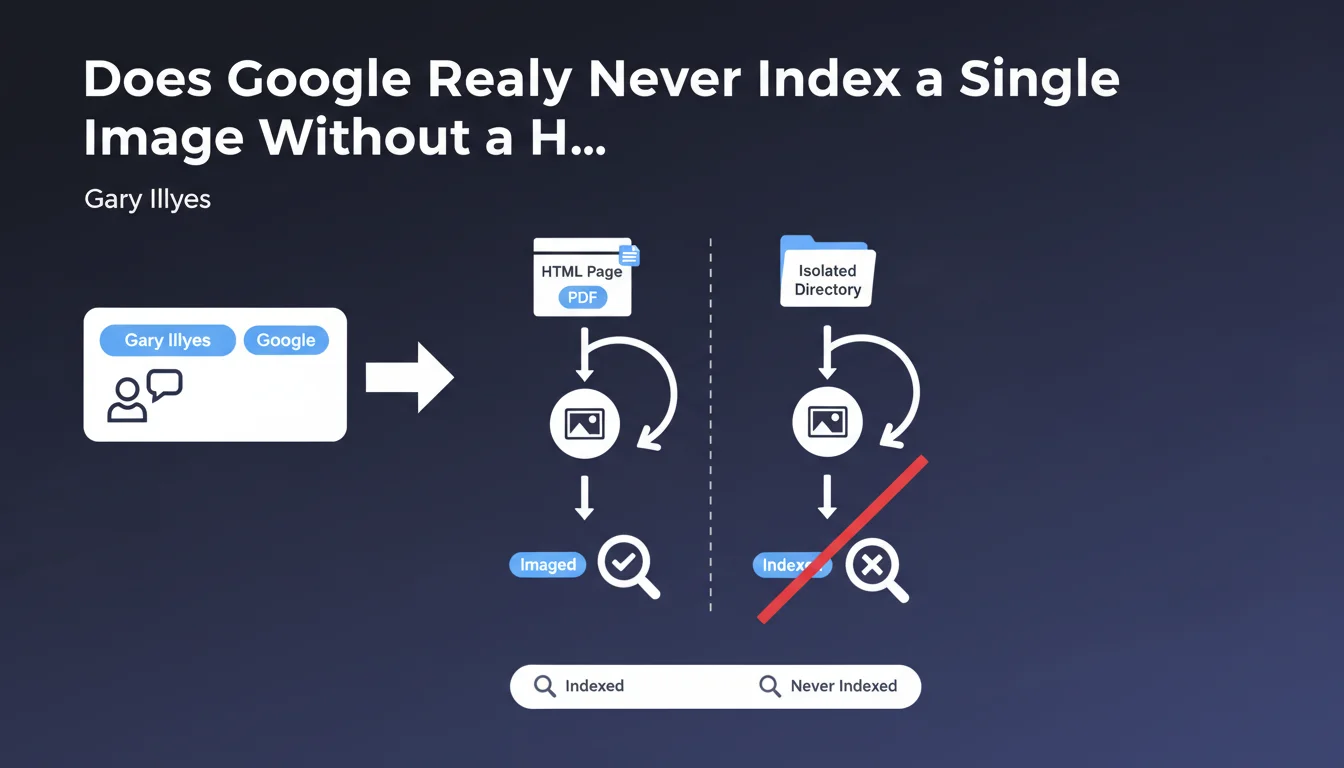
Google never indexes an image on its own. An image must absolutely be hosted on an HTML page or PDF to be indexed. Images stored in isolation within a directory without a host page remain invisible to Google Images.
What you need to understand
What Does Google Mean by a "Hosting Page"?
Google is talking here about an HTML page or a PDF document that contains the image. The image must be embedded via an <img> tag or equivalent in a structured context that Googlebot can crawl.
Concretely? If you store images in a /images/ folder without any HTML page displaying them, Google will never see them. It's not enough for the image to exist on the server — it must be linked to crawlable content.
Why This Requirement for a Host Page?
Google indexes the page first, then the image present on that page. The image inherits the semantic context of the page: title, text content, alt tags, potential structured data.
Without a page, Google has no way to understand the subject of the image, its usefulness, its relevance. Indexing isolated images would amount to indexing blind files without exploitable metadata.
What Types of Pages Work?
Gary Illyes explicitly mentions HTML and PDF. In practice, any page crawlable by Googlebot works: product pages, blog articles, galleries, landing pages.
Exotic formats (Flash, pure JavaScript applications without server-side rendering) are problematic if Googlebot cannot extract the image. PDF works because Google knows how to parse its content and extract images from it.
- An image must be embedded in an HTML page or PDF to be indexed.
- Images stored in isolation within a directory will never be indexed by Google Images.
- Google indexes the hosting page first, then the image it contains.
- The image inherits the semantic context of the page (text, headings, alt).
SEO Expert opinion
Is This Statement Consistent With Field Observations?
Yes, absolutely. I've never seen an orphan image — stored loosely in a folder without a page displaying it — appear in Google Images. This is a rule we've observed for years.
Some SEOs think an image sitemap is enough. Wrong. The sitemap accelerates discovery, but does not replace the host page. Without a crawlable page, even if listed in the sitemap, the image will not be indexed.
What Nuances Should Be Noted?
Gary talks about "HTML page or PDF" — and this is where things can get tricky. Sites with heavy JavaScript (SPA, React without SSR) sometimes have issues if Googlebot doesn't render the page correctly.
If the image only appears after a user click (modal, lazy-loaded lightbox), Google may miss it. [To be verified]: Google is improving JS rendering, but images loaded dynamically without an initial <img> tag risk flying under the radar.
background-image) are not indexed by Google Images. Only images embedded via <img> or equivalent tags are.In What Cases Does This Rule Apply Less Strictly?
Let's be honest: this rule is absolute for Google Images. However, an image can appear in regular web results (image carousel at the top of SERP, thumbnails in featured snippets) even without a dedicated page, if it's strongly linked to an organic result.
But for ranking in Google's Images tab, the host page is non-negotiable. No page, no indexation.
Practical impact and recommendations
What Should You Concretely Do to Optimize Your Images?
First step: verify that each strategic image is embedded in a crawlable HTML page. No orphan files in /uploads/ or /media/ without a page displaying them.
Next, optimize the context of the host page. Google uses the text surrounding the image, the alt, the page title, headings to understand the subject of the image. An image of "blue running shoes" on a page about garden furniture will never rank well.
What Mistakes Should You Absolutely Avoid?
Never store important images without a dedicated page. I've seen e-commerce sites with thousands of product images in a folder, but only accessible via a JSON API. Googlebot will never index them.
Another pitfall: full-JavaScript galleries where images load on click, without an <img> tag present on initial load. If Googlebot doesn't render the JS correctly, the image remains invisible.
- Verify that each strategic image is embedded in an HTML page or PDF.
- Optimize the text content of the host page (headings, paragraphs, image alt).
- Use standard
<img>tags, not only CSSbackground-image. - Test the rendering of your pages with Google Search Console (URL inspection tool) to verify that images are properly detected.
- Add an image sitemap to accelerate discovery (but does not replace the host page).
- Avoid full-JS galleries where images only load on user click.
❓ Frequently Asked Questions
Un sitemap d'images suffit-il pour indexer mes images sans page hôte ?
Les images en background CSS sont-elles indexées par Google Images ?
Une image dans un PDF peut-elle être indexée par Google ?
Que se passe-t-il si une image est sur une page JavaScript mal rendue par Googlebot ?
Les images dans les lightbox ou modales sont-elles indexées ?
🎥 From the same video 11
Other SEO insights extracted from this same Google Search Central video · published on 08/09/2022
🎥 Watch the full video on YouTube →
💬 Comments (0)
Be the first to comment.