
Official statement
Other statements from this video 10 ▾
- □ Has Google really been respecting robots.txt since day one?
- □ Why do all Google crawlers rely on the same unified crawl infrastructure?
- □ Why has Google multiplied its crawlers since the arrival of Mediapartners-Google?
- □ Does Google really ignore robots.txt when users take action?
- □ Does Google's Live Test Tool Actually Crawl Your Site in Real Time?
- □ Does Googlebot really support HTTP/3 for crawling your website?
- □ Is Google Really Crawling Less of the Web, and Should You Worry About It?
- □ Does Google's crawling really consume the most server resources?
- □ Should you really worry about crawl budget before hitting 1 million pages?
- □ Why does Googlebot's server load impact vary so dramatically based on your technical architecture?
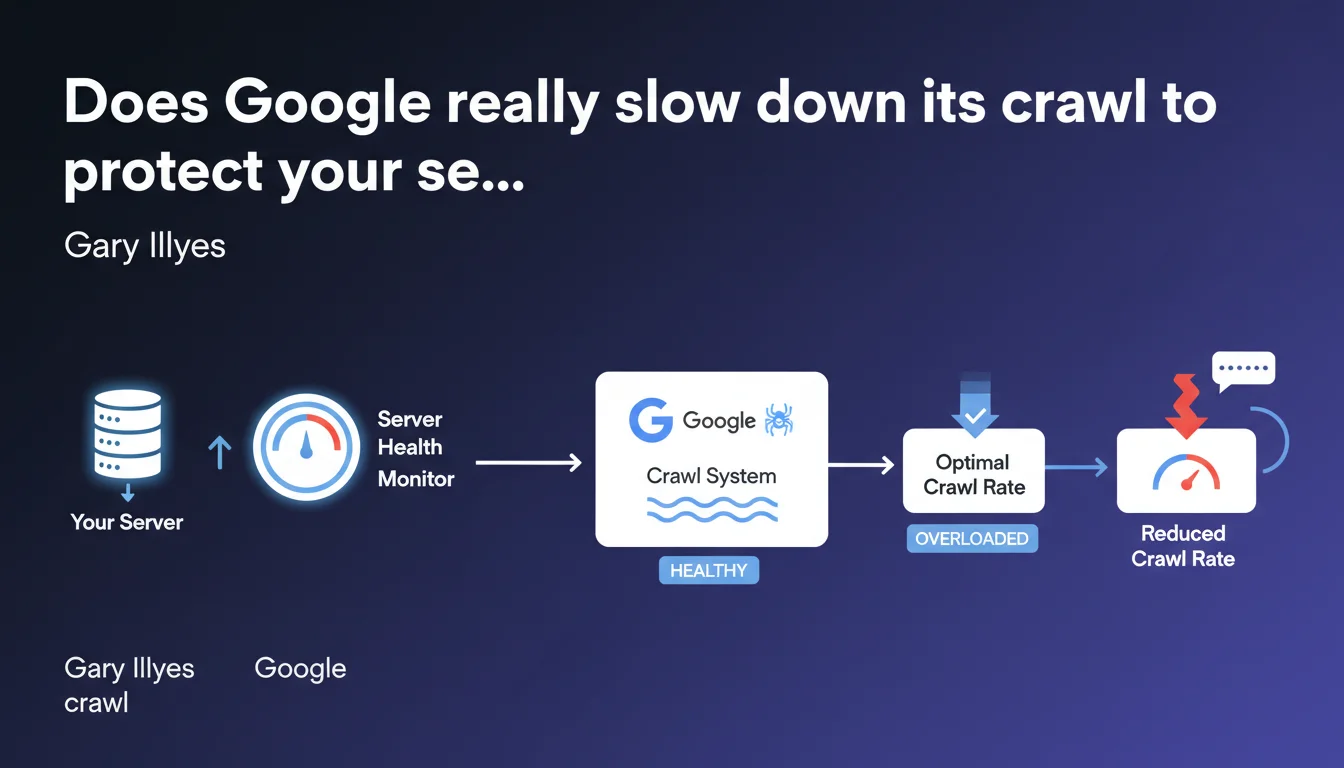
Google claims to have a monitoring system that detects server load and automatically adjusts the crawl rate to prevent overload. The stated goal: crawl efficiently without penalizing site performance. This promise deserves to be tested against real-world reality.
What you need to understand
What does this server load monitoring system actually mean in practice?
Google uses mechanisms that analyze response times and HTTP error codes during crawling. When servers take longer to respond or return 5xx errors, the robot automatically reduces its exploration pace.
This system theoretically aims for a balance: crawl the maximum number of pages without crashing the server. The modulation happens page by page, domain by domain, based on the capacity detected in real time.
Why did Google develop this mechanism?
Historically, aggressive crawlers could cause server overloads, especially on modest infrastructures. A site temporarily unavailable due to Google crawling harmed user experience — and therefore search results.
The engine has a vested interest in not killing its content sources. It's as much a matter of efficiency as of public relations: nobody likes a robot bringing their site to its knees.
How does this system interact with manual crawl settings?
In Search Console, webmasters can request a crawl rate adjustment — but Google only accepts reduction requests. It's impossible to demand more crawl passes: the robot decides its own maximum frequency based on server health and content quality.
The automatic system takes precedence. Even if you haven't configured anything, Google slows down if your response times spike. And if you request a reduction, the robot respects it — but never guarantees it will spontaneously increase again.
- Real-time monitoring: Google observes server latencies and errors during crawling
- Automatic modulation: crawl rate decreases if servers struggle to respond
- Priority on stability: the goal is to avoid overloads and downtime caused by the robot
- Limited settings: you can request a manual reduction, never an acceleration
- No formal guarantees: Google adjusts according to its own server health criteria
SEO Expert opinion
Is this claim consistent with real-world observations?
Yes and no. On solid infrastructures — dedicated servers, high-performance CDNs — the automatic modulation system generally works well. Logs show actual crawl slowdowns when response times increase.
But on cheap shared hosting or poorly optimized CMS platforms, the reality is more nuanced. Google may slow down… but only after already causing an overload. The robot detects the problem when it's already happening, not necessarily before. [To verify]: the predictive effectiveness of this system remains unclear — Google doesn't say whether it anticipates overloads or only reacts after the fact.
What nuances should be added to this promise of automatic adjustment?
First point: Google doesn't specify the reaction time. How long between detecting an overload and actually reducing crawl? A few seconds? Several minutes? On an under-pressure server, that can make all the difference.
Second point: this mechanism only protects against Googlebot crawling. Other robots — Bingbot, third-party SEO crawlers, malicious scrapers — are not regulated by this system. A server can remain overloaded despite Google's slowdown.
Third point, and it's crucial: this system doesn't compensate for failing technical architecture. If your CMS generates pages in 3 seconds because the database isn't indexed, Google will slow down… but the real problem remains. Crawl rate modulation is a band-aid, not a structural solution.
In what cases is this mechanism insufficient?
On sites with infinite facets (poorly configured e-commerce, unlimited calendars), Google can crawl thousands of useless variations before slowing down. The robot detects overload, not necessarily crawl budget waste.
Another problematic case: massive migrations or redesigns. When hundreds of thousands of 301 redirects are deployed at once, crawling can spike temporarily. Google slows down, yes — but the initial spike can still harm if the server isn't sized to handle it.
Practical impact and recommendations
What should you concretely do to optimize this modulation system?
First step: monitor server response times specifically for Googlebot. Use server logs (analyze user-agents) or Search Console ("Crawl statistics" section). If latencies spike, the robot will slow down — but you'll lose in crawl frequency.
Second action: optimize page generation speed. Server cache, CDN, database optimization, lazy loading of heavy resources. The faster your pages respond, the more Google can crawl without risking an overload. It's a win-win.
Third lever: use robots.txt file and crawl-delay directives (although Google officially doesn't respect crawl-delay, some other robots do). Block unnecessary sections — facets, redundant URL parameters, infinitely paginated content — to concentrate crawl on strategic pages.
What mistakes should you absolutely avoid?
Never ignore 5xx errors in logs. If Googlebot regularly triggers server errors, it means your infrastructure can't keep up. The robot will slow down, but your indexing may stagnate. Better to fix the cause than endure the modulation.
Also avoid requesting a manual crawl reduction without solid reason. Google doesn't spontaneously increase the rate once reduced. You risk ending up under-crawled for months, with fresh content taking forever to be indexed.
Last trap: believing this system replaces a crawl budget strategy. Google may slow down to preserve your server while still wasting budget on worthless pages. Optimizing one doesn't exempt you from optimizing the other.
How to verify your site handles Google crawling correctly?
- Analyze crawl statistics in Search Console: response time, HTTP codes, daily crawled volume
- Monitor server logs for Googlebot: frequency, user-agent, visited pages, latencies
- Compare crawl rate with indexation rate: if Google crawls a lot but indexes little, quality or duplication issue
- Check for 5xx errors or timeouts: direct signal that the server can't handle the load
- Test page generation speed under real conditions (not just PageSpeed which tests front-end)
- Evaluate server cache impact: does Googlebot benefit from cache or hit the database every time?
- Temporarily disable heavy plugins or scripts to measure their impact on response times
Google's automatic crawl modulation system is a safeguard, not a miracle solution. It reacts to overloads but doesn't necessarily anticipate them. The true strategy is to optimize infrastructure, control crawled pages, and continuously monitor server signals.
These optimizations span code, server architecture, and SEO strategy. Combining them effectively requires pointed technical expertise and an overall vision — difficult to assemble in-house without dedicated resources. If these topics exceed your current competencies or you lack time to manage them, support from a specialized SEO agency can save you months in performance improvements and help avoid costly mistakes.
❓ Frequently Asked Questions
Google peut-il vraiment protéger mon serveur contre une surcharge liée au crawl ?
Puis-je demander à Google de crawler plus rapidement mon site ?
Comment savoir si Google ralentit le crawl à cause de mon serveur ?
Ce système fonctionne-t-il pour tous les robots de Google ?
Dois-je quand même optimiser mon crawl budget si Google ajuste automatiquement ?
🎥 From the same video 10
Other SEO insights extracted from this same Google Search Central video · published on 29/05/2025
🎥 Watch the full video on YouTube →
💬 Comments (0)
Be the first to comment.