
Official statement
Other statements from this video 9 ▾
- □ Is Google really ignoring your meta tags placed in the <body>?
- □ Does Google really ignore canonical tags placed in the <body>? Here's why it matters.
- □ Are hreflang tags really ignored by Google when placed in the <body>?
- □ Does valid W3C HTML code really improve your search rankings?
- □ Why does modifying canonicals with JavaScript create contradictory signals that confuse Google?
- □ Should you really optimize preloading hints for Googlebot?
- □ Is HTML5 semantic markup really useless for SEO?
- □ Does web performance really improve your organic search rankings?
- □ Why does Googlebot ignore your resource preloading hints?
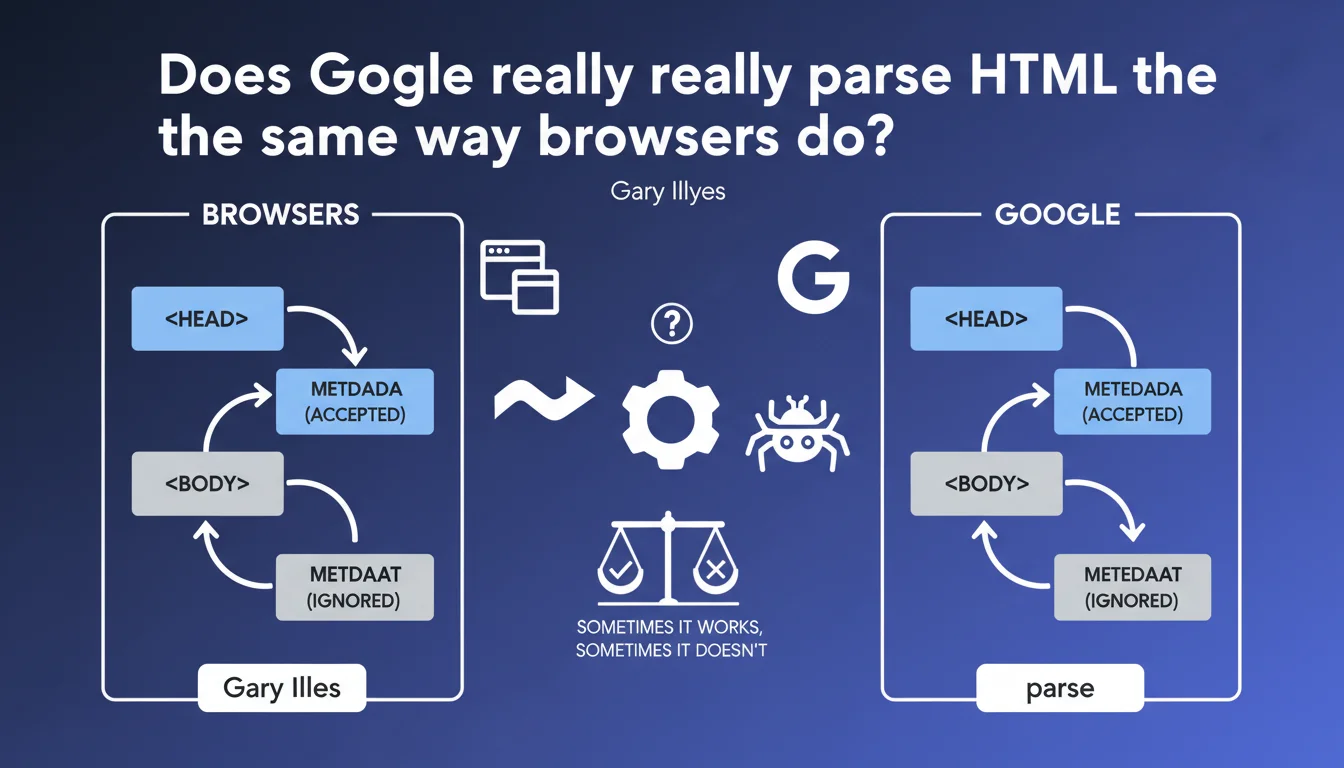
Google attempts to mimic browser behavior when parsing HTML, but doesn't always succeed. In practice: metadata tags placed in the <body> instead of the <head> will not be recognized by the search engine, even though HTML5 technically tolerates this practice.
What you need to understand
Why does Google seek to imitate browsers?
Google's objective is to understand web pages as they are actually displayed to users. Modern browsers (Chrome, Firefox, Safari) apply HTML parsing rules that correct certain markup errors and reorganize the DOM.
If Googlebot parsed HTML differently from browsers, it risked misinterpreting content or missing crucial information for ranking. This approach therefore aims for consistency between what the user sees and what the search engine indexes.
Where is the limit of this imitation?
Gary Illyes admits it straightforwardly: it doesn't always work. Search engines don't reproduce 100% of browser behavior — particularly for performance and security reasons.
The case of metadata tags perfectly illustrates this limitation. While the HTML5 standard is permissive and some browsers accept poorly placed meta tags, Google applies a strict rule: only those located in the <head> are taken into account.
What does this change for crawling and indexing?
This statement reminds us that the position of meta tags matters. A meta description or meta robots tag in the <body> will simply be ignored by Google, even if the page displays correctly in the browser.
This is a common pitfall with poorly configured CMSs or JavaScript frameworks that dynamically inject tags without respecting the canonical HTML structure.
- Google attempts to parse HTML like modern browsers, but with acknowledged limitations
- Metadata tags must absolutely be in the
<head>, not in the<body> - The HTML5 standard tolerates certain errors that Google does not forgive
- JavaScript frameworks and CMSs can generate HTML structures that don't conform to Googlebot's expectations
SEO Expert opinion
Is this rule applied consistently by Google?
Yes, on this specific point. Field tests confirm that meta tags placed outside the <head> are systematically ignored. This isn't an approximation — it's a documented and stable behavior for years.
What's interesting is that Gary Illyes openly acknowledges the limitations of Google's parsing. This transparency stands out from the usual vagueness about the search engine's internal workings. But be careful — saying "it works sometimes, sometimes it doesn't" remains deliberately vague about the specific cases where parsing fails.
What situations cause problems in practice?
Modern JavaScript frameworks (React, Vue, Angular) often generate dynamic HTML that can move or duplicate meta tags during rendering. If Server-Side Rendering (SSR) is misconfigured, these tags can end up in the body of the document.
Another frequent case: WordPress plugins or tag management systems that inject meta tags via JavaScript after initial page load. Google may crawl the page before these modifications have been applied to the DOM.
Should we worry about other parsing differences?
The real question this statement raises without answering: what other gaps exist between Google's parsing and browser parsing? Gary Illyes provides no concrete examples beyond meta tags.
We know from experience that Google handles certain HTML5 attributes differently, that JavaScript support remains imperfect despite advances, and that CSS rendering isn't always reliable. But Google remains deliberately vague on these gray areas. [To be verified] case by case depending on your technical configurations.
Practical impact and recommendations
How do I verify that my meta tags are correctly placed?
First step: inspect the raw HTML source code (Ctrl+U in Chrome). Don't rely on the element inspector which displays the DOM after JavaScript modifications — you need to see what Googlebot receives initially.
Use the "URL Inspection" tool in Google Search Console to display the HTML as Google crawls it. Verify that all your <meta> tags (description, robots, canonical, Open Graph, Twitter Cards) are properly in the <head> section.
What if my CMS or framework generates non-conformant HTML?
For JavaScript-based sites (React, Next.js, Nuxt), ensure that Server-Side Rendering or Static Site Generation is properly configured. The initial HTML sent to the server must contain all critical meta tags.
With WordPress, verify that your SEO plugins (Yoast, Rank Math, SEOPress) properly inject tags into the <head>. Some poorly coded themes or page builders can move these tags — audit the final render after activating all your plugins.
What errors should you absolutely avoid?
Never rely on client-side JavaScript to inject critical meta tags (robots, canonical, hreflang). Even if Google executes JavaScript, it may crawl the page before these modifications are applied to the DOM.
Avoid configurations where meta tags are duplicated between the <head> and the <body>. In case of duplication, Google may ignore both or prioritize the one in the <head> — the behavior is not officially documented.
- Audit the raw HTML source code of your strategic pages
- Check the render in Google Search Console's "URL Inspection" tool
- Properly configure SSR/SSG for JavaScript frameworks
- Test meta tag placement after every theme or plugin modification
- Avoid injecting critical meta tags via client-side JavaScript
- Document exceptions and specific cases for your technical stack
<head> remains a fundamental rule that Google applies strictly. Even though HTML5 tolerates certain liberties, Googlebot does not accept them. This requirement may seem trivial, but it masks complex technical issues depending on your architecture (JavaScript, CMS, CDN, tag management). If you identify non-conformities or wish to secure your technical implementation, the support of a specialized SEO agency can save you valuable time and avoid costly visibility errors.❓ Frequently Asked Questions
Les balises Open Graph et Twitter Cards doivent-elles aussi être dans le <head> ?
Google peut-il corriger automatiquement les balises meta mal placées ?
Comment savoir si mes balises meta sont prises en compte par Google ?
Les balises canonical et hreflang sont-elles concernées par cette règle ?
Un validateur HTML qui accepte ma page garantit-il que Google la parsera correctement ?
🎥 From the same video 9
Other SEO insights extracted from this same Google Search Central video · published on 26/02/2026
🎥 Watch the full video on YouTube →
💬 Comments (0)
Be the first to comment.