
Official statement
Other statements from this video 13 ▾
- □ Peut-on gérer plusieurs sites web sans pénalité SEO ?
- □ Tirets vs underscores dans les URLs : quel impact réel sur votre SEO ?
- □ Le noindex follow garantit-il vraiment l'exploration des liens par Google ?
- □ Pourquoi Google ignore-t-il les fragments d'URL avec # en SEO ?
- □ Les erreurs 503 brèves impactent-elles vraiment le crawl de votre site ?
- □ Pourquoi noindex est-il plus efficace que robots.txt pour masquer un site de Google ?
- □ Changer d'hébergeur web impacte-t-il réellement votre référencement naturel ?
- □ Faut-il vraiment limiter l'API d'indexation aux offres d'emploi et événements ?
- □ Les menus burger dupliqués dans le DOM nuisent-ils au référencement ?
- □ Peut-on vraiment cibler plusieurs pays avec une seule page grâce à hreflang ?
- □ Les erreurs 404 externes nuisent-elles vraiment au classement Google ?
- □ Faut-il vraiment un sitemap.xml pour bien ranker sur Google ?
- □ Faut-il vraiment abandonner les URLs mobiles séparées (m-dot) pour le SEO ?
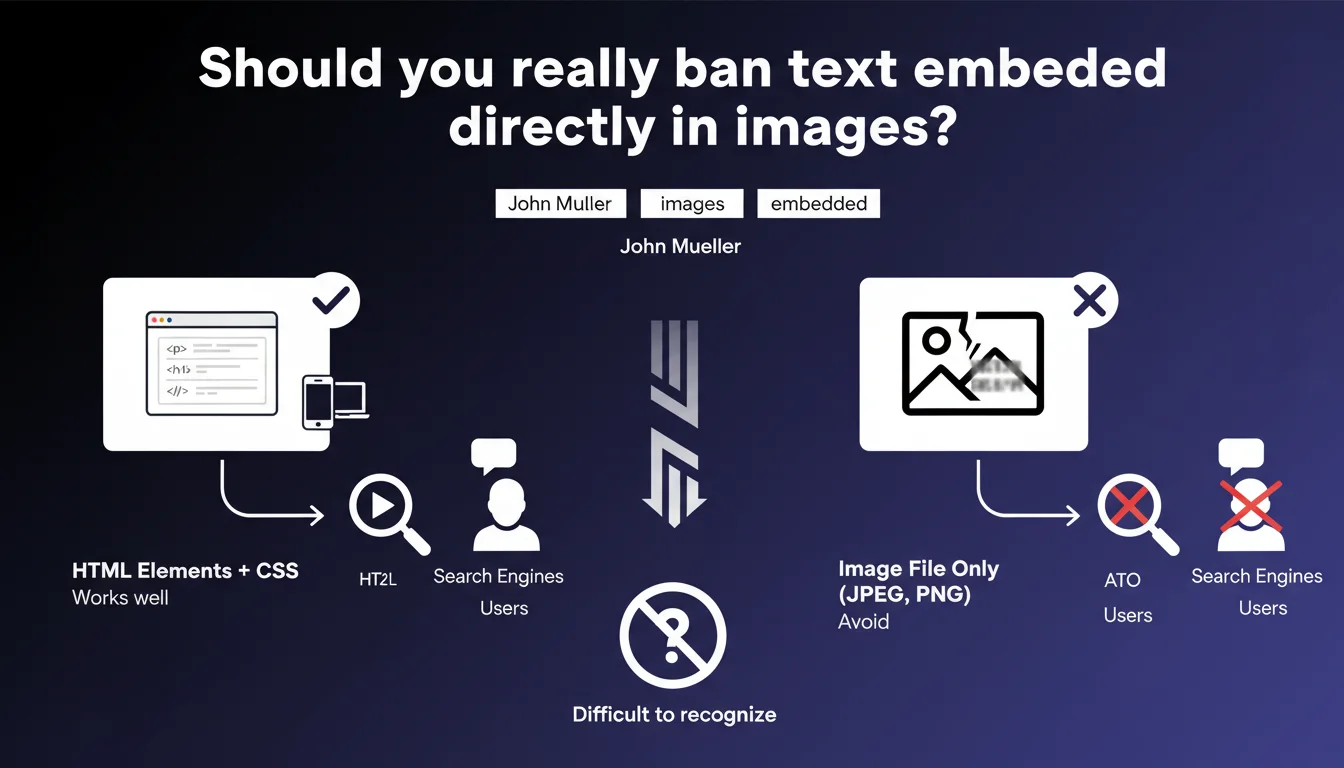
Google strongly advises against embedding text directly in image files, as this compromises indexing and accessibility. Search engines cannot read this textual content, which impacts SEO and user experience. Always prioritize HTML text accompanied by images rather than text "burned" into the image.
What you need to understand
Why does Google insist on this distinction between HTML text and text in images?
John Mueller's statement reminds us of a fundamental principle: search engines read code, not pixels. When you embed text directly in an image file (whether via Photoshop, Canva, or other tools), this content becomes invisible to Googlebot.
The crawler lacks OCR (optical character recognition) capabilities to systematically extract text from images. The result? This content is neither indexed nor used to assess your page's relevance. You lose potentially crucial relevance signals.
What are the concrete impacts on accessibility?
Beyond pure SEO, this practice presents a major accessibility problem. Screen readers used by visually impaired people cannot render this text. Users who disable images (slow connections, data conservation) cannot access it either.
The alt attribute can partially compensate, but remains a crutch. It does not offer the same semantic richness as HTML text structured with appropriate tags.
Do all forms of text integration work equally well?
No. Mueller specifies that "most work well," which implies a hierarchy. Native HTML text remains optimal: easily crawlable, selectable, automatically translatable. Modern web fonts now provide typographic freedom comparable to images.
Techniques like negative text-indent or sophisticated CSS masking exist in a gray zone — technically readable by bots, but potentially problematic if Google interprets them as cloaking.
- Pure HTML text: optimal for SEO and accessibility
- SVG with text tags: indexable but verify Google's rendering
- Canvas with HTML fallback: acceptable if critical content also exists in HTML
- Text burned into JPG/PNG: to be avoided for any content with SEO value
- CSS image replacement: risky, can be interpreted as manipulation
SEO Expert opinion
Is this recommendation really followed in practice?
Let's be honest: millions of pages rank perfectly well with text in images. Infographics, promotional banners, social media visuals reused… all of this contains "burned" text and it doesn't prevent good rankings.
Why? Because Google has other signals to assess relevance: backlinks, page context, link anchors, behavioral data. Text in images is just one signal among many. If your page answers user intent well through other dimensions, the absence of crawlable text in an image is not prohibitive.
When does this rule become truly critical?
The impact is felt in two specific scenarios. First case: the text in the image constitutes the main content of the page. A landing page where your entire message is carried by a large hero image with embedded text? There, you lose your primary relevance signal.
Second case: pages with low text density. If your page already contains little HTML content, each textual element counts double. Putting your 200 words of unique content in an image amounts to presenting a nearly empty page to Google. [To be verified] The algorithm may have limited OCR capabilities on certain types of content, but Google has never officially confirmed their systematic use.
Do exceptions to the rule exist?
Yes. Logos containing text pose no problem — nobody expects your brand name in your logo to be HTML. Badges, certifications, awards… same logic.
For artistic content (graphic design portfolios, illustrators' websites), text in the image is part of the artwork. In this context, a detailed descriptive alt becomes your best ally to compensate, ideally accompanied by an HTML paragraph explaining the concept.
Practical impact and recommendations
How do you quickly audit your use of text in images?
First step: crawl your site with Screaming Frog or equivalent, and export all images. Filter those weighing over 100 KB and whose filename suggests textual content ("banner-promo.jpg", "hero-title.png").
Open them and ask yourself: does this visible text provide crucial information for understanding the page's content? If yes, it must exist in HTML. Then check your alt tags — are they sufficiently descriptive to compensate? A 3-word alt will never replace an entire paragraph present in the image.
Which errors should be eliminated as priority?
Page titles in images top the list. You still see stylized H1s as images? Replace them with HTML text using an appropriate web font. Modern CSS performance (Google Fonts, font-display, etc.) allows visual renderings equivalent without sacrificing SEO.
Second priority: calls-to-action in images. "Enjoy -30% now" burned into a banner? This message is not indexed, does not feed your semantic relevance, and complicates A/B testing. Switch to CSS overlays or styled HTML buttons.
What migration strategy should you adopt for existing content?
Segment your pages by potential impact. Start with your conversion and main landing pages — those that generate significant SEO traffic. For each image containing critical text, create an equivalent HTML version positioned via CSS.
If the visual rendering is absolutely essential (complex custom typography), keep the image as a decorative background and overlay the HTML text with transparency or adjusted opacity. Alternative technique: use SVG with text tags, which remains indexable while offering fine graphic control.
- Identify all images containing text with SEO value
- Verify that each image has a descriptive and complete alt attribute
- Migrate titles, subtitles, and CTAs to HTML/CSS
- Favor modern web fonts rather than images for typography
- Test rendering with images disabled (accessibility mode)
- Validate that screen readers can render all content completely
- Monitor position changes after migration to measure impact
❓ Frequently Asked Questions
L'attribut alt suffit-il à compenser du texte intégré dans une image ?
Les infographies avec texte intégré sont-elles pénalisées par Google ?
Google utilise-t-il l'OCR pour lire le texte dans les images ?
Le SVG avec balises text est-il crawlable par Google ?
Faut-il réécrire tout le texte d'une image dans l'attribut alt ?
🎥 From the same video 13
Other SEO insights extracted from this same Google Search Central video · published on 18/04/2024
🎥 Watch the full video on YouTube →
💬 Comments (0)
Be the first to comment.