
Official statement
Other statements from this video 9 ▾
- □ Does Google really index titles modified by client-side JavaScript, or does it stick with the default?
- □ Should you abandon client-side JavaScript rendering to succeed in SEO?
- □ Should you abandon dynamic rendering for SEO?
- □ Does the URL inspection tool really reveal what Google actually sees during JavaScript rendering?
- □ Does JavaScript-rendered content really impact your Google indexation, and should you worry about it?
- □ Is server-side rendering really faster than client-side rendering for SEO?
- □ Does Google really master JavaScript, or are there still pitfalls to avoid?
- □ Can Lighthouse really diagnose your critical rendering problems for Google?
- □ Should you really crawl your website every three months to avoid technical problems?
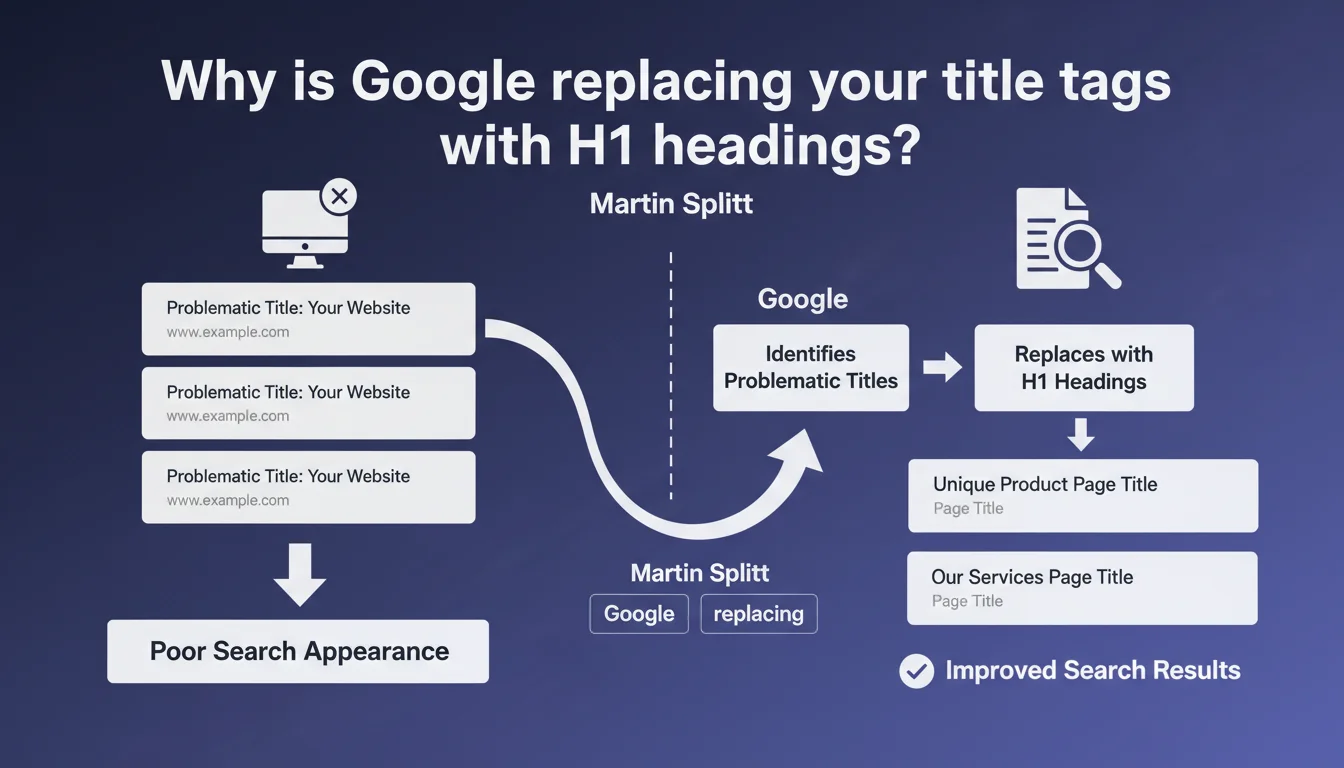
Google replaces problematic title tags (especially duplicates) with H1 headings when they harm SERP display. Martin Splitt confirms that identical titles across all your pages create a poor impression and can trigger this automatic rewrite. The real issue: you lose control of your message in search results.
What you need to understand
Google is no longer content to passively read your title tags. For several years now, the search engine has asserted the right to rewrite your titles if it believes they don't match the query or are deficient. Martin Splitt drives the point home: duplicate titles are part of this.
What makes a title "problematic" in Google's eyes?
A duplicate title is the same text repeated across multiple pages — sometimes across your entire site. Typically, you find this on poorly configured e-commerce sites where all product pages bear the brand name without differentiation, or on blogs where the CMS injects a generic formula everywhere.
Google believes a title must clearly identify the unique content of each page. If you display "My Site – Home" on 200 URLs, the search engine cannot distinguish your pages in its results. It will therefore look elsewhere — and that's where the H1 comes into play.
Why does Google prefer H1 over title when there's a problem?
The H1 is often the first structured text element visible on the page. It typically reflects the actual subject matter of the content better than a generic title. If your title says "Online Shop" and your H1 says "Nike Air Zoom Running Shoes", Google will logically prefer to display the latter in its snippets.
This is a matter of relevance and clarity for the user. A duplicate title serves no purpose in a list of results: all links look the same, none stands out, the user experience is degraded. Google optimizes for its own interest — and incidentally for yours, if you haven't done the job.
- Duplicate titles harm SERP display and create confusion for the user.
- Google automatically replaces deficient titles with other page elements, notably H1 tags.
- You lose control of your message if you let the search engine decide for you.
- A unique and descriptive title per page remains the best practice to avoid these rewrites.
SEO Expert opinion
Is this statement consistent with what we observe in the field?
Yes, and it's been confirmed for years. SEO audit tools regularly surface cases where Google displays content different from the title tag in snippets. H1 headings, strong tags, paragraph excerpts — anything can be used. Duplicate titles are a frequent cause, but not the only one.
Let's be honest: Google isn't saying anything new here. What's sorely lacking is a clear tolerance threshold. At how many duplicate pages does the engine intervene? What proportion of similarity triggers the rewrite? No numerical data. [To verify] — we're navigating blindly, as is often the case with Google.
Is H1 always the best replacement candidate?
No. In practice, Google can also pull from meta description tags, internal link anchors, or even chunks of text without particular structure. The H1 is a privileged candidate, but it's not an absolute guarantee.
And that's where it gets tricky. If your H1 is itself generic or poorly written, you end up with a broken snippet. Some sites have purely decorative H1s ("Welcome", "Our Services") that tell nothing about actual content. In these cases, Google may ignore the H1 and look elsewhere — unpredictable results.
Should you duplicate the title and H1?
This is a question that comes up often. No, it's neither required nor recommended. The title serves to capture attention in the SERPs and optimize for strategic keywords. The H1 structures content for readers already on your page. The two can be similar, but they serve different functions.
Duplicating the two is wasting an opportunity for semantic optimization. You can include keyword variations, synonyms, nuances — as long as each remains unique across your entire site. The real danger is blind copy-pasting between pages, not between title and H1 on the same page.
Practical impact and recommendations
What should you do concretely to avoid rewriting?
First, audit your title tags to spot duplicates. Tools like Screaming Frog, Oncrawl or SEMrush give you a quick overview. Look for strictly identical titles, but also those that differ by only one word (often a sign of poorly configured automatic generation).
Next, rewrite — page by page if necessary. Each title must reflect the unique content of its page and include a relevant primary keyword. Avoid catch-all formulas like "[Brand] | Home" repeated endlessly. Add distinctive elements: product name, category, location, etc.
How do you verify that Google is displaying your titles correctly?
Do a site:yourdomain.com search and scrutinize the snippets. Compare what Google displays with your actual tags. If you see H1s or chunks of text appearing in place of your titles, the search engine has taken control.
You can also use Google Search Console, Performance section, to see which queries trigger your pages. If the titles displayed don't match what you've coded, dig deeper to understand why. Sometimes it's a relevance issue relative to the query, not just duplication.
What mistakes should you absolutely avoid?
- Never leave titles empty or generated by default ("Page without title", "Untitled").
- Avoid automatic formulas that produce duplicate series (e.g., all products with "Shop – [category]").
- Don't entrust title writing to a poorly configured plugin without manual verification.
- Don't ignore SEO tool alerts that flag duplicate titles — it's a blocking issue that's easy to fix.
- Don't rely solely on H1 to compensate for a weak title: both must be optimized independently.
Duplicate titles are a fundamental issue, not just cosmetic. Google replaces them because they harm user experience and search result clarity. You must take back control by auditing, rewriting, and structuring your tags with rigor.
If your site has hundreds or thousands of pages, this task can quickly become complex — between technical audits, strategic rewriting, and performance monitoring. In these cases, calling on a specialized SEO agency can save you valuable time and ensure consistent optimization across your entire architecture.
❓ Frequently Asked Questions
Google réécrit-il tous les titles dupliqués automatiquement ?
Un title identique au H1 sur la même page pose-t-il problème ?
Peut-on forcer Google à afficher notre title sans réécriture ?
Les titles générés automatiquement par un CMS sont-ils toujours problématiques ?
Combien de caractères maximum pour éviter la troncature ET la réécriture ?
🎥 From the same video 9
Other SEO insights extracted from this same Google Search Central video · published on 05/10/2022
🎥 Watch the full video on YouTube →
💬 Comments (0)
Be the first to comment.