
Official statement
Other statements from this video 16 ▾
- □ Should Local Business markup really be limited to just one city?
- □ Should you really do a 1:1 migration without changing anything during a domain switch?
- □ Does Google really ignore most of your structured data markup?
- □ Does adding descriptive text around your images really boost their rankings in Google Images?
- □ Do you really need to publish every day to improve your Google SEO?
- □ Does word count really matter for SEO rankings?
- □ Do keywords in URLs still have an impact on SEO?
- □ Do images really consume your crawl budget at the expense of your strategic pages?
- □ Can you really launch two nearly identical websites without risking a Google penalty?
- □ Why must your JavaScript links absolutely use A tags with valid href attributes?
- □ Does audio content on a page actually influence your Google ranking?
- □ Are Google's algorithm updates really that different from penalties?
- □ Why does Google only communicate about a fraction of its algorithm updates?
- □ Do structured data really improve your Google rankings?
- □ Is it really a mistake to combine noindex and canonical on the same page?
- □ Are structured video data really just about getting your content indexed?
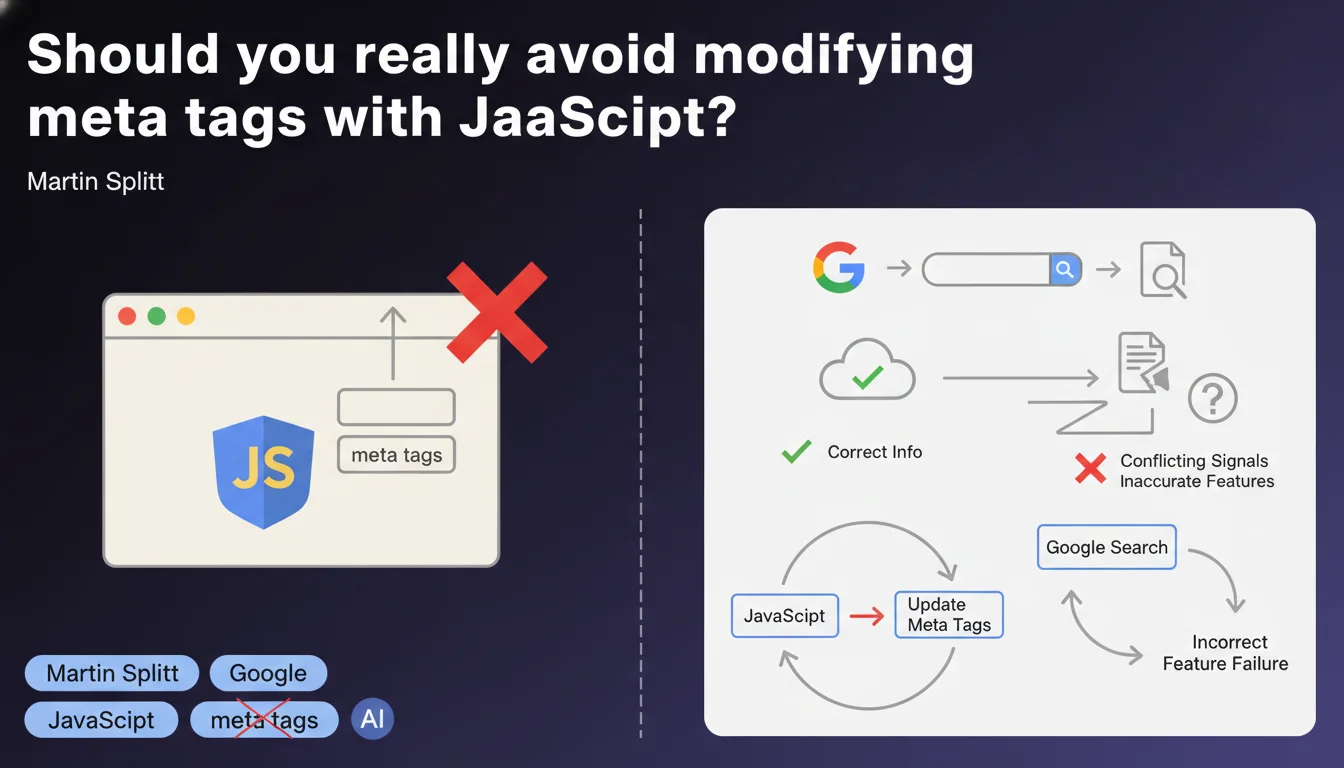
Google strongly advises against modifying meta tags via JavaScript, as this can generate conflicting signals for search engines. Some Google features may fail to detect these changes or display incorrect information. It's better to embed meta tags directly in the HTML on the server side.
What you need to understand
Why does Google advise against JavaScript manipulation of meta tags?
The statement by Martin Splitt targets a specific technical problem: the timing of JavaScript execution. When Googlebot analyzes a page, it may retrieve the initial HTML before JavaScript has modified the meta tags. Result? The engine captures one version, while the user sees another.
This lag creates a data inconsistency between what Google indexes and what you thought you implemented. Rich snippets, the Knowledge Graph, social previews — all these systems can end up with outdated or contradictory metadata.
Which meta tags are affected by this recommendation?
All tags inserted in the <head>: title, meta description, canonical, robots, hreflang, Open Graph, Twitter Cards, Schema.org. In short, everything that influences indexing, display in SERPs, or social sharing.
The risk varies by tag. Modifying a canonical via JS can actually disrupt indexing. Changing a meta description will mainly affect display in search results — but Google may ignore the modified version.
Does this limitation also apply to modern JavaScript frameworks?
Yes, even with React, Vue, Angular, or Next.js. If your application generates meta tags only client-side, you fall into this pitfall. The solution? Server-Side Rendering (SSR) or static generation (SSG), which inject tags into the initial HTML before sending it to the browser.
Modern frameworks actually offer these mechanisms — Next.js with getServerSideProps, Nuxt with asyncData, Angular Universal. The key is to properly configure your technical stack so that metadata is present from the first byte of HTML received.
- JavaScript execution timing creates a lag between initial HTML and final version
- Google systems (snippets, Knowledge Graph) can retrieve outdated data
- All meta tags are affected: title, description, canonical, robots, hreflang, OG, etc.
- Modern JS frameworks require SSR or SSG to inject tags on the server side
- The risk varies: a canonical JS can break indexing, a description will just be ignored
SEO Expert opinion
Does this recommendation truly reflect Googlebot's observed behavior?
Yes and no. Googlebot does indeed execute JavaScript for years now, and in many cases, it correctly detects dynamically modified tags. But the keyword here is "in many cases" — not all.
The problem arises when JS takes time to execute, when there are undetected errors, or when Google crawls the page with a limited budget and doesn't wait for rendering to finish. I've seen sites where the JS canonical was properly recognized... and others where Google indexed the wrong URL. [To verify] on each project, therefore.
In which scenarios can this rule be bypassed without risk?
Let's be frank: if you master SSR and your tags are injected before JS hydration, technically you're not "modifying" anything with JavaScript — you're generating HTML server-side with JS code, nuance. Google receives complete HTML, period.
Another case: non-critical metadata for indexing. Modifying an Open Graph tag client-side for dynamic social sharing? The SEO risk is nearly zero, since Google doesn't use OG for ranking. But beware — social scrapers (Facebook, LinkedIn) can also miss the change.
Why does Google remain vague about the "certain features" mentioned?
Classic move. Google loves vague formulations that leave it wiggle room. "Certain features may fail to detect" — which ones? How long must you wait before JS executes? No figures provided.
My interpretation: Google knows its infrastructure is complex and heterogeneous. Not all systems execute JS the same way; some processing pipelines ignore dynamic rendering altogether. Rather than document each exception, they say "avoid it, it's safer." Convenient for them, frustrating for us.
Practical impact and recommendations
What should you do concretely to comply with this recommendation?
First step: audit your templates. Identify all meta tags generated or modified by JavaScript. Use "View Page Source" (Ctrl+U) to see the raw HTML received by the server, then compare it with the Elements inspector (F12) which displays the DOM after JS execution.
If you find differences on critical tags (title, canonical, robots), you have a problem. The solution depends on your stack: either you move to SSR/SSG, or you rewrite the logic to inject tags on the server side from initial render.
Which mistakes should you absolutely avoid in implementation?
Don't just assume "it works for me." Test with Google tools: URL Inspection Tool in Search Console, which shows exactly what Googlebot sees. If your JS-modified tags don't appear in the tool's rendering, they're probably not being picked up.
Another trap: believing that "Google crawls JS" means "Google crawls JS instantly." No. There can be a delay between raw HTML crawling and JS rendering, sometimes several days. During this period, Google uses the old metadata.
How do you verify that your site respects this directive?
Here's a concrete checklist to validate your implementation:
- Compare source HTML (Ctrl+U) and rendered DOM (F12): meta tags must be identical
- Test each key template with the Search Console URL Inspection Tool
- Verify that title, canonical, robots, hreflang tags are present before any script
- If using a JS framework, enable SSR (Next.js, Nuxt) or static generation
- Monitor index coverage reports to detect ignored canonicals or deindexed pages
- Test rich snippets with Google's Rich Results Test
- Clearly document in your code where and how each meta tag is generated
❓ Frequently Asked Questions
Google détecte-t-il vraiment toutes les modifications JavaScript des balises meta ?
Puis-je utiliser JavaScript pour modifier les balises Open Graph sans risque SEO ?
Le Server-Side Rendering (SSR) résout-il complètement ce problème ?
Comment savoir si Google a bien pris en compte mes balises meta ?
Peut-on modifier le canonical avec JavaScript en toute sécurité ?
🎥 From the same video 16
Other SEO insights extracted from this same Google Search Central video · published on 07/09/2022
🎥 Watch the full video on YouTube →
💬 Comments (0)
Be the first to comment.