
Official statement
Other statements from this video 13 ▾
- □ Pourquoi Google préfère-t-il les données structurées au machine learning pour comprendre vos pages ?
- □ Faut-il encore se fatiguer avec les données structurées si le machine learning fait le boulot ?
- □ Les données structurées donnent-elles vraiment du contrôle aux webmasters sur l'affichage Google ?
- □ Google vérifie-t-il réellement l'exactitude de vos données structurées ?
- □ Pourquoi Google recommande-t-il de commencer par les données structurées génériques ?
- □ Faut-il implémenter des données structurées même si Google ne les utilise pas encore ?
- □ Les données structurées influencent-elles vraiment la compréhension du sujet d'une page par Google ?
- □ Les données structurées sont-elles vraiment utiles si Google comprend déjà votre page ?
- □ Faut-il vraiment bourrer vos pages de données structurées pour mieux ranker ?
- □ Faut-il abandonner JSON-LD au profit de Microdata pour les données structurées ?
- □ Le JSON-LD externe pose-t-il vraiment des problèmes de synchronisation pour Google ?
- □ Les outils de test Google sont-ils vraiment fiables pour détecter vos données structurées manquantes ?
- □ Les données structurées doivent-elles systématiquement refléter le contenu visible de la page ?
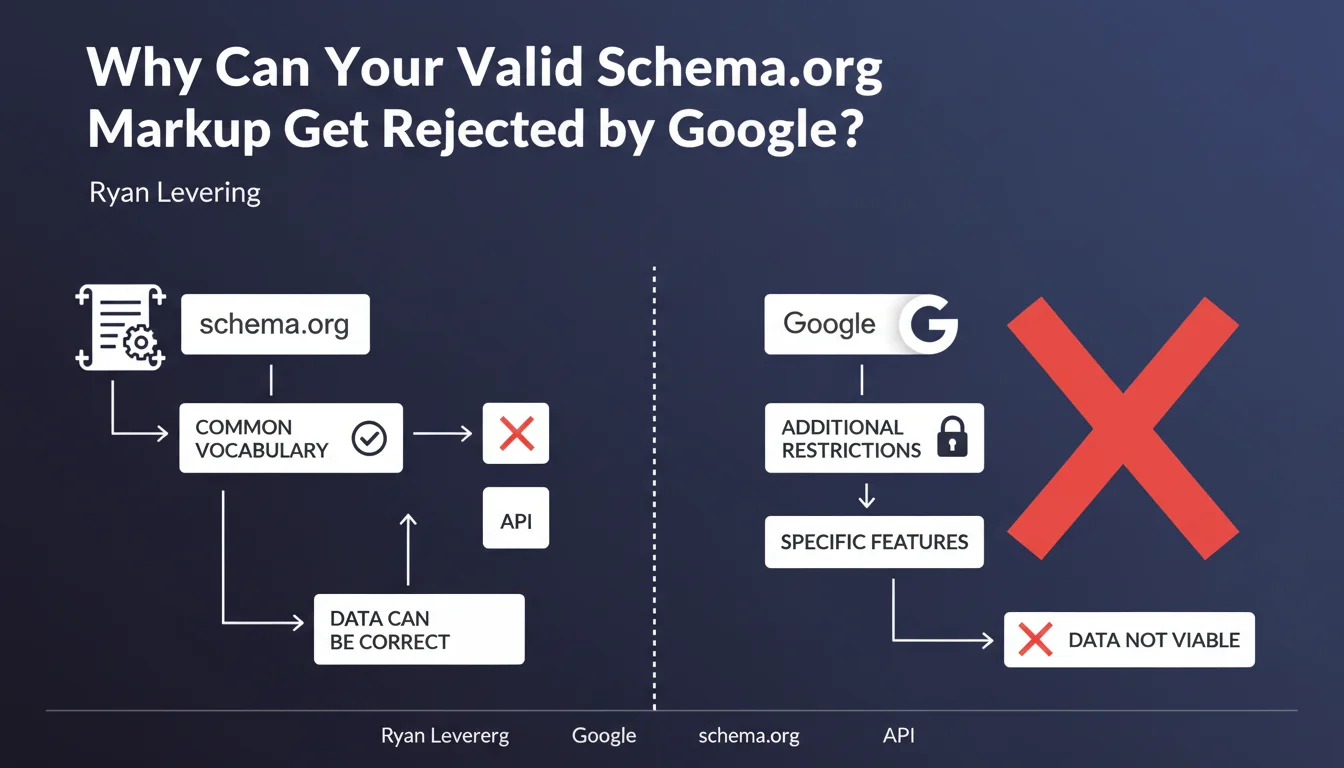
Schema.org defines a standard vocabulary, not usage rules. Google imposes its own technical constraints beyond simple Schema.org validity to power its features (rich snippets, knowledge graph, etc.). Technically correct markup can therefore be ignored if it doesn't meet Google's specific criteria.
What you need to understand
What Is the Fundamental Difference Between Schema.org and Google Requirements?
Schema.org works like a shared dictionary — it defines what a 'Recipe', a 'Product', an 'Event' is. But it doesn't dictate how to use this vocabulary in a specific context. It's an open standard, maintained by a consortium (originally Google, Microsoft, Yahoo, Yandex).
Google, on the other hand, leverages this vocabulary to generate specific features: recipe carousels, enriched FAQs, product cards in Google Shopping. For these features to display, Google imposes additional constraints — mandatory fields, precise formats, eligibility rules.
Why Doesn't a Schema.org Validator Guarantee Anything?
Schema.org validators (like validator.schema.org) check only the syntax and conformance to the vocabulary. They have no knowledge of what Google requires to trigger a rich snippet.
Concretely: a Product markup can be 100% valid according to Schema.org, but rejected by Google if the price is missing, if the image isn't in the right format, or if the site doesn't comply with Google's quality guidelines for product reviews.
What Does This Change for an SEO Practitioner?
It changes everything. A client tells you "my Schema is valid, why don't I have rich snippets?". The answer: because technical validity ≠ Google eligibility.
You must always cross-check two verifications: the Schema.org validator AND Google's Rich Results Test. And even with a passing Google test, display is never guaranteed — Google reserves the right not to display an enriched result even if everything is technically correct.
- Schema.org = shared vocabulary, no strict requirements
- Google = additional technical constraints for each feature
- Markup can be valid Schema.org and unusable by Google
- The Rich Results Test is the reference tool, not validator.schema.org
- Technical eligibility doesn't guarantee final display
SEO Expert opinion
Is This Statement Consistent With Observed Practices?
Absolutely. In the field, we regularly see sites with technically flawless markup according to Schema.org, but that trigger no enriched results. Typically: FAQs marked up correctly but too long, recipes without cooking time, past events.
Google doesn't always communicate clearly on these hidden eligibility criteria. Recent example: FAQPage was disabled for most sites (except government and health sites) without any official documentation announcing it beforehand. The markup remains valid — it's simply no longer being exploited.
Where Does This Break Down in Practice?
The problem is the lack of transparency on certain rules. Google documents mandatory fields, but not always qualitative criteria — maximum text length, freshness thresholds for an Event, conditions for review display.
Result: we often work through reverse engineering. You test, you observe what passes or doesn't, you adjust. [To verify] — Google states that "data must be usable", but doesn't always specify what "usable" concretely means for each content type.
Should You Abandon Schema.org in Favor of Google Documentation Only?
No. Schema.org remains the technical foundation. But you must systematically complement it with Google-specific documentation from Google Search Central for each type of enriched result you're targeting.
Let's be honest: if you only markup according to Schema.org without checking Google's requirements, you're wasting your time. Conversely, if you ignore Schema.org and only follow Google, you risk coding shaky structures or missing opportunities (other search engines exploit Schema.org differently).
Practical impact and recommendations
What Must You Do Concretely to Avoid Rejections?
First, define your objective: which type of enriched result are you targeting? FAQ, recipe, product, event, article? Each type has its own rules.
Next, consult Google's official documentation for that specific type — not just Schema.org. Google Search Central lists mandatory fields, recommended ones, and eligibility criteria (quality guidelines, sector restrictions, etc.).
Finally, test with Google's Rich Results Test, not validator.schema.org. If the Google test validates, that's a good sign — but still monitor Search Console for any errors post-indexation.
What Errors Must You Absolutely Avoid?
Never rely solely on a generic Schema.org validator. That's mistake #1 — you spend hours fixing warnings that have no impact on Google display.
Also avoid over-tagging. Adding 15 different Schema types on the same page serves no purpose if Google doesn't exploit them. Focus on types that actually trigger enriched results for your sector.
Last common mistake: ignoring policy updates. Google regularly modifies its eligibility criteria (like with FAQPage). Markup that worked yesterday can be disabled tomorrow without warning.
How Do You Verify That Your Site Meets Google Requirements?
- Identify the types of enriched results relevant to your sector
- Consult Google Search Central documentation for each type you're targeting
- Implement markup respecting Google's mandatory fields (not just Schema.org)
- Test each page with Google's Rich Results Test
- Check for errors in Search Console (Enhancements section)
- Monitor actual display in SERPs — a passing test doesn't guarantee display
- Monitor Google announcements (Search Central blog, @searchliaison Twitter) to anticipate policy changes
❓ Frequently Asked Questions
Pourquoi mon balisage Schema.org validé n'apparaît pas dans les résultats Google ?
Quel outil utiliser pour valider mon Schema avant publication ?
Google peut-il refuser d'afficher un rich snippet même si le test est positif ?
Où trouver les exigences Google pour chaque type de résultat enrichi ?
Faut-il baliser tous les types Schema possibles sur une page ?
🎥 From the same video 13
Other SEO insights extracted from this same Google Search Central video · published on 07/04/2022
🎥 Watch the full video on YouTube →
💬 Comments (0)
Be the first to comment.