
Official statement
Other statements from this video 9 ▾
- □ Which incidents does Google officially communicate on its status dashboard?
- □ Why doesn't Google inform you about all of its technical incidents?
- □ What are the two hidden channels Google uses to detect search engine incidents?
- □ Should you really sit tight when Google reports an incident on the dashboard?
- □ Does Google really guarantee regular updates on its search incidents?
- □ Why did Google technically separate its Search Status Dashboard from google.com?
- □ Why does Google leave certain search features out of its public incident monitoring?
- □ Should you subscribe to the Search Status Dashboard RSS feed to anticipate Google incidents?
- □ Why doesn't Google consider a single site's ranking drop as a system-wide incident?
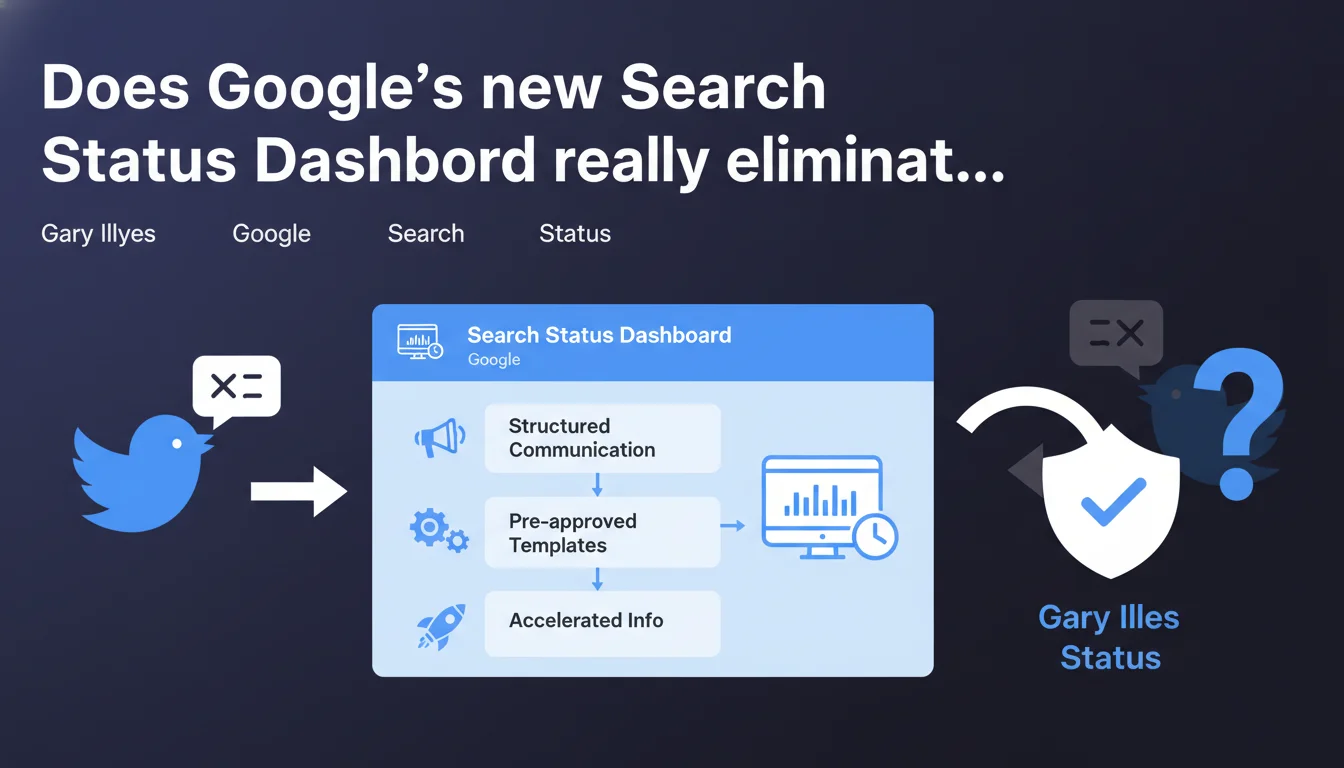
Google is rolling out the Search Status Dashboard, an official tool to communicate about search incidents in a structured way. No more hunting for information on Twitter: messages now follow pre-approved templates to speed up communication. A shift that centralizes critical information for SEO practitioners.
What you need to understand
Why is Google launching this dashboard now?
For years, SEOs have had to scour Twitter to catch weak signals about Google search malfunctions. Gary Illyes, John Mueller and others posted ad-hoc messages without a formalized process. This makeshift approach created confusion: some incidents went unnoticed, others sparked debates without clear official answers.
The Search Status Dashboard addresses this chaos by centralizing communication. Google uses pre-approved templates that speed up internal validation — in concrete terms, the team can publish faster without going through 15 layers of legal review. For practitioners, it means less time wasted hunting for information and a single source of truth.
What actually changes in an SEO's daily workflow?
Instead of monitoring multiple Twitter accounts hoping to catch a signal, you have a single entry point. Incidents affecting indexing, crawling, or SERPs are documented in a structured way, ideally with real-time status updates. This is especially useful when your traffic crashes on a Monday morning and you don't know if it's your site or Google having issues.
The dashboard doesn't entirely replace monitoring — Gary and others can still tweet — but it becomes the official reference. If your client panics because their pages aren't indexing anymore, you can check in 30 seconds whether it's a widespread issue before diving into the logs.
What are the limitations of this tool?
Google communicates what it chooses to communicate. A minor incident affecting a small segment of sites might never appear on the dashboard. Pre-approved templates do speed up publication, sure — but they also risk formatting information too smoothly, without nuance.
And let's be honest: Google has never been ultra-transparent about its bugs. The dashboard is progress, but it doesn't guarantee complete visibility into all malfunctions. On-the-ground observations and SEO communities remain essential for catching signals Google doesn't document.
- Single entry point for search incidents, without scattering across social networks
- Pre-approved templates that allow Google to communicate faster
- Limited transparency: Google chooses what it publishes, some minor bugs could remain invisible
- Complementary monitoring still necessary — SEO communities often detect anomalies before Google
SEO Expert opinion
Does this initiative actually improve Google's transparency?
It's a step in the right direction, but let's be clear-eyed. Google has always taken a selective approach to communication: it shares what suits it, when it suits it. The Search Status Dashboard formalizes this process, but doesn't fundamentally change the logic. Incidents that are politically awkward or technically complex risk remaining unclear.
On the other hand, for classic bugs — indexing failures, crawler strikes — it's a net gain. Rather than speculating for 48 hours on Twitter, you have an official source that confirms or denies. It reduces noise, and that's something. But don't expect Google to document its major algorithmic mishaps with the same diligence.
Don't pre-approved templates risk over-formatting information?
Yes. A template, by definition, flattens nuance. Imagine a complex incident affecting only certain types of sites or certain regions: the pre-approved message risks oversimplifying, losing critical details for diagnosis. SEOs working in niche sectors might end up with generic information that's useless.
On the other hand, speed often trumps completeness. Better to have a partial message in 2 hours than a detailed essay in 3 days. The real test will be whether Google supplements its initial messages with more precise updates once the incident is resolved. [To verify]: observe whether dashboard posts enrich over time or remain frozen in their initial wording.
Does this dashboard really replace Twitter monitoring?
No. Googlers will continue to tweet — Gary Illyes isn't going to go silent overnight. The dashboard centralizes official and structured communication, but informal discussions, hints, and detailed debates will remain on Twitter and elsewhere. An expert SEO must monitor both channels.
And that's where it gets sticky: we're adding a tool to the monitoring stack without removing one. The dashboard becomes an additional layer, not a replacement. Ultimately, it might simplify the routine — but for now, it's one more channel to monitor, with its own logic and limitations.
Practical impact and recommendations
How do you integrate this dashboard into your monitoring routine?
Bookmark the Search Status Dashboard and configure an automated alert if possible — some monitoring tools can scrape the page and send you a ping on new posts. Check it systematically whenever you observe unexplained traffic or indexing anomalies. It lets you quickly eliminate the hypothesis of "widespread Google bug."
Don't replace your Twitter monitoring or SEO forums though. The dashboard documents confirmed and public incidents, but weak signals often emerge in informal discussions. Use the dashboard as a starting point, not as your only source.
What do you do when the dashboard confirms an incident?
If Google publishes an incident affecting your site, document the impact on your end: screenshots of traffic, crawl logs, examples of impacted pages. This gives you clean history if the problem drags on or if you need to justify performance drops to a client. And it lets you verify that your site returns to normal once the incident is resolved.
Communicate with your client or internal teams as soon as an incident is confirmed — anticipate questions and reassure. A message like "Google has confirmed a widespread indexing bug, we're monitoring the situation" avoids unnecessary panic. And if the incident lingers, escalate to Google via official channels (Search Console Help, Twitter) citing the dashboard.
What mistakes should you avoid with this tool?
Don't assume an incident not documented on the dashboard doesn't exist. Google doesn't publish everything, far from it. If your traffic drops and the dashboard is empty, continue your diagnosis as usual: logs, Search Console, crawls, competition. The dashboard isn't an excuse to drop your guard on technical analysis.
Also avoid over-interpreting messages. A vague post like "some sites may experience indexing delays" doesn't tell you which sites or why. Dig into community discussions to refine your understanding before jumping to conclusions.
- Bookmark the Search Status Dashboard and configure automatic alerts
- Check it first when you notice unexplained traffic or indexing anomalies
- Don't replace your Twitter monitoring or SEO forums — use the dashboard as a complement
- Document impact on your end when an incident is confirmed (logs, traffic, screenshots)
- Communicate proactively with clients to anticipate questions and reassure
- Never assume an incident absent from the dashboard doesn't exist — Google doesn't publish everything
- Avoid over-interpreting generic messages: dig into discussions to refine your understanding
❓ Frequently Asked Questions
Le Search Status Dashboard remplace-t-il les annonces Twitter de Gary Illyes et John Mueller ?
Tous les bugs de Google apparaissent-ils sur le dashboard ?
Comment savoir si un problème d'indexation vient de mon site ou d'un bug Google ?
Les modèles pré-approuvés garantissent-ils une communication plus rapide ?
Faut-il configurer des alertes automatiques pour le dashboard ?
🎥 From the same video 9
Other SEO insights extracted from this same Google Search Central video · published on 14/12/2022
🎥 Watch the full video on YouTube →
💬 Comments (0)
Be the first to comment.