
Official statement
Other statements from this video 7 ▾
- □ Should you really be excluding non-canonical URLs from your XML sitemap?
- □ Does an XML sitemap really accelerate Googlebot's crawling of your website?
- □ Do you really need a sitemap to get indexed by Google?
- □ Should you really limit lastmod updates in your XML sitemaps?
- □ What are the real technical limits of XML sitemap files that can kill your SEO visibility?
- □ Should you really split your large sitemaps into multiple files?
- □ Should you really submit every single URL from your sitemap to Google?
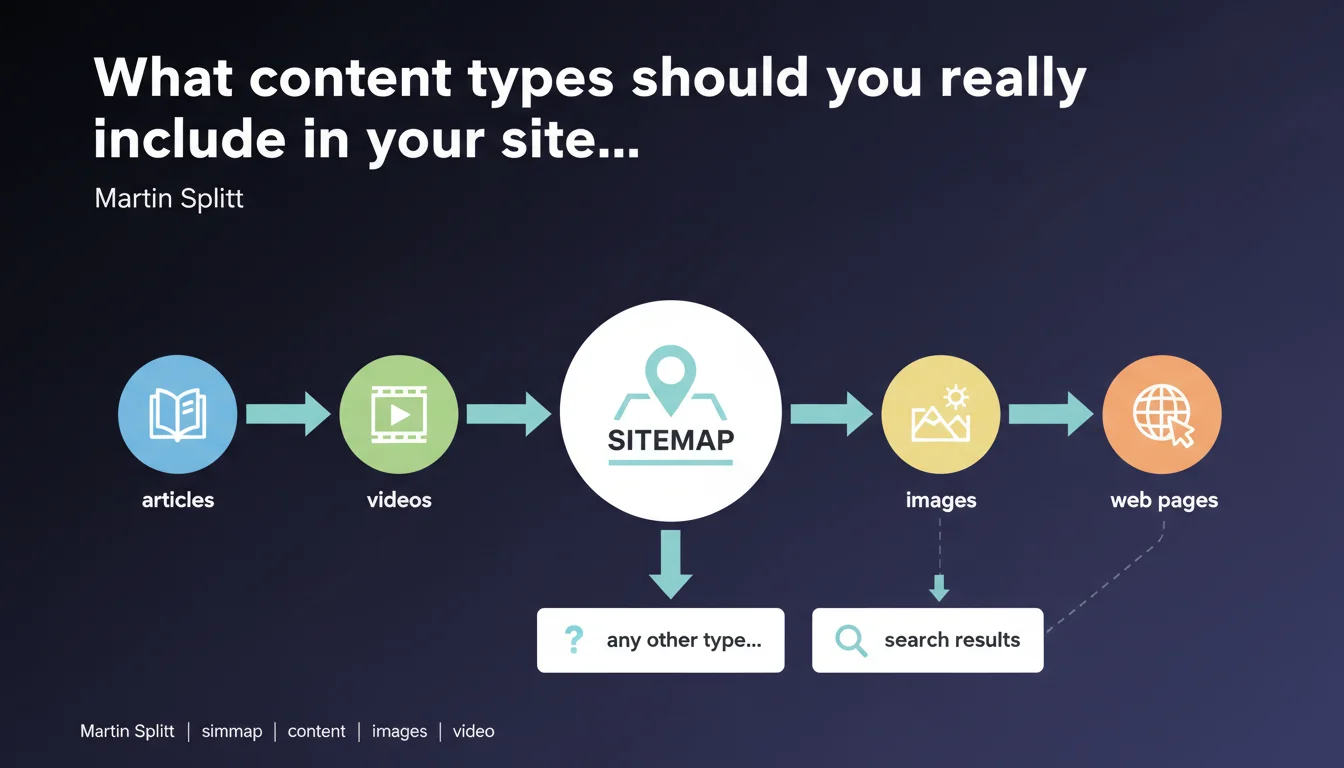
Google confirms that sitemaps can include articles, videos, images, and any other type of page intended to appear in search results. This deliberately broad statement opens the door to a more aggressive indexation strategy, but raises the question of what you should actually submit.
What you need to understand
Why does Google remain so vague about accepted content types?
Splitt's wording is intentionally generic. By listing "articles, videos, images, or any other type of web page," Google draws no strict boundaries. The goal: not to restrict webmasters in their submissions.
This approach reflects a technical reality — Google's crawlers are capable of processing a massive diversity of formats. But it also avoids committing to what truly deserves to be indexed. The nuance is critical: just because you can submit a content type doesn't mean it will actually be indexed or ranked.
What exactly is a "page intended to appear in search results"?
That's where it gets tricky. Google talks about pages intended to appear in search results, but doesn't define this criterion. An order confirmation page? Technically a web page. An empty category archive? Same thing.
In practice, this wording refers to the concept of indexable and relevant content for the user. If your page brings no value in a search context, it has no place in a sitemap, even if technically it's "accepted" there.
What's the difference between generic sitemaps and specialized sitemaps?
Google mentions videos and images — these aren't simple standard HTML pages. These formats require specialized sitemaps with dedicated tags (tags like <video:video>, <image:image>).
Submitting a page URL containing a video in a standard sitemap works, but you miss the opportunity to provide enriched metadata: duration, thumbnail, description. Specialized sitemaps give Google more context and increase the chances of enriched display in search results.
- Sitemaps can theoretically include any indexable page type
- The mention "intended to appear in search results" implicitly excludes technical, admin, and confirmation pages
- Videos and images require specialized sitemaps to maximize impact
- No strict limits imposed, but relevance remains the key criterion
SEO Expert opinion
Is this statement consistent with real-world observations?
Yes, but it glosses over a major issue: crawl budget. Google can technically accept any page type in a sitemap, but that guarantees neither indexation nor ranking.
On medium or large-sized sites, massively submitting low-value URLs (paginated pages, filters, archives) can dilute crawler attention. We regularly observe cases where bloated sitemaps slow down indexation of strategic pages. [To verify]: Google never communicates an official threshold, but experience shows that an overly generic sitemap hurts more than it helps.
What nuances should be added to this statement?
Splitt doesn't distinguish between sitemap types based on their purpose. An image sitemap doesn't serve the same function as an article sitemap. Mixing everything in a single file works technically, but it's a strategic mistake.
Another point: the mention "any other type of web page" is misleading. Dynamically generated client-side pages (poorly configured SPAs, content loaded in pure JS without SSR) can be listed in a sitemap, but Google will struggle to crawl them properly. Submission doesn't compensate for failing technical architecture.
In what cases does this rule not apply?
Certain pages should never appear in a sitemap, even if technically accepted: pages blocked by robots.txt, noindex URLs, password-protected pages, temporary content (shopping carts, user sessions).
And let's be honest: including low-quality pages or duplicates just "because you can" amounts to drowning the signal in noise. A sitemap should be a clear roadmap, not a dump of your database.
Practical impact and recommendations
What should you do concretely to optimize your sitemaps?
First step: segment your sitemaps by content type. One sitemap for articles, one for videos, one for images, one for category pages. This structure enables precise tracking in Search Console and facilitates anomaly diagnosis.
Second point — and this is where many fail: submit only indexable and strategic URLs. If a page is noindex, canonicalized to another URL, or generates near-empty content, it has no place in a sitemap. Every submitted URL should merit crawler attention.
What mistakes must you absolutely avoid?
Mistake number one: confusing "accepted" with "useful." Google technically accepts any URL, but submitting valueless pages dilutes your signal. A sitemap with 50,000 URLs where 80% are useless is worse than a sitemap with 10,000 strategic URLs.
Another frequent mistake: not using specialized tags for videos and images. Submitting a page with video without a <video:video> tag means missing potential enriched display in results. Same logic for images: without a dedicated sitemap with metadata, you reduce your chances of appearing in Google Images.
How do you verify that your sitemaps are properly configured?
Use Search Console to monitor coverage rate. A significant gap between submitted URLs and indexed URLs signals a problem: blocked pages, weak content, redirects, server errors.
Test your sitemaps with tools like Screaming Frog or OnCrawl to detect inconsistencies: 404 URLs, redirects, duplicates. A clean sitemap contains only 200-status URLs, indexable and unique.
- Segment your sitemaps by content type (articles, videos, images, categories)
- Include only indexable URLs, with no noindex, no canonicalization to another page
- Use specialized tags for videos and images (enriched metadata)
- Exclude temporary, technical, password-protected, or low-value pages
- Monitor coverage rate in Search Console
- Audit your sitemaps regularly to detect errors (404s, redirects)
Google's statement confirms maximum flexibility on accepted content types, but doesn't exempt you from a rigorous strategy. An effective sitemap doesn't submit everything that's technically possible, but what's strategically relevant.
Implementing an optimized sitemap architecture — segmented, enriched with metadata, regularly audited — requires pointed technical expertise and a fine understanding of indexation priorities. If managing your sitemaps becomes complex or you notice significant gaps between submission and indexation, support from a specialized SEO agency can accelerate your results and prevent costly crawl budget mistakes.
❓ Frequently Asked Questions
Faut-il créer un sitemap séparé pour chaque type de contenu ?
Peut-on inclure des pages en noindex dans un sitemap ?
Les sitemaps vidéo et image nécessitent-ils des balises spécifiques ?
Combien d'URLs maximum peut contenir un sitemap ?
Un sitemap garantit-il l'indexation de toutes les URLs soumises ?
🎥 From the same video 7
Other SEO insights extracted from this same Google Search Central video · published on 16/11/2023
🎥 Watch the full video on YouTube →
💬 Comments (0)
Be the first to comment.