
Official statement
Other statements from this video 18 ▾
- □ Peut-on vraiment montrer du contenu payant structuré uniquement à Googlebot sans risque de pénalité ?
- □ Le DMCA s'applique-t-il vraiment page par page ou peut-on signaler un site entier ?
- □ Google indexe-t-il vraiment tout le contenu que vous publiez ?
- □ Une page AMP invalide peut-elle quand même être indexée par Google ?
- □ Safe Search peut-il empêcher votre site adulte de ranker sur votre propre marque ?
- □ Le Product Reviews Update peut-il impacter votre site même s'il n'est pas en anglais ?
- □ Géociblage ou hreflang : quelle méthode privilégier pour les contenus multilingues ?
- □ Google peut-il choisir arbitrairement quelle version linguistique indexer quand le contenu est identique ?
- □ Faut-il abandonner l'injection dynamique de mots-clés pour éviter les pénalités Google ?
- □ Le client-side rendering React pose-t-il vraiment un problème de classement pour Google ?
- □ Faut-il vraiment bloquer toutes les URLs de recherche interne dans robots.txt ?
- □ Les sites SEO sont-ils vraiment exemptés des critères YMYL ?
- □ Google pénalise-t-il les breadcrumbs structurés invisibles ou trompeurs ?
- □ Peut-on vraiment lier plusieurs sites dans le footer sans risque SEO ?
- □ Faut-il vraiment traduire l'intégralité d'un site multilingue pour bien se positionner ?
- □ Faut-il vraiment s'inquiéter du crawl budget sur un site de moins de 10 000 URLs ?
- □ Robots.txt ou noindex : lequel choisir pour bloquer l'indexation ?
- □ Le trafic artificiel influence-t-il vraiment le classement Google ?
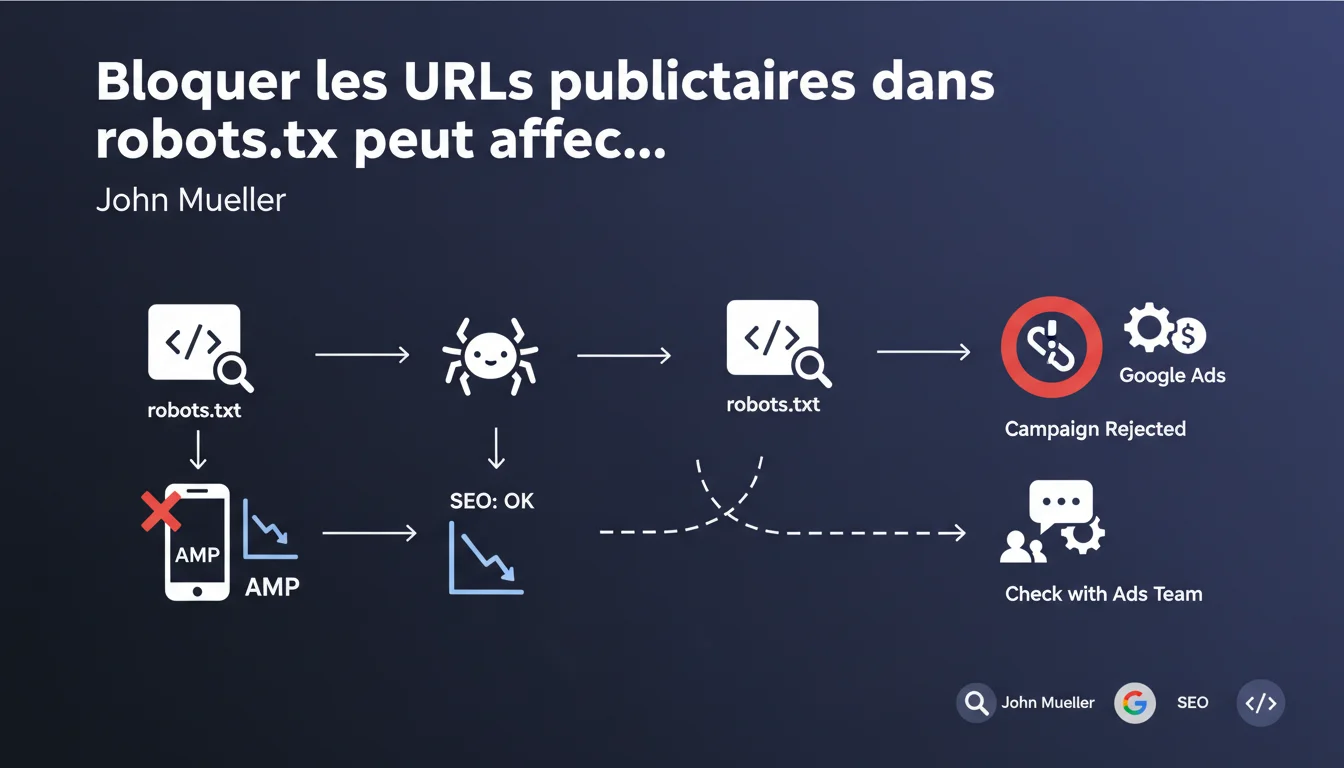
Blocking advertising parameters in robots.txt for Googlebot is technically acceptable from an SEO perspective, but it can jeopardize your Google Ads campaigns. The issue is that Ads needs access to the destination URLs to validate the ads. Before blocking anything, coordinate with the team managing the ad system.
What you need to understand
What causes this conflict between SEO and Google Ads? <\/h3>
The classic SEO logic pushes to block unnecessary URL parameters <\/strong> to avoid duplicate content and preserve crawl budget. Advertising parameters (utm_source, gclid, etc.) create URL variations that point to the same content — exactly what we want to avoid.<\/p> The catch? Google Ads needs to crawl these URLs with parameters <\/strong> to ensure that the landing page corresponds to the ad. If Googlebot is blocked, the Ads system cannot validate the campaign. The result: automatic rejection.<\/p> Mueller remains deliberately vague about what to do. He says it's "technically acceptable" from an SEO standpoint but refers to the Ads team for implications. Translation: you’re on your own between teams <\/strong>.<\/p> No mention of alternative methods (canonical, parameter handling in Search Console). This kind of evasion complicates the lives of practitioners.<\/p>What does Google actually recommend? <\/h3>
What key points should you remember? <\/h3>
SEO Expert opinion
Does this statement truly reflect the ground reality? <\/h3>
Yes, and that’s precisely the problem. We regularly observe rejected Ads campaigns <\/strong> on sites that have locked down their robots.txt. But Mueller omits an obvious fact: most sites manage this with the canonical tag, not with robots.txt.<\/p> Blocking in robots.txt is the most blunt solution. Alternatives exist <\/strong>: canonical to the clean version, parameter handling, noindex on variations. Mueller doesn’t mention these, which makes his statement strangely incomplete [To be verified] <\/strong>.<\/p> The real question is not "can we block" but "should we block <\/strong>?" If your site generates thousands of URL variations through advertising parameters, yes, it’s a crawl budget issue. But for 90% of sites, the impact is marginal.<\/p> Let’s be honest: this talk about coordination with the Ads team is wishful thinking. In large organizations, these teams do not communicate. In smaller ones, it’s often the same person managing both who has to arbitrate alone.<\/p> If you use only the canonical tag <\/strong> to manage parameters, you allow Googlebot to crawl the variations while indicating the preferred version. Ads can validate, SEO remains clean. The problem is solved.<\/p>What nuance should be added to this recommendation? <\/h3>
In what cases does this rule not apply? <\/h3>
Practical impact and recommendations
What should you prioritize checking on your site? <\/h3>
List all the advertising-related URL parameters <\/strong>: utm_*, gclid, fbclid, etc. Check if they are blocked in robots.txt or managed via canonical. Test a URL with parameters in the Search Console inspection tool to see if Googlebot has access.<\/p> On the Ads side, look at the historical campaign rejections <\/strong>. If any ads were rejected for "destination not accessible," it’s probably related. Replicate the test by submitting a URL with parameters to the Ads validation tool.<\/p> Favor the canonical tag <\/strong> rather than robots.txt. It allows Googlebot to crawl the variations (Ads is happy) while consolidating the SEO signal on the clean version (SEO is happy). It’s the cleanest arbitration.<\/p> If you really need to block in robots.txt (critical crawl budget), create a specific exception <\/strong> for Ads campaign URLs. Use Allow: before Disallow: to permit the precise patterns needed by Ads.<\/p>What is the best technical strategy? <\/h3>
How can you avoid common mistakes? <\/h3>
❓ Frequently Asked Questions
La balise canonical suffit-elle vraiment à résoudre le problème ?
Peut-on bloquer certains paramètres et pas d'autres dans robots.txt ?
Si je bloque les paramètres utm_* dans robots.txt, mes campagnes Ads sont-elles forcément refusées ?
Google Search Console permet-il de gérer les paramètres d'URL sans toucher à robots.txt ?
Faut-il vraiment coordonner avec l'équipe Ads avant chaque modification de robots.txt ?
🎥 From the same video 18
Other SEO insights extracted from this same Google Search Central video · published on 24/12/2021
🎥 Watch the full video on YouTube →Related statements
Get real-time analysis of the latest Google SEO declarations
Be the first to know every time a new official Google statement drops — with full expert analysis.
💬 Comments (0)
Be the first to comment.