
Official statement
Other statements from this video 7 ▾
- □ Pourquoi votre site peut-il être invisible pour Googlebot alors qu'il s'affiche parfaitement dans votre navigateur ?
- □ Comment vérifier si Googlebot crawle vraiment votre contenu JavaScript ?
- □ Pourquoi Google insiste-t-il sur la surveillance des erreurs serveur dans le rapport Statistiques d'exploration ?
- □ Faut-il vraiment s'inquiéter de chaque erreur de crawl remontée dans la Search Console ?
- □ Faut-il vraiment agir sur chaque erreur 500 détectée par Google dans le rapport de crawl ?
- □ Comment distinguer le vrai Googlebot des imposteurs dans vos logs serveur ?
- □ Pourquoi vos pages n'entrent-elles pas dans Google Search malgré tous vos efforts SEO ?
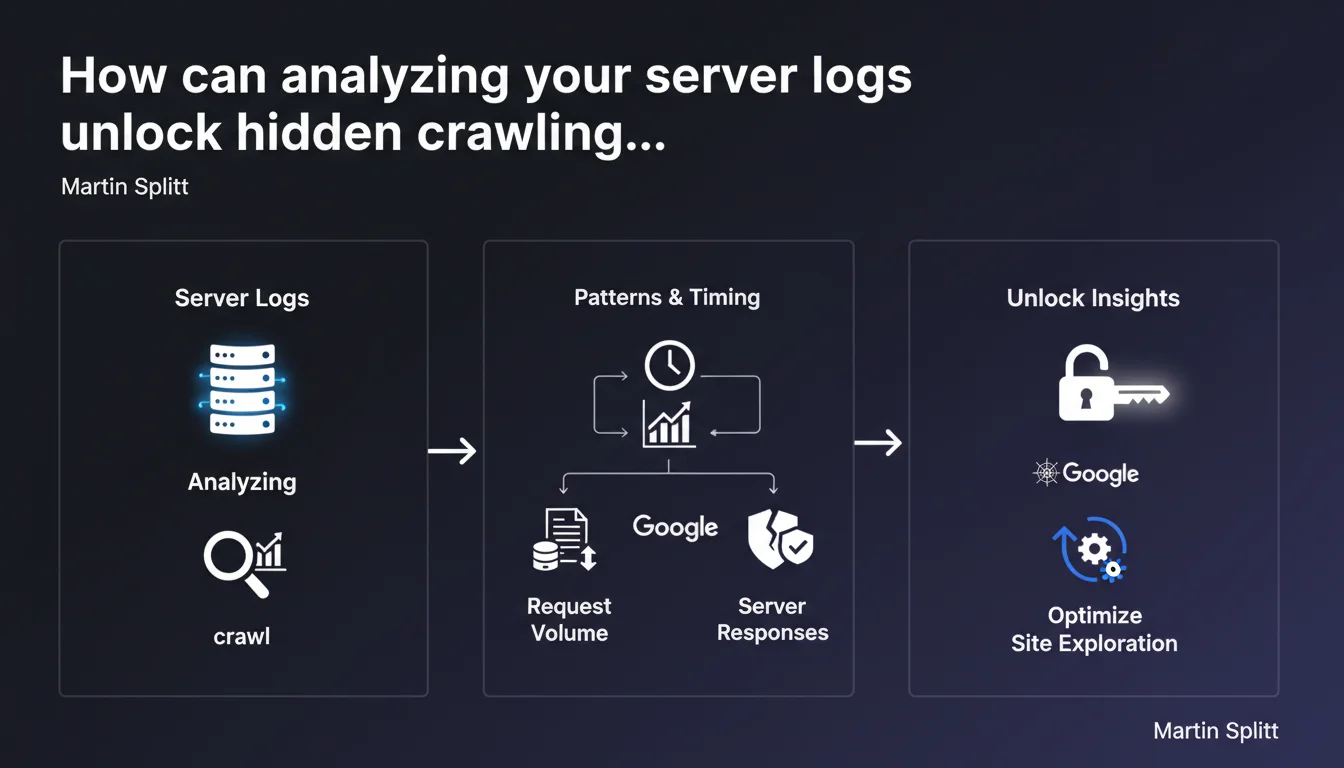
Server log analysis allows you to precisely understand how Googlebot explores your site: frequency, volume, patterns, and server responses. It's an advanced technique that often requires support from your hosting provider or technical team, but it offers a level of granularity impossible to achieve through Search Console alone.
What you need to understand
Why are server logs more accurate than Search Console?
Server logs record every HTTP request received by your server, including those from Googlebot. Unlike Search Console, which aggregates and samples data, raw logs give you access to 100% of actual interactions.
This granularity allows you to identify crawling patterns invisible elsewhere: orphaned pages crawled via backlinks, chained redirects, bot behavior when facing 5xx errors, precise timing between visits.
What concrete information can you extract from logs?
You can measure the actual crawl budget consumed by site section, identify crawled but non-indexed URLs, detect redirect loops that Googlebot encounters, spot crawl spikes correlated with your actions (publishing, redesign).
Logs also reveal your server's responsiveness: response times by page type, actual HTTP codes sent, server load generated by bots. All actionable data to optimize your technical infrastructure.
Do you really need to involve the technical team?
In most cases, yes. Log files are rarely directly accessible through standard hosting interfaces. Depending on your technical stack, they may be stored differently, fragmented, or require specific access permissions.
Some hosting providers limit log retention periods or volume. Your dev team can also set up automated collection to an analysis tool rather than manipulating files manually each month.
- Logs provide 100% complete access to Googlebot/server interactions
- They allow you to analyze real crawl budget by site section
- Exploitation often requires technical access unavailable through standard interfaces
- This approach complements Search Console, it doesn't replace it
SEO Expert opinion
Is this technique really accessible to all SEO professionals?
Let's be honest: log analysis remains a niche skill. Many SEOs talk about it, few practice it regularly with rigor. The main barrier isn't conceptual but operational — getting the logs, parsing them correctly, cross-referencing with other data.
On medium-sized sites (under 10K pages), the time-to-benefit ratio can be questionable. However, on platforms with infinite pagination, multiple facets, or sites generating massive parameterized URLs, logs become essential to understand where crawl budget goes.
What are the practical limitations of this approach?
Logs show what Googlebot requests, not what it indexes. A URL crawled 50 times per month may remain non-indexed for qualitative reasons that logs don't explain. You must systematically cross-reference with Search Console and content audits.
Another point: logs only capture classic HTTP crawling. JavaScript rendering and deferred indexing phases remain opaque. If your site relies heavily on client-side JS, logs won't tell you whether Googlebot successfully extracted content after execution.
Does Google oversell the usefulness of this technique?
Martin Splitt calls it "powerful" — true, but with a steep learning curve. Google pushes this approach partly because it holds SEOs accountable for technical infrastructure rather than easily manipulated on-page signals.
In practice, 80% of crawl diagnostics can be handled via Search Console + a crawler like Screaming Frog. Logs become critical in specific cases: redesigns with architecture changes, unexplained crawl explosions, debugging erratic Googlebot behavior. [To verify]: the real impact of optimizations based solely on log analysis remains difficult to isolate, as gains are often confounded with other simultaneous technical optimizations.
Practical impact and recommendations
Where do you start to access server logs?
First identify your hosting type. On standard shared hosting, logs are sometimes available via cPanel or Plesk, but often incomplete. On a VPS/dedicated server, you'll have direct access to Apache/Nginx files, typically in /var/log/.
If you're on managed cloud (AWS, GCP), logs can be streamed to CloudWatch, BigQuery, or equivalent. It's more powerful but requires collection setup. In any case, document who in your team has access and how to retrieve files on a recurring basis.
What tools should you use to analyze logs effectively?
To get started: OnCrawl, Botify, or Screaming Frog Log Analyzer. These tools parse logs and generate visual dashboards (crawls by section, frequency, HTTP codes, user-agents). They also cross-reference data with a site crawl to identify pages crawled but not discovered.
For custom analyses or large volumes, consider stacks like ELK (Elasticsearch, Logstash, Kibana) or BigQuery + Data Studio. This requires data skills but offers total flexibility on metrics and correlations.
How do you interpret data to make decisions?
Focus on anomalies and trends. A sudden crawl spike on a non-strategic section may signal mailing issues or a pagination loop. Conversely, a sharp crawl drop after a server update might indicate temporary 5xx errors not logged in Search Console.
Identify frequently crawled URLs generating little organic traffic — these are candidates for deindexation or noindex to free up crawl budget. Cross these insights with business data to avoid blocking pages that convert despite low SEO value.
- Verify log access with your technical team or hosting provider
- Choose an analysis tool suited to your site's volume and complexity
- Set up automated collection to track changes over time
- Systematically cross-reference logs, Search Console, and crawls for a complete view
- Document observed patterns and correlate them with SEO actions taken
❓ Frequently Asked Questions
Les logs serveur remplacent-ils la Search Console pour le suivi du crawl ?
Quelle est la durée de rétention minimale recommandée pour les logs ?
Peut-on identifier tous les crawlers de Google dans les logs ?
Faut-il analyser les logs en continu ou ponctuellement ?
Les logs permettent-ils de mesurer l'impact d'une amélioration du temps de réponse serveur ?
🎥 From the same video 7
Other SEO insights extracted from this same Google Search Central video · published on 13/12/2024
🎥 Watch the full video on YouTube →
💬 Comments (0)
Be the first to comment.