
Official statement
Other statements from this video 7 ▾
- □ Pourquoi votre site peut-il être invisible pour Googlebot alors qu'il s'affiche parfaitement dans votre navigateur ?
- □ Comment vérifier si Googlebot crawle vraiment votre contenu JavaScript ?
- □ Pourquoi Google insiste-t-il sur la surveillance des erreurs serveur dans le rapport Statistiques d'exploration ?
- □ Faut-il vraiment agir sur chaque erreur 500 détectée par Google dans le rapport de crawl ?
- □ Comment analyser vos logs serveur pour optimiser le crawl de Google ?
- □ Comment distinguer le vrai Googlebot des imposteurs dans vos logs serveur ?
- □ Pourquoi vos pages n'entrent-elles pas dans Google Search malgré tous vos efforts SEO ?
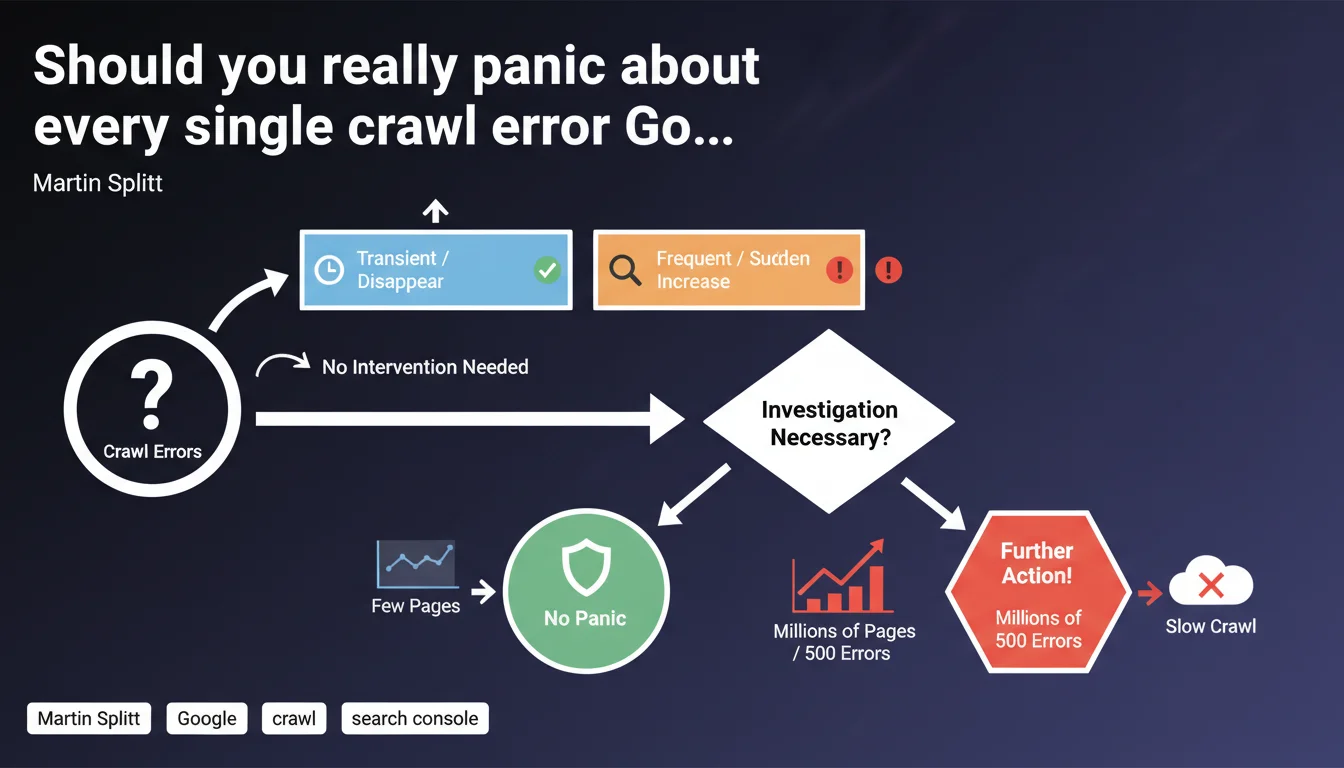
Google distinguishes between transient crawl errors (which resolve themselves) and frequent or suddenly spiking errors (which require investigation). On very large sites, recurring 500 errors slow down crawling and deserve special attention.
What you need to understand
Why does Google make this distinction between transient and frequent errors?
Crawling a site is never a perfect process. Isolated errors can happen for various technical reasons: server restart, temporary traffic spike, network timeout. These transient errors disappear on their own without human intervention.
Google knows these hiccups exist and won't penalize a site for a few isolated errors. The bot will retry later and grab the content. It's the frequency and persistence of errors that signal a real structural problem.
What triggers an alert according to Google?
Two signals should catch your attention: high error frequency (multiple occurrences on the same URLs or site segments) and a sudden spike in error rate (visible spike in Search Console).
In these cases, it's no longer a one-off technical incident but potentially a configuration, infrastructure, or code problem preventing Googlebot from accessing content reliably.
Why are 500 errors particularly problematic on large sites?
On a site with millions of pages, Google allocates a limited crawl budget. Each 500 error consumes budget without retrieving usable content.
If Googlebot frequently encounters server errors, it reduces crawl frequency to avoid further straining already fragile infrastructure. Result: new pages are discovered more slowly, content updates lag behind, and under-crawled site sections fall even further behind.
- Transient errors: isolated, resolve themselves, don't impact overall crawl
- Frequent or rising errors: signal a structural problem to investigate
- 500 errors on large sites: slow down crawl and delay indexation
- Crawl budget: limited resource that server errors waste
SEO Expert opinion
Is this claim consistent with what we observe in the field?
Yes, completely. We regularly see isolated 404 or 503 errors in Search Console that disappear on the next crawl. Googlebot doesn't penalize these one-off incidents.
However, once an error pattern emerges — same URL category, same error type, same time window — that's a sign of a problem to fix. E-commerce sites with dynamic product page generation or media outlets with lots of temporary content are particularly exposed.
What nuance should we add about the frequency threshold?
Google gives no exact numbers. [Needs verification] How many 500 errors per day trigger crawl slowdown on a 1-million-page site? 10? 100? 1000?
This vagueness requires manual monitoring. Search Console flags anomalies, but doesn't provide alert thresholds or automated recommendations. It's up to the SEO professional to interpret the trends and decide when to investigate.
When doesn't this rule apply?
On small sites (under 10,000 pages), crawl budget isn't a limiting factor. A few 500 errors per week won't significantly slow indexation.
Where it breaks is on massive platforms: marketplaces, aggregators, classified ad portals. An error on 0.1% of pages means thousands of inaccessible URLs — and Googlebot notices that.
Practical impact and recommendations
What exactly should you monitor in Search Console?
The Coverage report (or Indexation depending on your GSC version) displays crawl errors by type and URL. Focus on two metrics: the frequency of occurrence for the same error and the volume trend of errors over time.
A sudden spike in 500 errors on a given day might indicate an infrastructure incident (maintenance, failed deployment, server overload). If this spike repeats or persists, that's an alarm signal.
How should you react to rising crawl errors?
First identify the pattern: do affected URLs belong to the same site section? Same template? Same content type? This guides your diagnosis.
Then cross-reference with server logs. Do errors reported in GSC match actual server errors? Sometimes a robots.txt or redirect configuration issue masks the real problem.
What corrective actions should you implement?
For recurring server errors, infrastructure optimization comes first: increase server capacity, optimize database queries, implement efficient caching.
On large sites, a selective crawl policy can help: block crawl of low-priority sections (product filters, deep pagination URLs) to concentrate budget on high-value content.
- Monitor the Coverage/Indexation report in Search Console weekly
- Set up automatic alerts on error spikes (via GSC API or third-party tools)
- Analyze server logs to identify problematic URLs before Google detects them
- Audit server infrastructure if 500 errors exceed 0.5% of daily crawl
- Prioritize fixing errors on strategic URLs (conversions, high traffic)
- Document incidents to spot patterns (day of week, time, deployments)
❓ Frequently Asked Questions
À partir de quel seuil d'erreurs 500 faut-il s'inquiéter ?
Les erreurs 404 ralentissent-elles aussi le crawl ?
Comment distinguer une erreur transitoire d'un problème structurel ?
Faut-il réduire le crawl de Googlebot si mon serveur est instable ?
Les erreurs 503 sont-elles traitées comme les 500 ?
🎥 From the same video 7
Other SEO insights extracted from this same Google Search Central video · published on 13/12/2024
🎥 Watch the full video on YouTube →
💬 Comments (0)
Be the first to comment.