
Official statement
Other statements from this video 14 ▾
- □ Should you switch domains when cutting your catalog, or is keeping your existing one the smarter move?
- □ Can backlinks to a 404 page really be recovered, or are they permanently lost?
- □ Can you really have millions of 301 redirects without hurting your SEO?
- □ Do you really need to add paginated pages to your XML sitemap?
- □ Can Google really crawl links in dropdown menus on hover?
- □ How many redirects can you really have on a site without triggering an SEO penalty?
- □ Should you use a person or organization as your article author for SEO purposes?
- □ Do you really need to align URL, title, and H1 to rank in SEO?
- □ Can blocking a redirect page with robots.txt really stop PageRank from passing through?
- □ Do multiple hyphens in your domain name actually hurt your SEO rankings?
- □ Do you really need to publish content every day to rank well on Google?
- □ Should you really stop using text in images for SEO?
- □ Does Google really limit deindexing to just two methods, or are there hidden alternatives?
- □ Do Core Web Vitals really override relevance in Google rankings?
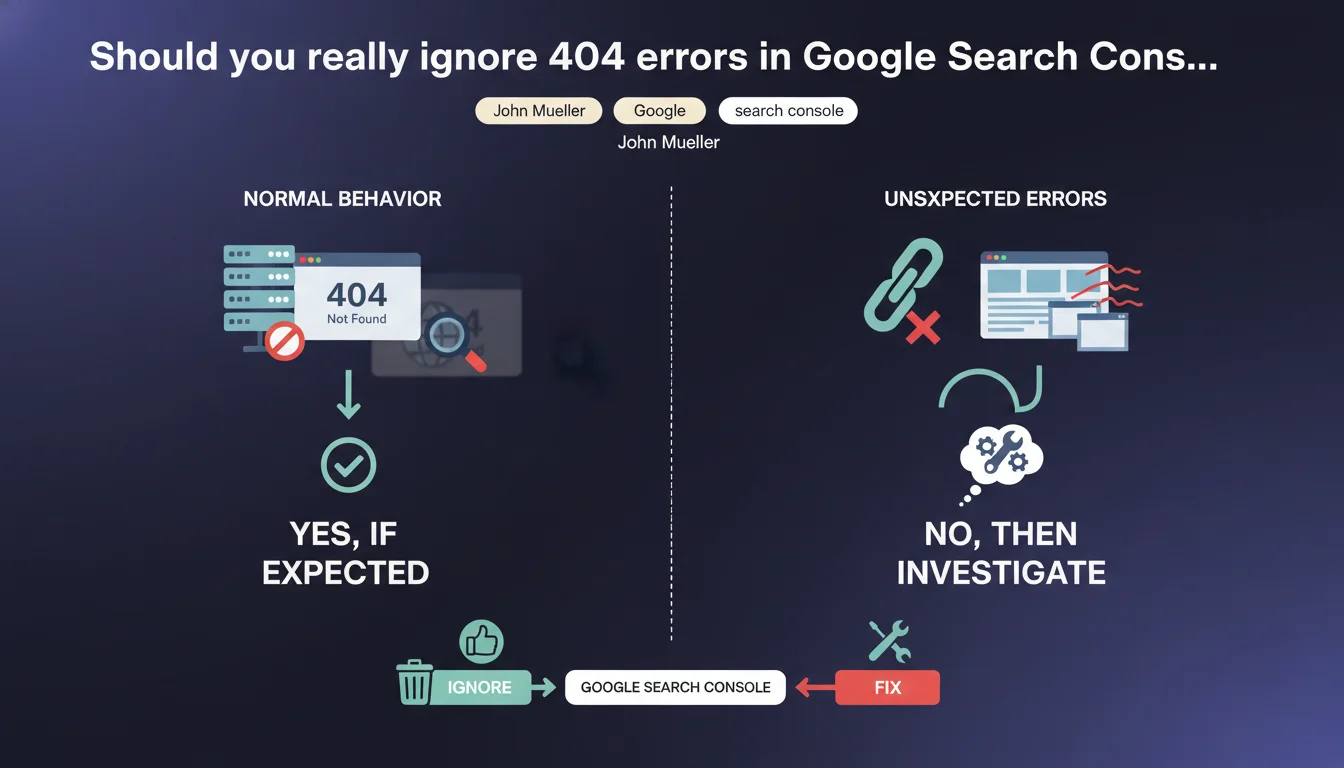
404 errors listed in Search Console won't penalize your SEO if those pages are supposed to return a 404. Google considers it normal to let these URLs disappear naturally from the index without manual intervention. The real challenge isn't fixing every 404, but distinguishing legitimate ones from those signaling a genuine issue.
What you need to understand
Why does Google say 404s aren't a problem?
Mueller's position reflects a simple technical reality: a 404 code isn't a server error, it's a legitimate HTTP response that tells the search engine a resource no longer exists. Unlike a 500 error or chained redirects, a 404 lets Googlebot immediately understand it should remove that URL from its index.
Search Console lists these 404s in the "Coverage" section to inform you that previously known URLs are no longer accessible. This visibility doesn't mean you need to act on every occurrence — especially if the page deletion was intentional (out-of-stock products, obsolete content removed, site restructuring).
What's the difference between a legitimate 404 and a problematic one?
A legitimate 404 concerns a page you voluntarily removed that has no equivalent content elsewhere. Examples: merged blog articles, discontinued product sheets without replacement, past event pages.
A problematic 404 occurs when a strategic URL returns an error even though it should be accessible, or when a deleted page has a natural equivalent that should have been redirected with a 301. If you notice 404s on pages that received qualified organic traffic or quality backlinks, that's a warning sign.
Does Google really remove 404s from the index "naturally"?
Yes, but on its own schedule. A URL that consistently returns a 404 during successive crawls eventually gets automatically deindexed. The timeline varies based on your site's crawl frequency, the authority of the page in question, and the number of links still pointing to it.
Practically speaking? A page with active backlinks can stay in the index for several weeks despite the 404, since Google periodically checks if it's been restored. Conversely, a page with no incoming links typically disappears within days.
- A 404 isn't a penalty — it's factual information for the search engine
- Search Console lists 404s for transparency, not because they require systematic fixing
- Deindexing a 404 follows your site's natural crawl pace
- A strategic 404 (a page with backlinks or residual traffic) deserves a 301 redirect to relevant equivalent content
- Leaving 404s without an equivalent is acceptable if the deletion was justified
SEO Expert opinion
Is this position consistent with real-world observations?
Generally, yes. Testing shows that a site with hundreds of legitimate 404s doesn't suffer visibility drops on its active pages. The myth that "too many 404s penalize your entire site" is more SEO urban legend than documented reality.
That said — and this is where Mueller simplifies slightly — how you manage 404s reveals your overall SEO hygiene. A sudden influx of massive 404s can indicate a technical problem (failed migration, broken internal links, robots.txt error). Google doesn't penalize 404s, but a poorly maintained site eventually sends degraded quality signals through other metrics.
When doesn't this rule fully apply?
First problematic case: soft 404s. If your server returns a 200 code on a page that should be a 404 ("product not found" page without proper HTTP code), Google wastes crawl time on useless URLs. That's genuinely harmful — but it's not a "real" 404.
Second nuance: 404s on high-value link URLs. Suppose a deleted article had 20 backlinks from authority media outlets. Leaving it as a 404 means wasting that link equity. A 301 redirect to the closest relevant content would have captured some of the SEO juice. Mueller is technically right, but strategically, it's debatable.
Third point: 404s generated by failing internal linking. If your active pages massively point to 404s, that degrades user experience and dilutes crawl budget. Google won't penalize you for external 404s, but for internal consistency, it's different. [To verify] to what extent an abnormal volume of internal 404s can indirectly affect the overall quality scoring of a domain — no clear public data there.
Practical impact and recommendations
What should you concretely do with 404s in Search Console?
First step: sort 404s by source. Search Console shows which pages referenced these broken URLs. If the source is your own internal linking, fix the link or remove it. If they're outdated external backlinks, no urgency — Google will handle deindexing.
Second step: identify 404s that still received traffic or links. Export Analytics data cross-referenced with Search Console link reports. A 404 page generating 500 visits/month deserves a redirect to equivalent content, not abandonment.
Third step: accept that some 404s should remain. If you deleted 200 discontinued product sheets without replacement, creating 200 redirects to your homepage or a generic category is pointless. Leaving a clean 404 is better than an arbitrary redirect that degrades UX.
What mistakes should you avoid when managing 404s?
Classic mistake: redirecting all 404s to the homepage "to avoid errors." Counterproductive. Google treats these massive redirects as soft 404s if the destination page bears no relationship to the original URL. Result: you've solved nothing.
Another trap: configuring a custom 404 page that returns 200 or 302 code instead of 404. That disrupts indexing and wastes crawl budget on dead pages Google keeps treating as active.
How do you verify your 404 management is healthy?
Regularly check the "Coverage" report in Search Console. A sudden spike in 404s often signals a technical issue (URL structure change, CMS bug, robots.txt error). Stable 404 volume is a good indicator of technical health.
Audit your internal linking with a crawler (Screaming Frog, OnCrawl, Botify). Filter internal links pointing to 404s — those must be fixed as a priority. 404s from external sources can wait for natural deindexing.
- Identify 404s from internal linking and fix broken links
- 301 redirect only 404s with residual traffic or quality backlinks to relevant equivalent content
- Accept legitimate 404s without equivalents and let them deindex naturally
- Verify your custom 404 page returns a proper HTTP 404 code
- Avoid massive redirects to your homepage or generic pages with no relevance
- Monitor the Coverage report monthly to detect anomalies
- Don't panic facing high 404 volumes if those deletions were planned
❓ Frequently Asked Questions
Un site avec beaucoup de 404 est-il pénalisé par Google ?
Faut-il rediriger tous les 404 vers la page d'accueil ?
Combien de temps Google met-il pour désindexer un 404 ?
Dois-je corriger tous les 404 listés dans Search Console ?
Qu'est-ce qu'un soft 404 et pourquoi est-ce problématique ?
🎥 From the same video 14
Other SEO insights extracted from this same Google Search Central video · published on 29/12/2022
🎥 Watch the full video on YouTube →
💬 Comments (0)
Be the first to comment.