
Official statement
Other statements from this video 14 ▾
- □ Can backlinks to a 404 page really be recovered, or are they permanently lost?
- □ Can you really have millions of 301 redirects without hurting your SEO?
- □ Should you really ignore 404 errors in Google Search Console?
- □ Do you really need to add paginated pages to your XML sitemap?
- □ Can Google really crawl links in dropdown menus on hover?
- □ How many redirects can you really have on a site without triggering an SEO penalty?
- □ Should you use a person or organization as your article author for SEO purposes?
- □ Do you really need to align URL, title, and H1 to rank in SEO?
- □ Can blocking a redirect page with robots.txt really stop PageRank from passing through?
- □ Do multiple hyphens in your domain name actually hurt your SEO rankings?
- □ Do you really need to publish content every day to rank well on Google?
- □ Should you really stop using text in images for SEO?
- □ Does Google really limit deindexing to just two methods, or are there hidden alternatives?
- □ Do Core Web Vitals really override relevance in Google rankings?
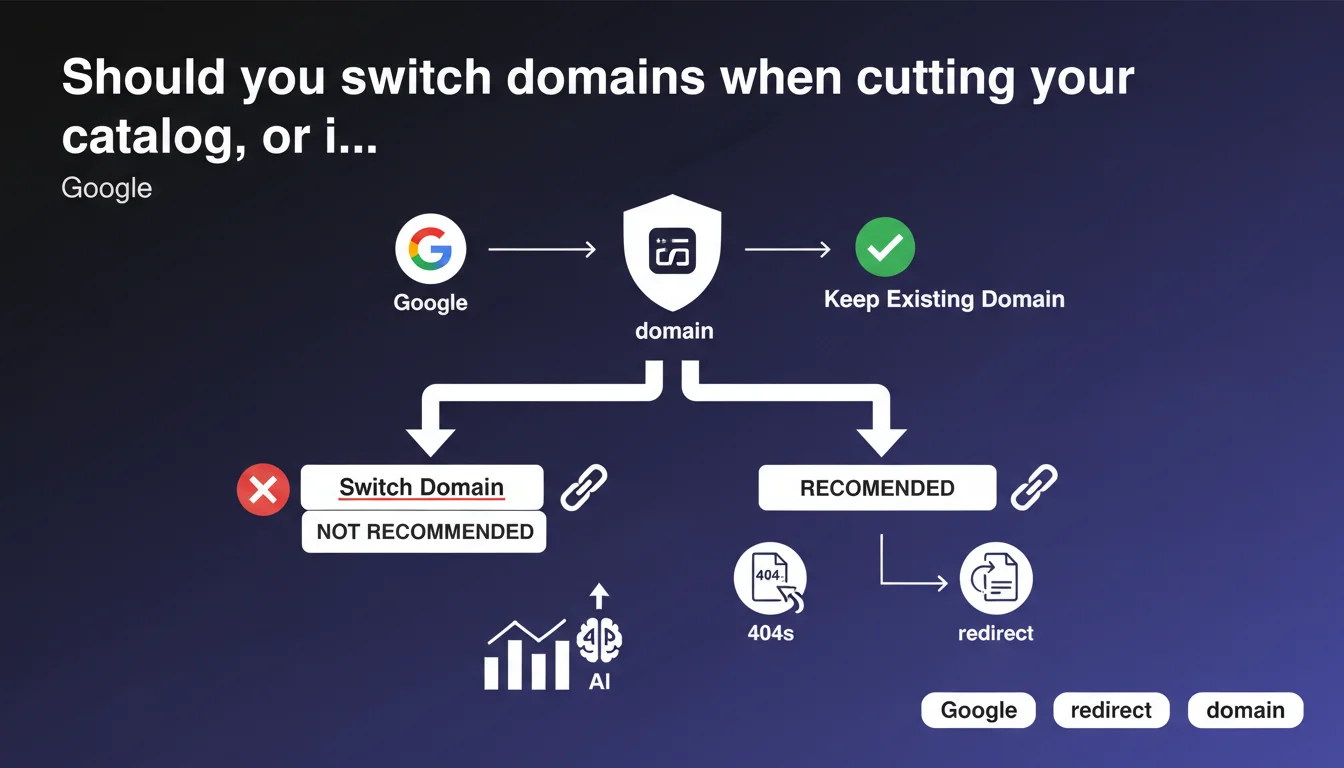
Google explicitly recommends keeping your current domain even during massive catalog reductions. Cleaning up obsolete pages via 404s or redirects poses no algorithmic risk, regardless of scale. Your domain's historical equity trumps any temptation for a fresh start.
What you need to understand
Why does Google insist on keeping your existing domain?
The answer comes down to one word: history. A domain accumulates trust signals over time — age, backlink profile, thematic authority — that Google uses to evaluate its legitimacy. Abandoning this equity for a new domain means starting from scratch, with potential sandbox period and a complete loss of all incoming links.
Even if your catalog shrinks dramatically — say from 10,000 to 500 products — the domain retains its intrinsic value. Google makes an explicit point here: don't throw away your historical equity out of fear of an imaginary penalty.
What does "cleaning up" old pages actually mean?
Google validates two approaches: returning 404s for permanently deleted pages, or using 301 redirects to relevant equivalents if content has evolved. Both methods are acceptable, even at large scale.
The distinction lies in your choice. A 404 signals permanent removal — Google will eventually deindex it. A 301 transfers link equity and keeps the user in a coherent journey. The decision hinges on semantic relevance between old and new content.
- Keep the domain: SEO history cannot be rebuilt
- 404 or 301: both are valid depending on context
- Volume is not blocking: even thousands of pages can be cleaned without risk
- No automatic penalty: catalog reduction is not a negative signal in itself
What scenarios does this guidance apply to?
Typically during business pivots: an e-commerce dropping entire categories, a directory closing obsolete sections, a media outlet archiving outdated content. The temptation for a complete rebrand on a new domain is strong — Google makes clear that's a mistake.
The guidance also covers technical restructuring. Migrating from one CMS to another, overhauling your information architecture, consolidating subdomains — all of this happens on your existing domain, with a clean redirect plan.
SEO Expert opinion
Does this recommendation contradict what we see in practice?
No, it confirms it. Every case of migrating to a new domain without absolute business necessity has resulted in lasting traffic losses — between 20 and 60% over 6-12 months depending on sector. Backlink equity never transfers at 100%, even with perfect 301s.
What's surprising is the lack of nuance. Google says "when possible," but provides no criteria defining what's impossible. A legal rebrand? A corporate merger? The guidance remains deliberately vague on edge cases.
What doesn't Google say in this statement?
The timeline for deindexing 404s, for instance. Google will "eventually" remove these pages from the index — but how long? Weeks, months? No specifics. For sites with constrained crawl budget, this uncertainty creates problems.
Another gap: impact on Core Web Vitals and UX metrics. Thousands of 404s generated at once can temporarily degrade your valid pages/errors ratio in Search Console, create confusion for crawlers, pollute logs. Nothing algorithmically blocking, but operationally messy.
Can massive redirects still cause problems?
Yes, if they're poorly executed. Redirecting 5,000 product pages to your homepage is technically a 301 — but Google will treat it as a soft 404 and ignore the redirects. Semantic relevance remains the number one criterion.
Another pitfall: redirect chains. If your redesign creates 301 → 301 → 301 sequences, PageRank dilutes and crawlers abandon mid-journey. Google tolerates 3-4 hops maximum; beyond that is wasted. Consolidate your chains before deployment.
Practical impact and recommendations
What concrete steps should you take before cleaning your catalog?
First step: audit your backlinks. Identify obsolete pages still receiving quality external links. These pages deserve a 301 to a relevant equivalent, not a brutal 404 that wastes equity.
Next, segment your cleanup. Don't delete 10,000 pages in one go on a Monday morning. Roll out in staggered waves (500-1,000 URLs every 15 days) to avoid Search Console error spikes and let Google digest progressively. It also makes rollback easier if problems arise.
What mistakes are absolutely critical to avoid?
Don't forget to update your XML sitemap. If deleted pages stay listed, Google will crawl emptiness for weeks. Clean the sitemap alongside the site itself.
Another trap: overlooking internal links. Your live pages might still point to deleted URLs. Result: internal 404s that degrade UX and weaken your linking structure. A post-cleanup Screaming Frog crawl is essential.
- Map backlinks for pages being removed
- Decide 404 vs 301 based on semantic relevance
- Deploy in waves of 500-1,000 URLs spaced apart
- Update XML sitemap immediately
- Crawl your site to catch broken internal links
- Monitor Search Console for 3-6 months post-operation
- Document redirection decisions for future reference
How do you verify your domain retains its SEO value?
Track your rankings on historical queries for at least 90 days. Slight drops are normal (fewer pages = smaller capture surface), but a collapse signals structural issues.
Also monitor your crawl budget evolution in Search Console. If Google drastically cuts its crawl frequency after cleanup, that's a red flag — either the 404s are confusing the algorithm or redirects are misconfigured.
❓ Frequently Asked Questions
Un 404 sur une page bien rankée fait-il perdre définitivement le positionnement ?
Combien de temps Google met-il pour désindexer les pages en 404 ?
Peut-on rediriger massivement vers la homepage sans risque ?
Faut-il conserver le domaine même si le nouveau positionnement est radicalement différent ?
Les erreurs 404 en masse pénalisent-elles le site dans son ensemble ?
🎥 From the same video 14
Other SEO insights extracted from this same Google Search Central video · published on 29/12/2022
🎥 Watch the full video on YouTube →
💬 Comments (0)
Be the first to comment.