
Official statement
Other statements from this video 14 ▾
- □ Faut-il changer de domaine lors d'une réduction de catalogue ou conserver l'existant ?
- □ Les backlinks vers une page 404 sont-ils définitivement perdus ou récupérables ?
- □ Peut-on vraiment avoir des millions de redirections 301 sans impacter son SEO ?
- □ Faut-il vraiment ignorer les erreurs 404 dans Google Search Console ?
- □ Faut-il vraiment ajouter les pages paginées dans le sitemap XML ?
- □ Google crawle-t-il vraiment les liens dans les menus déroulants au survol ?
- □ Combien de redirections peut-on vraiment mettre sur un site sans pénalité SEO ?
- □ Faut-il privilégier une personne ou une organisation comme auteur d'un article pour le SEO ?
- □ Faut-il vraiment aligner URL, title et H1 pour ranker en SEO ?
- □ Bloquer une page de redirection par robots.txt peut-il vraiment empêcher le passage du PageRank ?
- □ Les tirets multiples dans un nom de domaine pénalisent-ils votre SEO ?
- □ Faut-il publier du contenu tous les jours pour bien ranker sur Google ?
- □ Désindexer des URLs : Google limite-t-il vraiment les options à deux méthodes ?
- □ Les Core Web Vitals écrasent-ils vraiment la pertinence dans le classement Google ?
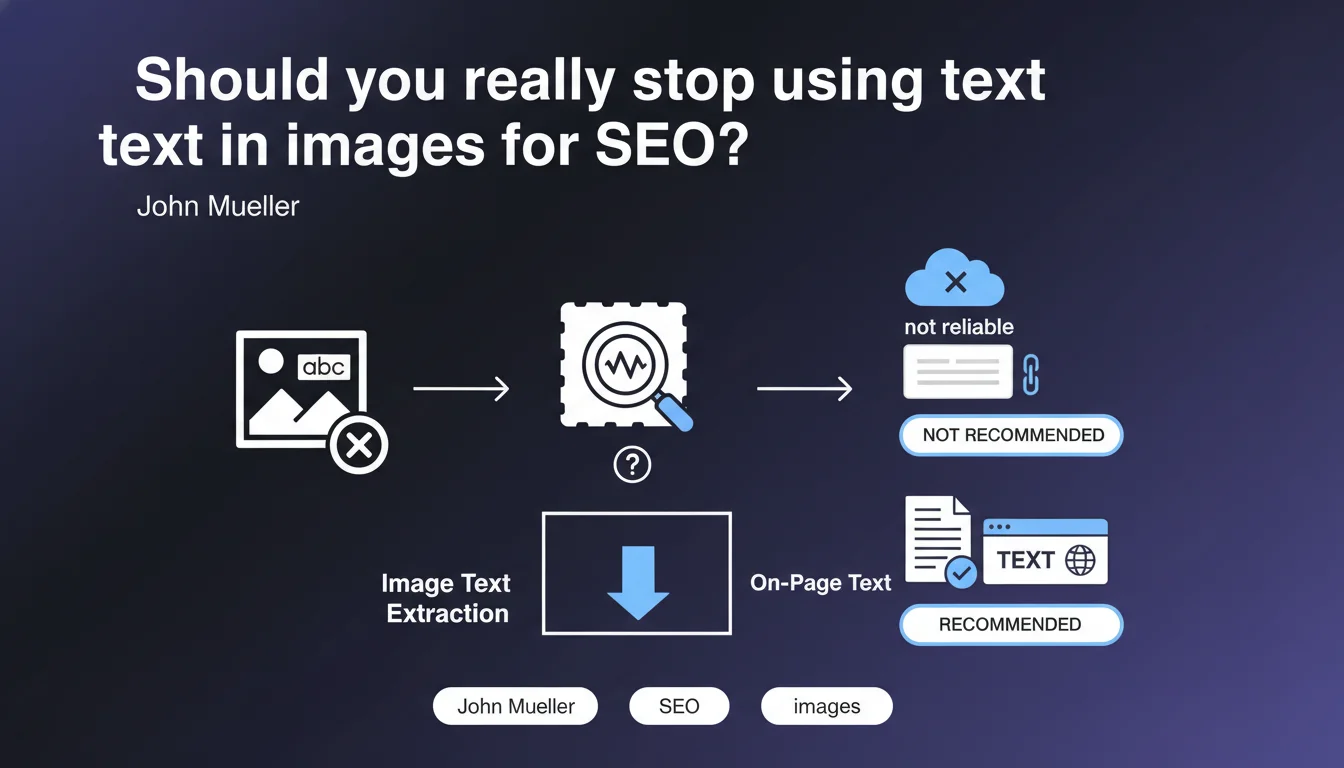
Google clearly states that you should not rely on reading text embedded in images for web SEO. Even though it's technically possible, extracting text from images is not used reliably to understand and index content. To be recognized, text must be placed as native HTML on your pages.
What you need to understand
Why doesn't Google trust text embedded in images?
Technically, Google has OCR (optical character recognition) capabilities that allow it to extract text from images. This technology is used in certain Google products like Google Lens or Google Photos. Yet Mueller is clear: this capability is not systematically exploited for standard web crawling and indexing.
The main reason? Reliability and computational cost. Analyzing every image to extract text would require substantial resources for often mediocre results. Stylized fonts, poor contrast, graphical overlays, or image compression make extraction unreliable. Google prefers to rely on clean HTML signals rather than attempt to interpret uncertain visual content.
Does this rule apply to all types of search?
Mueller's statement explicitly concerns traditional web search. There are important nuances depending on context. In Google Images, for example, OCR may be used to improve understanding of visual content and deliver results relevant to text queries.
Similarly, specialized products like Google Lens extensively exploit text recognition in images. But for your website and its ranking in traditional SERPs, text embedded in your visuals provides no direct SEO value.
What is the official position on accessibility and the alt attribute?
Google has long recommended using the alt attribute to describe image content. This tag serves two crucial functions: it improves accessibility for visually impaired users and provides a text signal that search engines can use.
But be careful of confusion: the alt attribute describes the image itself, not the text it contains. If your infographic displays "10 essential SEO statistics," putting this title in the alt doesn't replace the need to publish these statistics in structured HTML on the page.
- Text in images is not crawled or indexed for traditional web search
- OCR exists at Google but is not systematically used for natural search rankings
- Alt attributes are essential but serve to describe the image, not to compensate for embedded text
- Google Images can use OCR in certain specific contexts
- To be indexed, content must be in native HTML on your pages
SEO Expert opinion
Is this statement consistent with real-world observations?
Absolutely. For years, empirical testing has shown that text embedded in images does not improve rankings for corresponding queries. Sites that place key content (product titles, descriptions, sales arguments) only in graphical banners consistently perform worse than those using HTML text.
What you need to understand — and Mueller implicitly confirms this — is that Google optimizes its resources. Analyzing billions of images daily to extract text is not a priority for web search. The engine prefers to rely on structured, reliable, and inexpensive-to-process signals.
What nuances should be applied to this rule?
Let's be honest: Google doesn't say OCR doesn't exist or will never be used. It says "don't rely on it". This wording leaves a door open, particularly for specific use cases or future developments. With advances in AI and multimodal models, one can imagine this position evolving someday.
But here's the problem: betting on a technology "possibly used in some cases" for your current SEO strategy is playing Russian roulette. In SEO, we optimize based on confirmed and stable signals, not hypotheses or theoretical capabilities. As long as Google explicitly says not to rely on it, you should listen.
[To verify] Some SEO professionals report cases where text in images seemed to be understood by Google, notably on screenshots of tweets or social media posts. These observations remain anecdotal and difficult to reproduce. It's possible Google uses OCR occasionally or contextually, but nothing allows this to be a reliable strategy.
What real risks exist for sites ignoring this advice?
The first risk is obvious: loss of SEO visibility. If your strategic keywords, section titles, or sales arguments appear only in images, Google won't associate them with your page. You miss opportunities to rank for otherwise relevant queries for your business.
The second risk concerns user experience and accessibility. Screen readers cannot read text embedded in images (unless you duplicate everything in the alt, which quickly becomes unmanageable). Loading speed also suffers: a 200 KB image containing text weighs infinitely more than a few bytes of HTML. Not to mention that image text isn't selectable, responsive, or adaptable to different screen sizes.
Practical impact and recommendations
What should you do concretely on your site?
Audit your visual content: review your strategic pages and identify all cases where important text (titles, product descriptions, sales arguments, statistics) appears only in images or graphical banners. These elements must be extracted and published as structured HTML.
For infographics, visual testimonials, or diagrams containing text: systematically double the content in text version below or beside the image. Not only does this improve your SEO, but you gain accessibility and mobile experience. HTML text is indexable, selectable, translatable, and responsive.
What mistakes must be avoided?
The classic error: replacing HTML titles (<h1>, <h2>) with images containing styled text "to look nice." This is an SEO disaster. HTML titles structure your content and provide strong semantic signals to Google. An image, even with perfect alt text, cannot replace this structure.
Another frequent trap: e-commerce sites that put product features in visuals rather than text. Google cannot match this information with user queries. Result: you don't appear on otherwise relevant searches like "size 42 brown leather shoes."
Finally, don't rely on the alt attribute as a workaround. Alt serves to describe what the image shows for contexts where it doesn't load (accessibility, loading error). Duplicating an entire infographic's text in alt produces endless, unreadable, and counterproductive tags.
How can you verify your site's compliance?
Use your browser's inspector (right-click > Inspect) to verify that your text content is proper HTML tags (<p>, <h2>, <span>, etc.) and not <img> tags. If you can select the text with your mouse, that's a good sign.
Test the mobile version: does the text adapt to screen size or remain fixed like an image? HTML text reflows automatically, images require manual zooming. Also use Google Search Console to analyze queries you rank for: if keywords present only in your images generate no impressions, that's telling.
- Identify all important text embedded in images on your key pages
- Extract this content and publish it as structured HTML (appropriate semantic tags)
- Keep images for visual appeal but double the content as accessible text
- Verify that your titles are in
<h1>-<h6>and not styled image text - Use the alt attribute to describe images, not to compensate for missing text
- Test text selectability and responsive behavior on mobile
- Audit pages generated by page builders to detect fake text (graphical renders)
- Prioritize CSS for styling rather than embedding in visuals
❓ Frequently Asked Questions
Google peut-il lire le texte dans mes images même s'il ne l'indexe pas ?
L'attribut alt suffit-il à compenser du texte incrusté dans une image ?
Cette règle s'applique-t-elle aussi à Google Images ?
Que faire si mon CMS génère automatiquement du texte en image ?
Le texte dans les images peut-il pénaliser mon référencement ?
🎥 From the same video 14
Other SEO insights extracted from this same Google Search Central video · published on 29/12/2022
🎥 Watch the full video on YouTube →
💬 Comments (0)
Be the first to comment.