
Official statement
Other statements from this video 14 ▾
- □ Faut-il changer de domaine lors d'une réduction de catalogue ou conserver l'existant ?
- □ Les backlinks vers une page 404 sont-ils définitivement perdus ou récupérables ?
- □ Peut-on vraiment avoir des millions de redirections 301 sans impacter son SEO ?
- □ Faut-il vraiment ignorer les erreurs 404 dans Google Search Console ?
- □ Faut-il vraiment ajouter les pages paginées dans le sitemap XML ?
- □ Combien de redirections peut-on vraiment mettre sur un site sans pénalité SEO ?
- □ Faut-il privilégier une personne ou une organisation comme auteur d'un article pour le SEO ?
- □ Faut-il vraiment aligner URL, title et H1 pour ranker en SEO ?
- □ Bloquer une page de redirection par robots.txt peut-il vraiment empêcher le passage du PageRank ?
- □ Les tirets multiples dans un nom de domaine pénalisent-ils votre SEO ?
- □ Faut-il publier du contenu tous les jours pour bien ranker sur Google ?
- □ Faut-il vraiment abandonner le texte dans les images pour le SEO ?
- □ Désindexer des URLs : Google limite-t-il vraiment les options à deux méthodes ?
- □ Les Core Web Vitals écrasent-ils vraiment la pertinence dans le classement Google ?
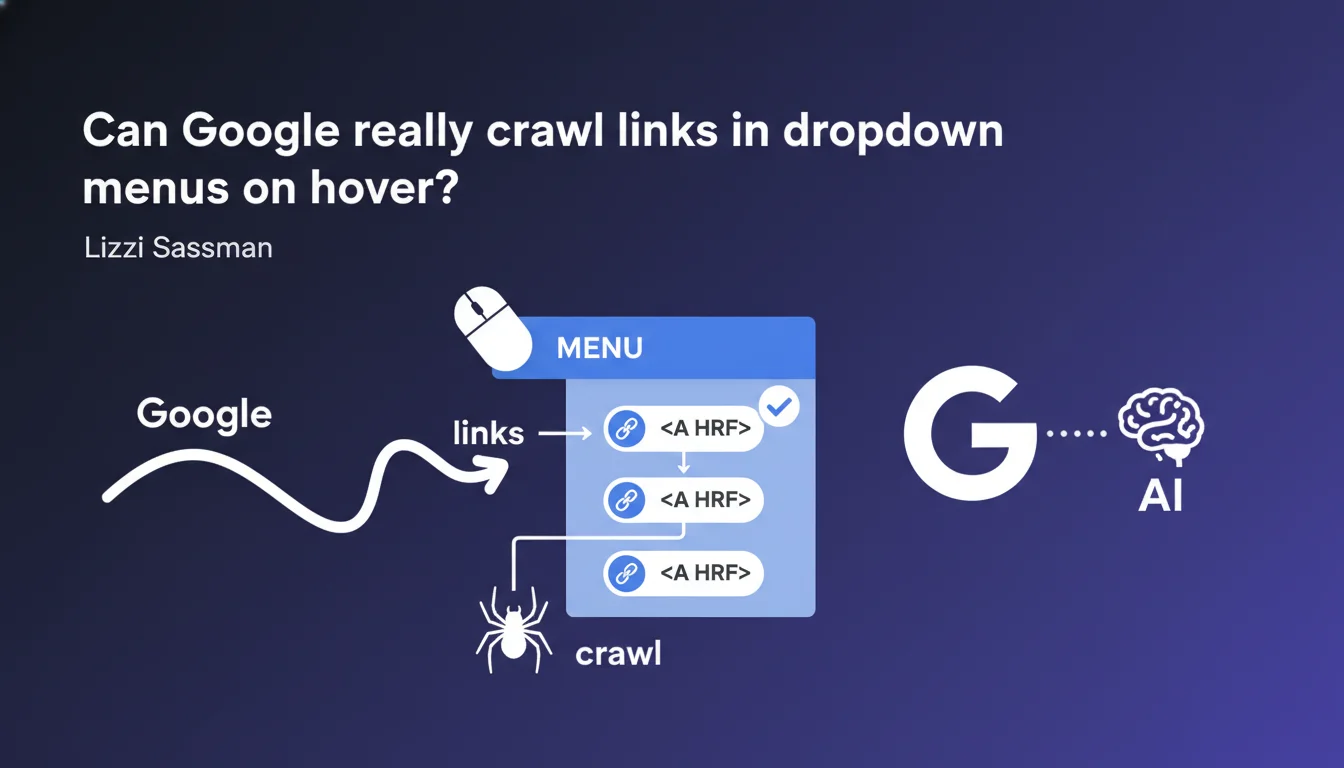
Google confirms its ability to follow links present in menus that appear on mouse hover. Two non-negotiable conditions: the menu must be present in the HTML source, and the links must be genuine <a> tags with href attribute. No JavaScript generating links on the fly.
What you need to understand
Why is Google clarifying this about hover menus?
Dropdown menus that appear on mouse hover are ubiquitous across the web. The problem: their technical implementation varies enormously. Some developers build them in pure CSS, others inject content via JavaScript only when the user interacts.
Google is clarifying the rules here. The bot doesn't always execute JavaScript exhaustively — and even when it does, it consumes crawl time and resources. If your critical links depend on a hover event simulated in JS, you're taking an unnecessary risk.
What makes a link "crawlable" in this context?
A crawlable link is basic: an <a href="/target-page"> tag present in the HTML source before any interaction. It doesn't matter if the element is hidden via CSS (display:none, opacity:0, off-screen positioning) as long as it exists in the initial DOM.
Conversely, a <div> or <span> button that triggers a JavaScript function to dynamically create links is not reliably crawlable. Google can theoretically execute it, but nothing guarantees it — especially on low-authority sites or with limited crawl budget.
Does mouse hover pose a technical problem for Googlebot?
No, quite the opposite. That's the whole point of this statement: Googlebot doesn't need to simulate a hover to discover these links. It parses the HTML, extracts <a href> tags, regardless of whether they're hidden behind a CSS :hover state.
What matters is presence in the source code. If your menu displays on hover but the links already exist in the DOM, Google sees them. If you generate those links only at interaction time, that's a risky bet.
- The menu must be in the HTML source, not generated on the fly by JavaScript
- Links must be genuine
<a href="...">tags, not clickable divs - CSS hiding (
display:none,visibility:hidden) doesn't block crawling if the HTML is present - Google doesn't simulate hover events — it reads the DOM directly
SEO Expert opinion
Is this statement consistent with real-world observations?
Yes, and it confirms what we've observed for years. Sites that implement mega-menus in pure CSS (with :hover to display sub-levels) have never had trouble indexing their categories. The HTML is there, Google reads it.
Where problems sometimes arise: JavaScript frameworks that generate everything client-side. React, Vue, Angular — if server-side rendering (SSR) isn't in place, Googlebot must execute the JS to see anything. And even with JavaScript rendering enabled at Google, we still see cases where certain links aren't discovered immediately or exhaustively.
What nuances should we add to this statement?
Google says "can follow" — not "always follows exhaustively." That's a crucial distinction. If your menu contains 500 internal links and your site has limited crawl budget, there's no guarantee Googlebot will explore all of them on each pass.
Second point: this statement says nothing about the SEO value transmitted by these links. A link being crawlable doesn't mean it transmits PageRank optimally. A mega-menu with 200 links mechanically dilutes the juice — it's basic, but worth repeating.
data-href attributes or onclick handlers to manage navigation. These elements are not valid HTML links and Googlebot won't follow them, even if users can click on them.In what cases does this rule not fully apply?
If your menu is loaded via an AJAX request triggered only on hover, Google sees nothing. Typical example: a site that makes an API call when the user hovers over "Products," then dynamically injects sub-category links. No <a> tag exists before this interaction.
Another problematic case: sites using obfuscated or lazy-loaded JavaScript for performance reasons. If the code generating links takes too long to execute or depends on third-party libraries not loaded by Googlebot, crawling fails. [To verify] on each implementation with the URL inspection tool in Search Console.
Practical impact and recommendations
What should you concretely verify on your site?
First step: inspect the raw source code (Ctrl+U in Chrome). Not the DOM after JavaScript execution — the HTML as the server sends it. Look for your menu links: are they present as <a href> tags? If yes, you're good. If no, problem.
Second verification: use the URL inspection tool in Search Console. It shows you the rendering as Googlebot sees it. Compare it with what a user sees: if links are missing in Google's version, they're being generated dynamically in a non-crawlable way.
What errors must you absolutely avoid?
Error number one: relying on JavaScript to generate critical links. If your main navigation depends on a client-side framework without SSR, you're potentially losing crawl on strategic pages. Google's JavaScript rendering isn't instantaneous — it can take several days.
Error number two: using display:none thinking it hides links from Google. Wrong. Google reads the HTML, not just what's visible on screen. However, stuffing an invisible menu with manipulative links can trigger penalties for hidden content. The distinction is subtle.
How do you optimize your menus for efficient crawling?
Prioritize pure HTML/CSS implementation for the basic menu structure. JavaScript can manage animations or advanced behaviors, but links must exist in the initial DOM. That's the golden rule.
Limit the number of links in your menus. A mega-menu with 300 links dilutes PageRank and can overload crawling. Prioritize: keep strategic categories in the main menu, redirect the rest to hub pages or a structured footer.
- Verify that your menu links are
<a href>tags present in the HTML source - Test Googlebot rendering with the Search Console tool on your main pages
- Avoid menus generated 100% in JavaScript without server rendering
- Limit the number of links per menu to avoid diluting PageRank
- Never use
data-hreforonclickas your only navigation mechanism - Regularly audit your logs to verify that Googlebot is crawling pages linked from your menus
<a href> tags. No magic, no interaction simulation — just classic HTML parsing. If your architecture relies on complex JavaScript or non-standard patterns, an in-depth technical audit is essential. These optimizations touch the core of web architecture and may require trade-offs between UX, performance, and SEO. For personalized analysis of your situation and guidance on these topics, working with a specialized SEO agency often helps avoid costly mistakes and saves time on complex redesigns.❓ Frequently Asked Questions
Un menu déroulant en pur CSS est-il crawlable par Google ?
Est-ce que display:none empêche Google de crawler un lien ?
Les liens générés en JavaScript au survol sont-ils crawlés ?
Faut-il privilégier un menu HTML statique plutôt qu'un menu JavaScript ?
Un mega-menu avec beaucoup de liens nuit-il au SEO ?
🎥 From the same video 14
Other SEO insights extracted from this same Google Search Central video · published on 29/12/2022
🎥 Watch the full video on YouTube →
💬 Comments (0)
Be the first to comment.