
Official statement
Other statements from this video 14 ▾
- □ Should you switch domains when cutting your catalog, or is keeping your existing one the smarter move?
- □ Can backlinks to a 404 page really be recovered, or are they permanently lost?
- □ Can you really have millions of 301 redirects without hurting your SEO?
- □ Should you really ignore 404 errors in Google Search Console?
- □ Do you really need to add paginated pages to your XML sitemap?
- □ Can Google really crawl links in dropdown menus on hover?
- □ Should you use a person or organization as your article author for SEO purposes?
- □ Do you really need to align URL, title, and H1 to rank in SEO?
- □ Can blocking a redirect page with robots.txt really stop PageRank from passing through?
- □ Do multiple hyphens in your domain name actually hurt your SEO rankings?
- □ Do you really need to publish content every day to rank well on Google?
- □ Should you really stop using text in images for SEO?
- □ Does Google really limit deindexing to just two methods, or are there hidden alternatives?
- □ Do Core Web Vitals really override relevance in Google rankings?
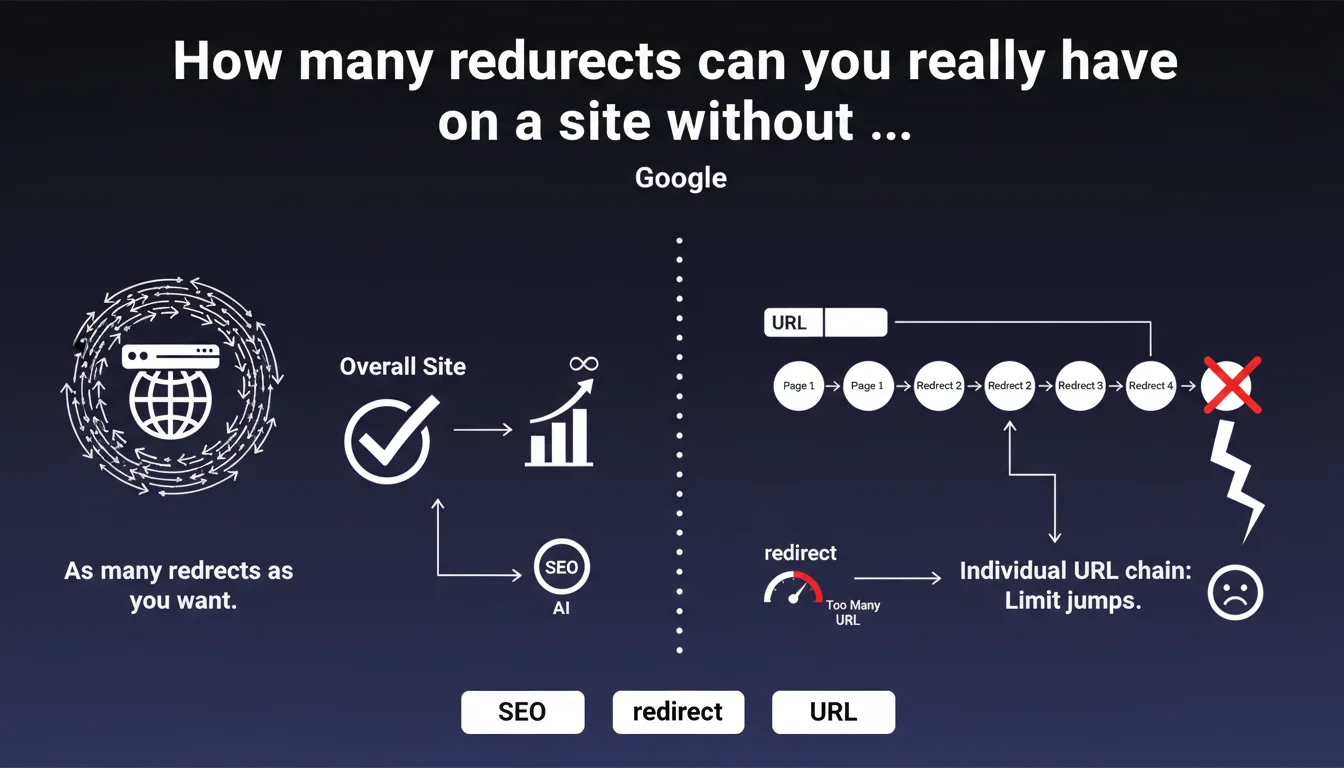
Google states there is no global limit on the number of redirects on a website. The only constraint concerns individual redirect chains: avoid too many successive jumps for the same URL. Clear distinction between total volume and chain depth.
What you need to understand
What's the difference between total number and redirect chain?
Google distinguishes between two concepts that are often confused here. The total number of redirects on a site refers to all the URLs that redirect to other pages — whether that's thousands or hundreds of thousands.
A redirect chain is something else entirely: it's the path that Googlebot follows from URL A that redirects to B, which itself redirects to C, and so on. It's the depth of this cascade that causes problems, not the fact of having many redirects scattered across the site.
Why does Google insist on preventing overly long chains?
Each jump in a redirect chain consumes crawl budget and slows down the discovery of the final destination. Beyond 3-5 jumps, Googlebot may abandon the chain and never reach the target URL.
A long chain also dilutes the PageRank transmitted — even though Google officially denies any loss, real-world observations suggest reduced efficiency beyond 2 consecutive redirects.
What constitutes "too many jumps" according to Google?
Google doesn't provide a specific number in this statement. Historically, the unofficial recommendation was around 3 redirects maximum per chain, but this threshold has never been formally confirmed.
The absence of a specific limit in this statement is typical of Google's communication: intentionally vague to avoid being locked into a strict framework. What matters in practice is that each URL reaches its destination with the minimum number of hops.
- No global limit: you can have thousands of redirects on a site without structural issues
- Limit per chain: avoid cascades like A→B→C→D→E — aim for 1 to 2 hops maximum
- Crawl budget: each hop consumes resources and slows down indexation
- Intentional vagueness: Google doesn't specify "too many jumps" to maintain flexibility
SEO Expert opinion
Is this statement consistent with real-world observations?
Yes, generally speaking. Empirical testing shows that Google does indeed follow redirects even on sites with tens of thousands of them. The problem only manifests when excessively deep chains appear.
We regularly see sites with 20,000+ historical redirects (migrations, successive redesigns) that suffer no penalty whatsoever. However, a single chain with 6-7 jumps can block the indexation of the final URL for weeks.
What nuance should be added to this statement?
Google says "as many as you want" — which is technically true, but ignores the performance dimension. A site with 50% of its URLs as redirects will inevitably have less efficient crawl budget than a clean site.
Even if Google doesn't enforce a strict limit, each redirect is a friction point. On a large site (100K+ pages), having 30% of URLs as redirects means Googlebot spends a third of its time following 301/302s instead of crawling fresh content. [To be verified]: there is no official data quantifying the exact impact on crawl budget, but field observations suggest significant slowdown beyond 20-25% of URLs as redirects.
In what cases is this rule insufficient?
This statement completely omits the case of temporary redirects (302) and their different impact on PageRank. It also doesn't clarify whether JavaScript or meta-refresh redirects fall under the same framework.
Another blind spot: sites with circular redirects or unintentional loops. Google says nothing about this scenario, but we know it can completely block crawling of entire sections. Let's be honest: the statement is intentionally simplified and sidesteps a series of important edge cases.
Practical impact and recommendations
How do I audit redirect chains on my site?
Use Screaming Frog in "Spider" mode with the "Always Follow Redirects" option enabled. The tool will show you all chains and their depth. Then filter by "Redirect Chains" to isolate the problematic ones.
Alternatively, check Google Search Console in Settings > Crawl stats. If the average download time increases without apparent reason, it's often a sign of redirects accumulating.
What should you do when you detect an overly long chain?
Fix it at the source: make the initial URL point directly to the final destination, removing all intermediate jumps. Never leave a redirect pointing to another redirect.
If the intermediate URLs have historical value (backlinks, age), keep them as 301 redirects — but ensure they point directly to the target, not to another 301.
What strategy should you adopt during a migration or redesign?
Plan redirects before the migration, not after. Map each old URL to its new direct destination. Don't just redirect the old site to the new homepage — that's the classic pitfall that generates unnecessary chains.
Document each wave of redirects (date, reason, mapping) to prevent a future migration from creating a cascade without anyone realizing it. A site that has gone through 3 redesigns in 5 years easily accumulates chains like A→B→C→D if nobody cleans up.
- Audit redirect chains at least once per quarter with Screaming Frog or equivalent tool
- Immediately fix any chain with more than 2 hops by pointing directly to the final destination
- During a migration, map each URL to its direct target — never via an intermediate redirect
- Verify that internal redirects (links in content) point to final URLs, not to 301s
- Document each wave of redirects to track history and anticipate future chains
- Monitor average download time in Search Console — unexplained increases often signal redirects piling up
❓ Frequently Asked Questions
Quelle est la différence entre une redirection 301 et 302 dans ce contexte ?
Est-ce qu'une redirection via JavaScript compte dans une chaîne ?
Combien de sauts maximum recommandez-vous dans une chaîne ?
Un nombre élevé de redirections impacte-t-il le budget crawl global ?
Comment gérer les redirections lors de migrations successives ?
🎥 From the same video 14
Other SEO insights extracted from this same Google Search Central video · published on 29/12/2022
🎥 Watch the full video on YouTube →
💬 Comments (0)
Be the first to comment.