
Official statement
Other statements from this video 10 ▾
- □ Pourquoi vos données Search Console ne correspondent-elles jamais à votre fuseau horaire ?
- □ Pourquoi Search Console vous cache-t-elle vos données les plus récentes par défaut ?
- □ Pourquoi faut-il absolument séparer les requêtes branded et non-branded dans Search Console ?
- □ Pourquoi vos requêtes cibles n'apparaissent-elles pas dans la Search Console ?
- □ Pourquoi vos pages stratégiques n'apparaissent-elles pas dans Search Console ?
- □ Un CTR faible justifie-t-il vraiment d'ajouter images et données structurées ?
- □ Pourquoi les annotations personnalisées dans Search Console peuvent-elles transformer votre analyse SEO ?
- □ Les annotations Search Console sont-elles vraiment privées ou visibles par tous vos prestataires ?
- □ Pourquoi le rapport Discover reste invisible dans Search Console malgré du trafic ?
- □ Pourquoi votre rapport Google News reste-t-il invisible dans Search Console ?
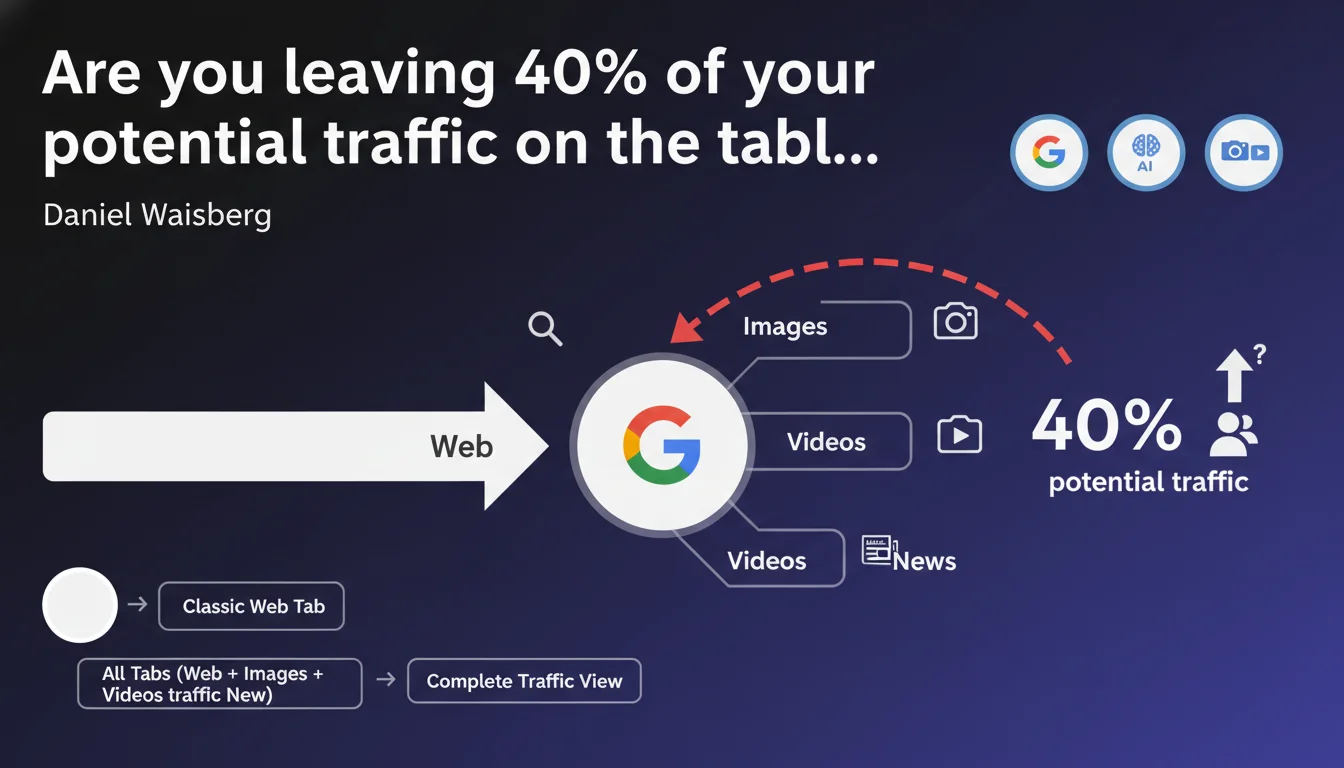
Google emphasizes that comprehensive SEO analysis requires monitoring performance across all search tabs — Web, Images, Videos, News. Search Console provides data segmented by tab, and ignoring these alternative channels means flying blind with your SEO strategy. Many sites still overlook this multi-tab dimension, even though certain industries derive 30 to 50% of their organic traffic outside the main Web tab.
What you need to understand
Why does Google insist on this distinction between tabs?
Search Console segments data by search type: Web, Images, Videos, News, Discover. Each tab corresponds to a different search context, with its own ranking algorithms and relevance signals.
Ignoring secondary tabs means missing channels that can represent a significant share of organic traffic — especially in visual sectors (fashion, home décor, recipes), audiovisual fields (tutorials, news), or editorial niches (press, news blogs).
What metrics do these tabs actually reveal?
Each tab displays distinct data: impressions, clicks, average position, CTR. A site can show a terrible average position on the Web tab but dominate Images thanks to well-optimized visuals.
Performance on Images or Videos doesn't simply duplicate Web performance — they follow their own logic. A page can rank on page 3 in the classic Web tab while dominating the top 3 video results if it incorporates relevant, well-structured multimedia content.
Are all sites affected by this recommendation?
No, and that's where Google's advice becomes nuanced. A BtoB financial services site with no original images or videos will have virtually no traffic outside the Web tab. Conversely, an e-commerce fashion site or a news outlet must absolutely monitor Images, Videos, and News tabs.
The relevance of this recommendation depends on your industry, content type, and editorial strategy. Before panicking, verify whether your alternative tabs actually generate traffic.
- Search Console segments data by search tab — Web, Images, Videos, News, Discover
- Each tab follows specific ranking algorithms and signals
- A site can perform poorly on Web and excel on Images or Videos
- The relevance of this multi-tab analysis depends on your industry and content
- Sites without visual or video content generally have nothing to gain from these alternative tabs
SEO Expert opinion
Does this statement truly reflect what we observe in the field?
Yes — and it's a blind spot for many SEO professionals. Most audits I encounter focus exclusively on the classic Web tab. The result: sites that don't realize they're generating 20 to 30% of their traffic via Images, or that a competitor is crushing them on the Videos tab.
Search Console has offered this segmentation for years, but few actually exploit these data effectively. Google isn't saying anything revolutionary here — it's just reminding professionals of an obvious fact too many neglect out of habit or lack of awareness.
What nuances should we add to this advice?
First nuance: not all industries are equal. A local plumbing site or BtoB SaaS has no reason to worry about the Images tab. But a recipe site, news outlet, fashion e-commerce, or travel blog that isn't monitoring Images and Videos is missing massive opportunities.
Second nuance: performance on these tabs depends on specific signals — alt text, image sitemaps, VideoObject structured data, media load speed. Monitoring these tabs without acting on the corresponding technical levers is pointless.
When doesn't this rule apply?
If your site produces no original visual content, if you're in an ultra-specialized BtoB sector with no editorial dimension, or if your pages contain only text without images or videos, you can ignore this recommendation without risk.
Conversely, if you publish tutorials, infographics, product photos, explainer videos, or news articles, not checking your performance on Images, Videos, and News is like piloting with one eye closed.
Practical impact and recommendations
What should you actually do to leverage this multi-tab data?
Start by opening Search Console and segment your reports by search type. Go to Performance > Search type, and compare click and impression volumes across Web, Images, Videos, and News.
If you see significant traffic on Images or Videos, dig deeper: which pages perform best? What keywords generate impressions? What's the average CTR? Identify optimization opportunities — missing alt text, videos without structured data, uncompressed images.
What errors should you avoid when analyzing these tabs?
Don't draw hasty conclusions based on impressions alone. A million impressions on Images with 50 clicks and a 95% bounce rate is worthless. Cross Search Console data with Analytics to measure real traffic quality.
Another trap: trying to optimize all tabs simultaneously without clear strategy. If your industry doesn't justify a strong Videos presence, don't allocate resources there. Focus your efforts where ROI is measurable.
Finally, don't neglect tab-specific structured data — ImageObject, VideoObject, Article for News. Without these tags, your content will struggle to emerge on alternative tabs, even if it's high quality.
How do you verify your site is properly leveraging these channels?
Use Search Console to spot pages generating impressions but no clicks on Images or Videos — a sign of CTR or visual relevance issues. Test your URLs with the inspection tool to verify Google is indexing your images and videos properly.
Check your media sitemaps: a well-structured image or video sitemap accelerates indexation and improves visibility on these tabs. Also verify media load speed — heavy images or poorly hosted videos tank your performance.
- Segment Search Console reports by search type (Web, Images, Videos, News)
- Identify pages driving traffic outside the classic Web tab
- Optimize alt text, video descriptions, ImageObject and VideoObject structured data
- Create and submit dedicated image and video sitemaps
- Compress images without quality loss to improve load speed
- Cross Search Console data with Analytics to measure multi-tab traffic quality
- Prioritize tabs based on your industry and content strategy
🎥 From the same video 10
Other SEO insights extracted from this same Google Search Central video · published on 04/12/2025
🎥 Watch the full video on YouTube →
💬 Comments (0)
Be the first to comment.