
Official statement
Other statements from this video 10 ▾
- □ Pourquoi Search Console vous cache-t-elle vos données les plus récentes par défaut ?
- □ Pourquoi vérifier vos performances uniquement sur l'onglet Web classique vous fait passer à côté de 40% de votre trafic potentiel ?
- □ Pourquoi faut-il absolument séparer les requêtes branded et non-branded dans Search Console ?
- □ Pourquoi vos requêtes cibles n'apparaissent-elles pas dans la Search Console ?
- □ Pourquoi vos pages stratégiques n'apparaissent-elles pas dans Search Console ?
- □ Un CTR faible justifie-t-il vraiment d'ajouter images et données structurées ?
- □ Pourquoi les annotations personnalisées dans Search Console peuvent-elles transformer votre analyse SEO ?
- □ Les annotations Search Console sont-elles vraiment privées ou visibles par tous vos prestataires ?
- □ Pourquoi le rapport Discover reste invisible dans Search Console malgré du trafic ?
- □ Pourquoi votre rapport Google News reste-t-il invisible dans Search Console ?
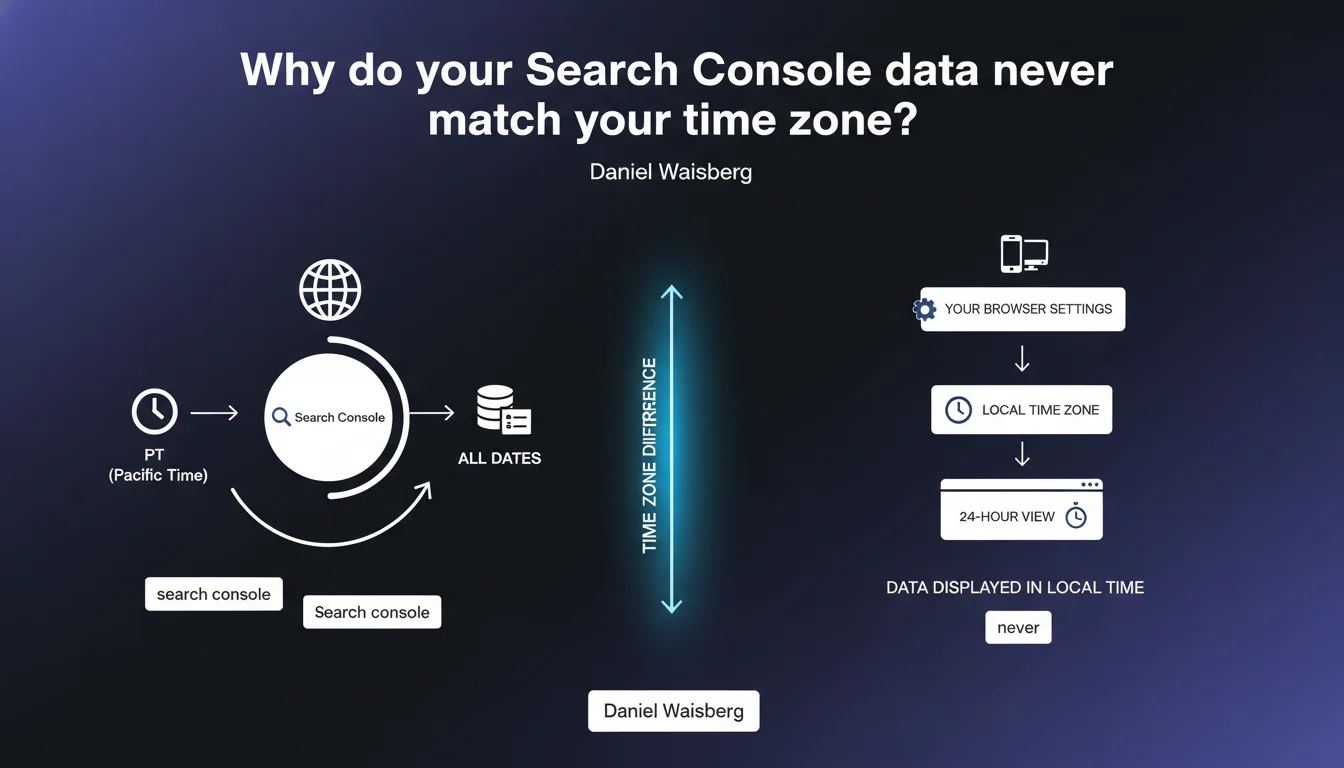
Search Console displays all dates in Pacific Time, except in the 24-hour view which uses your local time zone. This confusion can skew your analysis of traffic peaks or sudden drops if you don't account for the time difference between your geographic location and California.
What you need to understand
Why does Google enforce Pacific Time in Search Console?
Google displays data in Pacific Time (PT) for all Search Console reports — historical data, comparisons, exports. It's a technical choice that standardizes data display regardless of where you access the interface.
Concretely? If you're in Paris (UTC+1 or UTC+2 depending on the season) and you analyze a traffic drop on March 15 at 2:00 PM in Search Console, you're actually looking at data from March 15 at 2:00 PM California time. That's March 15 at 11:00 PM Paris time in winter, or midnight in summer.
What's the exception with the 24-hour view?
The last 24 hours view is an exception. It retrieves the time zone defined in your browser and adjusts the display accordingly.
It's the only view that adapts to your location. All others — standard performance report, period comparisons, indexing data — remain locked to Pacific Time.
What are the concrete impacts on data analysis?
The time difference creates interpretation discrepancies. Imagine an algorithm update announced for April 10. If you're in France and notice a variation in Search Console on April 10, it could correspond to April 9 late in the day (French time) or April 10 early morning.
Same logic applies to seasonal traffic spikes, campaign launches, or technical incidents. You must systematically recalculate based on your time zone to correlate events with observed data.
- Dates displayed in Search Console are in Pacific Time (PT) for all standard reports
- The 24-hour view is the only one using your local time zone (based on browser settings)
- A 9-hour difference in winter and 8-hour difference in summer exists between Paris and California
- Any correlation between actual event and Search Console data requires time zone conversion
SEO Expert opinion
Is this rule problematic in daily practice?
Let's be honest — it's a source of recurring confusion, especially for European or Asian teams. How many times have I seen audits claim a Google update hit on a specific date when the time zone shift was skewing the analysis?
The real issue is that Google doesn't make this information visible in the interface. No clear time zone indicator, no reminder in the graphs. Result: incorrect interpretations that can lead to SEO decisions based on faulty temporal correlations.
Is the 24-hour view really more reliable for real-time monitoring?
Yes and no. It reflects your local reality, which makes intraday variation tracking easier. But it remains limited: you can't accurately compare two complete days or export this data for external processing.
And that's where it gets tricky — as soon as you switch to standard reports to analyze trends over multiple days, you're back in Pacific Time without transition. A methodological inconsistency that complicates cross-temporal analysis.
Does this statement change anything compared to observed practices?
No, it's an official confirmation of what experienced practitioners already knew. But the clarification is useful — it ends questions about potential automatic adjustments based on interface language or site location.
The message is clear: Google standardizes on its home time zone (California), period. It's up to us to adapt in our analysis processes.
Practical impact and recommendations
How do you adjust your analyses to account for time zone differences?
First step: systematically document the offset between your time zone and Pacific Time. Create a quick conversion table (winter/summer) that you keep handy during your analyses.
Second step: when analyzing a specific event (algorithm update, content launch, technical incident), recalculate the date and time in Pacific Time before looking for correlations in Search Console. An event on April 10 at 10:00 AM Paris time corresponds to April 10 at 1:00 AM PT — so impacts may appear in the April 9 timeframe on Search Console.
What tools should you use to avoid interpretation errors?
If you automate your reporting via Search Console API, integrate a time zone conversion function in your Python, R, or Google Sheets scripts. Libraries like pytz (Python) or native Google Sheets functions make managing these conversions easy.
For manual analysis, keep a time zone converter open (like timeanddate.com) and systematically verify before drawing conclusions about temporal variations.
What should you implement in your reporting processes?
Document this specificity in your analysis procedures. If you work with clients or in a team, ensure everyone understands that Search Console dates don't match their local time zone.
When creating dashboards or automated reports, add an explicit note indicating that data is in Pacific Time. This prevents misunderstandings and false alerts.
- Create a conversion table for your local time zone / Pacific Time (winter and summer)
- Systematically recalculate event dates/times before correlating with Search Console
- Integrate time zone conversion in your API automation scripts
- Document this specificity in your analysis procedures and client reports
- Keep a time zone converter accessible during your manual analyses
- Add an explicit note about time zone in your dashboards and exports
🎥 From the same video 10
Other SEO insights extracted from this same Google Search Central video · published on 04/12/2025
🎥 Watch the full video on YouTube →
💬 Comments (0)
Be the first to comment.