
Official statement
Other statements from this video 10 ▾
- □ Pourquoi vos données Search Console ne correspondent-elles jamais à votre fuseau horaire ?
- □ Pourquoi vérifier vos performances uniquement sur l'onglet Web classique vous fait passer à côté de 40% de votre trafic potentiel ?
- □ Pourquoi faut-il absolument séparer les requêtes branded et non-branded dans Search Console ?
- □ Pourquoi vos requêtes cibles n'apparaissent-elles pas dans la Search Console ?
- □ Pourquoi vos pages stratégiques n'apparaissent-elles pas dans Search Console ?
- □ Un CTR faible justifie-t-il vraiment d'ajouter images et données structurées ?
- □ Pourquoi les annotations personnalisées dans Search Console peuvent-elles transformer votre analyse SEO ?
- □ Les annotations Search Console sont-elles vraiment privées ou visibles par tous vos prestataires ?
- □ Pourquoi le rapport Discover reste invisible dans Search Console malgré du trafic ?
- □ Pourquoi votre rapport Google News reste-t-il invisible dans Search Console ?
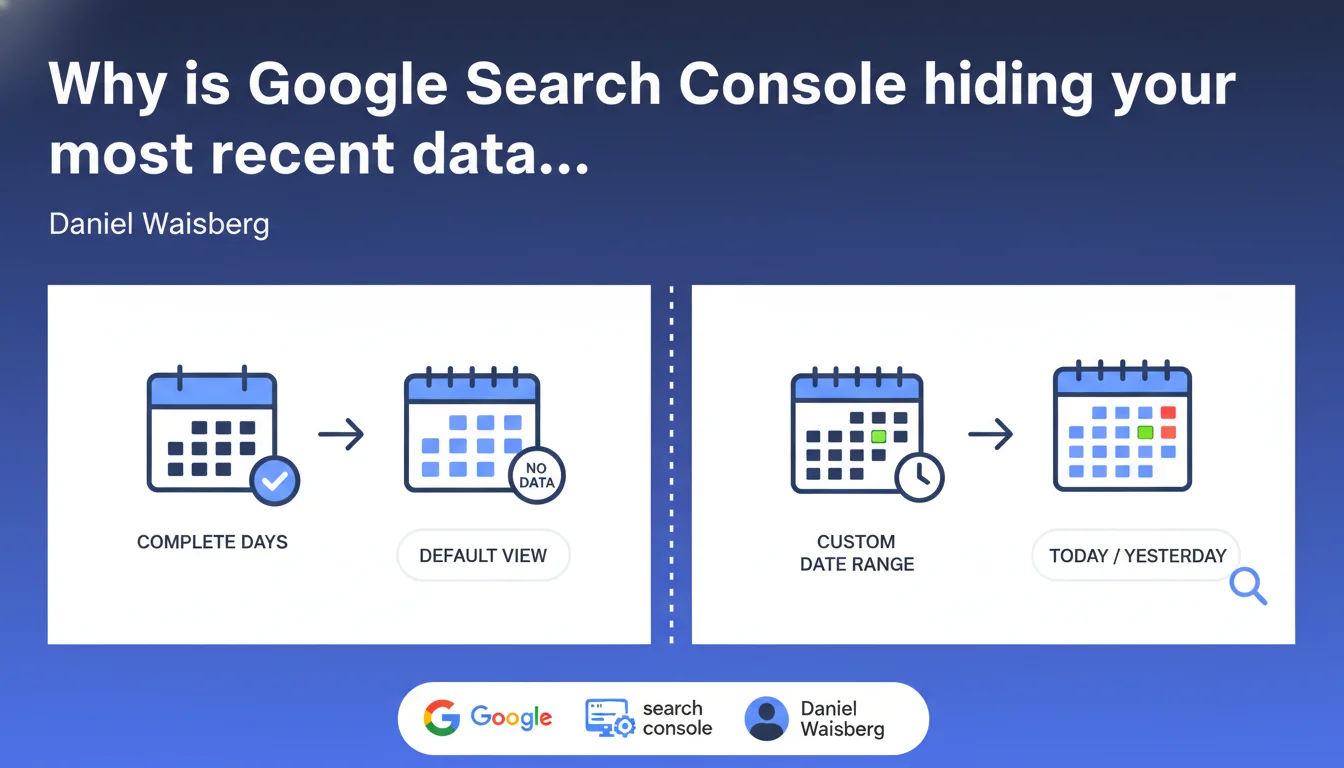
Search Console displays only complete days of data by default, automatically excluding the current day and potentially yesterday. To view data from the last 24-48 hours, you must use the custom date range selector. A technical detail that can skew your analysis if you don't master it.
What you need to understand
What exactly does "complete days" mean in Search Console?
Google considers a day complete only when all 24 hours have passed AND all data has been processed. In practical terms, if you open Search Console on a Tuesday morning, you probably won't see Monday's data, and certainly not Tuesday's current data.
This processing delay varies depending on your site and the metrics involved. Impressions and clicks can take 24 to 48 hours to be consolidated, while some technical data (Core Web Vitals, crawl errors) sometimes takes several days to appear.
Why does Google enforce this filtering by default?
The stated objective: prevent users from making decisions based on partial or non-representative data. An incomplete day can show a sudden traffic drop when it's really just a few hours of data.
But let's be honest — this choice frustrates many professionals who want to quickly detect an emerging problem. Between statistical caution and operational responsiveness, Google has clearly made its choice.
How can you access the last 24-48 hours of data anyway?
You need to use the custom date range selector and manually define the period you want, explicitly including "today" or "yesterday". This is the only way to bypass the default filter.
Be careful though: this data remains provisional and will be adjusted retroactively. A figure you check on Tuesday for Monday may differ from what's shown on Thursday for that same Monday.
- Search Console filters incomplete days by default to prevent misinterpretation
- The consolidation delay varies between 24 and 48 hours depending on the metrics
- Only the custom date range selector lets you access recent data
- Data from the last 48 hours is provisional and subject to revision
SEO Expert opinion
Is this limitation really justified from a practical perspective?
Yes and no. On one hand, Google is right: too many SEOs panic over a traffic drop that's really just a day truncated at 6am. I've seen clients call in a panic because "the site lost 80% of its traffic" — before realizing it was 9am and only 3 hours of data were available.
On the other hand, this filter prevents quickly detecting critical problems: algorithmic penalty, accidental deindexing, major technical issue. When your traffic really does collapse, waiting 48 hours for complete data can be costly.
Are there situations where this behavior causes problems?
Absolutely. For news sites or e-commerce businesses during peak periods (Black Friday, sales), 24-48 hours of latency can be critical. You need to verify in near real-time whether your event pages are properly indexed and ranking.
And that's where it breaks: Google Analytics 4 shows real-time traffic, but Search Console stays silent by default. This information asymmetry forces you to constantly cross-reference multiple tools, which lengthens diagnostics.
Could Google improve this interface without sacrificing reliability?
Easily. It would just need to display complete days by default, but with a clear notification indicating that recent data (even if partial) is available and a button to access it in one click.
Some Search Console sections already do this — the "Page Experience" report sometimes shows a "New data available" banner. Why not generalize this system to the performance report?
Practical impact and recommendations
What should you concretely do to stop missing critical data?
First action: modify your daily verification routine. Stop just opening Search Console and reading the figures displayed by default. Get into the habit of systematically using the custom date selector.
Second reflex: always compare week by week rather than day by day. This smooths out latency effects and gives a more reliable view of actual trends. A Monday vs. the previous Monday remains comparable even with a 24-hour delay.
What interpretation errors should you absolutely avoid?
Never draw hasty conclusions from data less than 72 hours old. I've seen too many catastrophic "diagnostics" based on figures that were later corrected upward 48 hours later.
Be particularly vigilant after a weekend or holiday: processing delays can lengthen, and what you check Tuesday morning may only partially reflect Monday. Wait until Wednesday for a stable view.
Another classic trap: comparing a recent period (partial data) with an old period (consolidated data). You're then comparing apples and oranges, with a systematic downward bias on the recent period.
How do you integrate this constraint into your monitoring workflow?
Create two distinct mental dashboards: one for near real-time monitoring (Google Analytics 4, server logs) and one for consolidated SEO analysis (Search Console with a minimum 3-4 day lag).
For critical sites, set up automated alerts via the Search Console API — but configure them with a 48-72 hour delay to avoid false positives from incomplete data.
- Systematically use the custom date range selector to see the last 48 hours
- Wait 72 hours before drawing definitive conclusions about a traffic variation
- Compare week by week rather than day by day to smooth out latencies
- Configure API alerts with a 48-72 hour delay to prevent false positives
- Cross-reference Search Console with GA4 and server logs for real-time monitoring
- Document the update delays observed on your own sites to calibrate your responses
🎥 From the same video 10
Other SEO insights extracted from this same Google Search Central video · published on 04/12/2025
🎥 Watch the full video on YouTube →
💬 Comments (0)
Be the first to comment.