
Official statement
Other statements from this video 10 ▾
- □ Pourquoi vos données Search Console ne correspondent-elles jamais à votre fuseau horaire ?
- □ Pourquoi Search Console vous cache-t-elle vos données les plus récentes par défaut ?
- □ Pourquoi vérifier vos performances uniquement sur l'onglet Web classique vous fait passer à côté de 40% de votre trafic potentiel ?
- □ Pourquoi faut-il absolument séparer les requêtes branded et non-branded dans Search Console ?
- □ Pourquoi vos requêtes cibles n'apparaissent-elles pas dans la Search Console ?
- □ Pourquoi vos pages stratégiques n'apparaissent-elles pas dans Search Console ?
- □ Un CTR faible justifie-t-il vraiment d'ajouter images et données structurées ?
- □ Pourquoi les annotations personnalisées dans Search Console peuvent-elles transformer votre analyse SEO ?
- □ Pourquoi le rapport Discover reste invisible dans Search Console malgré du trafic ?
- □ Pourquoi votre rapport Google News reste-t-il invisible dans Search Console ?
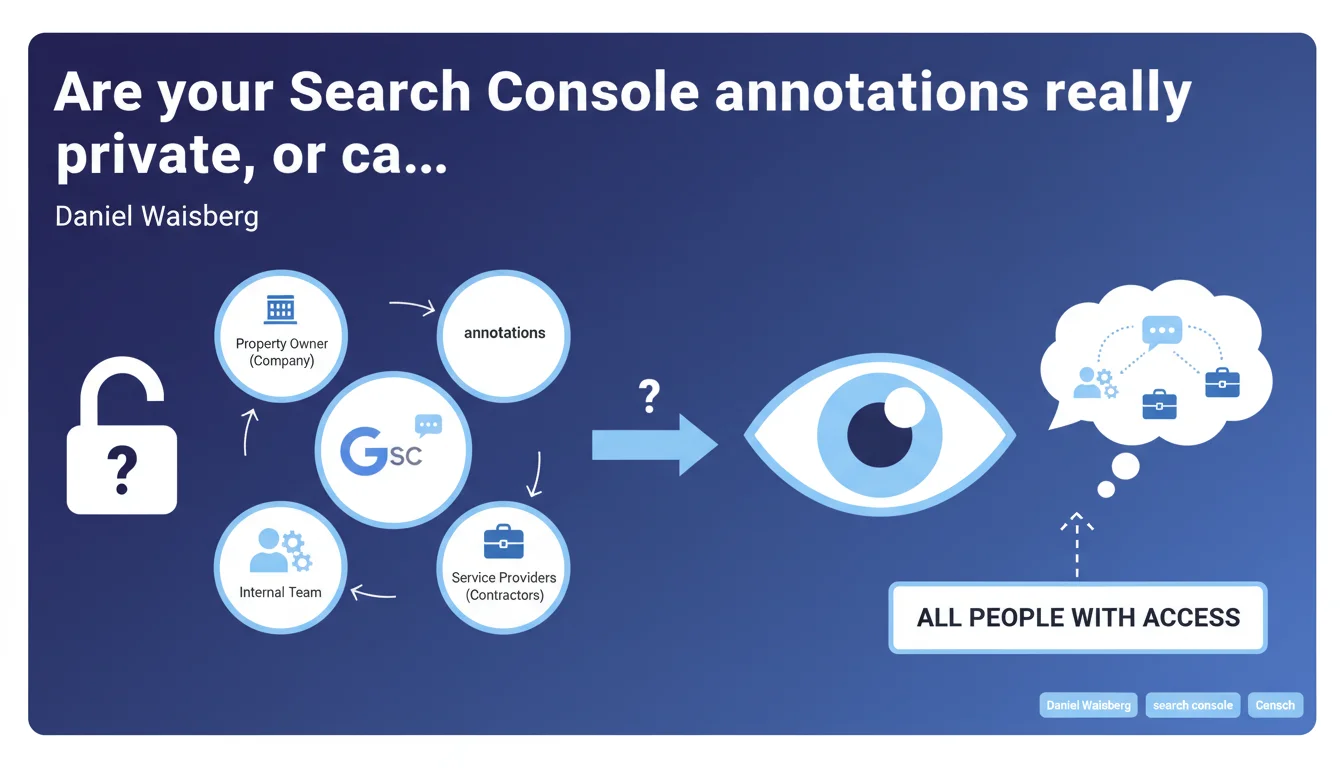
The annotations you add in Search Console are visible to everyone who has access to your property — including your external contractors and internal collaborators. No privacy options exist: if someone has access to the property, they see your notes. A potential friction point for businesses working with multiple agencies.
What you need to understand
What exactly is an annotation in Search Console?
Search Console annotations allow you to mark events on your performance graphs: migration, redesign, penalty, algorithm update, media campaign. The goal? Correlate traffic variations with specific actions.
They appear as small clickable icons on your clicks, impressions, and position curves. Practical for documenting a site's history and passing context to future teams.
Why does Google emphasize that these annotations are visible to everyone?
Because many users believe their notes are private, when they're not. If you've given access to your Search Console property to an SEO agency, a technical contractor, an intern, or an external consultant, they all see your annotations.
Google clarifies this point to avoid awkward situations: sensitive internal notes, comments about contractors, unvalidated hypotheses you don't want to share. Complete transparency can be problematic in certain organizational contexts.
What are the concrete risks of this shared visibility?
- Exposure of strategic information to temporary contractors or competing agencies
- Team confusion if personal annotations are misinterpreted
- Lack of traceability: impossible to know who added which annotation or to restrict editing rights
- No granular access management: either you give access to the property or you don't — there's no middle ground
- Difficulty maintaining consistency if multiple people annotate without coordination
SEO Expert opinion
Is this limitation consistent with Google's philosophy on webmaster tools?
Yes and no. Google has always prioritized simplicity over granularity in Search Console. No fine-grained role management, no detailed activity logs, no advanced collaborative workflow. The tool remains designed for a single owner or small tight-knit team.
The problem? Modern organizations work with dozens of contractors: SEO agency, dev agency, occasional consultants, multiple internal teams. The reality on the ground has outpaced Search Console's original usage model.
What strategies should you adopt facing this constraint?
First option: drastically limit public annotations and keep a shared external document (Google Sheets, Notion) for sensitive notes. Only downside: loss of the direct visual benefit on your curves.
Second option: establish a clear annotation charter with all property users. Define what can be noted, the format, the level of detail. It works if you have strict governance and trustworthy long-term contractors.
Will Google evolve on this point?
Nothing indicates that Google plans to add permission management at the annotation level. History shows Search Console evolves slowly on collaborative features. Requests for detailed logs, advanced role management, or granular notifications have been dragging on for years without response.
If this limitation really blocks you, better to externalize strategic documentation in a tool you control completely. Search Console annotations remain useful for factual and non-sensitive events: migration dates, new section launches, TV campaigns.
Practical impact and recommendations
How do you manage access to your Search Console property considering this constraint?
Regularly audit the list of users with access to your property. Systematically remove former contractors, interns, or collaborators who have left your company. This is a frequent security gap: dozens of dead email addresses or people who no longer work with you.
Create separate properties for separate contexts if necessary. Some large organizations maintain a restricted property for the internal team and a mirror property for external contractors. It's not always technically possible, but it's worth exploring.
What best practices should you adopt for shared annotations?
- Define a standard format for annotations: date, event type, responsible person, expected impact
- Only annotate factual and non-confidential events: migrations, launches, major updates
- Avoid speculative or critical annotations that could create misunderstandings
- Maintain a secure external document for strategic notes, sensitive hypotheses, and detailed analyses
- Train all property users on this total visibility rule
- Quarterly check the user list and clean up obsolete access
Should you completely abandon annotations or use them differently?
No, annotations remain a valuable tool for historical tracking. The mistake would be to abandon them out of fear. Use them intelligently: document facts, not opinions. Note migrations, campaigns, verified technical incidents.
For everything related to strategic analysis, working hypotheses, or sensitive exchanges, switch to an external collaborative tool with fine-grained permission management. This way you keep the visual benefit of factual annotations in Search Console while protecting your critical information.
🎥 From the same video 10
Other SEO insights extracted from this same Google Search Central video · published on 04/12/2025
🎥 Watch the full video on YouTube →
💬 Comments (0)
Be the first to comment.