
Official statement
Other statements from this video 11 ▾
- □ Faut-il vraiment compter sur les service workers pour le SEO ?
- □ Googlebot peut-il indexer un site qui dépend de service workers pour afficher son contenu ?
- □ Googlebot ignore-t-il vraiment les service workers sur votre site ?
- □ Comment diagnostiquer les problèmes d'indexation causés par les service workers dans Search Console ?
- □ Comment les outils de test en direct de Google révèlent-ils les failles de rendu de votre site ?
- □ La console JavaScript révèle-t-elle vraiment les problèmes de rendu critiques pour le SEO ?
- □ Pourquoi la collaboration avec les développeurs est-elle la clé pour débloquer les problèmes d'indexation ?
- □ Faut-il vraiment injecter des console.log pour diagnostiquer les échecs de rendu côté Googlebot ?
- □ Pourquoi les service workers peuvent-ils rendre votre contenu invisible pour Googlebot ?
- □ Votre page indexée mais invisible : problème technique ou simplement mal classée ?
- □ Comment désactiver un service worker pour diagnostiquer des problèmes SEO ?
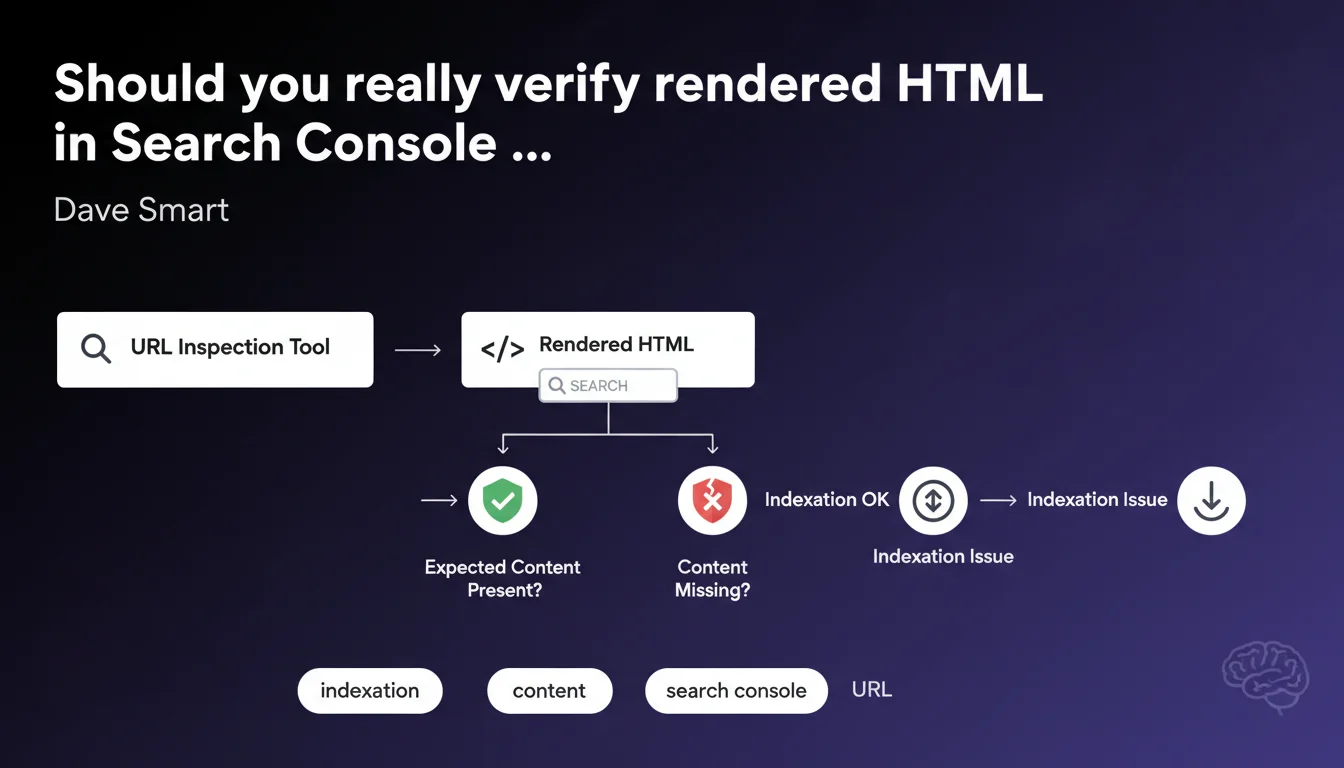
Google reminds us that the URL Inspection tool in Search Console allows you to view the rendered HTML — the one that Googlebot actually sees after JavaScript execution. This verification helps confirm whether critical content is present or missing, and identify gaps between the source code and what Google actually indexes.
What you need to understand
Why does Google insist on rendered HTML rather than source code?
The rendered HTML represents what Googlebot actually sees after executing JavaScript, applying CSS, and completing all asynchronous calls. This is radically different from the raw source code you get with a simple "View Page Source" in your browser.
For sites built with JavaScript frameworks (React, Vue, Next.js), the gap can be dramatic. The initial source code often contains an almost empty shell, while the rendered HTML displays the full content once the JS is executed on the client or server side.
What can this verification concretely reveal?
Inspecting the rendered HTML reveals whether your title tags, meta descriptions, structured data are properly present after rendering. It also shows if critical content disappears due to JavaScript errors, timeouts, or blocked resources.
You can even perform a text search within this rendered HTML to validate the presence of specific keywords, conditional content, or dynamic blocks that should appear after user interaction.
Does the URL Inspection tool replace other diagnostic methods?
No. It complements other approaches such as crawling via Screaming Frog, rendering tests via Mobile-Friendly Test, or Lighthouse audits. Each tool has its blind spots.
URL Inspection gives you Google's official vision — what their infrastructure actually crawled and rendered. It's the ultimate reference to settle a debate: "Does Google see this content or not?"
- Rendered HTML often differs dramatically from source code, especially for JavaScript-heavy sites.
- The tool enables direct text search within the rendered HTML to validate the presence of specific content.
- This feature complements third-party crawlers but doesn't replace them — it offers Google's canonical view.
- Identifying gaps between source and rendered content helps diagnose indexation issues that would otherwise remain invisible.
SEO Expert opinion
Does this statement cover all use cases for inspecting rendered HTML?
No, and that's where it gets tricky. Google presents this feature as a simple verification tool — "Is the content present?" — but deliberately omits critical nuances.
First limitation: the tool doesn't tell you how long Googlebot waited before capturing the rendered HTML snapshot. If your content takes 6 seconds to appear via lazy-loading, will it be taken into account? [To be verified] depending on available resources and the crawl budget allocated to your site.
What differences are observed between Search Console rendering and actual Googlebot rendering?
Let's be honest: the URL Inspection tool uses a test environment that doesn't always reflect real-world crawling conditions in production. The timeout may be more generous, resources more available.
I've seen cases where the rendered HTML displayed in Search Console was complete, while the version actually indexed (verifiable via the cache: or info: operator) was missing entire sections. Google never clearly explains this gap.
In what contexts is this verification truly essential?
For any site that generates content dynamically — e-commerce with Ajax filters, news portals with infinite scroll, SPAs (Single Page Applications) — this verification is not optional.
Conversely, for a classic static site or a WordPress blog without critical JavaScript, the gap between source and rendered content is marginal. The tool remains useful, but will probably reveal no surprises. Focus your efforts elsewhere.
Practical impact and recommendations
What should you prioritize checking in the rendered HTML?
Perform a text search on structural elements: your H1 headings, meta tags, structured data (JSON-LD). Confirm they're present and properly formatted after rendering.
Then verify critical content: product descriptions, prices, customer reviews — anything loaded via JavaScript that determines page relevance. If this content is missing from the rendered HTML, Google probably isn't indexing it.
How do you diagnose a gap between source code and rendered HTML?
If you spot a significant difference, several culprits are possible: blocking JavaScript errors, external resources (fonts, third-party scripts) inaccessible to Googlebot, render timeouts, or CSS that hides content in a non-semantic way.
Use Chrome DevTools in "Disable JavaScript" mode to simulate a crawl without JS, then compare with the full render. Cross-reference with Search Console logs to spot resource errors.
What errors must you absolutely avoid?
- Never assume source code reflects what Google sees — systematically verify rendered HTML for strategic pages.
- Don't confuse "present in rendered HTML" with "actually indexed" — always validate via site: search or Google cache.
- Avoid blocking critical CSS/JS resources via robots.txt, as this can prevent proper rendering.
- Don't rely solely on URL Inspection to validate indexation — cross-check with other tools and server logs.
- Monitor rendering delays: if your content takes more than 5 seconds to appear, it may not be included.
Inspecting rendered HTML in Search Console is an essential first-line diagnostic for any dynamic site. It lets you quickly determine if critical content is visible to Google or not.
But this one-time verification doesn't replace continuous monitoring. For complex sites with sophisticated JavaScript architectures, these diagnostics can quickly become time-consuming and require specialized technical expertise. If you lack internal resources or if gaps between source and rendered content persist despite your corrections, the support of an SEO agency specialized in technical SEO and JavaScript can prove valuable for conducting in-depth audits and durably solving these issues.
❓ Frequently Asked Questions
Le HTML rendu dans Search Console reflète-t-il exactement ce que Googlebot indexe ?
Comment savoir si mon contenu JavaScript est bien pris en compte par Google ?
Dois-je vérifier le HTML rendu pour chaque page de mon site ?
Que faire si le HTML rendu montre du contenu manquant ?
L'outil URL Inspection remplace-t-il les crawlers comme Screaming Frog ?
🎥 From the same video 11
Other SEO insights extracted from this same Google Search Central video · published on 01/11/2022
🎥 Watch the full video on YouTube →
💬 Comments (0)
Be the first to comment.