
Official statement
Other statements from this video 11 ▾
- □ Faut-il vraiment compter sur les service workers pour le SEO ?
- □ Googlebot peut-il indexer un site qui dépend de service workers pour afficher son contenu ?
- □ Googlebot ignore-t-il vraiment les service workers sur votre site ?
- □ Comment diagnostiquer les problèmes d'indexation causés par les service workers dans Search Console ?
- □ Comment les outils de test en direct de Google révèlent-ils les failles de rendu de votre site ?
- □ La console JavaScript révèle-t-elle vraiment les problèmes de rendu critiques pour le SEO ?
- □ Pourquoi la collaboration avec les développeurs est-elle la clé pour débloquer les problèmes d'indexation ?
- □ Faut-il vraiment injecter des console.log pour diagnostiquer les échecs de rendu côté Googlebot ?
- □ Pourquoi les service workers peuvent-ils rendre votre contenu invisible pour Googlebot ?
- □ Faut-il vraiment vérifier le HTML rendu dans Search Console pour diagnostiquer vos problèmes d'indexation ?
- □ Comment désactiver un service worker pour diagnostiquer des problèmes SEO ?
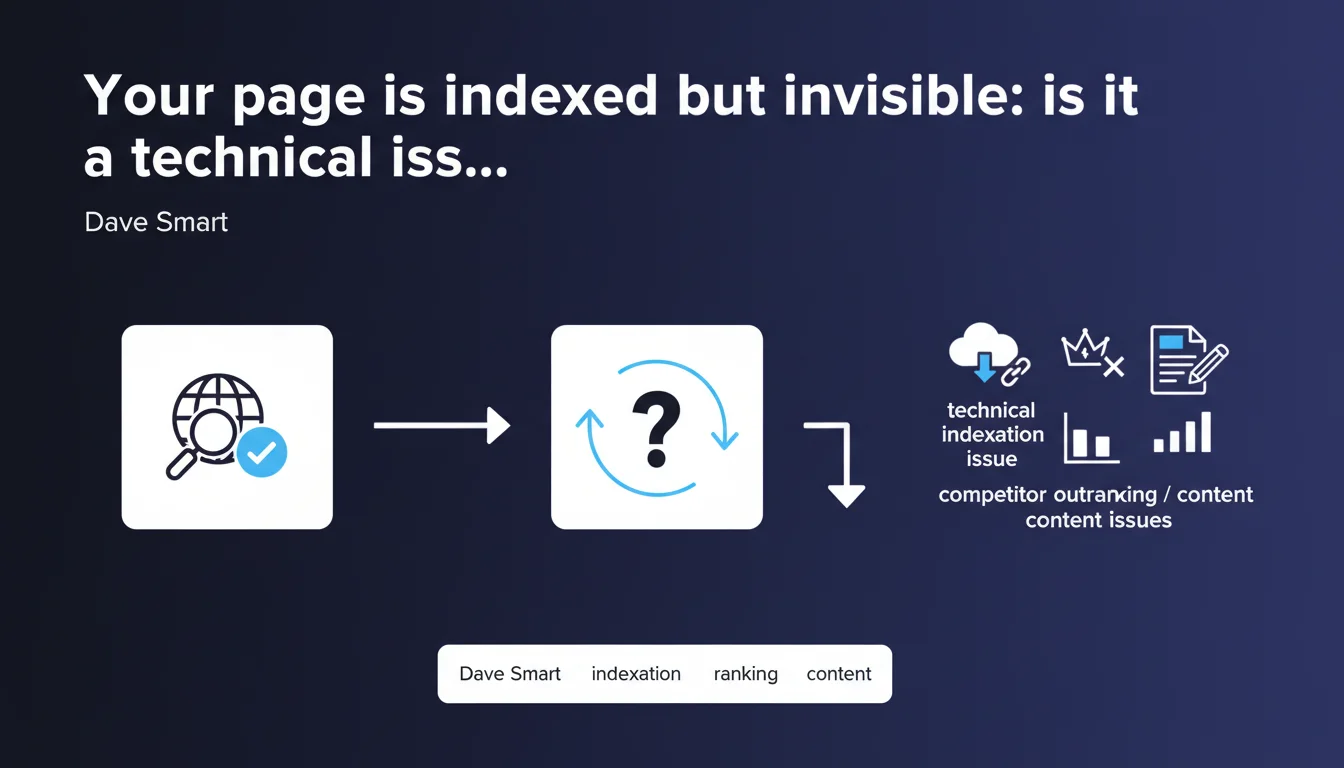
Google reminds us that lack of visibility for an indexed page doesn't necessarily indicate a technical problem. Before diving into crawl, robots.txt, or indexation issues, you must first verify whether the page simply isn't being outranked by competitors or penalized by insufficient content. The technical reflex comes too quickly.
What you need to understand
Why does Google insist on making this distinction?
Many SEOs have the reflex to look for a technical explanation when a page doesn't appear in search results. Robots.txt blocking, a forgotten noindex tag, crawl budget issues—the diagnostic arsenal is well-known. Except in most cases, the page is indexed. It simply doesn't rank.
Google wants to prevent SEOs from wasting time on unnecessary technical audits when the real problem lies at the level of content, relevance, or competition. It's a wake-up call: indexation is not the same as ranking.
How do you verify whether a page is truly indexed?
First and foremost, use the site: command in Google with the exact URL. If the page appears, it's indexed. You can also check the Google Search Console, Coverage tab or URL Inspection tool, to confirm the status.
If the page is properly indexed but invisible on your target queries, the problem is probably not technical. It's time to look elsewhere.
What's the difference between indexation and ranking?
Indexation means Google has discovered, crawled, and stored your page in its index. Ranking is the position that page achieves for a given query, based on hundreds of relevance criteria.
A page can be perfectly indexed and never exceed the 50th position if its content is weak, its backlinks nonexistent, or the competition overwhelming. These are not the same levers of action.
- Indexation: technical issue (robots.txt, noindex, canonicals, crawl, server)
- Ranking: issue of quality, relevance, authority, competition
- Check indexation first with site: or Search Console before diagnosing
- Don't confuse lack of visibility with technical blocking
SEO Expert opinion
Is this distinction actually respected in practice?
Let's be honest: no. Most SEO audits start with an exhaustive technical scan, even when the client simply complains about "not being visible." It's reassuring to find 404 errors, missing tags, or loading times to optimize—it gives the impression of doing the job.
But what Google is reminding us here is that we often miss the essentials. If a page is indexed and doesn't rank, the problem is likely editorial or strategic, not technical. Digging into code when you should be rewriting content is a waste of time.
In what cases doesn't this rule apply?
There are situations where an indexed page remains technically problematic. For example, a page with a canonical tag pointing elsewhere can be indexed but never rank—Google treats it as a duplicate. Same for pages with an HTTP 302 temporary status instead of 200.
Another case: pages indexed but excluded by robots.txt after indexation. They remain in the index but Google can no longer recrawl them to update their content. Result: stalled or degraded ranking. [To verify]: Google never communicates clearly about the exact weight of these mixed signals.
What's the real limitation of this advice?
Google provides no threshold or method for determining when to switch from content diagnosis to technical diagnosis. If your page is in position 80, is it a content problem or a crawl problem? Impossible to know without cross-referencing multiple indicators.
Furthermore, this statement assumes the SEO knows how to differentiate between "weak" content and "adequate but poorly optimized" content. In practice, this boundary is blurry. And if competition is overwhelming, even excellent content can stall—which is neither technical nor editorial, but strategic.
Practical impact and recommendations
What should you concretely do before launching a technical audit?
Start by checking the indexation of your strategic pages with the command site:yourdomain.com/exact-url. If they appear, the problem is probably not technical. Then move to Google Search Console to confirm the status and identify any specific error messages.
Next, analyze the actual rankings of your pages. If they rank on pages 5-10, that's a sign Google considers them relevant but insufficiently competitive. It's not a bug, it's an editorial verdict.
What mistakes should you avoid in this diagnosis?
Don't assume an invisible page is necessarily blocked technically. Too many SEOs waste hours on log analysis or JavaScript rendering tests when the real problem is content that's too short, a saturated query, or a lack of backlinks.
Another classic mistake: confusing deindexation and deranking. If a page was in position 3 and disappears, first verify if it's still indexed. If yes, it hasn't been removed from the index—it's simply lost its ranking. The causes and solutions are not the same.
How do you prioritize optimization actions?
If the page is indexed but invisible, start with a competitive benchmark on your target query. Analyze the top 3 results: length, structure, depth, backlinks, domain authority. If you're behind on all these criteria, no technical fix will save you.
Next, optimize the content, strengthen internal linking, work on anchors, acquire backlinks. It's only after exhausting these levers—and observing that they yield nothing—that you should consider an in-depth technical audit.
- Check indexation with site: and Google Search Console
- Analyze actual rankings in the SERP, not just presence/absence
- Compare your content with the top 3 competing results
- Measure your page's authority (backlinks, internal PageRank)
- Optimize content and internal linking before digging into technical issues
- Only launch a technical audit if editorial levers yield nothing
❓ Frequently Asked Questions
Comment savoir si ma page est indexée ?
Une page indexée peut-elle ne jamais apparaître dans les résultats ?
Quand faut-il vraiment faire un audit technique ?
Un problème de classement peut-il avoir une origine technique ?
Que faire si mon contenu est bon mais que je ne classe toujours pas ?
🎥 From the same video 11
Other SEO insights extracted from this same Google Search Central video · published on 01/11/2022
🎥 Watch the full video on YouTube →
💬 Comments (0)
Be the first to comment.