
Official statement
Other statements from this video 9 ▾
- □ Should you really rely on Search Console recommendations to optimize your website?
- □ Does Google Search Console finally remember your filters every time you switch between properties?
- □ Should you worry about Google removing the cache link and cache: operator?
- □ Is the meta noarchive tag still worth using after Google killed its cache feature?
- □ Should you really worry about the srsltid parameter in e-commerce URLs for SEO?
- □ Should you really build a separate page for every keyword variant out there?
- □ Why is Google suddenly refreshing its documentation on video SEO, title links, and crawlers?
- □ Should you really restrict the Indexing API to specific content types only?
- □ Should you switch to AVIF now that Google Images supports it?
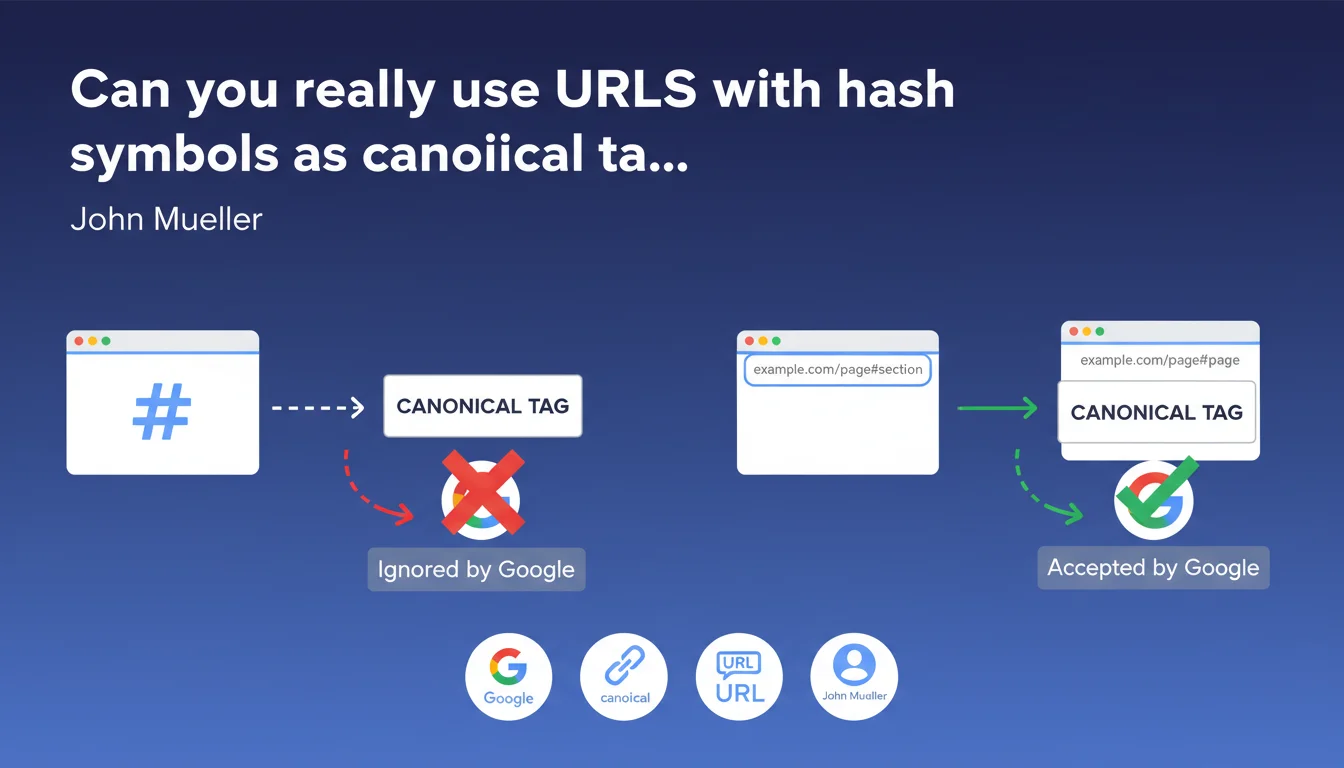
Google has formalized in its documentation that URLs containing a fragment (hash symbol #) cannot be used as canonical targets. In practical terms, if you declare a canonical tag pointing to a URL with #, Google will ignore it. This clarification ends a gray area in technical implementation that was generating frequent configuration errors.
What you need to understand
What exactly does this technical restriction mean?
The hash symbol in a URL indicates an identification fragment — an internal anchor within a page. Technically, everything that follows the # is never sent to the server during an HTTP request. It's the browser that handles these fragments on the client side.
Google therefore treats example.com/page and example.com/page#section as the same server resource. Declaring a canonical toward a URL with a fragment therefore makes no sense from an indexing perspective: the bot cannot distinguish two different versions of the same page solely through their fragments.
Why did Google feel the need to clarify this point?
This clarification likely comes about because sites are massively using Single Page Applications (SPAs) with client-side routing. In these architectures, the # historically served to simulate different URLs without page reloads.
Result: some developers attempted to create canonicals toward fragmented URLs, thinking they could segment their indexing. Google closes this door and formalizes what was already an established practice observed in the field for years.
What are the concrete implications for indexation?
- Any canonical tag pointing to a URL with # will be ignored by Googlebot
- Fragments do not allow differentiation of distinct canonical versions
- SPAs must use the HTML5 History API (pushState) to generate crawlable URLs without fragments
- Internal anchors remain perfectly valid for user navigation and featured snippets, but do not structure indexation
SEO Expert opinion
Does this rule contradict practices observed in the field?
No, it simply formalizes what every technical SEO professional has known since SPAs transitioned to History mode. Fragments have always been ignored in canonical tag processing — Google is merely explicitly documenting existing behavior.
What's interesting is the timing. This clarification arrives while some JS frameworks continue to generate fragmented URLs by default in their initial configurations. Google is clearly pushing toward natively crawl-friendly architectures.
What nuances should be applied to this statement?
First point: fragments are still used by Google in specific contexts. Text Fragments (#:~:text=) allow linking to specific passages and appear in SERPs. But these are not canonicals — just enriched deeplinks.
Second nuance: in mobile results, Google sometimes displays anchor links under certain snippets to jump directly to a section. These fragments are dynamically generated by Google and do not depend on your canonical declaration.
In what cases does this rule create a real problem?
Essentially for older sites using Angular 1.x or Backbone.js that still use hashbang mode (#!/). These architectures are obsolete, but some legacy sites still run with them. For these, no alternative exists: migration to History API or complete redesign.
Other edge case: sites that use fragments to display content variations on the client side (e.g., filters, tabs, modals). These variations will never be indexed separately — you must generate distinct server URLs if each variation deserves its own indexing.
Practical impact and recommendations
What should you audit as a priority on your site?
First step: verify that your canonical tags contain no fragments. A simple crawl with Screaming Frog or Oncrawl is sufficient. Filter canonicals containing the # character — if you find any, correct them immediately.
Next, inspect your SPA architecture if you have one. Verify that your routing properly uses the HTML5 History API and not hash mode. In React Router, Angular, or Vue Router, this is a simple configuration parameter — but you need to have activated it.
What errors must you avoid absolutely?
- Never declare a canonical toward a URL with a fragment, even to "group" variations
- Do not confuse user fragments (internal navigation) and technical fragments (SPA routing) — the former are fine, the latter must disappear
- Do not attempt to work around this limitation with 301 redirects including fragments — they will also be ignored
- Avoid generating XML sitemaps containing fragmented URLs — Google will crawl them but will not distinguish them from the fragment-free version
How to verify your site's technical compliance?
Use Search Console and inspect your indexed pages. If Google reports URLs with fragments as declared canonicals, that's an alarm signal. You'll probably see warnings like "Malformed canonical" or "Canonical URL ignored".
On the development side, test your SPAs with Google's Mobile-Friendly Test. This tool renders JavaScript and shows you exactly which URLs Googlebot sees after execution. If fragments persist in final URLs, your routing is incorrect.
The rule is simple: no URL with a fragment can serve as a canonical. Audit your tags, migrate your SPAs to History API, and clean up your sitemaps. These optimizations often touch deep technical layers — JS architecture, server configurations, rendering logic. If these aspects escape you or if your stack is complex, guidance from a technical SEO agency can save you months and prevent costly visibility errors.
❓ Frequently Asked Questions
Les ancres internes (#section) fonctionnent-elles toujours pour la navigation utilisateur ?
Mon site SPA utilise des # dans les URLs — dois-je tout refaire ?
Google indexe-t-il les URLs avec fragments même si je ne les déclare pas en canonical ?
Puis-je utiliser des fragments dans mes liens internes sans risque SEO ?
Les Text Fragments (#:~:text=) sont-ils concernés par cette restriction ?
🎥 From the same video 9
Other SEO insights extracted from this same Google Search Central video · published on 13/11/2024
🎥 Watch the full video on YouTube →
💬 Comments (0)
Be the first to comment.