
Official statement
Other statements from this video 9 ▾
- □ Pourquoi Google Search Console conserve-t-elle enfin vos filtres entre chaque changement de propriété ?
- □ Faut-il s'inquiéter de la suppression du cache Google et de l'opérateur cache: ?
- □ Faut-il encore utiliser la balise meta noarchive après la suppression du cache Google ?
- □ Le paramètre srsltid dans les URLs e-commerce : faut-il s'en préoccuper en SEO ?
- □ Faut-il vraiment créer une page pour chaque variante de mot-clé ?
- □ Pourquoi Google met-il soudainement à jour sa documentation sur le SEO vidéo, les liens de titre et les crawlers ?
- □ Faut-il vraiment limiter l'usage de l'API d'indexation aux types de contenu spécifiques ?
- □ Pourquoi les URLs avec symbole dièse ne peuvent-elles pas servir de canoniques ?
- □ Faut-il adopter le format AVIF maintenant que Google Images le supporte ?
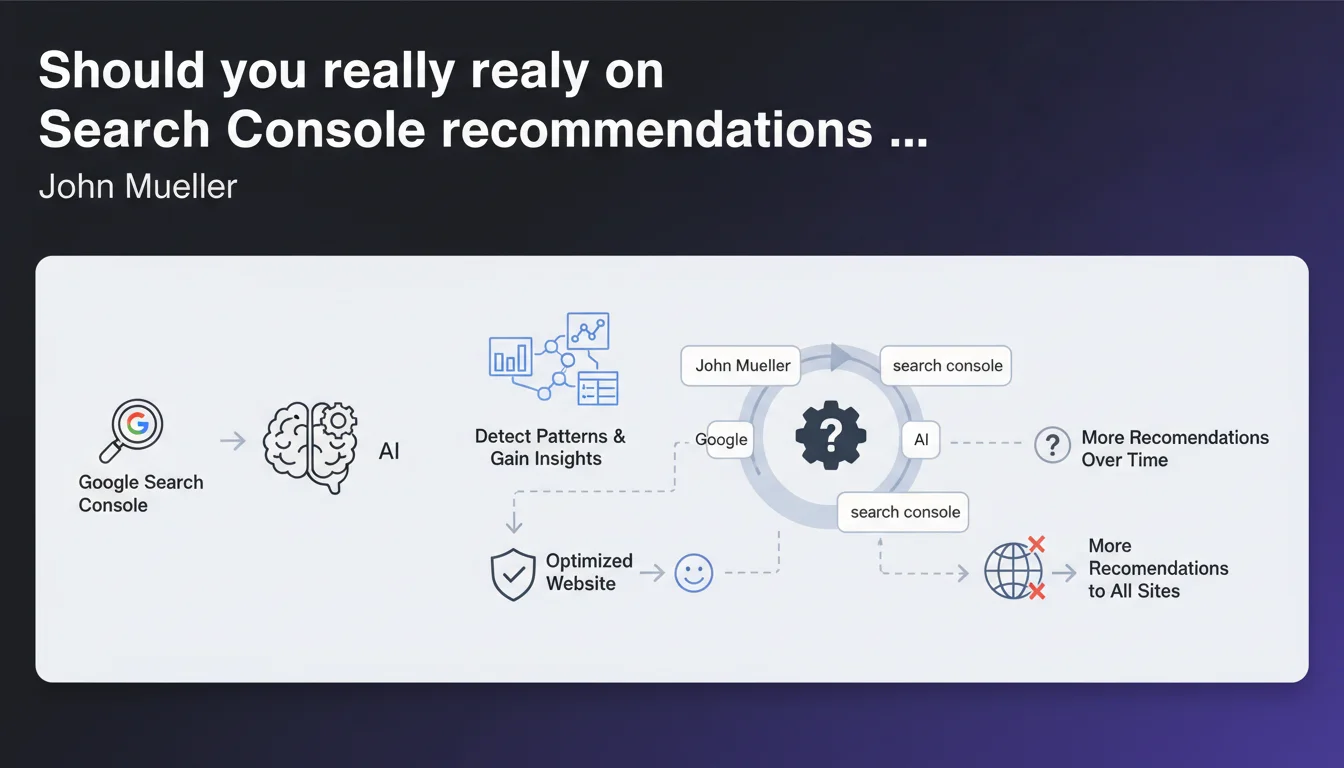
Google is progressively rolling out recommendations in Search Console to help you detect patterns and gain insights. These recommendations are neither universal nor systematic — they only appear when Google deems them relevant for your site. Additional recommendations will be added over time, with no specific timeline.
What you need to understand
What does Google mean by "recommendations" in Search Console?
Search Console recommendations are automated suggestions that Google generates by analyzing your site's data. The stated objective: to help you identify patterns or improvement opportunities without having to manually dive into reports.
In practice, these recommendations appear in the GSC interface as cards or notifications. They can address indexation issues, keyword opportunities, or traffic anomalies. The format aims to simplify decision-making — but with a progressive rollout, not all sites have access yet.
Why don't all sites see these recommendations?
Google specifies that the rollout is progressive and recommendations only display when they're deemed relevant. Translation: the algorithm decides for you whether a suggestion deserves to be shown, and not all GSC accounts have this feature yet.
It's hard to know whether this rollout depends on site size, history, type, or simply Google A/B testing. The opacity remains complete — a classic situation when Google announces "progressive rollouts".
Will Google expand these recommendations in the future?
Yes, it's explicitly announced. Google plans to add more recommendations over time. But there's no detail on the timeline, the types of suggestions coming, or the relevance criteria. We're left in the dark.
The idea is probably to automate SEO analysis even further, making GSC smarter and more proactive. Except for seasoned practitioners, this raises questions about the reliability and depth of these automated insights.
- GSC recommendations are automated suggestions generated by Google to detect patterns and opportunities.
- The rollout is progressive — not all sites have access to this feature yet.
- Recommendations only appear if Google deems them relevant for your site.
- Google plans to expand these suggestions in the future, with no specific timeline or criteria.
SEO Expert opinion
Does this announcement really provide value to SEO practitioners?
Let's be honest: this announcement is extremely vague. We're told that recommendations exist, that they're rolling out progressively, that they appear "when relevant". But there's no detail on relevance criteria, available recommendation types, or eligible sites.
For an SEO professional, it's frustrating. You'd want to know what patterns Google actually detects, how it calculates suggestion relevance, and most importantly whether these recommendations are reliable or if they might send you down false paths. [To verify]: Are these recommendations truly actionable or just general knowledge we already know?
Are Google's automated recommendations reliable?
History makes us cautious. Google has already attempted to automate suggestions in GSC — some were relevant, others completely off the mark. Indexation alerts, for example, sometimes generate false positives or flag "problems" that aren't really problems.
The risk with this type of feature is that it pushes beginners to blindly follow advice without understanding the context. And for experts, it can waste time if suggestions don't account for site-specific details or your strategy.
In what cases might these recommendations be off-target?
If your site has atypical architecture, a complex content strategy, or specific technical constraints (multilingual site, marketplace, user-generated content), automated recommendations are very likely to miss the essentials.
Similarly, if you're doing advanced SEO (sophisticated technical optimizations, custom internal linking strategies, fine-tuned crawl budget management), these suggestions risk being too basic to provide real value. They'll probably target obvious quick wins, not the structural optimizations that truly make a difference long-term.
Practical impact and recommendations
What should you actually do with these recommendations?
If you have access to recommendations in your Search Console, review them regularly — but never follow them without critical analysis. Consider them weak signals to investigate, not directives to apply blindly.
Cross-reference each suggestion with your own analysis tools (Screaming Frog, Oncrawl, Botify, etc.) and your business KPIs. A recommendation that seems relevant can sometimes conflict with your editorial strategy or technical constraints.
What mistakes should you absolutely avoid?
Don't fall into the blind optimization trap. Some recommendations can be counterproductive depending on your context: for example, heavily optimizing low-traffic pages can dilute your crawl budget if you have a large site.
Another pitfall: relying solely on these suggestions to drive your SEO strategy. GSC recommendations will never replace a complete technical audit, in-depth semantic analysis, or a custom content strategy.
How can you verify these recommendations are relevant for my site?
Test on a limited sample before deploying site-wide. Apply a recommendation to a few pages, measure impact over 30-60 days, then validate or dismiss before scaling.
If you find that Google's suggestions are systematically off-target or too basic for your expertise level, don't waste time following them. Focus on your own analyses and the levers that have proven effective on your site.
- Review GSC recommendations regularly, but never apply them without critical analysis.
- Cross-reference each suggestion with your analysis tools and business KPIs.
- Don't fall into the blind optimization trap — some recommendations can be counterproductive.
- Test on a limited sample before deploying site-wide.
- Don't rely solely on GSC recommendations to drive your SEO strategy.
- If suggestions are systematically off-target, ignore them and focus on your own analyses.
❓ Frequently Asked Questions
Les recommandations de la Search Console sont-elles disponibles pour tous les sites ?
Dois-je suivre toutes les recommandations de la Search Console ?
Quels types de recommandations Google propose-t-il dans la Search Console ?
Ces recommandations remplacent-elles un audit SEO complet ?
Comment savoir si une recommandation GSC est fiable ?
🎥 From the same video 9
Other SEO insights extracted from this same Google Search Central video · published on 13/11/2024
🎥 Watch the full video on YouTube →
💬 Comments (0)
Be the first to comment.