
Official statement
Other statements from this video 9 ▾
- □ Faut-il vraiment compter sur les recommandations de la Search Console pour optimiser son site ?
- □ Pourquoi Google Search Console conserve-t-elle enfin vos filtres entre chaque changement de propriété ?
- □ Faut-il s'inquiéter de la suppression du cache Google et de l'opérateur cache: ?
- □ Faut-il encore utiliser la balise meta noarchive après la suppression du cache Google ?
- □ Faut-il vraiment créer une page pour chaque variante de mot-clé ?
- □ Pourquoi Google met-il soudainement à jour sa documentation sur le SEO vidéo, les liens de titre et les crawlers ?
- □ Faut-il vraiment limiter l'usage de l'API d'indexation aux types de contenu spécifiques ?
- □ Pourquoi les URLs avec symbole dièse ne peuvent-elles pas servir de canoniques ?
- □ Faut-il adopter le format AVIF maintenant que Google Images le supporte ?
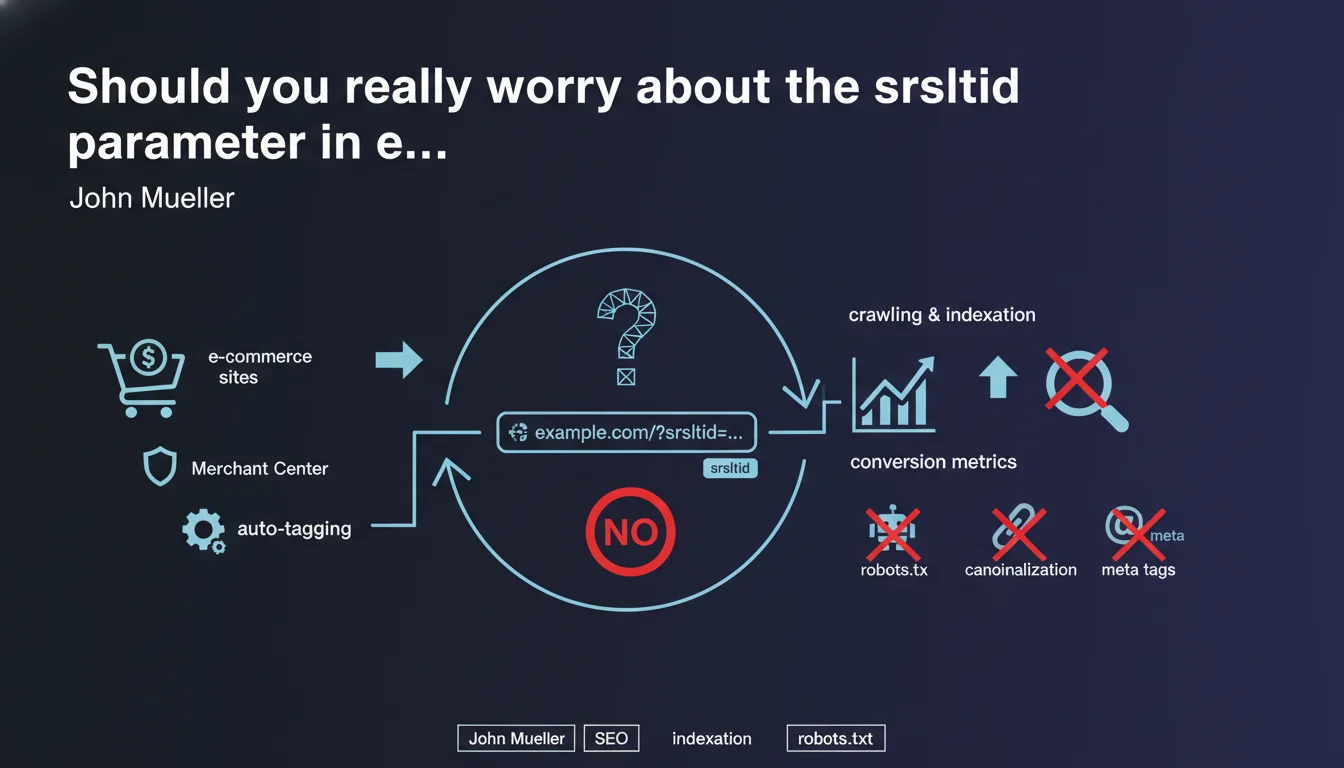
The srsltid parameter that appears in e-commerce website URLs is not an element that you can or should control. Google adds it automatically after search results are generated to track Merchant Center conversions — it therefore has no impact on crawling, indexation, or ranking.
What you need to understand
Where does this mysterious srsltid parameter come from?
The srsltid parameter appears in URLs when Google automatically adds tracking tags for e-commerce sites using Merchant Center. It's a form of auto-tagging comparable to what Google Ads does with gclid parameters.
Unlike UTM parameters that you add manually, this one is injected on Google's side, after the complete generation of SERPs. The user clicks on a result that already contains this parameter — your server receives it as is.
Why does Google do this?
The goal is to provide merchants with accurate conversion data in their Merchant Center account. Google wants to know which organic click from a product listed in its shopping services generated a sale.
This tracking allows you to populate performance reports for product listings and improve algorithmic recommendations for displaying products in rich results.
Does this parameter impact technical SEO?
No. Since it is added after indexation, Googlebot never sees it during crawling. Your canonicalization directives, your robots.txt, or your meta tags have no control over it.
The parameter exists only in the URL clicked by the user — not in the URL indexed by Google. There is therefore no risk of duplicate content related to this parameter.
- The srsltid is a post-SERP tracking parameter added by Google itself
- It never goes through crawling or indexation — therefore invisible to Googlebot
- Impossible to control via canonicalization, robots.txt, or meta robots
- Used exclusively to measure e-commerce conversions via Merchant Center
- No impact on duplicate content or ranking
SEO Expert opinion
Is this statement consistent with what we observe in the field?
Yes, perfectly. E-commerce sites connected to Merchant Center do indeed see this parameter appear in their server logs and analytics tools — but never in Search Console on the indexation side.
It's behavior identical to gclid for Google Ads: added dynamically when clicked, invisible to the search engine itself. Technical teams that panic seeing these parameters pollute their URLs can therefore breathe easy.
Should you still do something on the analytics side?
Depends on your setup. If you use Google Analytics 4, the parameter is automatically recognized and handled correctly. If you're on a third-party solution (Matomo, Piano, etc.), verify that your configuration excludes this parameter from building unique URLs.
Otherwise, you risk fragmenting your traffic data with URLs considered distinct when they point to the same page. It's not an SEO problem — it's an analytics cleanliness problem.
Are there cases where this parameter causes problems?
Rarely, but it happens. Some poorly configured CMS or some CDNs may interpret this parameter as a content variation and generate a different cached version. In this case, you're technically serving the same page, but with separate caching.
If your infrastructure interprets URL parameters as content variations to be cached separately, you're wasting server resources for nothing. The solution? Configure your CDN to ignore this parameter when generating cache keys.
Practical impact and recommendations
What do you need to check concretely on your e-commerce site?
First, check your server logs to confirm that this parameter appears only in user requests, never in Googlebot requests. If you see it in crawler user-agents, that's abnormal.
Second, verify in Search Console that your indexed URLs do not contain this parameter. Inspect a few product pages: the canonical URL should be clean, without srsltid.
Should I modify my technical configuration?
Normally, no. But if you have complex infrastructure with multiple caching layers, make sure the srsltid parameter is excluded from your caching rules. Otherwise, you're creating unnecessary cache variations for the same page.
For sites on Cloudflare, Fastly, or similar, add srsltid to the list of query strings to ignore in your CDN configuration. It's a simple line of config that can save you bandwidth.
What mistakes should you absolutely avoid?
Do not attempt to block this parameter via robots.txt or via a server rule that returns a 404. You would break the links clicked by users — catastrophic for bounce rate and conversions.
Don't create 301 redirects to "clean up" these URLs either. Users arrive with this parameter, your site must accept it normally and serve the page without flinching. Google's tracking needs the URL to remain intact.
- Verify in logs that srsltid appears only in user requests, never on the Googlebot side
- Confirm in Search Console that indexed URLs are clean (without srsltid)
- Configure the CDN to ignore srsltid when generating cache keys
- Exclude srsltid from building unique URLs in your analytics tool (if not GA4)
- Do not block, redirect, or reject URLs containing this parameter
- Document this parameter in your team to avoid false alerts in the future
❓ Frequently Asked Questions
Le paramètre srsltid compte-t-il comme du contenu dupliqué pour Google ?
Dois-je ajouter srsltid dans mes paramètres d'URL de la Search Console ?
Puis-je supprimer ce paramètre côté serveur pour nettoyer mes URLs ?
Ce paramètre apparaît-il uniquement pour les sites avec Merchant Center actif ?
Le srsltid peut-il ralentir mon site ou consommer du crawl budget ?
🎥 From the same video 9
Other SEO insights extracted from this same Google Search Central video · published on 13/11/2024
🎥 Watch the full video on YouTube →
💬 Comments (0)
Be the first to comment.