
Official statement
Other statements from this video 12 ▾
- □ Does Google really rewrite your title tags whenever it wants?
- □ Can heading tags really replace your title tag in the SERPs?
- □ Can external anchor texts really take over your title tags in Google search results?
- □ Does Google really pull snippets only from what users see when they land on your page?
- □ Can Google really use your alt tags and meta descriptions to build your snippets?
- □ How can you disable snippet display in Google search results using the nosnippet tag?
- □ Can you really control how long your snippets appear in Google search results with max-snippet?
- □ How can you prevent specific content from showing up in your Google snippets?
- □ Can you actually control how your site name appears in search results using structured data?
- □ Does your favicon really impact your site's SEO performance in Google search results?
- □ Does Google really respect your publication dates… or does it just make them up as it goes?
- □ Why does Google display multiple links from the same domain underneath a single search result?
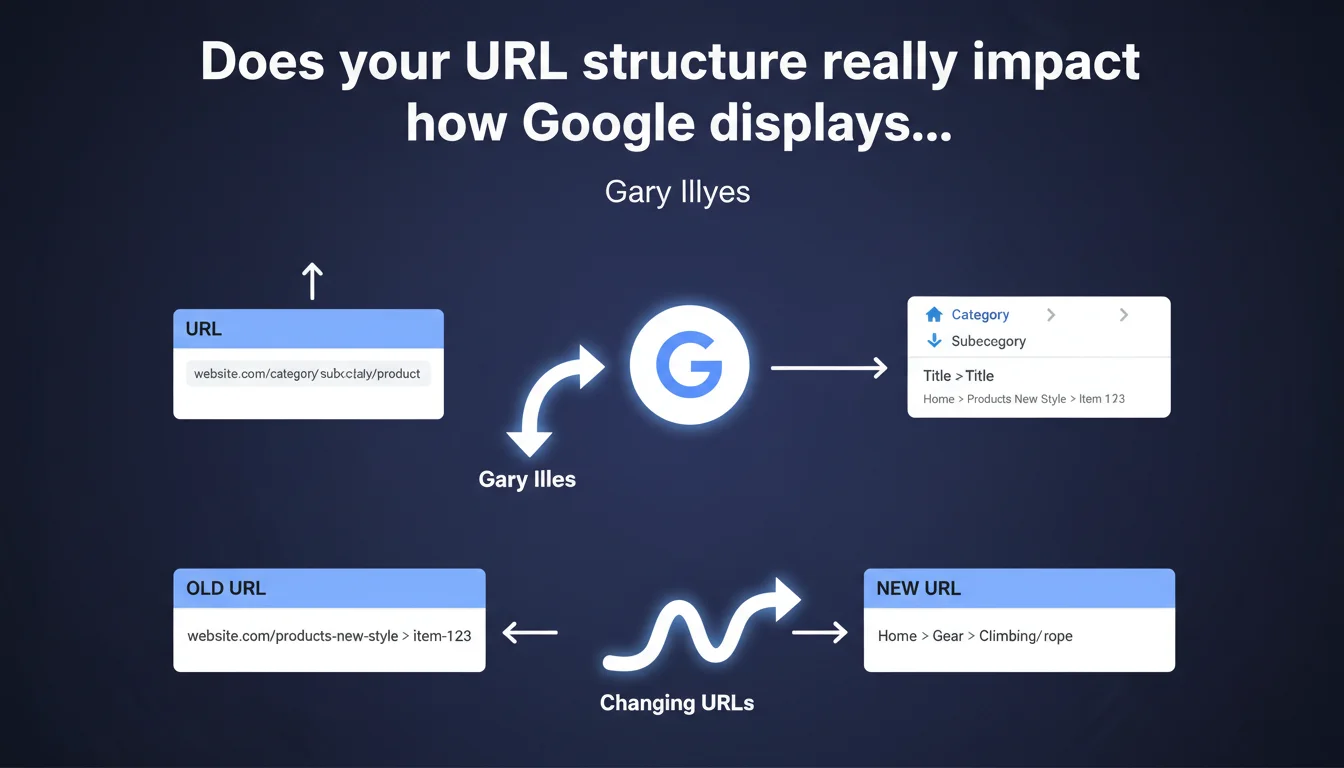
Gary Illyes confirms that URL structure directly influences how breadcrumbs (fil d'Ariane) are displayed in Google search results. Modifying your URLs can therefore change the way Google presents your site's navigation in the SERPs. This is an often-overlooked SEO lever that impacts click-through rate and helps users understand your site's architecture better.
What you need to understand
How does Google generate breadcrumbs in the SERPs?
Google constructs the breadcrumbs displayed in search results using multiple combined signals. Your URL structure is one of them, but it's not the only factor considered.
The search engine also analyzes the Schema.org BreadcrumbList markup, the hierarchy of your H1-H6 tags, and your page's HTML structure. When these signals conflict, Google makes a choice — and that choice isn't always the one you're hoping for.
Why does URL structure matter so much?
A well-structured URL like /category/subcategory/product gives Google a clear indicator of your content hierarchy. This is especially true when Schema.org markup is missing or poorly implemented.
On e-commerce or editorial sites with thousands of pages, Google often relies on the URL as a fallback signal to reconstruct navigation. A flat URL like /p12345 or one with parameters like ?id=123 gives it no actionable information.
What are the risks of poor URL architecture?
If your URLs don't reflect your actual site structure, Google may display a misleading or incomplete breadcrumb in the SERPs. This degrades user experience and can reduce your CTR.
Worse still: URLs that don't align with your navigation can send contradictory signals to Google about how your site is organized, complicating Google's understanding of your topical authority.
- The URL is one signal among many for generating breadcrumbs in the SERPs
- A hierarchical URL structure like
/cat/subcat/pagemakes Google's job easier - Schema.org BreadcrumbList markup remains the most reliable signal
- Flat URLs or those with parameters harm breadcrumb display
- Modifying a URL structure can change how it appears in results — 301 redirects are mandatory
SEO Expert opinion
Is this statement consistent with real-world observations?
Yes, and it's actually a point that's been documented for years. In e-commerce audits, we regularly see Google reconstructing the breadcrumb from the URL when Schema.org markup is absent or faulty.
The problem is that Gary Illyes remains vague about the relative weight of this signal. If your Schema.org BreadcrumbList is clean, does the URL still play a role? [To be verified] — Google doesn't make this clear, and A/B tests on this topic show variable results depending on the industry.
What nuances should we add to this rule?
Changing your URLs is never trivial. It involves massive 301 redirects, a risk of temporary ranking loss, and a complete recrawl of your site by Google. It's only worth the effort if your current architecture is genuinely problematic.
Let's be honest: if your Schema.org markup is already in place and properly implemented, tweaking your URLs to "optimize" breadcrumbs often borders on micro-perfectionism. Focus on Schema.org first — it's the strongest and most controllable signal.
When is this optimization truly necessary?
If you're launching a new site or redesign, build a URL structure that aligns with your site hierarchy from day one. This is the ideal time to align URLs, HTML navigation, and Schema.org markup.
For an existing site, only touch your URLs if you spot obvious inconsistencies between your actual breadcrumb navigation and the one Google displays in the SERPs — and only after verifying that your Schema.org markup is clean.
Practical impact and recommendations
What should you do concretely to optimize breadcrumbs?
First, audit your current URLs. Are they hierarchical and descriptive, or flat and cryptic? Then verify if your Schema.org BreadcrumbList markup is implemented on all relevant pages.
Compare the breadcrumbs displayed on your pages with what Google shows in the SERPs (search for your exact URLs in Google). If there are discrepancies, Google is prioritizing another signal — often the URL if Schema.org is missing.
What mistakes should you avoid during a URL overhaul?
Never change your URLs without a complete inventory of existing URLs and a page-by-page 301 redirect plan. Mass redirects to the homepage or generic pages will kill your SEO.
Also avoid URLs with subfolders that don't match anything in your actual navigation. Google detects these structural inconsistencies and may ignore them in favor of other signals, negating your intended effect.
How do you verify your implementation is correct?
Use Google Search Console's URL inspection tool to see how Google interprets your markup. Also check the HTML rendering and structured data Google detects.
Test your URLs in Google Search to observe the displayed breadcrumb. If it doesn't match your intention, that's a red flag: either your Schema.org is flawed, or your URLs are sending a contradictory message.
- Audit coherence between URL structure, HTML navigation, and Schema.org BreadcrumbList
- Implement Schema.org markup on all pages with hierarchical navigation
- Prioritize descriptive URLs like
/category/subcategory/page - Avoid URLs with parameters or numeric IDs for strategically important pages
- Test breadcrumb display in the SERPs after each modification
- Prepare a comprehensive 301 redirect plan before any URL overhaul
- Monitor organic traffic and rankings for 4 to 6 weeks post-migration
❓ Frequently Asked Questions
Le fil d'Ariane affiché dans Google vient-il toujours de mes URLs ?
Dois-je modifier mes URLs si mon Schema.org BreadcrumbList est déjà en place ?
Quel impact sur le SEO si je change mes URLs pour optimiser le breadcrumb ?
Les URLs avec paramètres empêchent-elles l'affichage du fil d'Ariane ?
Comment Google choisit-il quel signal utiliser pour le breadcrumb ?
🎥 From the same video 12
Other SEO insights extracted from this same Google Search Central video · published on 23/04/2024
🎥 Watch the full video on YouTube →
💬 Comments (0)
Be the first to comment.