
Official statement
Other statements from this video 5 ▾
- □ Why does the text result remain the most strategic element of Google SERPs?
- □ Is Google really rewriting your title tags as often as people think?
- □ Can you really control what appears in your SERP snippet, or does Google have the final say?
- □ Do webmasters really have complete control over Google search result attribution elements?
- □ How can you precisely control the appearance of your results in Google's SERP?
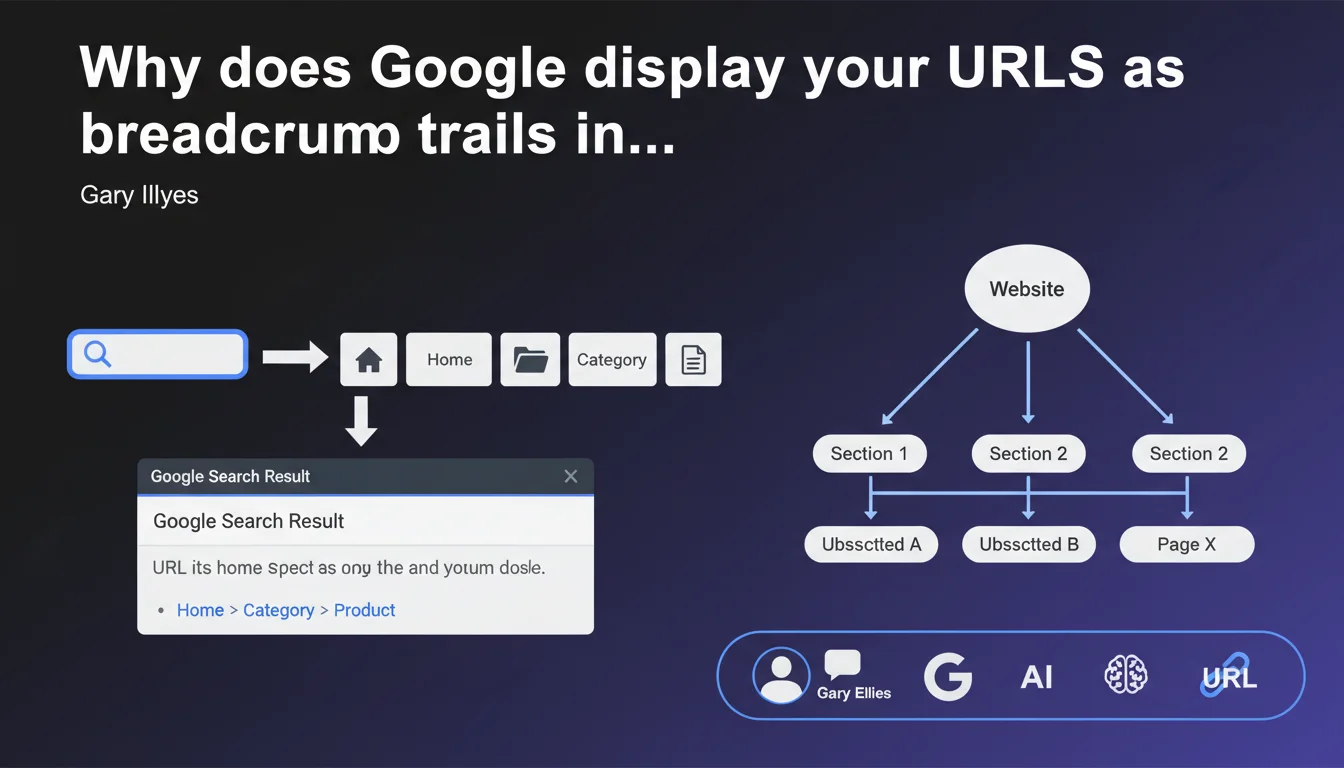
Google prioritizes displaying URLs as breadcrumb trails in search results to showcase the hierarchical structure of your site. This visual URL replaces the traditional raw URL and improves understanding of the page's position in the site architecture. The conditional "typically" leaves room for exceptions that Gary Illyes doesn't detail.
What you need to understand
For several years, Google has progressively abandoned the display of raw URLs in its search results in favor of a breadcrumb representation. This evolution is not trivial — it changes the way users perceive your site's structure before they even click.
The term "typically" used by Gary Illyes deserves closer examination. It suggests that exceptions exist, without specifying which ones.
What exactly is a visual URL?
The visual URL is the text representation that appears below the title in Google search snippets. Rather than seeing "https://example.com/category/subcategory/page.html", the user sees "Home > Category > Subcategory > Page".
This transformation relies on Schema.org structured data markup, particularly BreadcrumbList. Without this markup, Google can attempt to reconstruct a breadcrumb from the URL structure, but the result is less predictable.
Why did Google make this choice?
The official answer: to improve understanding of the site hierarchy. A well-designed breadcrumb immediately tells the user where they will land in the site structure. It's more meaningful than a succession of slashes and parameters.
For Google, this also reinforces consistency between the structure signals they receive — internal linking, URL architecture, HTML breadcrumb, and structured markup should all tell the same story.
In what cases does the breadcrumb not display?
Gary Illyes doesn't specify this, but field observations show several scenarios. Single-page sites, orphan pages, or flat structures may see their raw URL displayed. Structured markup errors can also bypass breadcrumb display.
Certain types of queries — particularly brand searches or navigational queries — can also result in differentiated displays. Google adapts the format based on context.
- The visual URL replaces the raw URL in the majority of cases
- The breadcrumb relies on Schema.org BreadcrumbList markup
- "Typically" means exceptions exist that are not documented
- URL structure remains important even if it's no longer directly visible
- The breadcrumb improves user understanding of site hierarchy
SEO Expert opinion
Is this statement consistent with what we observe in the field?
Yes, but with important nuances. The majority of properly structured sites indeed display a breadcrumb in the SERPs. However, the word "typically" carries all the weight of this statement — and Gary Illyes remains deliberately vague about exceptions.
What we observe: Google can ignore your structured markup if it contradicts other structure signals. A breadcrumb indicating "Home > Sports > Tennis" while the URL contains "/news/rugby/article" creates a dissonance that Google dislikes. In such cases, the engine may revert to raw URL display or reconstruct its own breadcrumb.
What are the gray areas in this statement?
The first: when exactly does Google decide not to display the breadcrumb? No exhaustive list is provided. Tests show that pagination pages, certain internal search results pages, or pages with complex URL parameters may escape standard processing. [To verify] systematically on your own strategic pages.
The second gray area: the level of real control you have over this display. Even with flawless markup, Google can decide to display something different. I've seen cases where the engine arbitrarily truncated breadcrumbs deemed too long or reformulated intermediate levels for greater clarity.
Should you optimize for the visual URL or the technical URL?
Both, and therein lies the entire problem. The technical URL remains a ranking factor, it serves crawling, internal linking, and architecture signals. The visual URL impacts CTR in the SERP — it's a pure UX element.
Let's be honest: many SEO professionals simply implement the markup without verifying what Google actually displays. Manual or automated verification (via SERP tracking tools) is essential to ensure the rendering matches your intentions.
Practical impact and recommendations
How do you correctly implement breadcrumb markup?
The BreadcrumbList Schema.org markup is the foundation. Each level must be declared as a ListItem with its position, name, and URL. Google specifies that the breadcrumb must reflect the actual site hierarchy, not a contrived navigation created to manipulate display.
Test your markup with Google's Rich Results Test. Markup that is syntactically valid is not always accepted by Google if the structure doesn't make sense. The test will flag critical errors, but not logical inconsistencies — those are up to you to detect.
What errors compromise breadcrumb display?
First common mistake: a breadcrumb that doesn't match the URL structure. If your URL says "/blog/seo/article" but your breadcrumb displays "Home > Services > SEO", you're sending contradictory signals. Google may choose to ignore everything.
Second pitfall: breadcrumbs that are too short or too long. A single-level breadcrumb ("Home > Page") adds no value — you might as well leave the raw URL. Conversely, a 6-7 level breadcrumb will be truncated and lose readability.
Third mistake: failing to declare canonical URLs in the markup. If your breadcrumb points to non-canonical URL variants, you dilute the signals.
How do you verify that your breadcrumb displays correctly?
The only reliable way: check Google Search Console and manually verify in the SERPs. Search Console will tell you if your markup is detected and if there are errors. But it won't tell you whether Google has chosen to ignore it for other reasons.
Implement regular monitoring of your strategic pages. Rank tracking tools that capture full snippets allow you to detect display changes — a sign that Google has modified its interpretation of your structure.
- Implement Schema.org BreadcrumbList markup on all pages
- Verify consistency between URL structure, HTML breadcrumb, and structured markup
- Test markup with Google's Rich Results Test
- Limit breadcrumb depth to 4-5 levels maximum
- Use canonical URLs in breadcrumb elements
- Monitor actual display in the SERPs, not just technical validation
- Immediately correct any inconsistencies detected between structure signals
Breadcrumb display in the SERPs has become the standard, but it requires rigorous consistency across all your structure signals. Technical markup is only part of the equation — URL architecture, internal linking, and navigation must all tell the same story.
This optimization may seem straightforward on paper, but it touches fundamental aspects of site architecture. If your current structure has inconsistencies or if you're launching a redesign, support from a specialized SEO agency can help you avoid costly mistakes and ensure implementation aligned with the signals you're already sending to Google.
❓ Frequently Asked Questions
Le fil d'Ariane affiché dans les SERP impacte-t-il le classement ?
Peut-on forcer Google à afficher un fil d'Ariane spécifique ?
Faut-il un fil d'Ariane visible sur la page pour que Google l'affiche dans les SERP ?
Que se passe-t-il si mon fil d'Ariane contredit ma structure d'URL ?
Les sites e-commerce doivent-ils structurer leur fil d'Ariane par catégorie ou par parcours utilisateur ?
🎥 From the same video 5
Other SEO insights extracted from this same Google Search Central video · published on 23/04/2024
🎥 Watch the full video on YouTube →
💬 Comments (0)
Be the first to comment.