
Official statement
Other statements from this video 12 ▾
- □ Does Google really rewrite your title tags whenever it wants?
- □ Can heading tags really replace your title tag in the SERPs?
- □ Can external anchor texts really take over your title tags in Google search results?
- □ Does Google really pull snippets only from what users see when they land on your page?
- □ Can Google really use your alt tags and meta descriptions to build your snippets?
- □ How can you disable snippet display in Google search results using the nosnippet tag?
- □ Can you really control how long your snippets appear in Google search results with max-snippet?
- □ How can you prevent specific content from showing up in your Google snippets?
- □ Does your URL structure really impact how Google displays breadcrumbs in search results?
- □ Can you actually control how your site name appears in search results using structured data?
- □ Does your favicon really impact your site's SEO performance in Google search results?
- □ Does Google really respect your publication dates… or does it just make them up as it goes?
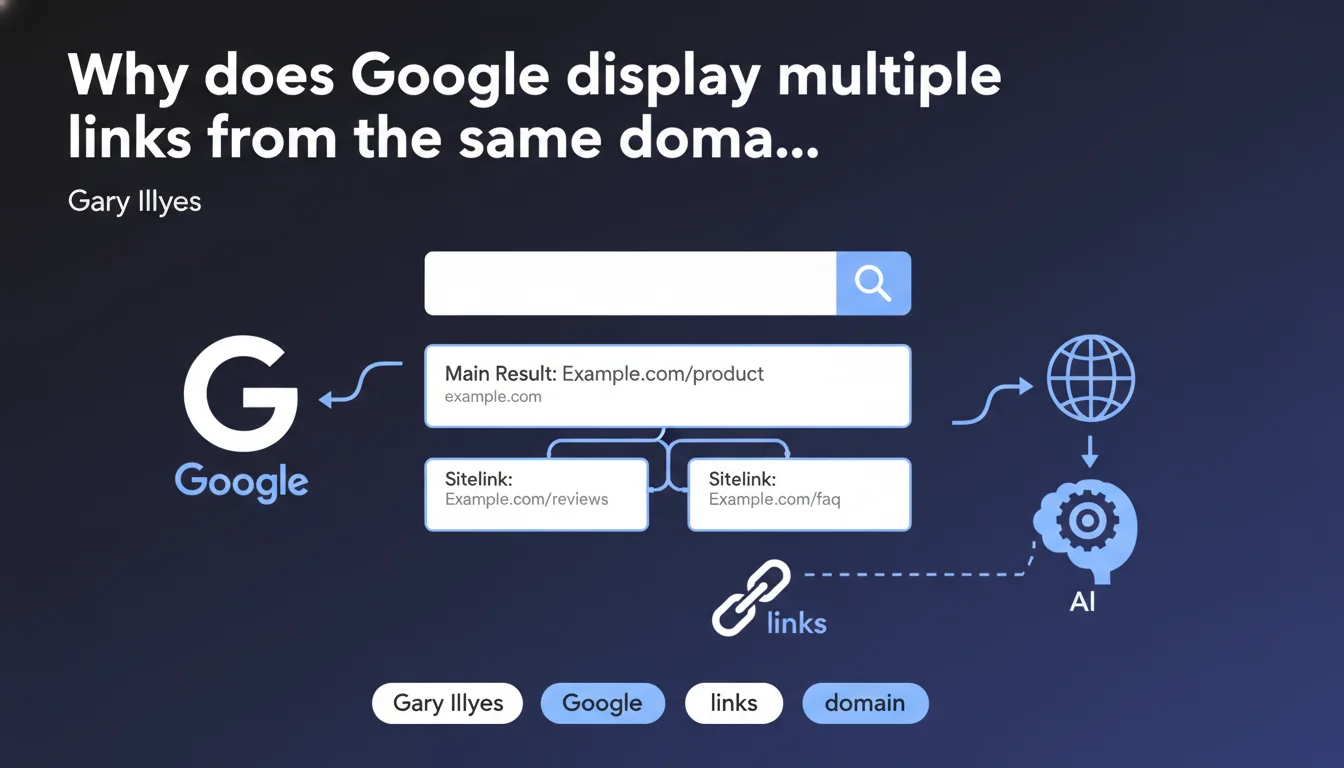
Google can group multiple links from the same domain in the form of sitelinks directly below the main snippet. These additional links aim to facilitate quick access to pages relevant to the user's query. The algorithm decides on their display on its own — it's impossible to force them manually.
What you need to understand
What exactly is a sitelink and where does it appear?
A sitelink is an additional link that displays below the classic snippet (title, description, URL) of a search result. There can be two or more of them, all coming from the same domain or its variant (mobile version, subdomain, etc.).
Google's stated objective? To allow users to access specific pages directly that are relevant to their query, without going through the homepage. In practice, this means that a single result can occupy a significant visual space on the SERP.
Who decides which links appear as sitelinks?
Google. End of story. The algorithm analyzes the site structure, internal linking, page relevance for the query, and potentially structured data (notably breadcrumbs). No webmaster can force the display of a specific sitelink.
Formerly, Google Search Console allowed you to disable certain sitelinks deemed non-relevant. This option has disappeared — nowadays, the algorithm has the final say, with no possibility of manual intervention.
In what cases do sitelinks appear?
Mainly for navigational queries (brand searches) and sometimes for informational queries where a site clearly has authority. Display depends on the clarity of your architecture, the quality of your internal linking, and semantic consistency between your pages.
Sitelinks aren't reserved for large sites — a small site with flawless structure can benefit from them if Google judges that this improves user experience for a given query.
- Sitelinks are automatic — no manual parameter to activate them
- They favor sites with clear architecture and coherent internal linking
- They occupy more space on the SERP, reducing competitor visibility
- They appear mainly for brand queries or thematic authority
- Breadcrumb structured data can influence their display
SEO Expert opinion
Is this feature really neutral for SEO?
No. Even though Google presents sitelinks as a service to the user, they constitute a massive competitive advantage on the SERP. A result with 4-6 sitelinks occupies the equivalent of 3-4 classic organic positions — enough to smother competitors on a given query.
Let's be honest: for brand queries, it's legitimate. But when sitelinks appear on generic or informational queries, this concentrates traffic among a few dominant players, reinforcing network effects at the expense of small sites — even quality ones.
Can you really optimize to get sitelinks?
Yes and no. Google claims it's automatic, but field observations show that certain factors favor their appearance: silo structure, descriptive internal link anchors, impeccable breadcrumbs, distinctive page titles.
[To verify] The real impact of structured data (notably SearchAction and BreadcrumbList) remains unclear. Google gives no figures, no metrics. Some tests suggest a correlation, others don't — difficult to conclude without access to the algorithm's internal criteria.
What is the consistency with practices observed in the field?
Generally consistent. Sites with clean architecture and logical internal linking more often obtain sitelinks. But there are frustrating exceptions: average sites with high domain authority get them, while technically flawless but lesser-known sites never see any.
The reputation/trust factor seems to play an undocumented role. Google will never admit it explicitly, but observations suggest that a site with a long history, solid backlinks and strong SERP presence has better chances of getting sitelinks — even with equivalent structure.
Practical impact and recommendations
What should you concretely do to maximize your chances of getting sitelinks?
Focus on clear silo architecture. Each major section of your site must be easily identifiable, with coherent URLs and internal linking that reflects this hierarchy. Important pages should be accessible in 2-3 clicks maximum from the homepage.
Optimize your internal link anchors. Use descriptive and unique formulations that give Google clear context about the link destination. Avoid generic anchors like "Learn more" or "Click here".
Implement clean and consistent BreadcrumbList structured data on all pages. Even if direct impact isn't confirmed, this clarifies site architecture for Google — and it costs nothing.
What mistakes must you absolutely avoid?
Don't create ill-defined "catch-all" pages. Sitelinks favor pages with a clear and unique objective. A page that tries to address three different topics will never have the semantic clarity needed to be selected.
Avoid flat structures where all pages are at the same level. Google needs to understand the hierarchy — without apparent structure, the algorithm cannot identify priority pages to display as sitelinks.
Don't neglect page titles. Each title must be distinctive, descriptive and precisely reflect page content. Generic or repetitive titles decrease your chances — Google won't know what to display.
How do you verify that your site is well positioned to obtain sitelinks?
- Audit your architecture: is each major section clearly defined with logical URL?
- Test your internal linking: are important pages well linked from the homepage and between each other?
- Check structured data: is BreadcrumbList implemented everywhere? Any errors in Search Console?
- Analyze your internal link anchors: are they descriptive and varied?
- Control your page titles: is each title unique and descriptive?
- Monitor your brand SERPs: do sitelinks already appear on certain queries?
❓ Frequently Asked Questions
Peut-on choisir manuellement quels liens apparaissent en sitelinks ?
Les sitelinks apparaissent-ils uniquement pour les requêtes de marque ?
Les données structurées influencent-elles l'affichage des sitelinks ?
Un petit site peut-il obtenir des sitelinks ?
Que faire si un sitelink pointe vers une page obsolète ?
🎥 From the same video 12
Other SEO insights extracted from this same Google Search Central video · published on 23/04/2024
🎥 Watch the full video on YouTube →
💬 Comments (0)
Be the first to comment.