
Official statement
Other statements from this video 8 ▾
- □ Is page speed really a decisive ranking factor for Google?
- □ Are images really the biggest performance bottleneck dragging down your website?
- □ Should you really migrate all your images to WebP to boost your SEO performance?
- □ Does Google really consider the srcset attribute on images for SEO?
- □ Is Lighthouse really enough to spot all your problematic JavaScript code?
- □ Is lazy loading really safe for your SEO rankings?
- □ Is the loading=lazy attribute really enough to optimize image loading for SEO?
- □ Should you really preload videos with poster images for SEO success?
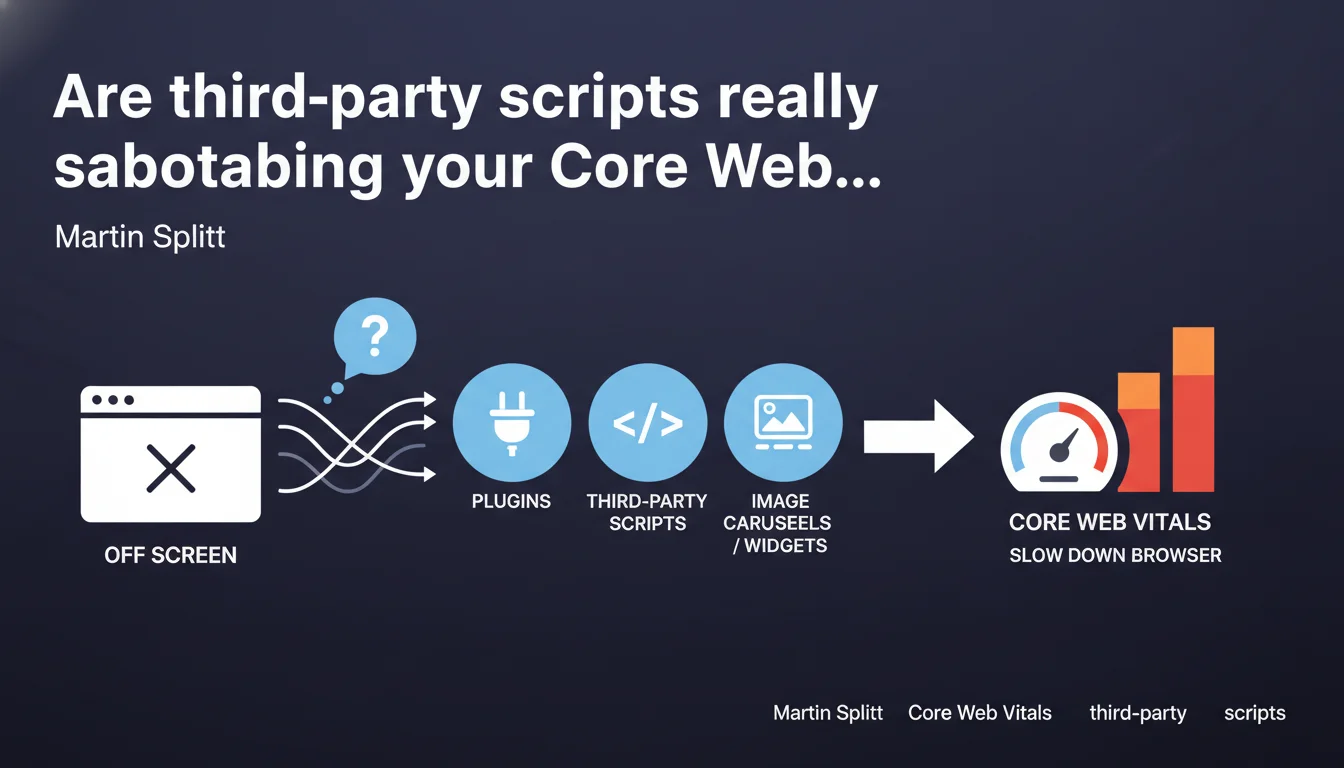
Martin Splitt confirms that third-party scripts (carousels, widgets, analytics) consume bandwidth and CPU resources even when they don't display on screen. This phenomenon directly degrades your Core Web Vitals and your rankings. The impact is often invisible in superficial audits but measurable in performance tools.
What you need to understand
Why does an invisible script still slow down the page?
Browsers load and execute third-party scripts regardless of their visibility on screen. An image carousel preloads all its resources, a chat widget initializes its WebSocket connections, an analytics script downloads its libraries — all in the background.
The problem? These operations consume bandwidth, CPU, and memory that could have served the main content. The browser doesn't distinguish between a displayed element and one hidden by CSS or located outside the viewport.
What concrete impact on Core Web Vitals?
Third-party scripts primarily degrade LCP (Largest Contentful Paint) and FID (First Input Delay), now replaced by INP. Each additional network request delays the rendering of main content. Each JavaScript thread occupied prevents the browser from responding to user interactions.
Google has measured that a single poorly optimized third-party script can add 200 to 500 ms to load time. On mobile with a 3G connection, the impact doubles or triples. When you stack 5-6 scripts (analytics, chatbot, customer reviews, advertising), you easily exceed the "good" thresholds of PageSpeed Insights.
How to detect invisible but resource-hungry scripts?
Standard tools (Lighthouse, PageSpeed) show overall impact but don't always detail out-of-viewport scripts. You need to cross-reference multiple sources: Chrome DevTools Network tab filters requests by size and timing, WebPageTest displays the complete loading cascade, Coverage Tool identifies unused JavaScript.
- Third-party scripts execute even when their interface doesn't appear in the initial viewport
- Impact is measured in network transfer + CPU time, not just displayed pixels
- A widget "at the bottom of the page" loads its resources as soon as HTML is parsed, not on scroll
- Google has penalized these scripts through Core Web Vitals since mid-2021
- The problem worsens on mobile where bandwidth and CPU are limited
SEO Expert opinion
Does this statement match real-world observations?
Absolutely. I've audited hundreds of sites where a simple chat widget added 800 ms to LCP even though it only appeared on click to a button. The classic case: Intercom, Drift, or Zendesk load 300-400 KB of JavaScript and make their server handshake before the user shows any interest.
Let's be honest — these tool publishers don't care. Their success metric is the chat conversion rate, not your PageSpeed score. Result: you pay the SEO price for their technical negligence.
What nuances should be noted?
Not all third-party scripts are created equal. Google Tag Manager, properly configured with lazy loading and script defer, has marginal impact (50-100 ms). Conversely, some advertising scripts (Google Adsense included, ironically) are real disasters: synchronous loading, request cascades, multiple redirects.
Splitt's statement remains vague on one point: at what load does it become "significantly" slowed? [To verify] Google doesn't publish a specific threshold. From my experience: beyond 3 unoptimized third-party scripts, you systematically lose "good" status on mobile.
In what cases can you tolerate these scripts?
When business ROI far exceeds SEO loss. An e-commerce site generating 30% of revenue through its chat can accept a PageSpeed score of 65 instead of 85. But measure this ROI factually — most widgets are installed by habit, not proven necessity.
And even then, optimize: loading on first scroll, script defer, DNS preconnection (rel=preconnect), lite version for mobile. There's always room for maneuver between "remove" and "let it rot".
Practical impact and recommendations
How to identify third-party scripts tanking your performance?
Run a Chrome DevTools > Performance audit in 3G throttling mode. Record the load and spot long JavaScript tasks (long tasks > 50 ms). Filter by third-party domain in the Network tab to isolate external requests. WebPageTest offers even more granular view with filmstrip and detailed cascade.
Focus on scripts that load before LCP. Anything executing after main content rendering has lesser impact on Core Web Vitals. Use Lighthouse for initial diagnosis, but always validate on real device — emulators often underestimate mobile impact.
What concrete actions to implement immediately?
- Audit all third-party scripts and measure their network weight + execution time
- Implement defer or async on non-critical scripts (crucial difference: defer maintains execution order)
- Lazy-load widgets invisible on initial load (chat, customer reviews, bottom-page carousels)
- Use facades for heavy embeds (YouTube, Google Maps): display a clickable image that loads the actual iframe
- Configure dns-prefetch and preconnect for essential third-party domains
- Test a mobile-first version: disable certain scripts on smartphone if usage doesn't justify it
- Monitor Core Web Vitals via Search Console and PageSpeed Insights every week
- Negotiate with third-party script vendors: some offer lite versions or optimized loading parameters
Should you remove all third-party scripts to be performant?
No, but you must prioritize. Each script must justify its presence through measurable ROI. Ask yourself: does this widget actually generate conversion, or is it a leftover installed 3 years ago by the marketing intern?
Analytics scripts (Google Analytics 4, Matomo) are generally justified but must load in defer. Chatbots should appear on scroll or click, not on load. Image carousels on homepage? Debatable — A/B tests often show a static image converts better.
Splitt's statement reminds us of a technical reality often overlooked: invisible doesn't mean inactive. Each third-party script consumes precious resources even outside viewport. Optimization comes through granular audit, intelligent lazy loading, and strategic choices between SEO performance and business features.
Concretely? Start with the 3 heaviest scripts identified in your audit. Optimize or remove them. Measure the impact on your Core Web Vitals. Iterate. These technical optimizations often require sharp front-end development skills and deep understanding of browser rendering mechanics — domains where guidance from a specialized SEO agency can significantly accelerate results and prevent costly mistakes.
❓ Frequently Asked Questions
Un script en bas de page ralentit-il autant qu'un script en haut ?
Google Analytics 4 pénalise-t-il mes Core Web Vitals ?
Comment lazy-loader un widget de chat sans frustrer les utilisateurs ?
Les scripts tiers impactent-ils aussi le Cumulative Layout Shift (CLS) ?
Peut-on héberger les scripts tiers sur son propre domaine pour optimiser ?
🎥 From the same video 8
Other SEO insights extracted from this same Google Search Central video · published on 29/11/2023
🎥 Watch the full video on YouTube →
💬 Comments (0)
Be the first to comment.